
Introduction
In the competitive world of Forex trading, having access to reliable analytical tools can make a significant difference in performance and confidence. Traders constantly search for indicators that simplify market analysis, reduce uncertainty, and improve entry timing without overwhelming the chart with excessive complexity. BMC Indicator V1.0 MT4 is designed with this purpose in mind—providing structured visual guidance within the widely used MetaTrader 4 platform. Rather than automating trades, it enhances manual decision-making by converting price behavior and technical data into clear, actionable signals. For traders who prefer maintaining control over their entries and exits while benefiting from algorithm-based analysis, this indicator aims to bridge the gap between raw chart reading and structured trading logic. Its design focuses on clarity, responsiveness, and adaptability across different trading styles, making it appealing to both beginners and experienced market participants.
Overview
BMC Indicator V1.0 MT4 operates as a technical analysis tool that processes historical and real-time price data to identify potential trade opportunities. By analyzing market momentum, trend direction, and price structure, it generates visual cues—such as arrows, markers, or highlighted zones—directly on the chart. These signals are intended to assist traders in spotting possible buy and sell setups without manually calculating multiple technical indicators. Built exclusively for MT4, it integrates seamlessly into the platform’s interface and supports multiple timeframes, allowing flexibility for scalping, intraday trading, or swing strategies. BMC Indicator V1.0 MT4 does not execute trades automatically; instead, it empowers traders to apply their own risk management and strategy rules while benefiting from algorithmic signal confirmation. Its core objective is to reduce market noise, improve clarity, and provide a structured analytical framework that enhances trading confidence and consistency.
How BMC Indicator V1.0 MT4 Works?
1. Real-Time Price Data Collection
BMC Indicator V1.0 MT4 continuously collects:
- Live bid and ask prices
- Historical candle data
- High, low, open, and close values
- Tick-by-tick market movements
BMC Indicator V1.0 MT4 processes this data in real time. Every time a new candle forms or price updates, the indicator recalculates its internal conditions to check for potential trading signals.
2. Market Structure Analysis
Once price data is collected, BMC Indicator V1.0 MT4 evaluates market structure.
This may include:
- Identifying higher highs and higher lows (uptrend)
- Identifying lower highs and lower lows (downtrend)
- Detecting consolidation or ranging phases
- Measuring recent breakout behavior
By understanding market structure, BMC Indicator V1.0 MT4 determines whether buyers or sellers are currently in control.
3. Trend Detection
BMC Indicator V1.0 MT4 analyzes trend direction before generating signals.
It may:
- Apply moving average logic internally
- Measure slope strength
- Evaluate momentum alignment
- Filter counter-trend conditions
Trend identification helps prevent taking trades against strong market direction, which improves signal reliability.
4. Momentum Evaluation
Momentum is crucial for determining entry timing.
BMC Indicator V1.0 MT4 may:
- Measure price acceleration
- Evaluate strength of recent candles
- Detect strong impulsive moves
- Filter weak or slow price movements
Strong momentum confirms that a trend has strength behind BMC Indicator V1.0 MT4, increasing the probability of continuation.
5. Volatility Filtering
Market volatility affects stop-loss size and signal quality.
BMC Indicator V1.0 MT4 may:
- Measure recent price range expansion
- Avoid generating signals during extremely low volatility
- Filter out unstable spike conditions
- Adjust signal sensitivity based on market behavior
This helps reduce false signals during unpredictable conditions.
6. Signal Generation Logic
When all internal conditions align, BMC Indicator V1.0 MT4 generates a signal.
This usually occurs when:
- Trend direction is confirmed
- Momentum meets threshold levels
- Volatility conditions are acceptable
- No internal filters are violated
Once confirmed, the indicator displays:
- Buy arrows
- Sell arrows
- Highlighted zones
- Trend color changes
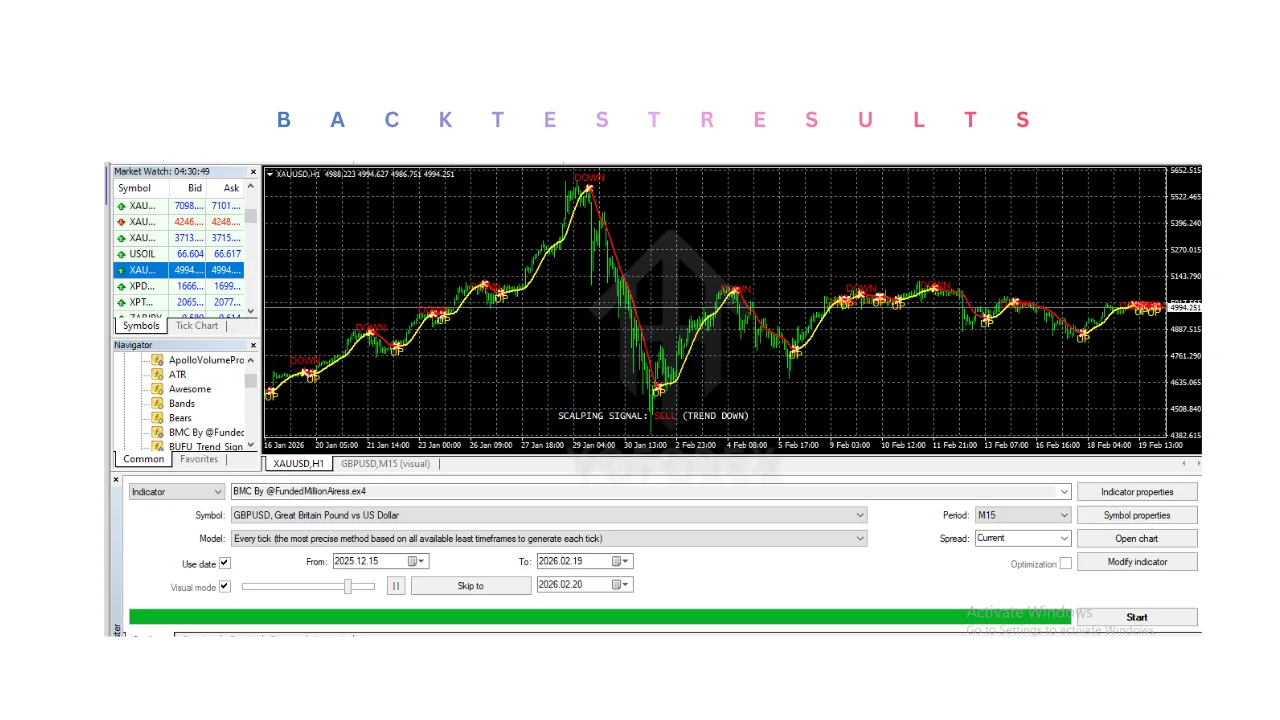
These signals appear directly on the chart for easy interpretation.
7. Visual Chart Display
BMC Indicator V1.0 MT4 converts internal calculations into visual elements such as:
- Arrows above/below candles
- Colored background zones
- Trend lines
- Support/resistance markings
This visual clarity reduces the need for manual indicator stacking and simplifies decision-making.
8. Alert Notification System
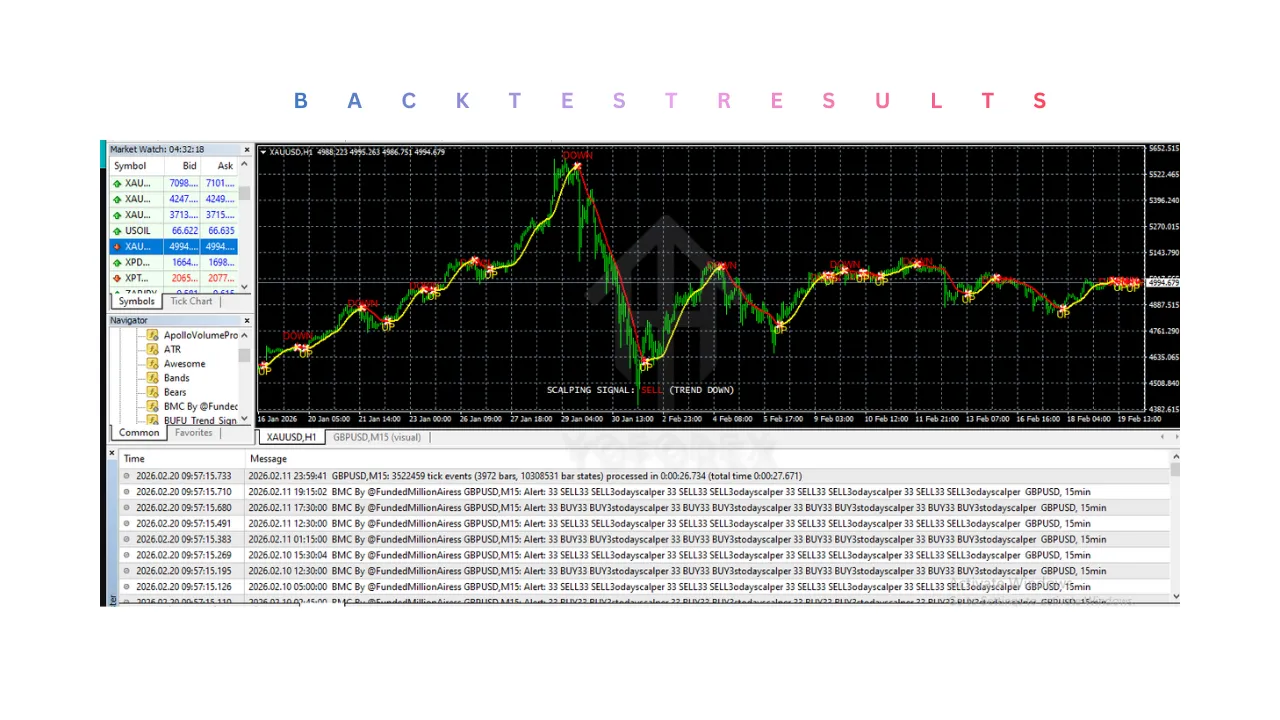
If enabled, BMC Indicator V1.0 MT4 can send alerts when signals appear.
Alert types may include:
- Popup notifications
- Sound alerts
- Mobile push notifications
- Email alerts
BMC Indicator V1.0 MT4 allows traders to monitor opportunities without staring at charts continuously.
9. Continuous Signal Adjustment
BMC Indicator V1.0 MT4 recalculates with every new candle.
It may:
- Update signals dynamically
- Confirm or invalidate setups
- Adjust visual markers
- Remove weak signals
This dynamic recalculation ensures signals reflect current market conditions.
10. Multi-Timeframe Adaptability
BMC Indicator V1.0 MT4 works across various timeframes.
For example:
- M5 for scalping
- M15/M30 for intraday trading
- H1/H4 for swing trading
- Daily for long-term analysis
Signal behavior may vary depending on timeframe volatility and trend strength.
11. User-Defined Sensitivity Settings
Traders can adjust internal parameters such as:
- Signal sensitivity
- Trend filter strength
- Alert activation
- Visual display customization
12. Manual Trade Execution
It is important to understand:
- BMC Indicator V1.0 MT4 does NOT place trades automatically.
- Traders must manually enter positions.
- Stop-loss and take-profit must be set by the trader.
- Risk management remains fully controlled by the user.
Key Features of BMC Indicator V1.0 MT4
1. Clear Buy and Sell Signals
BMC Indicator V1.0 MT4 typically displays:
- Arrow signals
- Colored trend markers
- Entry zone highlights
These visual cues reduce confusion and make decision-making easier, especially for beginners.
2. Trend Identification
One of its primary strengths is identifying market direction.
- Highlights bullish and bearish trends
- Helps avoid counter-trend trading
- Filters out weak momentum conditions
- Supports trend-following strategies
Trend clarity of BMC Indicator V1.0 MT4 is essential for consistent performance.
3. Momentum Confirmation
BMC Indicator V1.0 MT4 may integrate momentum-based calculations to:
- Detect strong price moves
- Avoid false breakouts
- Identify continuation patterns
- Improve entry timing
Momentum alignment increases probability.
4. User-Friendly Interface
Designed for MT4:
- Easy to attach to charts
- Minimal clutter
- Clear graphical presentation
- Adjustable display settings
This makes BMC Indicator V1.0 MT4 accessible even for non-technical traders.
5. Customizable Parameters
Users can modify:
- Signal sensitivity
- Alert settings
- Timeframe preferences
- Display colors
- Notification options
Customization allows traders to adapt BMC Indicator V1.0 MT4 to different strategies.
6. Multi-Timeframe Compatibility
BMC Indicator V1.0 MT4 can be used on:
- M5 (scalping)
- M15 / M30 (intraday trading)
- H1 / H4 (swing trading)
- Daily charts
This flexibility supports multiple trading styles.
7. Alert Notifications
Some configurations include:
- Popup alerts
- Sound notifications
- Mobile push alerts
- Email notifications
BMC Indicator V1.0 MT4 allows traders to stay informed without constant monitoring.
8. Lightweight Performance
BMC Indicator V1.0 MT4 is generally optimized to:
- Run smoothly on MT4
- Avoid excessive CPU usage
- Operate without slowing platform performance
Efficiency is crucial for multi-chart traders.
Installation & Setup Guide
Step 1: Download BMC Indicator V1.0 MT4 File
You will receive:
- BMC Indicator V1.0.ex4
or - BMC Indicator V1.0.mq4
Save the file on your computer.
Step 2: Open MT4 Data Folder
- Open MetaTrader 4
- Click File → Open Data Folder
- Open the MQL4 folder
- Open the Indicators folder
Step 3: Install BMC Indicator V1.0 MT4
- Paste the file into the Indicators folder
- Close the folder
- Restart MT4
Step 4: Attach to Chart
- Open your preferred currency pair
- Select timeframe
- Drag BMC Indicator from Navigator to the chart
- Adjust input settings
- Click OK
BMC Indicator V1.0 MT4 will now display signals on your chart.
Step 5: Configure Settings
Before trading live:
- Adjust signal sensitivity
- Enable alerts if needed
- Customize visual display
- Test on demo account
Demo testing helps understand signal behavior.
Advantages of BMC Indicator V1.0 MT4
1. Enhances Decision-Making
BMC Indicator V1.0 MT4 simplifies complex market analysis into visual signals, helping traders make faster decisions.
2. Beginner-Friendly
Clear visual cues reduce confusion and improve learning speed for new traders.
3. Supports Multiple Strategies
Can be used for:
- Scalping
- Day trading
- Swing trading
- Trend-following
4. Maintains Manual Control
Unlike automated systems, traders maintain full control over:
- Risk management
- Stop-loss placement
- Trade size
- Entry confirmation
5. Customizable Settings
Traders can tailor BMC Indicator V1.0 MT4 to match their strategy and risk tolerance.
6. Works on MT4 Platform
MT4 remains widely supported by brokers globally.
7. Reduces Market Noise
Helps BMC Indicator V1.0 MT4 filter out unnecessary signals and focus on structured opportunities.
8. Alert Functionality
Reduces need for constant screen monitoring.
Disadvantages of BMC Indicator V1.0 MT4
1. Not Fully Automated
BMC Indicator V1.0 MT4 does not place trades automatically. Traders must execute manually.
2. False Signals Possible
Like all indicators:
- No 100% accuracy
- Market volatility can produce fake breakouts
- Requires confirmation from other tools
3. Market Condition Dependency
Performance may vary during:
- High-impact news events
- Low liquidity sessions
- Extreme volatility spikes
4. Requires Trader Discipline
Success depends on:
- Proper risk management
- Consistent strategy application
- Avoiding overtrading
5. Learning Curve
New traders may need time to understand signal behavior.
6. Broker Spread Influence
High spreads can affect short-term trading performance.
7. No Guaranteed Profits
Market unpredictability always exists.