
Introduction
Automated trading has transformed the way traders interact with financial markets, offering precision, speed, and the ability to execute strategies without emotional interference. Among the various algorithmic systems available, hedging-based Expert Advisors have gained attention for their ability to manage risk in volatile market conditions.Advanced Hedge EA V4.0 MT4 is designed to implement a structured hedging strategy on the MetaTrader 4 platform. Instead of relying solely on directional predictions, it attempts to balance positions by opening opposing trades under specific conditions. This approach can help mitigate losses while allowing opportunities to capture profits in fluctuating markets.
Overview
Advanced Hedge EA V4.0 MT4 is an automated trading system that uses a hedging strategy combined with trade management logic to navigate uncertain market conditions. It operates by placing trades in both directions when required, aiming to reduce exposure and manage drawdowns effectively.Unlike traditional trend-following EAs, Advanced Hedge EA V4.0 MT4 does not rely entirely on predicting market direction. Instead, Advanced Hedge EA V4.0 MT4 adapts dynamically to price movement by balancing positions and managing them through predefined rules.Advanced Hedge EA V4.0 MT4 is typically used on major currency pairs and works best in markets where price fluctuations occur within a range or exhibit temporary reversals. Its design focuses on maintaining account stability while gradually building profits through controlled trade cycles.
How Advanced Hedge EA V4.0 MT4 Works?
1. Market Monitoring
- Advanced Hedge EA V4.0 MT4 continuously scans the market in real time.
- It tracks price movement, spread conditions, and volatility.
- Focuses on identifying entry zones where price is likely to fluctuate or reverse.
2. Initial Trade Placement
- Advanced Hedge EA V4.0 MT4 opens the first trade based on its internal strategy (can be trend-based or price-action trigger).
- This trade acts as the starting point of a trading cycle.
- Direction can be either buy or sell depending on market conditions.
3. Hedging Activation
- If the market moves against the initial trade, the EA opens an opposite position (hedge trade).
- This second trade helps offset floating losses from the first position.
- The goal is to balance exposure rather than close trades at a loss immediately.
4. Multi-Position Management
- Advanced Hedge EA V4.0 MT4 may open additional trades in both directions depending on price movement.
- Trades are grouped into a basket rather than treated individually.
- It tracks the combined profit/loss of all open positions.
5. Trade Spacing Logic
- New trades are opened at specific price intervals (grid distance).
- This ensures trades are not placed too close together.
- Helps manage risk and avoid overtrading in tight ranges.
6. Profit Target Calculation
- Instead of closing trades individually, Advanced Hedge EA V4.0 MT4 calculates a total basket profit target.
- Once the combined positions reach the desired profit level, all trades are closed together.
- This locks in net profit across hedged positions.
7. Drawdown Control
- Advanced Hedge EA V4.0 MT4 continuously monitors account drawdown.
- If losses exceed a predefined limit:
- It may stop opening new trades, or
- Close all positions to protect capital.
8. Recovery Mechanism
- The hedging system allows Advanced Hedge EA V4.0 MT4 to recover from losing positions without closing them prematurely.
- As the market fluctuates, opposing trades can offset losses and create opportunities to exit in profit.
9. Spread and Execution Filters
- Advanced Hedge EA V4.0 MT4 checks current spread before opening trades.
- Avoids entering trades during unfavorable conditions (high spread or low liquidity).
10. Continuous Cycle Operation
- Once a basket of trades is closed in profit, Advanced Hedge EA V4.0 MT4 starts a new cycle.
- This process repeats continuously as long as AutoTrading is enabled.
Key Features
Hedging-Based Strategy
- Opens opposite positions to offset potential losses.
- Helps reduce drawdown during unfavorable market movements.
- Balances risk rather than relying on a single trade direction.
Dynamic Trade Management
- Adjusts positions based on market behavior.
- Closes trades in cycles once combined profit targets are reached.
- Uses intelligent exit strategies instead of fixed single-trade closures.
Multi-Order Handling
- Can manage multiple trades simultaneously.
- Groups trades into baskets for efficient profit management.
- Tracks overall equity rather than individual trades only.
Customizable Risk Settings
- Allows traders to control lot size, risk level, and trade spacing.
- Supports both conservative and aggressive configurations.
- Provides flexibility for different account sizes.
Equity Protection System
- Monitors account drawdown levels.
- Can stop trading or close positions when risk thresholds are exceeded.
- Helps prevent account blowouts during extreme volatility.
Spread and Market Filters
- Avoids trading during high spread conditions.
- Ensures better execution quality.
Automatic Trade Execution
- Executes trades instantly based on internal logic.
- Eliminates delays and manual errors.
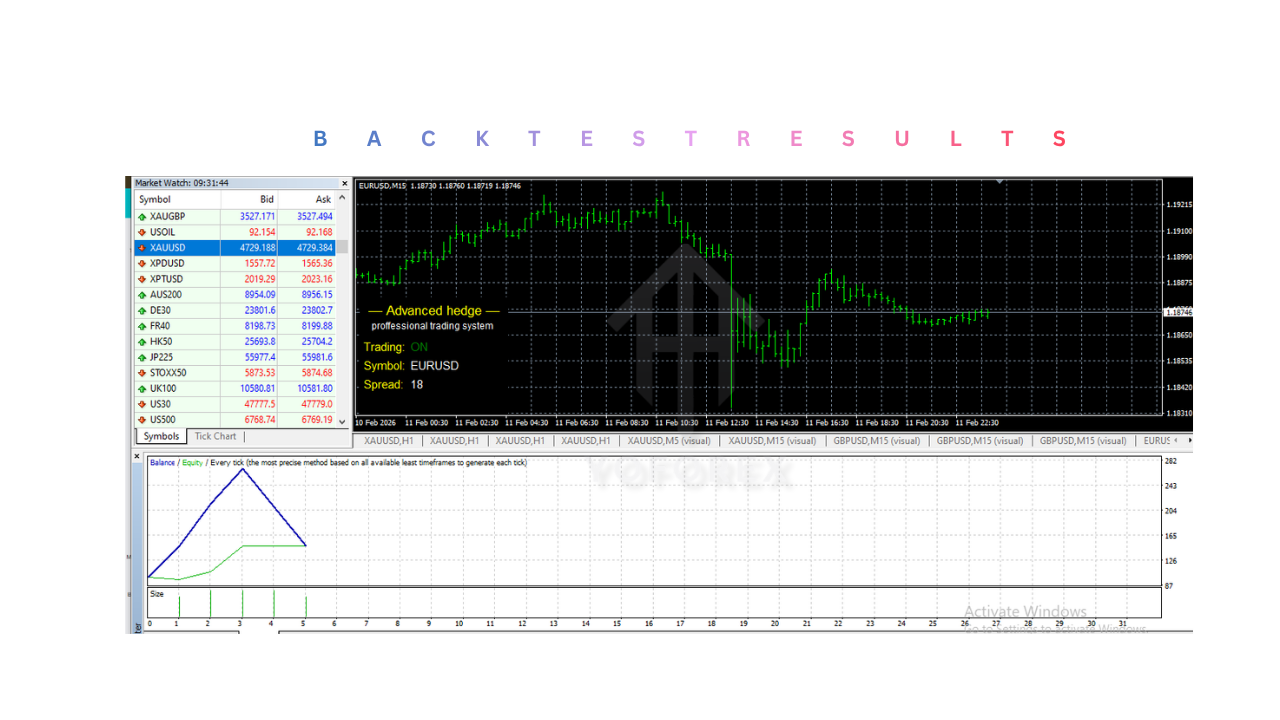
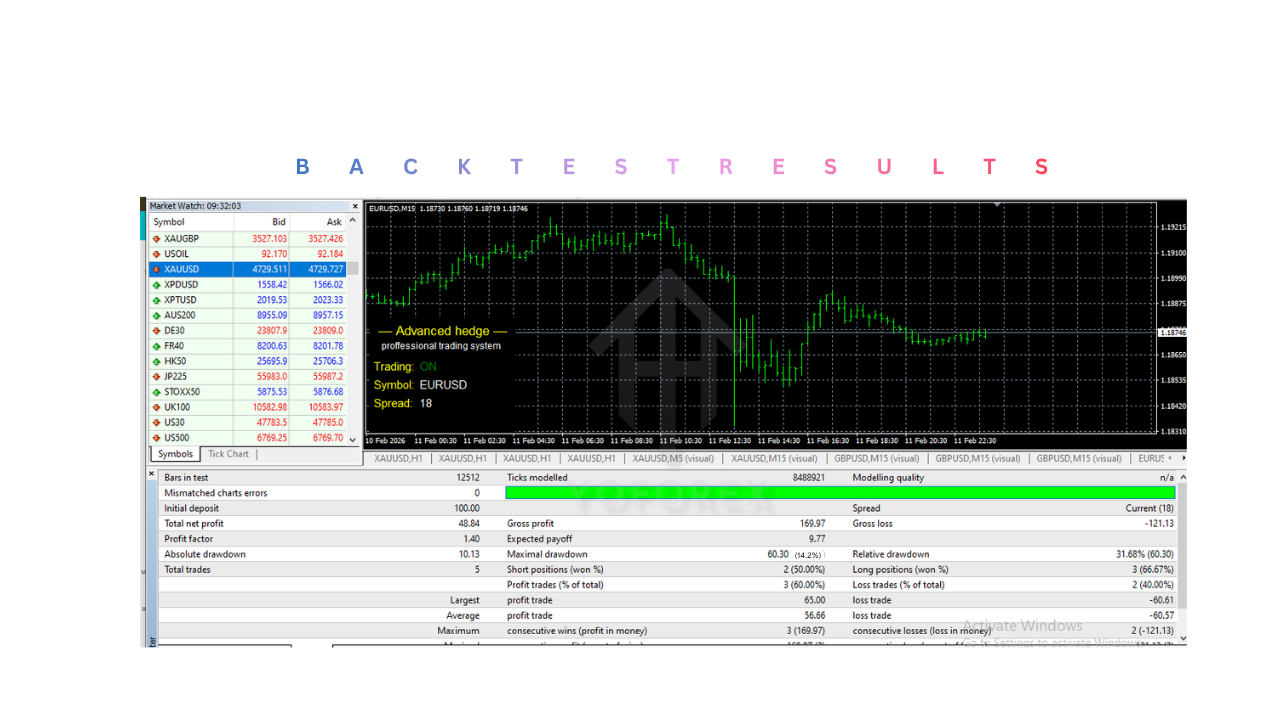
Backtesting Compatibility
- Can be tested using MT4 Strategy Tester.
- Helps evaluate performance before live deployment.
Installation & Setup Guide
1. Download Required Files
- Obtain Advanced Hedge EA V4.0 MT4 file in
.ex4or.mq4format from the official source. - Download any additional files such as preset
.setfiles or indicators if provided.
2. Open MetaTrader 4 Platform
- Launch your MT4 trading terminal.
- Ensure your platform is connected to your broker account.
3. Access Data Folder
- In MT4, go to:
File → Open Data Folder - This opens the directory where all platform files are stored.
4. Copy Advanced Hedge EA V4.0 MT4 File
- Navigate to
MQL4 → Expertsand paste Advanced Hedge EA V4.0 MT4 file. - If additional indicators are included, place them in
MQL4 → Indicators. - If libraries are included, copy them into
MQL4 → Libraries.
5. Restart MT4
- Close and reopen the platform to load Advanced Hedge EA V4.0 MT4 properly.
- After restart, the EA should appear in the Navigator panel under Experts.
6. Attach EA to Chart
- Open a chart of your preferred currency pair (commonly EUR/USD, GBP/USD).
- Select a suitable timeframe (often M15 or H1).
- Drag and drop Advanced Hedge EA V4.0 MT4 from Navigator → Experts onto the chart.
7. Configure Input Settings
- Adjust key parameters such as:
- Initial lot size
- Maximum number of trades
- Grid distance (trade spacing)
- Profit target (basket closing level)
- Maximum drawdown limit
- Load preset
.setfiles if available for optimized settings.
8. Enable AutoTrading
- Ensure the AutoTrading button on MT4 is enabled (green).
- Check that “Allow Live Trading” is enabled in EA settings.
9. Check Execution Conditions
- Make sure spreads are within acceptable limits.
- Use a broker that allows hedging and has low latency execution.
10. Monitor and Maintain
- Regularly check the Experts and Journal tabs for logs and errors.
- Use a VPS (Virtual Private Server) for uninterrupted 24/5 operation.
Advantages
1. Risk Balancing Through Hedging
- Opens opposite trades to reduce exposure from losing positions.
- Helps manage drawdown more effectively than single-direction strategies.
2. Adaptability to Market Conditions
- Performs well in sideways and volatile markets where price fluctuates.
- Does not rely solely on predicting market direction.
3. Basket-Based Profit System
- Combines multiple trades into a single profit target.
- Allows recovery of losing trades through overall basket profit.
4. Automated Trade Execution
- Eliminates manual intervention and emotional decision-making.
- Ensures trades are executed instantly based on strategy rules.
5. Customizable Settings
- Traders can adjust risk, lot size, grid spacing, and profit targets.
- Suitable for both conservative and aggressive trading styles.
6. Continuous Market Operation
- Runs 24/5, capturing opportunities across all trading sessions.
7. Equity Protection Features
- Monitors drawdown and can stop trading under risky conditions.
- Adds a layer of safety for account protection.
Disadvantages
1. High Margin Requirement
- Multiple open trades require significant margin.
- Not ideal for very small accounts.
2. Risk of Prolonged Drawdown
- In strong trending markets, hedged positions may remain open for long periods.
- Can tie up capital and delay profit realization.
3. Strategy Complexity
- Hedging and basket management logic can be difficult to understand for beginners.
- Requires time to learn proper configuration.
4. Broker Dependency
- Requires brokers that allow hedging.
- Performance depends on low spreads and fast execution speed.
5. Potential Overexposure
- If not configured properly, too many trades can accumulate.
- Increases risk during volatile conditions.
6. Requires Monitoring
- Despite automation, occasional supervision is necessary.
- Technical issues (internet, VPS, MT4 errors) can interrupt trading.
7. No Guaranteed Profit
- Market conditions can change unpredictably.
- Profitability depends on correct settings and disciplined usage.