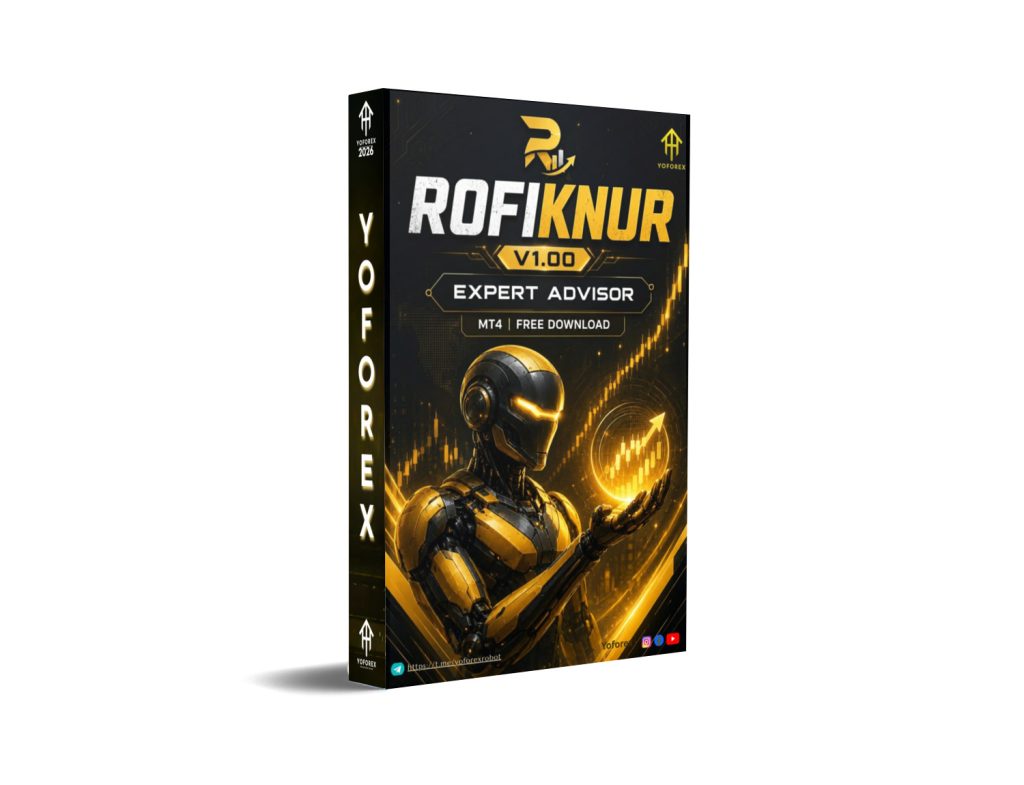
ROFIKNUR EA V1.00 MT4: Understanding This Automated Forex Bot for Busy Traders
Manual Forex trading demands constant screen time, quick decisions under pressure, and strict emotional control. Many traders—especially those with full-time jobs or other commitments—struggle to stay consistent when markets move outside their available hours. Gaps in monitoring can mean missed entries or poorly managed positions.
ROFIKNUR EA V1.00 MT4 addresses this by offering full automation on the MetaTrader 4 platform. It is designed so the system can handle trade decisions according to its programmed rules once attached to a chart. This article explains what the bot is, how it operates, its practical features, who it fits, and what to verify before considering a purchase. The goal is clarity so you can decide if it matches your approach.
What Is ROFIKNUR EA V1.00 MT4?
ROFIKNUR EA V1.00 is an Expert Advisor (EA) built for MetaTrader 4. It runs as an automated trading system that monitors the market, opens and manages positions according to its internal logic, and does not require the trader to click every entry or exit.
It is commonly presented as a grid-style system that can trade in both buy and sell directions. The version discussed here is the MT4 release (V1.00). Traders looking for hands-off operation often explore tools like this through sources such as YoForex and related platforms that distribute MT4 Expert Advisors.
The bot is noted to work with the EUR/USD pair on the M15 timeframe. As with any EA, results depend heavily on broker conditions, settings, account size, and market behavior.
How Does ROFIKNUR EA V1.00 Work?
The core approach is a dual-direction grid. The EA places trades at set pip intervals. When price moves against an open position, it can add further positions at defined spacing rather than closing immediately.
From available configuration details, it typically starts with a fixed lot size (commonly beginning at 0.01). A multiplier for larger lot sizes can activate after a certain number of levels (often from the third order onward). This is a form of delayed martingale-style recovery intended to help average the position when price returns toward the grid range.
Take-profit targets are frequently set around a fixed pip distance per trade (around 20 pips in common descriptions). There is often no fixed pip-based stop-loss by default; risk control relies more on overall equity settings, maximum position limits, or user-defined USD/percentage thresholds if enabled.
Time filtering is available so the EA can restrict trading to preferred hours. Magic numbers help keep its trades separate from other EAs on the same account. In practice, many users run separate charts or presets for buy-side and sell-side logic.
On EUR/USD M15, the shorter timeframe can produce more frequent grid activity compared with higher timeframes. This increases the importance of tight spreads, reliable execution, and sufficient margin.
The process is fully automated once the EA is attached, AutoTrading is enabled, and parameters are set. The trader’s role shifts mainly to monitoring account health, adjusting settings if needed, and ensuring the platform stays online (often via VPS).
Key Features
- Dual buy and sell trading capability
- Grid spacing (commonly around 20 pips between levels)
- Lot size starting at micro lots with optional multipliers after initial levels
- Configurable take-profit targets
- Time filter options to control trading sessions
- Magic number support for multi-EA accounts
- Maximum position limits (examples include caps per direction)
- Preset files often supplied for buy and sell configurations
- No-DLL operation in many distributed versions
- Compatible with standard MT4 builds
Quick Features Table
| Feature | Details |
|---|---|
| Platform | MetaTrader 4 (MT4) |
| Strategy | Grid with delayed lot scaling |
| Trading Style | Automated dual-direction |
| Pairs | EUR/USD (as noted for this use) |
| Timeframe | M15 |
| Risk Management | Equity/parameter-based; limited default fixed SL |
| Automation | Fully automated once running |
| Best For | Traders comfortable with grid systems |
Main Benefits
The practical advantages center on time and consistency rather than any promised outcome:
- The EA can watch the market continuously, which helps traders who cannot sit at the screen all day.
- Rules-based execution reduces impulsive decisions driven by fear or greed.
- Customizable parameters (lots, step, multipliers, time filters) let users adapt the grid density and exposure to their account size.
- Running both directions can capture mean-reversion style moves in ranging conditions on pairs such as EUR/USD.
- Presets simplify initial setup for those who prefer not to build every input from scratch.
These benefits only appear when the strategy matches current market conditions and the account has enough capital and risk tolerance for grid drawdowns.
Who Is ROFIKNUR EA V1.00 For?
This EA tends to suit:
- Intermediate and experienced traders who already understand grid and recovery logic
- Busy traders seeking automation for EUR/USD on M15
- Users who can monitor overall equity and adjust settings when needed
- Algorithmic traders comfortable testing and optimizing parameters
- Those with access to a stable VPS and a broker offering reasonable spreads on EUR/USD
It can also serve as a learning tool for traders studying how automated grid systems behave in real time.
Who Should Avoid It?
Be realistic about fit:
- Complete beginners who have never managed drawdowns or multiple open positions
- Traders who require a hard stop-loss on every trade and cannot accept floating equity swings
- Accounts that are too small relative to the potential number of grid levels
- Anyone expecting steady, low-volatility results in strong trending markets
- Users unwilling to test thoroughly on demo or to review performance regularly
Grid systems with scaling can experience significant drawdowns when price trends strongly in one direction for an extended period. Understanding that risk is essential.
ROFIKNUR EA V1.00 vs Manual Trading
| Aspect | ROFIKNUR EA V1.00 MT4 | Manual Trading |
|---|---|---|
| Screen time | Minimal once running | High continuous monitoring |
| Emotion impact | Rules remove most emotional bias | High risk of impulsive decisions |
| Trade frequency | Grid-driven, can be frequent on M15 | Depends on trader availability |
| Risk control | Parameter and equity based | Fully discretionary |
| Consistency | Same logic applied every time | Varies with mood and fatigue |
| Flexibility | Limited to programmed rules | Can adapt instantly to news |
What To Check Before Buying
Use this practical checklist:
- Strategy – Confirm you are comfortable with grid + delayed scaling and dual-direction trading.
- Risk – Review maximum open positions, lot multipliers, and equity protection options.
- Drawdown – Understand that grid systems can produce large floating losses before recovery.
- MT4 compatibility – Verify the file works with your broker’s MT4 build.
- Broker compatibility – Prefer ECN/raw-spread accounts with low spreads and reliable execution on EUR/USD.
- VPS – Strongly recommended for 24/5 uptime and low latency.
- Settings – Check whether buy/sell presets are included and test them.
- Support – Clarify update policy and contact channels.
- Testing – Always run extended demo or forward tests before risking real capital.
Never rely solely on any reported live results without verifying them yourself under your own conditions.
How To Get Started
- Obtain the ROFIKNUR EA V1.00 MT4 file and any included set files from a trusted source such as those associated with YoForex.
- In MT4, open File → Open Data Folder → MQL4 → Experts and place the .ex4 file there. Restart the platform.
- Open an EUR/USD M15 chart.
- Drag the EA onto the chart. Enable “Allow live trading” and load preferred presets if available (often separate buy and sell configurations).
- Adjust inputs for lot size, step, multipliers, time filter, and risk limits according to your account.
- Enable AutoTrading. Confirm the smiley face appears on the chart.
- Prefer starting on a demo account. Use a VPS for continuous operation.
- Monitor equity, open positions, and overall performance regularly; be prepared to pause or adjust during strong trends.
FAQs
What platform does ROFIKNUR EA V1.00 run on?
It is built for MetaTrader 4.
Which pair and timeframe are commonly used?
It is noted to work on EUR/USD with the M15 timeframe.
Does it trade both directions?
Yes, it supports simultaneous buy and sell logic within its grid framework.
Is there a fixed stop-loss?
Many configurations do not use a default fixed pip stop-loss; risk is managed through other parameters and equity controls.
Do I need a VPS?
It is highly recommended for uninterrupted operation.
Can beginners use it?
It is better suited to traders who already understand grid risk and position management.
Should I test it first?
Yes. Thorough demo and forward testing under your broker conditions is essential.
Where can I find more about tools like this?
Platforms connected with YoForex and yoforexea.com regularly feature MT4 Expert Advisors and related resources.
CONCLUSION
ROFIKNUR EA V1.00 MT4 provides a structured way to automate a dual-direction grid approach on EUR/USD M15. It solves the problem of limited screen time for traders who understand and accept the characteristics of grid recovery systems. It does not eliminate market risk, and performance will vary with settings, broker quality, and market conditions.
If the description matches the type of automation you are looking for, the logical next step is to review the available package, load it on a demo account, and evaluate the behavior yourself. Check the current offering and resources at sources such as YoForex to proceed with testing or acquisition when you are ready. Always trade only with capital you can afford to risk and keep realistic expectations about automated systems.
Support & Disclaimer
Support
If you need help installing or configuring your EA, or face any kind of bug, feel free to reach out on:
WhatsApp: Click here
Telegram Group: Join our community
Disclaimer:
Forex and gold trading involve risk. Past performance doesn’t guarantee future results. Always test robots on demo before live trading and use proper risk management.
REFERRAL
Join the VIP Signals Telegram Channel for real-time expert trading signals and stay ahead in the forex market. Get personalized strategies by becoming a part of our Real Account Management Telegram Channel and optimize your trading experience. If you’re aiming to Pass PropFirm Challenges , join our dedicated channel for tips and proven methods. Start managing your capital effectively with expert advice from our Funded Account Management Telegram Channel. For advanced traders, our HFT EA / Passing Telegram Channel offers high-frequency trading insights and strategies to boost your performance.