German Sniper Indicator V1 MT4: Clear Entry Lines and Take-Profit Targets for Everyday Forex Trading
Many MT4 traders face the same daily friction: charts full of indicators yet still no clean, defined place to enter, place a stop, or take profit. Decisions become slow, second-guessing increases, and simple opportunities get missed.
The German Sniper Indicator V1 MT4 aims to reduce that friction by plotting visible entry zones, suggested stop-loss references and take-profit lines directly on the chart.
What Is German Sniper Indicator V1 MT4?
German Sniper Indicator V1 is a custom technical indicator built for MetaTrader 4. It is not an Expert Advisor — it does not open or close trades automatically. Instead it overlays clear horizontal lines and text labels so the trader can see potential buy or sell zones, a suggested stop area, and a take-profit target.
The tool is commonly described as drawing on past reaction points (areas where price previously bounced) and using SuperTrend-style logic to define those levels. Once attached, traders see labels such as “SMART BUY ABOVE HERE”, “SMART SELL BELOW HERE” and “TAKE PROFIT HERE”.
It is available as a standard .ex4 file and can be used on any symbol that MT4 supports.
How Does German Sniper Indicator V1 Work?
The indicator continuously evaluates price relative to recent structural levels. When conditions align it draws:
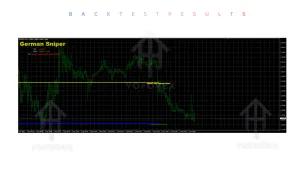
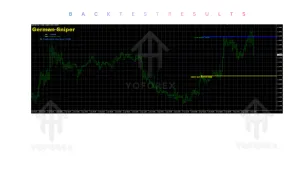
- A yellow-style line with “SMART BUY ABOVE HERE” or “SMART SELL BELOW HERE”
- A corresponding take-profit line labelled “TAKE PROFIT HERE”
- Visual stop-loss guidance (often expressed as a level the candle should not close beyond)
Typical usage flow observed by traders:
- Wait for the SMART BUY or SMART SELL line to appear.
- Wait for a candle to close above (buy) or below (sell) that line.
- Place the stop according to the level the indicator suggests.
- Target the TAKE PROFIT HERE line or manage the trade manually once price approaches it.
Some versions allow optional display of additional support/resistance lines through the colour settings. The exact internal calculation is proprietary, but the visual output is straightforward enough that most users can apply it without complex rule sets.
Because it is a chart indicator, signals remain visible after the candle closes in normal use, helping with both live trading and later review.
Key Features
- Clear SMART BUY / SMART SELL entry lines with text labels
- Dedicated TAKE PROFIT HERE targets
- Suggested stop-loss reference levels
- Optional support/resistance line display
- Works on any MT4 symbol (forex majors, minors, gold, indices, etc.)
- Compatible with multiple timeframes
- Simple visual design — limited chart clutter
- Suitable as a standalone signal tool or confirmation layer
Quick Features Table
| Feature | Details |
|---|---|
| Platform | MetaTrader 4 (MT4) |
| Strategy style | Support/resistance + momentum-style levels |
| Trading style | Scalping, day trading, swing |
| Pairs | Any (majors, minors, gold, indices common) |
| Timeframe | Any (M15–H4 frequently used) |
| Risk management | Suggested SL & TP lines (trader still decides) |
| Automation | None — pure indicator, manual execution |
| Best for | Traders wanting clear entry & exit references |
Main Benefits
The practical value lies in reducing decision time. Instead of calculating levels from scratch or watching multiple oscillators, the trader sees defined zones already marked. This helps with:
- Faster identification of potential setups
- Consistent placement of stops and targets relative to the same visual reference
- Easier journaling and review because levels are recorded on the chart
- Lower cognitive load for traders who prefer a cleaner decision process
It does not remove the need for risk management or market context. It simply supplies a structured visual framework that many find easier to follow than purely discretionary analysis.
Who Is German Sniper Indicator V1 For?
- Beginners who want a clear, labelled starting point rather than interpreting complex multi-indicator setups
- Intermediate traders looking for an additional confirmation layer
- Scalpers and day traders who value quick visual references on lower timeframes
- Swing traders who prefer fewer but clearer levels on H1–H4
- Busy traders who check charts periodically and prefer defined zones over constant monitoring
- Anyone already using MT4 who wants an easy-to-install visual tool
Who Should Avoid It?
- Traders seeking a fully automated Expert Advisor that opens and closes trades without intervention
- Those who require verified long-term backtest statistics or audited performance numbers before using any tool
- Pure price-action purists who prefer no indicator overlays at all
- Anyone expecting a “set-and-forget” system that works without stop-loss discipline or position sizing
German Sniper Indicator V1 vs Manual Trading
| Aspect | Manual Discretionary | With German Sniper Indicator V1 |
|---|---|---|
| Entry definition | Subjective | Labelled SMART BUY/SELL lines |
| Stop placement | Calculated each time | Suggested reference levels |
| Take-profit target | Often undefined or moving | Explicit TAKE PROFIT HERE line |
| Chart clarity | Can become crowded | Focused visual markers |
| Decision speed | Variable | Generally faster once lines appear |
| Still requires | Full analysis & risk control | Same risk control + line confirmation |
What to Check Before Buying or Downloading
- Confirm it is the V1 .ex4 version compatible with your MT4 build
- Test on a demo account across the pairs and timeframes you actually trade
- Observe how often lines appear and how price reacts to them in current market conditions
- Check that suggested stop distances fit your risk tolerance and account size
- Verify broker compatibility (spread, execution quality) on the symbols you intend to use
- Decide whether you will use it alone or combine with higher-timeframe bias or another filter
- Ensure you understand it is an indicator only — no automatic order placement
- Review any available support or update policy from the source (including resources on sites such as yoforex.org)
How to Get Started
- Obtain the German Sniper Indicator V1 .ex4 file from a trusted source.
- In MT4 go to File → Open Data Folder → MQL4 → Indicators and place the file there.
- Restart MT4 or refresh the Navigator.
- Open a chart, drag the indicator onto it, and accept default settings initially.
- Optionally adjust colours if you want the underlying SuperTrend-style lines visible.
- Practice the candle-close rule on demo until the process feels natural.
- Apply proper position sizing and always use a stop, even when the indicator suggests a level.
FAQs
Is German Sniper Indicator V1 an EA or an indicator?
It is a pure MT4 indicator. It displays levels; the trader still places and manages the orders.
Does it repaint?
In normal documented use the main signal lines appear after candle close and remain fixed for that setup.
Which timeframes work best?
Many users prefer M15, M30, H1 and H4, but the tool can be attached to any timeframe.
Can I use it on gold or indices?
Yes. It functions on any symbol available in the MT4 terminal.
Do I still need a stop loss?
Yes. The indicator provides a suggested reference; the trader is responsible for final risk decisions.
Is it suitable for complete beginners?
The visual labels make it approachable, but basic understanding of support/resistance, risk management and chart reading remains necessary.
Where can I find more information or download options?
Resources and related trading tools are regularly discussed on platforms such as yoforex.org and the associated blog at yoforexea.com.
CONCLUSION
German Sniper Indicator V1 MT4 solves a common practical problem: the lack of clear, labelled entry, stop and take-profit references on the chart. It does not promise results and does not trade for you. What it does offer is a straightforward visual framework that many MT4 users find helpful for structuring their decisions.
If the description matches the kind of tool you have been looking for, the logical next step is to test it thoroughly on a demo account with the pairs and timeframes you actually trade. Once you have seen how the lines behave in live conditions, you can decide whether it belongs in your regular workflow.
You can explore the German Sniper Indicator V1 and related MT4 tools through the resources available at yoforex.org.
Support
If you need help installing or configuring your EA, or face any kind of bug, feel free to reach out on:
WhatsApp: Click here
Telegram Group: Join our community
Disclaimer:
Forex and gold trading involve risk. Past performance doesn’t guarantee future results. Always test robots on demo before live trading and use proper risk management.
REFERRAL
Join the VIP Signals Telegram Channel for real-time expert trading signals and stay ahead in the forex market. Get personalized strategies by becoming a part of our Real Account Management Telegram Channel and optimize your trading experience. If you’re aiming to Pass PropFirm Challenges , join our dedicated channel for tips and proven methods. Start managing your capital effectively with expert advice from our Funded Account Management Telegram Channel. For advanced traders, our HFT EA / Passing Telegram Channel offers high-frequency trading insights and strategies to boost your performance.