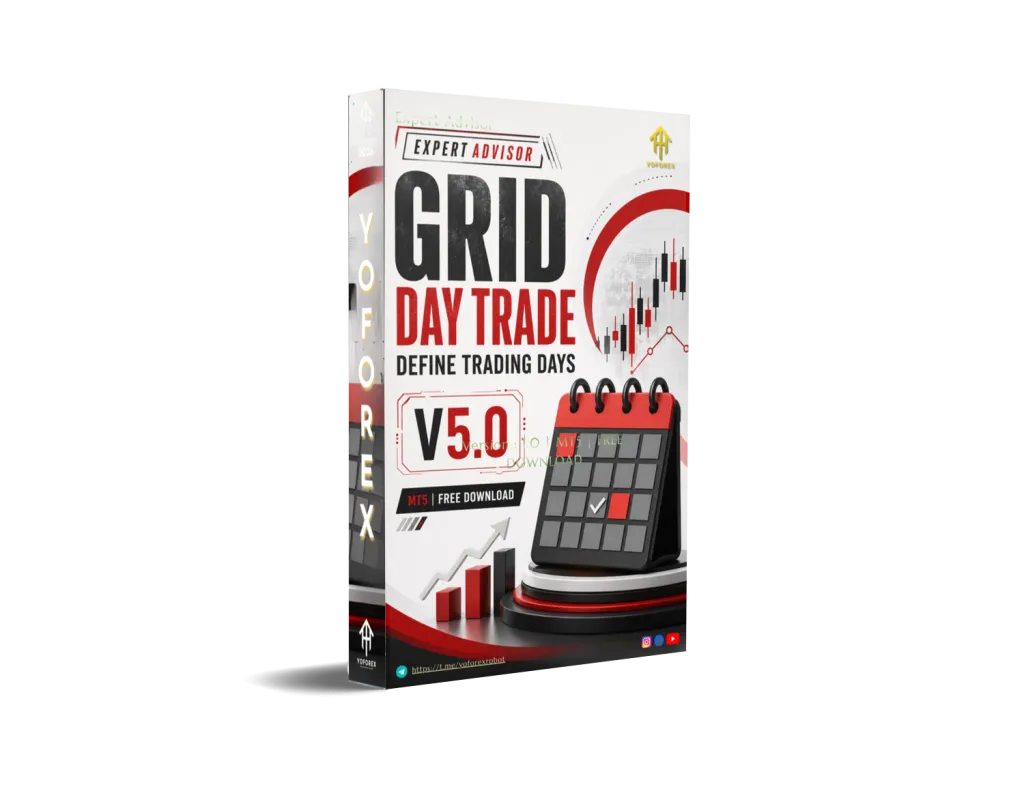
Grid Day Trade Define Trading Days EA V5.0 MT5: A Closer Look at This Stochastic Grid System
Many day traders like the idea of a grid but hate the open-ended drawdown that classic grid EAs can produce. Positions multiply, floating loss grows, and the account can be left exposed for hours or days. Grid Day Trade Define Trading Days EA V5.0 MT5 was built to address exactly that problem: it combines Stochastic-based entries with a dynamic grid and a hard mathematical risk ceiling so the system can stop expanding once a predefined theoretical risk level is reached.
This article explains what the EA actually does, how the logic works, who it suits, and what you should verify before considering it.
What Is Grid Day Trade Define Trading Days EA V5.0 MT5?
Grid Day Trade Define Trading Days EA V5.0 is a fully automated Expert Advisor for the MetaTrader 5 platform. It opens an initial trade only when the Stochastic oscillator leaves overbought or oversold zones, then builds a grid of additional positions with a lot multiplier if price continues against the first order.
A built-in mathematical module constantly calculates the theoretical cost of the entire grid (lots, spacing and a fixed spread constant). When that calculated risk exceeds the user-set Max_Theoretical_Risk limit, the EA simply refuses to open any new orders or new grids. Existing positions remain open until they hit the target profit or the trader intervenes.
Trading is further restricted by time-of-day filters, selectable weekdays and a cooldown period after a grid closes. The EA is intended for major currency pairs on the M15 or H1 charts and deliberately blocks XAUUSD.
How Does Grid Day Trade Define Trading Days EA V5.0 MT5 Work?
- Entry filter The EA watches the Stochastic oscillator (K, D and Slowing periods are adjustable). A new grid can start only when the indicator exits the overbought or oversold zone. This is meant to catch micro-pullbacks or short-term reversals rather than pure breakouts.
- Grid construction The first order uses the fixed base lot (Lots_fix). Subsequent levels use a multiplier (default example in the description is 12.0). Grid spacing and the number of levels are controlled by the internal logic together with the risk calculator.
- Risk calculation on every tick The EA recomputes the total theoretical cost of the open grid, including the fixed Spread_const value. This constant prevents the exit formulas from being distorted by momentary spread spikes. As soon as the projected risk crosses Max_Theoretical_Risk, new orders and new grids are blocked (Close_On_Risk_Limit option).
- Exit The whole series is closed when the combined floating profit reaches the user-defined InpTargetProfit (safe profit target in account currency). There is no automatic stop-loss on individual legs beyond the mathematical risk block.
- Session and calendar controls StartHour / StartMinute / EndHour / EndMinute define the allowed trading window. MinBeforeClose stops new entries a set number of minutes before the bar closes on the chosen FilterTF (commonly M15). Specific weekdays can be enabled or disabled; the default focuses on the more liquid mid-week days. After a grid is closed, Min_Cooldown_Minutes must pass before a new grid is allowed.
The result is a day-trading style grid that is only active during chosen hours and days and that has a hard upper bound on how much theoretical risk it will accept.
Key Features
- Stochastic-triggered initial entries and grid starts
- Dynamic lot sizing via Multiplier
- Continuous mathematical risk calculation using Spread_const
- Hard block on new orders once Max_Theoretical_Risk is reached
- Configurable trading session (hours and minutes)
- Weekday filter (enable/disable individual days)
- Cooldown timer between grids
- MinBeforeClose protection against late-bar entries
- Target profit close for the entire basket (InpTargetProfit)
- Built-in block for XAUUSD
- All key parameters exposed for user adjustment
Quick Features Table
| Feature | Details |
|---|---|
| Platform | MetaTrader 5 |
| Strategy | Stochastic filter + dynamic grid |
| Trading Style | Day-trade grid |
| Pairs | Major high-liquidity pairs (XAUUSD blocked) |
| Timeframe | M15 / H1 recommended |
| Risk Management | Mathematical Max_Theoretical_Risk limit |
| Automation | Fully automated once configured |
| Best For | Traders who want controlled grid exposure on majors |
Main Benefits
- Defined risk ceiling – The mathematical module stops the grid from expanding once the theoretical cost hits the limit you set. This is the core difference from many classic grid systems.
- Session discipline – You can restrict the EA to the hours and weekdays you consider most liquid, reducing overnight or weekend exposure if desired.
- Spread stability in calculations – Using a fixed Spread_const keeps the breakeven and target-profit math consistent even when the broker’s live spread fluctuates.
- Transparent parameters – Lots, multiplier, Stochastic settings, risk limit, target profit, cooldown and time filters are all user-adjustable.
- Hands-off operation inside the rules – Once the filters and limits are set, the EA handles entries, grid steps and basket closes without constant manual intervention.
None of these features remove market risk. They only constrain how far the system is allowed to go.
Who Is Grid Day Trade Define Trading Days EA V5.0 MT5 For?
- MT5 users who already understand grid mechanics and want tighter day-trading controls
- Traders who prefer major currency pairs and can run the EA on M15 or H1
- Those who are comfortable setting a maximum theoretical risk figure and accepting that the EA will simply stop adding positions when that figure is reached
- Busy traders who want the system to respect specific trading hours and weekdays
- Intermediate or experienced automated-trading users who will test settings on a demo or small live account first
Who Should Avoid It?
- Absolute beginners who have never run a grid EA or do not understand how floating drawdown behaves
- Traders looking for a “set-and-forget forever” system with no risk limit monitoring
- Anyone who wants to trade gold (XAUUSD is blocked)
- Accounts that cannot tolerate the equity swings typical of grid strategies, even when capped
- Users who refuse to adjust parameters or who expect the default settings to suit every broker and market condition
Grid Day Trade vs Manual Trading
| Aspect | Manual Day Trading | Grid Day Trade EA V5.0 MT5 |
|---|---|---|
| Entry timing | Discretionary or personal rules | Stochastic exit from OB/OS zones |
| Position sizing | Trader decides each trade | Fixed base lot + multiplier |
| Risk control | Manual stop or mental limit | Continuous mathematical Max_Theoretical_Risk |
| Session discipline | Requires constant attention | Hard-coded hours, minutes and weekdays |
| Grid management | Manual averaging | Automated with risk block |
| Emotional pressure | High during drawdowns | Reduced once rules are set |
What To Check Before Buying
- Confirm the strategy matches your understanding of Stochastic + grid logic
- Review how Max_Theoretical_Risk is calculated and set a conservative value relative to your account size
- Expect drawdowns; the risk limit only stops new orders, it does not close existing ones automatically
- Verify MT5 compatibility and that your broker offers low, stable spreads on major pairs (ECN/PRO style recommended)
- Test on a VPS if you plan to leave the EA running during the chosen session
- Spend time optimising and forward-testing the Stochastic periods, multiplier, target profit and cooldown
- Check what support and documentation the seller provides
- Run the EA on a demo account with your exact broker conditions before any live capital
Recommended starting point from the product description: deposit from around $500 with a small base lot (0.01–0.02), majors only, M15 or H1.
How To Get Started
- Purchase and download the EA from the official source linked on yoforex.org or the yoforexea.com/blog product page.
- Install it in the MT5 Experts folder and attach it to an M15 or H1 chart of a major pair.
- Set Lots_fix, Multiplier, Max_Theoretical_Risk, InpTargetProfit, Stochastic settings, trading hours, enabled weekdays and cooldown.
- Enable the AutoTrading button and allow DLL imports if required by the EA.
- Monitor the first few grids closely on a demo or micro-live account.
- Adjust only one parameter group at a time and keep a trading journal of the results.
FAQs
Does the EA guarantee profit?
No. No Expert Advisor can. It applies a defined set of rules with a mathematical risk limit; market conditions still determine the outcome.
Can I use it on gold?
No. The code contains a built-in block for XAUUSD.
What happens when Max_Theoretical_Risk is hit?
The EA stops opening new orders or new grids. Existing positions stay open until the target profit is reached or you close them manually.
Is a VPS necessary?
Highly recommended if you want the EA to run reliably during the selected trading hours without interruption.
Which timeframe is best?
The product description recommends M15 or H1.
Can I change the trading days?
Yes. Individual weekdays can be enabled or disabled.
How is spread handled in the calculations?
A fixed Spread_const value is used so the risk and exit math remain stable even if the live spread changes.
Is this suitable for a $100 account?
The description suggests a starting deposit from approximately $500 with a small base lot. Smaller accounts increase relative risk.
Conclusion
Grid Day Trade Define Trading Days EA V5.0 MT5 is a specialised MT5 tool for traders who want Stochastic-filtered grid entries limited by a clear mathematical risk ceiling and by specific trading hours and weekdays. It does not remove the inherent risks of grid trading; it only constrains them according to the rules you set.
If the combination of indicator filter, dynamic grid, session control and hard theoretical risk limit matches the way you want to trade majors on M15/H1, the logical next step is to examine the full parameter list and support details on the product page at yoforex.org or the related articles on yoforexea.com/blog, then test thoroughly on a demo account with your own broker conditions before any live use.
Support & Disclaimer
Support
If you need help installing or configuring your EA, or face any kind of bug, feel free to reach out on:
WhatsApp: Click here
Telegram Group: Join our community
Disclaimer:
Forex and gold trading involve risk. Past performance doesn’t guarantee future results. Always test robots on demo before live trading and use proper risk management.
REFERRAL
Join the VIP Signals Telegram Channel for real-time expert trading signals and stay ahead in the forex market. Get personalized strategies by becoming a part of our Real Account Management Telegram Channel and optimize your trading experience. If you’re aiming to Pass PropFirm Challenges , join our dedicated channel for tips and proven methods. Start managing your capital effectively with expert advice from our Funded Account Management Telegram Channel. For advanced traders, our HFT EA / Passing Telegram Channel offers high-frequency trading insights and strategies to boost your performance.