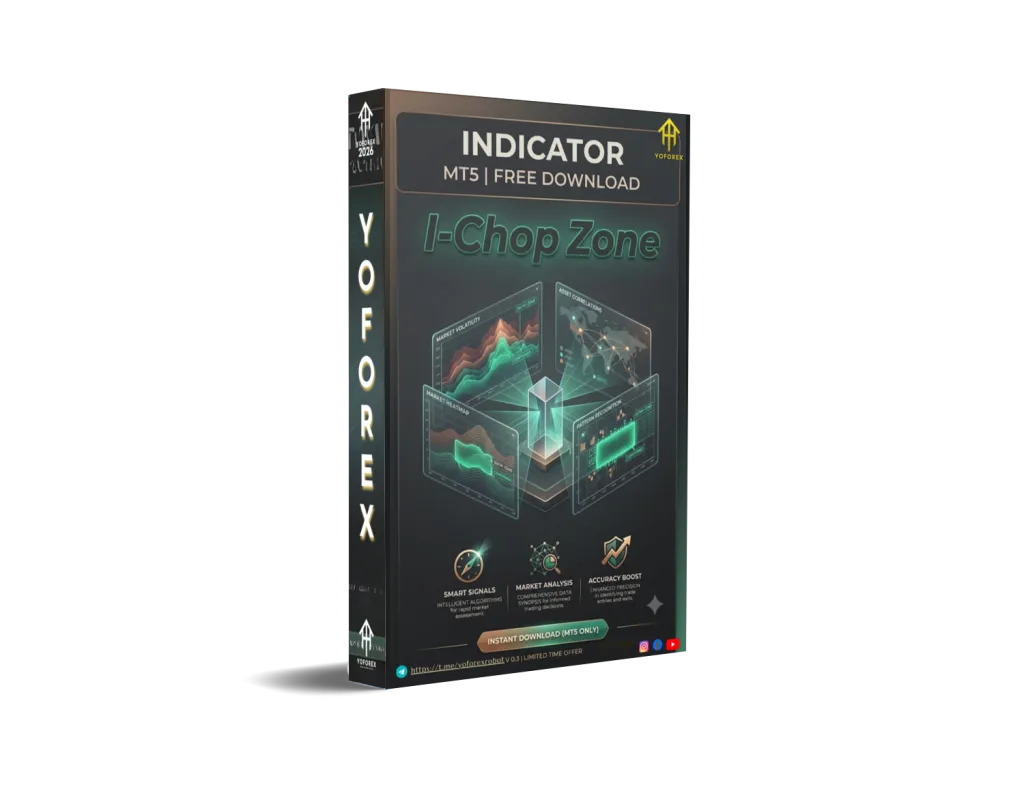
I-Chop Zone Indicator V0.3 MT5: Spot Choppy Markets Before They Cost You
Many Forex traders lose money not because their entries are wrong, but because they keep trading when the market is going nowhere. Sideways, choppy conditions produce false breakouts, whipsaws, and stop-outs. The I-Chop Zone Indicator V0.3 MT5 is designed to address exactly that problem by giving a clear visual read on whether the market is trending or stuck in a range.
This article explains what the indicator is, how it works in practical terms, who it suits, and what you should check before adding it to your MT5 charts. It is an indicator, not an Expert Advisor — it does not open or close trades automatically.
What Is the I-Chop Zone Indicator V0.3 MT5?
The I-Chop Zone Indicator V0.3 is a MetaTrader 5 technical indicator focused on market condition detection. Its purpose is to help traders distinguish periods of directional movement from periods of consolidation or “chop.”
In simple terms, it aims to show when conditions may favor trend or momentum strategies and when they may favor staying on the sidelines or switching to range-based approaches. Version 0.3 indicates an updated release of the tool available through platforms such as those associated with YoForex.
It runs on the MT5 platform and is intended as a visual aid on the chart or in a separate window.
How Does the I-Chop Zone Indicator V0.3 Work?
Chop Zone style indicators generally evaluate price behavior relative to moving averages, volatility, or momentum to classify the current environment.
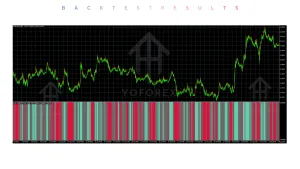
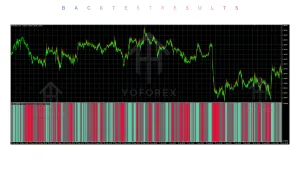
Typical logic (common across similar tools) looks at factors such as the slope or angle of a moving average and measures of price compression. The result is usually displayed with color-coded bars, zones, or a histogram:
- One set of colors for bullish directional conditions
- Another for bearish directional conditions
- Neutral or distinct colors for sideways/choppy conditions
Traders watch the color changes to filter their existing setups. When the indicator shows a chop or neutral reading, many users choose to reduce position size, skip new entries, or wait for clearer conditions. When it shifts into a directional color, they may look for confirmation with their preferred entry method (price action, other indicators, or structure).
Exact calculation details and color mapping for version 0.3 should be confirmed in the product documentation or demo, as they can vary by developer.
Key Features
Because specific proprietary code details for this exact version are not publicly expanded beyond the name, focus on the practical capabilities expected from a Chop Zone style MT5 indicator:
- Visual identification of trending versus ranging market phases
- Color-coded display for quick reading
- Designed for MetaTrader 5
- Applicable across multiple timeframes and instruments (Forex pairs and others supported by the broker)
- Adjustable parameters (period, thresholds, colors, etc.) typical of such tools
- Can be used alongside other indicators or price action analysis
Quick Features Table
| Feature | Details |
|---|---|
| Platform | MetaTrader 5 (MT5) |
| Type | Indicator (not an EA) |
| Strategy Focus | Market condition / chop detection |
| Trading Style | Filter for trend, range, or breakout approaches |
| Pairs | Multi-instrument (as supported by MT5) |
| Timeframe | Multi-timeframe |
| Risk Management | Visual filter only — no automatic risk controls |
| Automation | Manual use or potential input for custom EAs |
| Best For | Traders who want clearer market regime awareness |
Main Benefits
- Clearer market context — Quickly see when conditions may be less favorable for directional trades.
- Reduced noise trading — Helps avoid forcing trades during prolonged sideways periods.
- Complementary tool — Works with existing strategies rather than replacing them.
- Visual simplicity — Color changes are easier to read than raw numerical oscillators for many traders.
- Flexibility — Can be applied on different timeframes depending on trading style.
These benefits depend on correct interpretation and combination with solid risk management. No indicator removes market risk.
Who Is the I-Chop Zone Indicator V0.3 For?
- MT5 users who frequently trade trend or breakout strategies and want a filter for choppy conditions
- Intermediate and experienced traders looking for a market-regime visual aid
- Traders who already have an entry method and need better timing or filtering
- Those who prefer discretionary or semi-discretionary approaches over fully automated systems
- Scalpers, day traders, and swing traders who adjust behavior based on volatility and structure
It can also suit beginners who are learning to recognize ranging markets, provided they treat it as one input among several and practice on a demo account first.
Who Should Avoid It?
- Traders seeking a fully automated trading system (this is an indicator only)
- Users who expect guaranteed signals or profit generation
- Those unwilling to test and understand the specific settings of version 0.3
- Traders who prefer pure price-action reading without any additional indicators
- Anyone looking for a “set and forget” solution without ongoing chart monitoring
If your style relies entirely on automation or you need an EA that executes trades, look at Expert Advisors instead.
I-Chop Zone Indicator V0.3 vs Manual Trading
| Aspect | With I-Chop Zone Indicator | Pure Manual Observation |
|---|---|---|
| Market regime detection | Color-coded visual filter | Requires continuous chart analysis |
| Speed of assessment | Faster visual read | Depends on trader experience |
| Consistency | Same rules applied every time | Can vary with fatigue or bias |
| Discretion | Still requires trader judgment | Fully discretionary |
| Setup time | Install and configure once | No extra tool |
What To Check Before Buying
Use this practical checklist:
- Strategy fit — Does a chop/range filter match how you already trade?
- Risk approach — Confirm you still use proper position sizing and stops; the indicator does not manage risk.
- Drawdown awareness — Understand that no filter eliminates losing periods.
- MT5 compatibility — Verify it installs and runs cleanly on your MT5 build.
- Broker compatibility — Test on the symbols and account type you use.
- VPS — Not required for an indicator, but useful if you keep charts open long-term.
- Settings — Review available inputs (period, thresholds, colors, alerts if any).
- Support & updates — Check documentation, version history (V0.3), and seller support.
- Testing — Always forward-test or demo thoroughly before live use. Look at different market conditions (trending days vs ranging days).
Review the product page on sites linked to YoForex for the most current information, screenshots, and any available demo.
How To Get Started
- Confirm you have a working MetaTrader 5 terminal.
- Obtain the I-Chop Zone Indicator V0.3 from the authorized source.
- Install it in the Indicators folder and restart MT5 if needed.
- Attach it to a chart and review the input parameters.
- Observe color behavior across different pairs and timeframes on a demo account.
- Combine it with your existing entry rules and risk management.
- Keep a simple journal of how the filter affected your decisions.
Start small and adjust settings only after you understand the default behavior.
FAQs
Is the I-Chop Zone Indicator V0.3 an Expert Advisor?
No. It is a technical indicator for MT5. It does not place or manage trades automatically.
Can it be used on any timeframe?
Most Chop Zone style indicators support multiple timeframes. Test the specific version on the charts you trade.
Does it work only on Forex pairs?
It can generally be applied to any instrument available in MT5, subject to the data quality of your broker.
Will it tell me exact entry and exit points?
It focuses on market condition (trend vs chop). Entries and exits remain the trader’s responsibility or come from other tools.
Is version 0.3 the latest?
Check the product listing for the current release and change notes.
Do I need a VPS to run it?
Not required for an indicator, though a VPS can help if you want charts running continuously.
Can I use it with an EA?
Some traders feed indicator values into custom Expert Advisors. Compatibility depends on how the indicator is coded and whether it exposes buffers properly.
What should realistic expectations be?
It is a filtering and visualization tool. Results depend on the overall trading plan, risk management, and market conditions. It does not guarantee profitable outcomes.
Conclusion
The I-Chop Zone Indicator V0.3 MT5 addresses a common trader frustration: trading too much in sideways markets. By providing a visual cue for choppy versus directional conditions, it can support more selective decision-making when combined with sound strategy and risk rules.
If this type of market-regime filter fits the way you trade, review the full product details, test it thoroughly on demo, and decide whether it belongs on your charts. You can find more information and the indicator itself through the resources available at YoForex-related sites.
Trade carefully, size positions appropriately, and treat every tool as one part of a complete process.
Support & Disclaimer
Support
If you need help installing or configuring your EA, or face any kind of bug, feel free to reach out on:
WhatsApp: Click here
Telegram Group: Join our community
Disclaimer:
Forex and gold trading involve risk. Past performance doesn’t guarantee future results. Always test robots on demo before live trading and use proper risk management.
REFERRAL
Join the VIP Signals Telegram Channel for real-time expert trading signals and stay ahead in the forex market. Get personalized strategies by becoming a part of our Real Account Management Telegram Channel and optimize your trading experience. If you’re aiming to Pass PropFirm Challenges , join our dedicated channel for tips and proven methods. Start managing your capital effectively with expert advice from our Funded Account Management Telegram Channel. For advanced traders, our HFT EA / Passing Telegram Channel offers high-frequency trading insights and strategies to boost your performance.