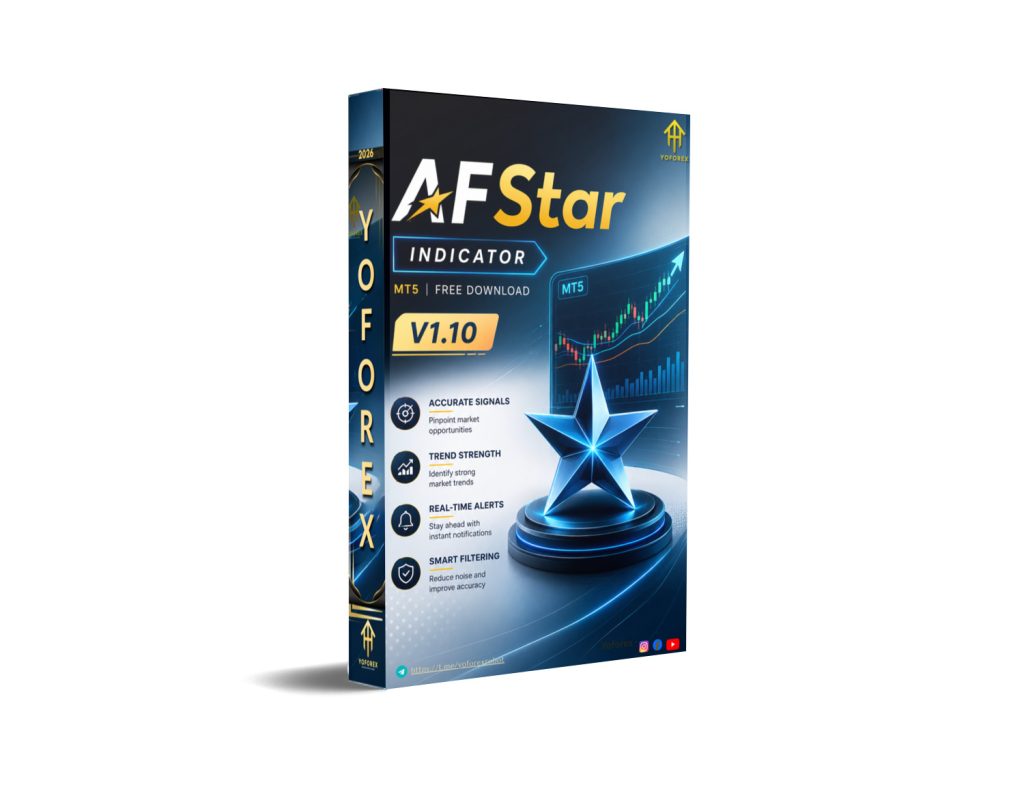
AFStar Indicator V1.10 MT5: Clear Signals Without the Chart Clutter
Many MT5 traders spend hours watching charts, second-guessing entries, or missing moves because traditional indicators lag or produce too much noise. The AFStar Indicator V1.10 MT5 is designed to address that exact friction: it aims to filter market conditions and mark potential buy and sell points with visual arrows so you can focus on decision-making rather than constant analysis.
This is a signal indicator, not a fully automated Expert Advisor. It does not open or close trades for you. It helps you see directional bias and possible turning points more clearly. Below is a practical look at what it is, how it works, who it suits, and what you should verify before adding it to your setup.
What Is AFStar Indicator V1.10 MT5?
AFStar (often referred to as Adaptive Filter Star) is a custom technical indicator for MetaTrader 5. It belongs to the family of semaphore / arrow-style signal tools. Its core idea is to combine adaptive filtering with elements of moving averages and Williams-based calculations so that signals appear only when trend and momentum show reasonable alignment.
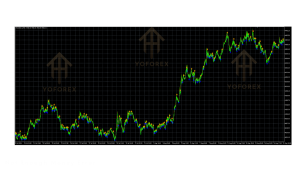
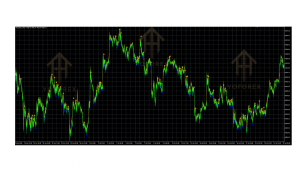
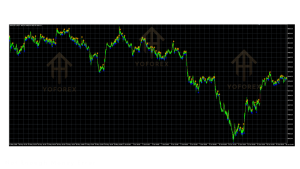
On the chart it typically displays:
- Blue arrows for potential buy opportunities
- Orange or yellow arrows for potential sell opportunities
It is intended as a visual decision-support tool across Forex, and in many implementations also usable on other instruments available in MT5. Version V1.10 is a specific release of this long-standing indicator concept that originally appeared in the MQL community.
How Does AFStar Indicator V1.10 Work?
The indicator applies adaptive filters that respond to price speed and volatility rather than relying on fixed lagging averages alone. Internally it evaluates fast and slow filter ranges together with Williams-related components. When conditions line up, it places an arrow on the chart.
In practical terms:
- Price action is analyzed through the adaptive filters.
- Momentum and directional bias are checked for alignment.
- A buy or sell arrow is plotted when the internal rules are met.
- Some versions include alert options (pop-up, sound, or push notifications) so you do not have to stare at the screen continuously.
Because it is a signal tool, the quality of results still depends on your own confirmation rules, risk management, and market conditions. Many traders use it in combination with higher-timeframe trend direction or support/resistance to filter additional noise.
Key Features
-
- Adaptive filtering designed to respond to changing market conditions
- Clear visual buy (blue) and sell (orange/yellow) arrows
- Combination of multiple moving-average style elements and Williams components
- Customizable parameters for filter speeds and ranges
- Multi-timeframe capability
- Works on various instruments available in MT5 (Forex and others depending on broker)
- Alert functionality available in updated implementations
- Simple visual presentation that reduces chart clutter compared with many multi-line indicators
Quick Features Table
| Feature | Details |
|---|---|
| Platform | MetaTrader 5 (MT5) |
| Strategy | Adaptive trend / momentum signal filtering |
| Trading Style | Scalping, day trading, swing (user-dependent) |
| Pairs / Instruments | Forex and other MT5-supported symbols |
| Timeframe | Multi-timeframe (commonly M5–H1 and higher) |
| Risk Management | User-defined (indicator does not manage risk) |
| Automation | Signal only – no auto trade execution |
| Best For | Traders who want visual entry guidance |
Main Benefits
Clearer visual decisions Arrows give an immediate reference point instead of interpreting multiple oscillating lines.
Adaptability The filtering approach is intended to adjust to different volatility regimes better than rigid classic indicators.
Flexibility across styles The same tool can be applied on lower timeframes for quicker moves or higher timeframes for swing setups, provided you adjust parameters and confirmation rules.
Time savings Alerts (where available) and simple visuals help traders who cannot monitor charts all day.
Educational value for newer traders It forces attention on alignment of trend and momentum rather than random entries.
These are practical workflow benefits. They do not guarantee profitable outcomes. Market conditions change, and every signal still requires your own judgment and risk control.
Who Is AFStar Indicator V1.10 For?
- MT5 users looking for a clean arrow-based signal tool
- Beginners who want visual guidance while they learn price action and risk rules
- Intermediate traders who already have a trading plan and want an additional filter
- Scalpers and day traders who prefer quick visual cues on lower timeframes
- Swing traders who confirm signals on higher timeframes
- Busy traders who benefit from alerts and reduced screen time
- Algorithmic traders exploring signal sources that can later be coded into EAs
Who Should Avoid It?
- Traders seeking a fully automated “set and forget” system (this is an indicator, not an EA)
- Anyone expecting guaranteed results or a “no-loss” tool
- Pure price-action traders who dislike any arrow-based systems
- Users who will not apply proper stop-loss, position sizing, and higher-timeframe context
- Traders unwilling to test settings on demo and forward-test before live use
AFStar Indicator vs Manual Trading
| Aspect | Manual Trading Only | With AFStar Indicator V1.10 MT5 |
|---|---|---|
| Entry identification | Fully subjective chart reading | Visual arrows + adaptive filters |
| Screen time | High | Can be reduced with alerts |
| Consistency of rules | Depends on discipline | Indicator applies fixed internal logic |
| Flexibility | Maximum | Still requires your confirmation & risk |
| Learning curve | Steeper for beginners | Faster visual feedback |
| Automation level | None | Signal generation only |
What To Check Before Buying or Using
- Strategy fit – Confirm the adaptive filter + Williams/MA approach matches the style you already trade or want to learn.
- Risk rules – The indicator does not place stops or manage position size. You must define these yourself.
- Drawdown tolerance – Test how signals behave in ranging vs trending markets; arrow tools can cluster in chop.
- MT5 compatibility – Verify the file works with your terminal build and any custom indicators already installed.
- Broker compatibility – Ensure your broker’s symbols and spreads suit the timeframes you plan to use.
- VPS – Not required for an indicator, but useful if you want continuous alerts while away from the desk.
- Settings – Review StartFast / EndFast / StartSlow / EndSlow and related parameters; defaults may need adjustment per pair and timeframe.
- Support & updates – Check documentation and version notes for V1.10 specifically.
- Testing – Always install on a demo account first. Forward-test and, if possible, review historical signal placement for non-repainting behavior in the version you receive.
How To Get Started
- Obtain the AFStar Indicator V1.10 MT5 file from a trusted source such as the offerings available through yoforexea.com / yoforex.org.
- In MT5 go to File → Open Data Folder → MQL5 → Indicators and place the file there.
- Restart MetaTrader 5 or refresh the Navigator.
- Open Navigator → Indicators → Custom and drag AFStar onto a chart.
- Adjust the filter parameters and colors to match your preferred sensitivity.
- Enable alerts if available in your version.
- Combine with your existing higher-timeframe bias and risk rules.
- Trade on demo until you understand signal frequency and typical false-signal environments.
- Only then consider live use with proper position sizing.
FAQs
Is AFStar Indicator V1.10 an Expert Advisor?
No. It is a signal indicator. It marks potential entries but does not open or close trades automatically.
Does it repaint?
Behavior can vary by implementation. Test the exact V1.10 file you receive on historical and live data to confirm.
Which timeframes work best?
It is multi-timeframe. Many users focus on M5–H1 for active trading and higher timeframes for bias confirmation. Optimal settings differ by pair and style.
Can I use it on any symbol?
It works on instruments available in your MT5 terminal. Results will vary with volatility and spread.
Are there alerts?
Updated versions commonly include pop-up, sound, or push notification options. Confirm this in the specific file.
Do I need a VPS?
Not required for the indicator itself, but helpful if you want uninterrupted alerts.
Is it suitable for beginners?
Yes as a visual learning aid, provided beginners still learn risk management and do not treat every arrow as a mandatory trade.
Where can I get reliable information and the file?
Check the resources and product pages at yoforexea.com/blog and yoforex.org for current details on AFStar Indicator V1.10 MT5.
Conclusion
AFStar Indicator V1.10 MT5 offers a practical way to surface adaptive trend and momentum signals with clear arrows on the MT5 chart. It solves the everyday problem of chart noise and lagging classic tools for traders who prefer visual guidance. It does not remove the need for a trading plan, risk management, or realistic expectations.
If the description matches the kind of decision-support tool you have been looking for, review the full details, settings guidance, and download options available through yoforexea.com and yoforex.org. Test thoroughly on demo, refine your confirmation rules, and only then decide whether it fits your process.
Support & Disclaimer
Support
If you need help installing or configuring your EA, or face any kind of bug, feel free to reach out on:
WhatsApp: Click here
Telegram Group: Join our community
Disclaimer:
Forex and gold trading involve risk. Past performance doesn’t guarantee future results. Always test robots on demo before live trading and use proper risk management.
REFERRAL
Join the VIP Signals Telegram Channel for real-time expert trading signals and stay ahead in the forex market. Get personalized strategies by becoming a part of our Real Account Management Telegram Channel and optimize your trading experience. If you’re aiming to Pass PropFirm Challenges , join our dedicated channel for tips and proven methods. Start managing your capital effectively with expert advice from our Funded Account Management Telegram Channel. For advanced traders, our HFT EA / Passing Telegram Channel offers high-frequency trading insights and strategies to boost your performance.