
Introduction
Managing multiple forex positions manually can become difficult when markets move quickly. Traders who use grid-based strategies often need to monitor several entries, calculate average positions, manage exposure and decide when a basket should be closed.
Pip Grid EA V1.0 MT4 is an automated Expert Advisor designed to handle grid-based trading and position management through MetaTrader 4. Instead of requiring the trader to manually place and manage every grid order, the EA automates the execution and management process according to its programmed trading logic.
For traders considering an automated grid system, the important question is not simply whether the EA can open trades. It is whether the strategy, settings, risk profile, broker conditions and testing process fit their trading approach.
This review explains what Pip Grid EA V1.0 MT4 does, how its grid approach works, what features are available, and what traders should consider before using it.
What Is Pip Grid EA V1.0 MT4?
Pip Grid EA V1.0 MT4 is an automated trading Expert Advisor built for the MetaTrader 4 platform.
Its main strategy is grid trading. The EA can place additional positions at predefined price intervals as the market moves. It also incorporates position averaging, recovery management and basket-style trade management.
The available product information describes features including:
- Automated buy and sell execution
- Grid-based trading
- Adjustable grid spacing
- Position averaging
- Recovery management
- Basket trade management
- Customizable lot and trade parameters
- Automated take-profit management
- VPS compatibility
- MT4 Strategy Tester support
The exact behavior of individual parameters should always be confirmed using the current EA version, set file and user manual.
How Does Pip Grid EA V1.0 MT4 Work?
The basic workflow can be understood as:
Market Analysis → Initial Entry → Grid Entries → Position Management → Basket Management → Exit
1. Market Monitoring
The EA continuously monitors the market while MetaTrader 4 is running.
The published product information describes monitoring factors such as price movement, candle behavior, volatility, trend conditions, spread, retracements and momentum.
2. Initial Trade
When the programmed conditions are satisfied, the EA can open an initial buy or sell position.
The available information refers to internal algorithmic market analysis but does not provide enough verified technical information to define one specific indicator-based entry formula.
Therefore, it would be inaccurate to claim that Pip Grid EA V1.0 MT4 relies on a particular indicator unless that is confirmed by the current documentation.
3. Grid Trading
Grid trading is the central component of the EA.
A grid system uses predefined price distances between trades. When price moves far enough to reach another grid level, the EA can open an additional position.
For example, a simplified grid could work like this:
Initial Trade → Price Moves → Grid Level Reached → Additional Trade → Average Position Changes
The purpose of additional positions is generally to improve the average entry price and provide a structured way of managing a sequence of trades.
4. Position Averaging
When additional positions are added, the overall average entry price can change.
This can allow a basket to potentially reach its combined target after a market retracement.
However, averaging does not remove trading risk. If the market continues moving against the positions, exposure and floating drawdown can increase.
5. Basket Management
Multiple positions can be managed as a combined basket.
Instead of evaluating every trade independently, basket management considers the overall position structure and combined result.
The published description refers to combined floating profit/loss, total exposure, basket targets and recovery levels.
6. Automatic Exit
The EA can automatically manage take-profit and recovery-related exits.
The exact exit behavior depends on the programmed logic and configured parameters, so traders should verify the current settings before using the EA on a live account.
Pip Grid EA V1.0 MT4 Strategy Explained
The primary strategy category for Pip Grid EA V1.0 MT4 is Grid Trading.
The system also uses supporting techniques such as:
- Position averaging
- Recovery management
- Basket management
- Automated trade execution
- Adjustable grid spacing
The key concept is that the EA does not necessarily depend on predicting one market movement correctly. Instead, it manages a structured series of positions as price moves through predefined levels.
What Happens When Price Moves Against a Trade?
This is one of the most important concepts to understand.
If the EA has an open position and price moves against it, another position may be opened at a predefined grid distance.
This can change the average entry price of the overall basket.
However, continued adverse movement can also mean:
More trades → Greater exposure → Higher floating drawdown → Greater margin requirement
This is why grid systems should be tested and configured carefully.
Key Features
- Automated Trading — Automates trade execution and position management.
- Grid Trading Strategy — Uses predefined price intervals for additional entries.
- Position Averaging — Additional trades can change the basket’s average entry price.
- Recovery Management — Designed to manage positions through recovery-oriented grid logic.
- Basket Management — Multiple positions can be handled as a combined trading basket.
- Adjustable Parameters — Lot size, grid spacing and trade-related parameters can be customized.
- Automatic Take Profit — Supports automated profit-management functionality.
- MT4 Compatible — Designed for MetaTrader 4.
- VPS Compatible — Can operate through a VPS for continuous MT4 operation.
- Backtesting Support — Can be evaluated using MT4 Strategy Tester.
Quick Specifications
| Feature | Details |
|---|---|
| Platform | MetaTrader 4 |
| Strategy | Grid Trading |
| Trading Style | Automated Grid / Recovery |
| Instruments/Pairs | Verify current product documentation |
| Timeframe | Not specifically confirmed |
| Risk Management | Configurable trading/risk parameters; verify current settings |
| Automation | Automated trade execution and position management |
| VPS | Supported |
| Backtesting | MT4 Strategy Tester |
| Best For | Traders familiar with automated grid trading |
The product information confirms the MT4 platform, grid approach, adjustable parameters, VPS compatibility and backtesting capability. It does not establish one mandatory timeframe or a universal list of supported symbols, so those details should be checked before purchase or installation.
Main Benefits
Automated Execution
Pip Grid EA V1.0 MT4 can automate trade placement and position management, reducing the need to manually execute every grid order.
Consistent Rule-Based Management
Once configured, the EA follows its programmed trading logic instead of making decisions based on emotions such as fear, greed or hesitation.
Automated Grid Handling
Managing multiple grid positions manually can be complicated. The EA can automate additional entries and basket management according to its programmed parameters.
Adjustable Trading Parameters
The available product information identifies customizable settings such as lot size, grid spacing, maximum open trades, take-profit targets, trading hours and risk-related parameters.
VPS Compatibility
A VPS can allow MetaTrader 4 and the EA to remain active for longer periods without requiring the trader’s personal computer to stay switched on.
Limitations & Risks
Grid trading has a fundamentally different risk profile from a simple one-position strategy.
Drawdown Risk
If price continues moving against the grid, multiple positions may accumulate and create substantial floating drawdown.
Increasing Exposure
Every additional position increases total market exposure. This is especially important when trading volatile instruments.
Margin Risk
More open positions can require more margin. Traders should make sure their account has sufficient free margin for the chosen configuration.
Strong-Trend Conditions
Grid systems can face significant stress when markets trend strongly in one direction without providing the expected retracement.
Spread and Slippage
Actual execution can differ from backtest assumptions because of spread, slippage, liquidity and broker execution conditions.
Incorrect Settings
Aggressive lot sizes or very small grid distances can result in more frequent entries and potentially greater exposure.
Automation Does Not Remove Risk
An automated EA can execute programmed rules consistently, but it cannot guarantee that market conditions will remain favorable.
For that reason, Pip Grid EA V1.0 MT4 should be treated as a trading tool rather than a guaranteed-profit system.
Who Is Pip Grid EA V1.0 MT4 For?
Pip Grid EA V1.0 MT4 may be suitable for traders who:
- Understand grid trading.
- Are comfortable with multiple open positions.
- Want to automate trade execution.
- Understand floating drawdown and margin requirements.
- Want adjustable grid parameters.
- Are willing to backtest and forward-test the EA.
- Can monitor their account even when the EA is running automatically.
It may be particularly relevant to traders who already understand how averaging and basket management affect overall account exposure.
Who Should Avoid It?
The EA may not be appropriate for traders who:
- Do not understand grid trading.
- Expect guaranteed returns.
- Cannot tolerate floating drawdown.
- Have very limited capital.
- Want a low-exposure trading system.
- Prefer one trade at a time.
- Are unwilling to monitor automated positions.
- Plan to use aggressive settings without testing.
A trader should understand the strategy before deploying it with real money.
Pip Grid EA V1.0 MT4 vs Manual Trading
| Factor | Pip Grid EA V1.0 MT4 | Manual Trading |
|---|---|---|
| Execution | Automated | Trader controlled |
| Screen Time | Lower | Usually higher |
| Consistency | Programmed rules | Depends on trader |
| Emotional Interference | Reduced during execution | Can influence decisions |
| Speed | Automated | Human response |
| Flexibility | Limited to programmed logic | High |
| Monitoring | Automated execution but still requires supervision | Manual |
| Risk Management | Configured rules | Trader controlled |
Automation can improve execution consistency, but manual trading provides greater flexibility when market conditions change unexpectedly.
What To Check Before Buying
Before buying or installing Pip Grid EA V1.0 MT4, check the following:
1. Strategy
Understand exactly how grid entries and recovery work.
2. Risk and Drawdown
Determine how much floating loss and exposure you are prepared to tolerate.
3. MT4 Compatibility
Confirm that your broker provides MetaTrader 4 and supports Expert Advisors.
4. Trading Symbol
Verify the exact symbols supported by the current EA version and your broker.
5. Grid Settings
Review grid spacing, maximum trades and other exposure-related parameters.
6. Lot Size
Choose a lot size based on account capital and acceptable risk rather than simply maximizing trade size.
7. Backtesting
Test the EA using historical market data before considering live trading.
8. Forward Testing
Run it on a demo account to observe real-time execution.
9. VPS
Consider VPS hosting if continuous automated operation is required.
10. Support and Documentation
Check whether the current purchase includes the set file, user manual and available support.
11. License and Pricing
Verify the current price, license conditions and activation requirements before purchasing.
Pip Grid EA V1.0 MT4 Settings
The available information indicates that Pip Grid EA V1.0 MT4 provides adjustable parameters related to:
- Lot size
- Trading hours
- Risk settings
However, exact default values should not be assumed.
Pip Grid EA V1.0 MT4 Backtesting & Performance
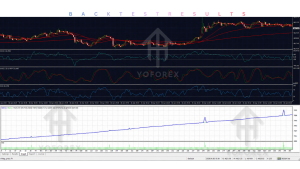
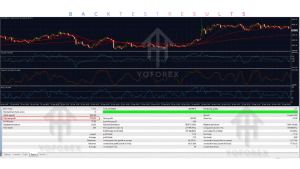
Pip Grid EA V1.0 MT4 supports testing through the MetaTrader 4 Strategy Tester. Backtesting can help traders study historical trade behavior, drawdown, trade frequency, exposure and the way the grid responds to different market conditions.
When evaluating a backtest, do not focus only on net profit.
Also examine:
- Maximum drawdown
- Equity curve
- Floating drawdown
- Maximum number of simultaneous trades
- Maximum grid depth
- Margin usage
- Consecutive losing periods
- Trade frequency
- Spread assumptions
- Slippage
- Different market conditions
A backtest is not a guarantee of future performance.
Backtest results, forward-test results and live trading results should always be treated as separate forms of evidence.
No specific win rate, profit figure or guaranteed performance claim is included here because such figures have not been independently verified.
How To Get Started
Step 1: Check MT4 Compatibility
Make sure you have MetaTrader 4 and a broker account that supports Expert Advisors.
Step 2: Review the EA Documentation
Read the current settings and understand how the grid and recovery mechanism operate.
Step 3: Install the EA
Open MT4 and select:
File → Open Data Folder → MQL4 → Experts
Place the EA file inside the Experts folder and restart or refresh MT4.
Step 4: Attach the EA
Open the appropriate trading chart and attach Pip Grid EA V1.0 MT4 from the Navigator panel.
Step 5: Configure Settings
Review the lot size, grid spacing, maximum trades, take-profit and risk-related settings.
Step 6: Backtest
Use the MT4 Strategy Tester to evaluate historical behavior.
Step 7: Demo Test
Run the EA on a demo account before considering live deployment.
Step 8: Monitor
Check:
- Equity
- Drawdown
- Margin
- Open positions
- Grid depth
- VPS connectivity
- Broker execution
Automation reduces manual workload, but regular monitoring remains important.
Is Pip Grid EA V1.0 MT4 Worth Buying?
Whether Pip Grid EA V1.0 MT4 is worth buying depends on the trader’s strategy preferences and risk tolerance.
For someone looking specifically for an automated grid trading system for MT4, the EA offers relevant functionality including automated execution, grid management, averaging/recovery, basket management, adjustable parameters, VPS compatibility and backtesting support.
However, traders should also understand the disadvantages.
Grid systems can accumulate positions when the market moves against them. This can increase floating drawdown, margin usage and overall exposure.
Therefore, the buying decision should be based on:
- Strategy suitability
- Risk tolerance
- Maximum exposure
- Settings
- Backtesting
- Forward testing
- Broker compatibility
- VPS requirements
- Documentation
- Support
- Current license and pricing
The EA may be a reasonable option for traders who understand grid trading, but it should not be treated as a risk-free or guaranteed-income solution.
FAQs
What is Pip Grid EA V1.0 MT4?
Pip Grid EA V1.0 MT4 is an automated Expert Advisor for MetaTrader 4 that uses grid-based trading and position-management logic.
What strategy does Pip Grid EA V1.0 MT4 use?
Its primary strategy is Grid Trading, supported by position averaging, recovery and basket management.
Is Pip Grid EA V1.0 MT4 an automated trading bot?
Yes. It is an Expert Advisor designed to automate trade execution and position management on MT4.
Can Pip Grid EA V1.0 MT4 be backtested?
Yes. The EA can be evaluated using the MetaTrader 4 Strategy Tester.
Does Pip Grid EA V1.0 MT4 support VPS?
Yes. VPS compatibility is listed among the product’s features, allowing traders to operate the EA continuously when MT4 is hosted on a suitable VPS.
Is Pip Grid EA V1.0 MT4 suitable for beginners?
The EA may be easy to install, but the underlying grid and recovery strategy requires an understanding of drawdown, margin and multiple-position exposure. Beginners should demo-test it and understand the risks before using real funds.
What settings can be customized?
Available product information mentions parameters such as lot size, grid spacing, maximum open trades, take-profit targets, trading hours and risk-related settings. Exact options should be checked in the current version.
How do I install Pip Grid EA V1.0 MT4?
Install the EA in the MT4 MQL4/Experts directory, restart or refresh MT4, attach the EA to the desired chart, configure the settings and enable AutoTrading.
Conclusion
Pip Grid EA V1.0 MT4 is an automated MetaTrader 4 Expert Advisor built around a grid trading approach.
Its main strengths are automated execution, adjustable grid parameters, position averaging, recovery management, basket trading, VPS compatibility and MT4 backtesting support.
Its biggest consideration is risk. Because grid systems can add positions as the market moves, adverse market conditions can increase floating drawdown, exposure and margin requirements.
For traders who understand these characteristics and want to automate a grid-based trading approach, Pip Grid EA V1.0 MT4 is worth evaluating.
The best approach is to understand the strategy, check the current settings, backtest the EA, forward-test it on demo and evaluate broker conditions before considering live trading.
Ready to Evaluate Pip Grid EA V1.0 MT4?
View Pip Grid EA V1.0 MT4 → Check Details → Get Started / Buy
For the current product information, check the YoForex product listing and verify the latest settings, documentation, license and availability before purchase.
Support & Disclaimer
Support:
If you need help installing or configuring your EA, or face any kind of bug, feel free to reach out on:
WhatsApp: Click here
Telegram Group: Join our community
Disclaimer:
Forex and gold trading involve risk. Past performance doesn’t guarantee future results. Always test robots on demo before live trading and use proper risk management.
REFERRAL
Join the VIP Signals Telegram Channel for real-time expert trading signals and stay ahead in the forex market. Get personalized strategies by becoming a part of our Real Account Management Telegram Channel and optimize your trading experience. If you’re aiming to Pass PropFirm Challenges , join our dedicated channel for tips and proven methods. Start managing your capital effectively with expert advice from our Funded Account Management Telegram Channel. For advanced traders, our HFT EA / Passing Telegram Channel offers high-frequency trading insights and strategies to boost your performance.