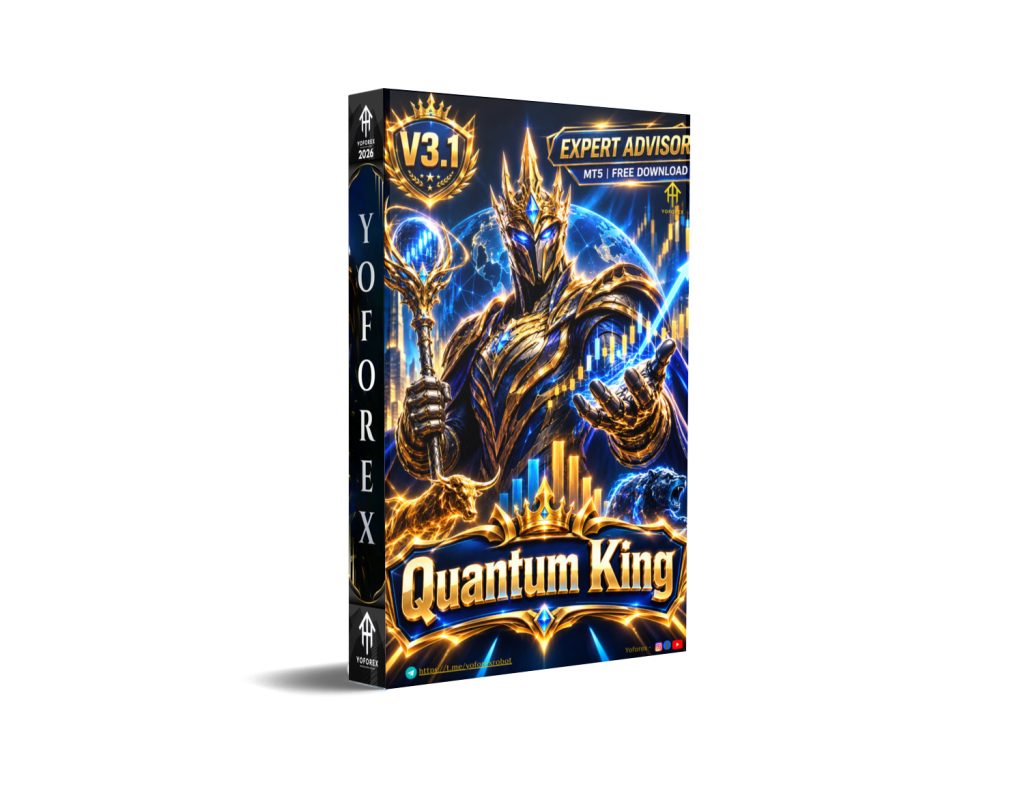
Quantum King EA V3.1 MT5: Is This AUDCAD M5 Grid Bot Right for Your Account?
Many traders look for automated systems that can run on a quieter pair with less constant monitoring than major pairs or gold. Quantum King EA V3.1 MT5 is built specifically for that use case on AUDCAD M5. This article covers what the bot is, how it works, its known features, practical benefits, real limitations, and the checks you should complete before deciding to buy.
What Is Quantum King EA V3.1 MT5?
Quantum King EA V3.1 is a fully automated Expert Advisor for MetaTrader 5. It is designed exclusively for the AUDCAD pair on the M5 timeframe. The system combines a structured grid approach with adaptive martingale recovery logic to manage positions across different market phases.
It aims to deliver systematic, hands-off execution for traders who prefer a dedicated single-pair setup rather than multi-pair or high-frequency gold systems. Version 3.1 includes performance improvements and adjustments to the extreme risk level.
How Does Quantum King EA Work?
The EA operates as a complete automation loop on AUDCAD M5:
- Signal generation – Monitors price action and volatility on the M5 chart.
- Entry – Opens positions according to its grid logic, adapting the grid structure based on market conditions.
- Position management – Uses adaptive recovery (martingale-style lot adjustment) when needed while attempting to keep exposure controlled.
- Exit – Closes baskets or individual trades via take-profit levels and recovery logic.
- Risk management – Applies spread filters, optional equity-based stop-loss (in $ or %), and selectable risk levels that determine lot sizing relative to account balance.
It runs fully automated once attached and configured. Continuous operation benefits from a stable VPS.
Quantum King EA Strategy Explained
The core strategy is a hybrid of structured grid trading and adaptive martingale recovery, optimized for AUDCAD’s typical price behavior on M5. The grid expands or contracts with volatility, and the recovery component adjusts exposure after adverse moves.
This is not a pure trend-following or pure mean-reversion system with fixed single-trade stops. It relies on basket management and recovery logic. Higher risk levels increase lot sizing more aggressively relative to balance, which raises both potential return and drawdown risk.
Key Features
- Fully automated trading limited to AUDCAD on M5
- Grid + adaptive martingale hybrid with volatility adaptation
- Multiple auto-lot risk levels (Very Low through Extreme) or fixed lot option
- Optional total equity stop-loss in dollars or percentage
- Spread filter (default maximum spread protection)
- Option to disable new cycles during NFP Fridays
- Designed for hedge-mode accounts
- Easy attachment and configuration once the official setup guidance is followed
Quick Specifications
| Feature | Details |
|---|---|
| Platform | MetaTrader 5 |
| Strategy | Grid + adaptive martingale hybrid |
| Trading Style | Automated single-pair grid/recovery |
| Instruments/Pairs | AUDCAD only |
| Timeframe | M5 (recommended) |
| Risk Management | Auto-lot risk levels, optional equity SL, spread filter |
| Automation | Fully automated |
| VPS | Highly recommended for 24/5 operation |
| Best For | Traders seeking dedicated AUDCAD M5 automation with controlled risk settings |
Main Benefits
Automation removes the need for constant chart watching on a single quiet pair. The system applies consistent rules for entries, grid management and exits. Risk levels allow traders to match exposure to account size. Once installed correctly, it requires mainly monitoring of equity, spread conditions and overall account health rather than manual trade decisions.
Limitations & Risks
Grid + adaptive martingale systems carry specific risks:
- Drawdown can increase significantly during extended adverse moves, especially on higher risk levels.
- Performance depends heavily on low spreads and clean execution; wider spreads or slippage reduce edge.
- Broker conditions (spread, commission, execution quality, hedge mode) matter.
- Incorrect risk level selection relative to account size can lead to larger floating losses.
- VPS or connectivity issues interrupt the grid and recovery process.
- Backtests and early live results do not guarantee future performance; market regimes change.
- The strategy is pair- and timeframe-specific — it is not multi-pair or multi-timeframe by design.
Higher risk settings (High, Very High, Extreme) should be used only with full understanding of the increased exposure.
Who Is Quantum King EA For?
It suits traders who:
- Want a dedicated AUDCAD M5 automated system
- Prefer structured grid logic over pure scalping or breakout systems
- Can provide a low-spread hedge account and preferably a VPS
- Are comfortable selecting and sticking to a risk level matched to their capital
- Accept the nature of recovery-based strategies and will monitor overall equity
Both newer automated traders (with proper risk education) and experienced users looking for a quiet-pair bot can consider it.
Who Should Avoid It?
Avoid or approach with caution if you:
- Need fixed per-trade stop-loss without recovery logic
- Have very small accounts and plan to use aggressive risk levels
- Cannot maintain low-spread conditions or stable connectivity
- Prefer multi-pair or gold-focused systems
- Are uncomfortable with any form of martingale-style recovery
- Expect guaranteed results or zero drawdown
Quantum King EA vs Manual Trading
| Aspect | Quantum King EA V3.1 MT5 | Manual Trading |
|---|---|---|
| Execution | Fully automated | Depends on trader discipline |
| Screen time | Minimal once running | High |
| Consistency | Rule-based | Variable |
| Emotional interference | Removed | Present |
| Speed | Immediate on signals | Reaction-dependent |
| Flexibility | Limited to AUDCAD M5 settings | Full discretionary control |
| Monitoring | Equity, risk level, VPS status | Constant chart and news watch |
| Risk management | Pre-set levels + optional equity SL | Fully trader-defined |
What To Check Before Buying
- Confirm strategy understanding (grid + adaptive recovery)
- Review risk levels and match to your deposit and tolerance
- Verify MT5 compatibility and hedge account type
- Ensure broker offers low spreads on AUDCAD (ECN/Raw preferred)
- Plan for VPS if trading continuously
- Obtain and review official settings/manual after purchase
- Run thorough demo testing on your own broker
- Check support process and license terms (activations)
- Compare current pricing and any available demo
Quantum King EA Settings
Risk is managed primarily through selectable auto-lot levels that scale initial lot size against account balance (Very Low requires higher balance for the same lot; Extreme allows smaller balances but higher relative exposure). Fixed lot is also available. Equity stop-loss in $ or % can be enabled. Spread filter is present. Default general settings are optimized; major changes are generally not recommended without testing. Official setup instructions are provided by the developer after purchase.
Quantum King EA Backtesting & Performance
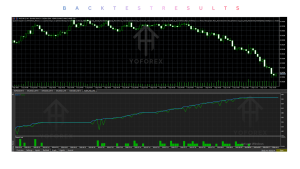
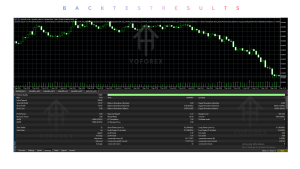
Official materials and community discussions reference multi-year backtests on AUDCAD and live signal results. These are historical and promotional in nature. They must be treated as illustrative only. Live results vary with broker conditions, risk level chosen, and market regime. Always distinguish backtest, forward-test and real-account performance, and never treat past results as a prediction of future outcomes. Independent verification on your own demo account is essential.
How To Get Started
- Confirm MT5 platform, AUDCAD availability and low-spread hedge account.
- Review the known risk levels and account size requirements.
- Purchase and receive the official installation and setup guidance.
- Install on MT5 and attach to AUDCAD M5.
- Run extended demo testing with your intended risk level and broker conditions.
- Monitor results, spreads and equity behavior.
- Only consider live capital after satisfactory demo performance and full risk understanding.
Use a VPS for reliable 24/5 operation. Never risk more than you can afford to lose.
Is Quantum King EA Worth Buying?
Quantum King EA V3.1 MT5 offers a focused, fully automated solution for AUDCAD on M5 using a known grid + adaptive martingale hybrid. Strengths include clear pair/timeframe specialization, multiple risk levels, basic safety filters and relatively straightforward setup. Limitations center on the inherent risks of recovery strategies, dependence on low spreads and execution quality, and the need for proper account sizing.
It can be a reasonable option for traders who specifically want this strategy on this pair and who will test thoroughly and size risk conservatively. It is less suitable for those seeking fixed-SL single-trade systems or multi-instrument flexibility. The decision depends on your risk tolerance, capital, broker conditions and willingness to monitor a grid-based system. Demo testing remains the most important step.
FAQs
What is Quantum King EA V3.1 MT5?
A fully automated MetaTrader 5 Expert Advisor designed for AUDCAD on the M5 timeframe using a grid + adaptive martingale hybrid strategy.
Is it MT4 or MT5?
The version discussed is for MT5. An MT4 version also exists from the same developer.
How does it work?
It places and manages grid positions on AUDCAD M5 and uses adaptive recovery logic, with selectable risk levels and optional equity protection.
What strategy does it use?
Structured grid combined with adaptive martingale recovery, optimized for AUDCAD price behavior.
Can it be backtested?
Yes, on MetaTrader 5 Strategy Tester. Results are historical and not guarantees of future performance.
Is it suitable for beginners?
It can be used by beginners who understand the strategy risks, choose conservative risk levels, and start on demo. Higher risk levels are not beginner-friendly.
What broker is required?
Any broker supporting MT5 hedge accounts, but low-spread ECN/Raw/Razor accounts (examples: IC Markets, IC Trading) are strongly preferred. Leverage of 1:100 is recommended.
How do I buy and install it?
Purchase through official channels (MQL5 Market or authorized sellers), then follow the developer’s installation and setup instructions. Test on demo first.
Conclusion
Quantum King EA V3.1 MT5 is a specialized AUDCAD M5 automated system built around grid and adaptive recovery logic. Its main strengths are clear focus, multiple risk presets and full automation once configured. Important considerations include the nature of martingale-style recovery, dependence on tight spreads, proper account sizing, and the necessity of independent demo testing.
It fits traders who want this specific approach on AUDCAD and are prepared to manage the associated risks. It is not a universal or set-and-forget solution for every account.
View Quantum King EA V3.1 MT5 details, compare current terms, and begin with thorough demo testing on your own broker conditions before any live use. Always verify the latest version information and official guidance directly.
Support & Disclaimer
Support:
If you need help installing or configuring your EA, or face any kind of bug, feel free to reach out on:
WhatsApp: Click here
Telegram Group: Join our community
Disclaimer:
Forex and gold trading involve risk. Past performance doesn’t guarantee future results. Always test robots on demo before live trading and use proper risk management.
REFERRAL
Join the VIP Signals Telegram Channel for real-time expert trading signals and stay ahead in the forex market. Get personalized strategies by becoming a part of our Real Account Management Telegram Channel and optimize your trading experience. If you’re aiming to Pass PropFirm Challenges , join our dedicated channel for tips and proven methods. Start managing your capital effectively with expert advice from our Funded Account Management Telegram Channel. For advanced traders, our HFT EA / Passing Telegram Channel offers high-frequency trading insights and strategies to boost your performance.