Introduction
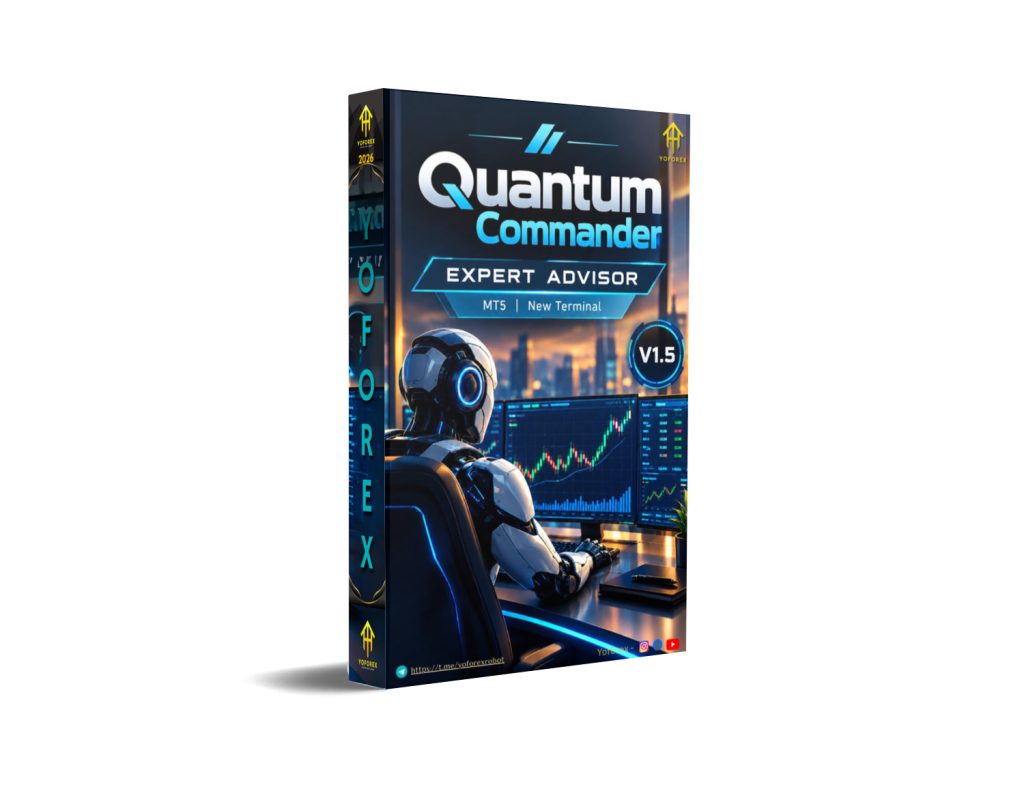
Traders watching US30 and gold often face the same problem: strong directional moves interrupted by sharp pullbacks, rapid volatility shifts, and the difficulty of staying disciplined during fast price action. Manual trading in these conditions can lead to delayed entries, emotional exits, or over-exposure. Quantum Commander EA V1.5 MT5 is positioned as a fully automated Expert Advisor designed around trend-following pullback entries and controlled single-position management for these markets.
This article covers what the bot is, how it works according to available details, its stated features and limitations, and the practical points a trader should check before considering a purchase. Information is drawn from the product description; any unverified claims should be confirmed directly with the provider.
What Is Quantum Commander EA?
Quantum Commander EA is a fully automated MetaTrader 5 Expert Advisor developed primarily for the US30 (Dow Jones) index and also stated to work on XAUUSD. It analyzes the market for pullbacks within established trends, opens a single position, and manages that trade from entry to exit using fixed stop-loss and take-profit levels, a dynamic trailing stop, and optional opposite-signal exit logic on the M1 timeframe.
It belongs to the broader Quantum ecosystem of Expert Advisors and is presented as a diversification option after previous gold-focused releases. The EA emphasizes a linear exposure model: one signal, one position, no grid, no martingale, and no averaging into losing trades.
You can find additional product details and related resources through sites such as yoforexea.com/blog and yoforex.org.
How Does Quantum Commander EA Work?
The stated process follows a clear sequence:
- Signal / Analysis – The EA looks for pullbacks within an established market trend on US30 (and XAUUSD per the additional note).
- Entry – It opens a single position in the direction of the prevailing trend when a qualified pullback is identified.
- Position Management – Each trade starts with a fixed Stop Loss and Take Profit. As the trade moves into profit, a dynamic Trailing Stop locks in gains while still allowing the position to reach the Take Profit target if conditions remain favorable.
- Exit – The position can close at the fixed Take Profit, via the trailing stop, or earlier if an opposite signal appears on the M1 timeframe while the trade is in loss (to potentially reduce exposure before the fixed Stop Loss is hit).
- Risk Management – Strictly limited to one open position at a time. No grid, martingale, or position averaging is used.
Every decision from analysis to exit is automated. The EA is compatible with any chart timeframe but is described with M15 as a working timeframe in the provided specifications.
Quantum Commander Strategy Explained
The core approach is a trend-based pullback strategy tailored to the characteristics of US30: strong directional movements combined with sharp intraday pullbacks and changing volatility. Instead of chasing extended moves, the EA waits for a pullback and seeks an entry aligned with the prevailing trend.
According to the description, the logic relies on a combination of the developer’s indicators, levels, and price action rather than AI or black-box methods. Fixed Stop Loss and Take Profit are always applied, with a stated risk-reward orientation of approximately 1:3 in one of the notes. Position management prioritizes protecting open profits through trailing and responding to opposing signals on the lower (M1) timeframe when a trade is underwater.
This creates a relatively straightforward, single-trade exposure model rather than recovery or scaling systems.
Key Features
- Developed for US30 with stated compatibility for XAUUSD
- Trend-following pullback entry logic
- Fully automated entry, management, and exit
- Fixed Stop Loss and Take Profit on every trade
- Dynamic Trailing Stop for profit protection
- Optional fixed Take Profit mode
- Opposite-signal exit capability monitored on M1
- Strictly one open position at a time
- No Grid strategy
- No Martingale
- No position averaging or aggressive lot scaling
- Linear exposure model
- Compatible with any chart timeframe (M15 noted as working timeframe)
- Designed for uninterrupted 24/5 operation with VPS
Quick Specifications
| Feature | Details |
|---|---|
| Platform | MetaTrader 5 (MT5) |
| Strategy | Trend-based pullback |
| Trading Style | Automated, single-position |
| Instruments/Pairs | US30 (primary), XAUUSD |
| Timeframe | Any chart (M15 noted) |
| Risk Management | Fixed SL/TP, trailing stop, one position only |
| Automation | Fully automated |
| VPS | Mandatory / highly recommended |
| Best For | Traders seeking controlled US30/XAUUSD automation without grid or martingale |
Additional notes from the product material include a minimum initial deposit of $500 (recommended $1,000+), minimum leverage 1:100 (1:500 preferred), hedging account type, and preference for ECN/RAW/low-spread brokers such as VT Markets, TMGM, or StarTrader. One section also lists a lower $100 minimum for XAUUSD contexts, so verify current requirements with the seller.
Main Benefits
The primary practical advantages are automation and consistency of execution. Once installed and configured, the EA handles signal detection, entry, trailing, and exit without requiring constant screen time. The single-position rule and absence of grid or martingale methods keep exposure linear and easier to understand. Fixed SL/TP plus trailing provides a defined risk structure from the outset, while the M1 opposite-signal logic adds a responsive element for fast-moving instruments like US30. For traders who prefer systematic rules over discretionary decisions, this can reduce emotional interference during volatile sessions.
Limitations & Risks
Trading US30 and XAUUSD with leverage involves substantial risk of loss. Key points to consider:
- Drawdowns and losing trades are possible even with fixed stops.
- US30 can gap, experience rapid volatility spikes, spread widening, and slippage.
- Broker conditions (spreads, commissions, execution speed, quote precision) directly affect results.
- Incorrect settings, insufficient deposit, or low leverage can amplify risk.
- VPS downtime or connectivity issues interrupt automated operation.
- Backtests (when available) do not guarantee future performance; live results vary.
- The strategy is trend-and-pullback dependent—prolonged ranging or highly erratic conditions may produce fewer or less favorable trades.
- No system eliminates risk. The linear model reduces certain recovery-style dangers but does not remove the possibility of consecutive losses.
Always verify the latest risk disclosures and test thoroughly on a demo account.
Who Is Quantum Commander EA For?
- Traders focused on US30 or XAUUSD who want automated trend-pullback entries
- Users who prefer single-position, non-grid/non-martingale systems
- Those willing to run a VPS for continuous operation
- Traders comfortable with MT5, fixed SL/TP structures, and monitoring performance
- Individuals seeking diversification within an existing Quantum-style ecosystem
It suits traders who understand that automation still requires proper capital, broker selection, and ongoing oversight.
Who Should Avoid It?
- Beginners unfamiliar with MT5, VPS setup, or basic risk management
- Traders seeking guaranteed profits, high win rates, or recovery systems
- Those without sufficient capital for the recommended deposit and leverage
- Users who cannot or will not use a reliable VPS
- Anyone expecting the EA to work equally well on every broker or market condition without testing
- Traders who prefer fully discretionary control or multi-position recovery methods
Quantum Commander EA vs Manual Trading
| Aspect | Quantum Commander EA | Manual Trading |
|---|---|---|
| Execution | Automated, rules-based | Discretionary, human timing |
| Screen Time | Minimal once running | High during active sessions |
| Consistency | Same logic every signal | Varies with trader state |
| Emotional Interference | Low (system-driven) | High (fear, greed, hesitation) |
| Speed | Fast reaction to programmed rules | Limited by human reaction time |
| Flexibility | Fixed to coded strategy | High adaptability |
| Monitoring | Periodic performance checks | Continuous attention |
| Risk Management | Pre-defined SL/TP + trailing | Depends on trader discipline |
What To Check Before Buying
- Confirm the strategy matches your preferred style (trend pullback, single position).
- Review risk parameters, recommended deposit, and leverage.
- Verify MT5 compatibility and installation process.
- Check broker suitability (low-spread/ECN preferred; hedging account).
- Ensure you can run a reliable VPS.
- Request or review any available settings, default parameters, and testing guidance.
- Ask for current backtest or forward-test data (distinguish clearly from live results).
- Clarify license terms, updates, and support channels.
- Confirm the current launch or regular price and any promotional offers.
- Test on a demo account with your chosen broker before considering live funds.
Quantum Commander Settings
Detailed default input parameters are not fully listed in the provided material. The EA is described as easy to install and fully automated once configured. Users should obtain the latest set files or recommended settings directly from the seller and adjust only after understanding the risk implications. Always start with conservative risk percentages relative to account size.
Quantum Commander Backtesting & Performance
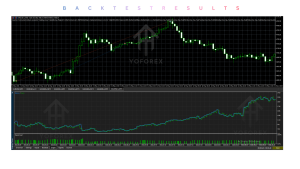
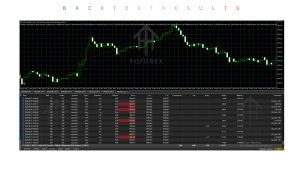
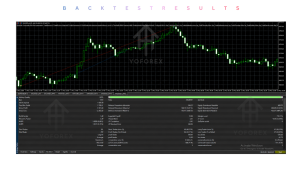
The product description mentions “stable backtesting results on real market” and notes that the advisor uses the developer’s indicators with fixed SL/TP. No specific numerical results, equity curves, win rates, or drawdown figures are provided in the source material.
Any historical tests should be treated as illustrative only. Backtests do not guarantee future performance. Forward testing and live results will differ based on broker conditions, spreads, slippage, and changing market regimes. Request current verified data from the provider and conduct your own demo testing.
How To Get Started
- Confirm MT5 platform and symbol availability (US30 / XAUUSD) with your broker.
- Review recommended account settings, deposit, and leverage.
- Obtain the EA and any installation guide from the official source.
- Install on a demo account and apply recommended or conservative settings.
- Run with a VPS if planning continuous operation.
- Monitor performance, journal results, and evaluate over a meaningful sample of trades.
- Only consider live use after thorough demo validation and full understanding of the risks.
Never risk capital you cannot afford to lose.
Is Quantum Commander EA Worth Buying?
Quantum Commander EA V1.5 MT5 offers a clearly defined, non-grid, non-martingale approach focused on US30 (and XAUUSD) trend pullbacks with automated management. Its strengths lie in the single-position discipline, fixed risk structure, trailing protection, and full automation.
Whether it is worth purchasing depends on whether this specific strategy and risk model align with your trading plan, capital, and willingness to run proper infrastructure (VPS, suitable broker). The special launch pricing noted in the material (with later increases) may be relevant for early buyers, but price alone should not drive the decision. Evaluate features, test results you can verify, support quality, and personal suitability rather than marketing claims.
If you value controlled exposure and systematic pullback trading on these instruments, it is a product category worth examining further. If you prefer multi-position recovery systems or fully discretionary methods, it may not fit.
FAQs
What is Quantum Commander EA?
It is a fully automated MT5 Expert Advisor designed for trend-based pullback trading on US30 (and XAUUSD), managing one position at a time with fixed SL/TP and trailing stops.
Is it MT4 or MT5?
It is built for MetaTrader 5 (MT5).
How does it work?
It identifies pullbacks within trends, opens a single trade, applies fixed SL/TP plus trailing, and can exit early on opposite M1 signals when in loss.
What strategy does it use?
Trend-following pullback entries using the developer’s indicators, levels, and price action. No grid or martingale.
Can it be backtested?
Yes, on MT5 Strategy Tester. Results should be verified independently and not treated as guarantees.
Is it suitable for beginners?
It requires understanding of MT5, risk management, VPS use, and broker conditions. Absolute beginners may find the learning curve steep.
What broker is required?
Any broker offering the symbols is possible; ECN/RAW/low-spread accounts and hedging mode are recommended. Examples mentioned include VT Markets, TMGM, and StarTrader.
How do I buy or install it?
Purchase through the official channel, follow the provided installation guide, and always start on demo.
Conclusion
Quantum Commander EA V1.5 MT5 is a specialized automated tool aimed at traders who want disciplined, single-position trend-pullback execution on US30 and XAUUSD without grid or martingale methods. Its main strengths are the clear exposure model, automated management features, and focus on defined risk per trade. Important considerations include the need for a VPS, suitable broker conditions, realistic capital, and thorough independent testing.
As with any Expert Advisor, past or tested results do not guarantee future outcomes. Use it only as part of a broader risk-managed approach.
Next step: Review the full product details, confirm current pricing and any available test data, install on a demo account with your preferred broker, and evaluate whether the strategy and risk profile match your own trading plan. Check official sources such as yoforexea.com/blog or yoforex.org for the latest information and purchase options.
Support & Disclaimer
Support:
If you need help installing or configuring your EA, or face any kind of bug, feel free to reach out on:
WhatsApp: Click here
Telegram Group: Join our community
Disclaimer:
Forex and gold trading involve risk. Past performance doesn’t guarantee future results. Always test robots on demo before live trading and use proper risk management.
REFERRAL
Join the VIP Signals Telegram Channel for real-time expert trading signals and stay ahead in the forex market. Get personalized strategies by becoming a part of our Real Account Management Telegram Channel and optimize your trading experience. If you’re aiming to Pass PropFirm Challenges , join our dedicated channel for tips and proven methods. Start managing your capital effectively with expert advice from our Funded Account Management Telegram Channel. For advanced traders, our HFT EA / Passing Telegram Channel offers high-frequency trading insights and strategies to boost your performance.