
Introduction
Fast-moving markets can make manual execution difficult. A setup can appear and disappear within seconds, while spread, latency and hesitation can affect the actual entry price. 4 Seconds EA V5.0 MT5 is designed around this short-term trading problem, using automated execution to monitor market movements and react quickly.
The EA is listed as a MetaTrader 5 Expert Advisor, version 5.0, with an emphasis on ultra-fast execution and very short-duration trading opportunities. Available product information describes short-term price movement, momentum, volatility and rapid execution as important parts of its operating approach.
For buyers, however, execution speed is only one part of the decision. Broker conditions, spread, slippage, VPS setup, settings and market conditions can all affect how a fast-trading EA behaves.
What Is 4 Seconds EA V5.0 MT5?
4 Seconds EA V5.0 MT5 is an automated trading Expert Advisor designed for MetaTrader 5 and focused on rapid, short-term market opportunities. The product description emphasizes fast market scanning and execution rather than longer-term position holding.
The concept is straightforward: instead of requiring the trader to watch the chart continuously and manually react to fast price changes, the EA monitors market conditions and executes according to its programmed rules.
This makes the product more relevant to traders interested in automated short-term trading, scalping-style approaches and fast market execution.
However, the name “4 Seconds” should not be interpreted as a guarantee that every trade opens or closes exactly four seconds after a signal. Actual execution depends on the EA’s logic, market conditions, broker infrastructure and connectivity.
How Does 4 Seconds EA V5.0 MT5 Work?
The available product information describes several elements of the trading process:
Signal → Entry → Position Management → Exit → Risk Controls
1. Market Scanning
The EA continuously monitors market information, including price movement, short-term volatility and spread conditions. It is designed to react to rapidly developing opportunities.
2. Short-Term Signal Detection
The documented approach refers to micro-trends, momentum and rapid price movements. Potential setups can involve quick directional movements or short-term breakout-type conditions.
3. Automated Entry
When the programmed conditions are met, the EA can execute a trade without requiri ng the trader to manually click Buy or Sell.
4. Trade Management
The product documentation describes active management of short-duration trades and mentions features such as break-even or trailing behaviour as possible elements. Because exact implementation details are not publicly verified here, buyers should confirm which trade-management functions are included in their specific V5.0 package.
5. Exit and Risk Control
The product information describes Stop Loss, Take Profit, lot/exposure controls and spread filtering as part of its risk and execution framework. Exact default values should be checked before live deployment.
4 Seconds EA V5.0 MT5 Strategy Explained
The available description places the EA in the short-term automated trading/scalping-style category, with emphasis on rapid price movement, momentum and micro-trend detection.
It monitors price changes and short-term volatility, looks for fast-forming opportunities and attempts to execute quickly when its conditions are satisfied. The product description also references quick breakouts and rapid price acceleration.
It is therefore more accurate to describe the approach as short-term momentum/price-action-oriented automated trading rather than claiming that it uses one specific conventional indicator strategy.
The exact underlying proprietary formula is not publicly documented in sufficient detail to identify every entry condition or indicator with certainty.
Key Features
- MetaTrader 5 Expert Advisor
- Version 5.0
- Automated trade execution
- Short-term trading approach
- Fast market scanning
- Micro-trend and momentum detection
- Rapid entry execution
- Stop Loss and Take Profit management
- Spread/execution filtering
- Lot and exposure controls
- VPS-compatible operation
- Historical backtesting capability
- Designed for active market conditions
Quick Specifications
| Feature | Details |
|---|---|
| Platform | MetaTrader 5 |
| Version | V5.0 |
| Strategy | Short-term momentum / micro-trend / rapid price-movement approach |
| Trading Style | Automated short-term trading |
| Instruments/Pairs | Gold and major-pair use are referenced; exact supported symbols should be verified |
| Timeframe | Lower timeframes such as M1/M5 are recommended in the available setup guide |
| Risk Management | SL, TP, lot/exposure controls and spread filtering |
| Automation | Fully automated |
| VPS | Recommended for continuous operation and low-latency execution |
| Best For | Traders interested in automated, fast short-term trading |
The product page specifically recommends lower timeframes such as M1 or M5 during installation, while also mentioning major pairs or gold as possible markets. Exact recommended symbols should be confirmed from the current product package.
Main Benefits
Automated execution
The main practical advantage is automation. The EA can monitor the market and execute according to programmed conditions without requiring constant manual clicking.
Faster reaction
For short-duration strategies, execution time matters. Automation can reduce the delay associated with manually identifying and executing a trade.
Consistent rule execution
An EA follows its programmed conditions rather than changing decisions because of fear, hesitation or impatience.
Reduced chart-monitoring workload
Once properly configured, the trader does not need to watch every price movement manually.
Structured risk controls
Stop Loss, Take Profit and exposure-related controls provide a framework for managing individual trades, although they cannot eliminate trading losses.
Limitations & Risks
A fast EA has risks that buyers should understand before purchasing or deploying it.
Broker execution matters
Fast strategies can be particularly sensitive to spread, execution speed and slippage. A strategy that behaves differently under a high-spread or high-latency broker may produce different results.
VPS and connectivity
A stable VPS can help maintain continuous operation and reduce connection interruptions. The product’s installation guide recommends VPS usage for continuous operation and execution stability.
Trading costs
Frequent trading can make spread and commission costs more significant. Even small costs can matter when individual trades target relatively small price movements.
Market conditions can change
A short-term momentum approach may behave differently in highly active markets compared with quiet, ranging or unstable conditions.
Settings matter
Incorrect lot size, trading sessions, spread limits or other parameters can change the EA’s risk profile.
Backtests are not guarantees
Historical testing can help evaluate behaviour under historical data, but it cannot guarantee future live performance.
Who Is 4 Seconds EA V5.0 MT5 For?
The EA may be relevant to traders who:
- Prefer automated rather than manual execution.
- Focus on short-term trading.
- Understand the importance of spread and execution quality.
- Can provide a stable MT5/VPS environment.
- Want to test an automated strategy before considering live deployment.
- Are comfortable monitoring risk rather than expecting the EA to eliminate it.
Beginners can study an EA like this, but they should understand MT5 basics, position sizing, spreads, slippage and drawdown before using real money.
Who Should Avoid It?
It may be unsuitable for traders who:
- Prefer long-term position trading.
- Cannot provide stable MT5 connectivity.
- Use a broker with unsuitable spreads or execution conditions.
- Expect automated trading to remove market risk.
- Do not want to test or monitor an EA.
- Are uncomfortable with frequent short-term trading activity.
4 Seconds EA V5.0 MT5 vs Manual Trading
| Factor | 4 Seconds EA V5.0 MT5 | Manual Trading |
|---|---|---|
| Execution | Automated | Trader executes manually |
| Screen Time | Lower after setup | Usually higher |
| Consistency | Programmed rules | Depends on trader |
| Emotional Interference | Reduced during execution | Can influence decisions |
| Speed | Designed for rapid execution | Limited by human reaction |
| Flexibility | Limited to programmed rules | Highly flexible |
| Monitoring | Still requires oversight | Direct trader monitoring |
| Risk Management | Programmed controls | Trader controlled |
The comparison is not about one approach being universally better. Manual trading offers greater discretion, while an EA provides automated and repeatable execution.
What To Check Before Buying
Before purchasing or installing 4 Seconds EA V5.0 MT5, check:
- Platform compatibility — Confirm that your account uses MT5.
- Strategy — Understand that it is designed around rapid short-term trading.
- Broker conditions — Review spreads, commissions and execution quality.
- Supported instruments — Confirm the exact symbols recommended for V5.0.
- Timeframe — Verify the intended timeframe for your chosen market.
- VPS requirements — A stable VPS is particularly relevant to fast automated execution.
- Risk settings — Review lot size, exposure, SL and TP settings.
- Backtesting — Test the EA using appropriate historical data.
- Demo testing — Forward-test before considering live trading.
- Support — Check the current installation/configuration support available.
- License — Verify the current license terms before purchase.
- Price — Confirm the current purchase price from the actual product page.
Price, license terms and exact commercial conditions should be verified at the time of purchase rather than assumed from older listings.
4 Seconds EA V5.0 MT5 Settings
The available setup information identifies several setting categories, including:
- Lot size or risk percentage
- Stop Loss
- Take Profit
- Spread filtering
- Trading session timing
The installation guide recommends starting with conservative settings and testing the EA on a demo account.
Exact default values should be checked in the current V5.0 settings file or product documentation. This is important because changing position size or execution filters can materially change the risk profile.
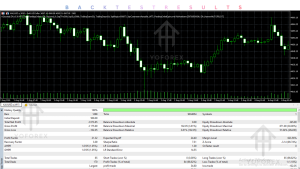
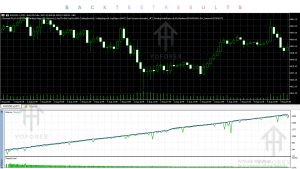
4 Seconds EA V5.0 MT5 Backtesting & Performance
4 Seconds EA V5.0 MT5 can be tested using historical data in MetaTrader 5, allowing traders to examine how the programmed rules behaved over a selected historical period. The product documentation also describes parameter adjustment and optimization as part of the testing process.
However, no independently verified performance statistics such as a specific win rate, maximum drawdown, profit factor or annual return should be assumed from the product description.
For a meaningful evaluation, examine:
- Net profit
- Maximum drawdown
- Profit factor
- Number of trades
- Average trade
- Losing streaks
- Spread sensitivity
- Commission impact
- Slippage
- Performance across different market conditions
A backtest, forward/demo test and live account result are three different forms of evidence. Historical backtest results should never be treated as guaranteed future performance.
How To Get Started
Step 1: Check compatibility
Confirm that you have MetaTrader 5 and that the EA supports your intended broker and instrument.
Step 2: Review the settings
Understand lot sizing, SL, TP, spread filters and trading sessions before enabling automated trading.
Step 3: Install the EA
Place the EA in the appropriate MT5 Experts directory, restart MT5 if necessary and attach it to the intended chart. The available installation guide outlines this process.
Step 4: Test on demo
Run the EA under realistic broker conditions before considering a live account.
Step 5: Monitor execution
Pay attention to spreads, slippage, trade frequency, drawdown and whether actual execution resembles your testing environment.
Step 6: Consider VPS operation
For a fast automated system, stable connectivity can be important. A VPS can help maintain continuous MT5 operation.
Is 4 Seconds EA V5.0 MT5 Worth Buying?
That depends on what you want from an Expert Advisor.
The product is positioned around automated, rapid short-term trading, so its relevance is strongest for traders specifically looking for this type of approach. It is less relevant to someone searching for a slower trend-following or long-term portfolio system.
Before buying, the most important questions are not simply whether the EA has attractive features. Check whether:
- The strategy matches your trading style.
- Your broker provides suitable execution conditions.
- Your preferred instruments are supported.
- The risk settings fit your account.
- You can operate the EA reliably through MT5/VPS.
- The EA performs acceptably during your own backtests and forward tests.
- The license, support and price meet your requirements.
That process provides a more useful buying decision than relying on a single historical performance number.
FAQs
What is 4 Seconds EA V5.0 MT5?
It is a MetaTrader 5 Expert Advisor designed for automated, short-term trading with an emphasis on rapid market scanning and execution.
Is 4 Seconds EA available for MT4?
The product covered here is specifically listed as 4 Seconds EA V5.0 MT5. An MT4 version should not be assumed unless separately confirmed.
What strategy does 4 Seconds EA use?
Available documentation describes short-term momentum, micro-trend and rapid price-movement logic, with quick breakout-type opportunities also referenced. The complete proprietary entry formula is not publicly documented.
What timeframe does 4 Seconds EA use?
The available installation instructions recommend lower timeframes such as M1 or M5. Traders should verify the exact recommended timeframe for their chosen instrument and V5.0 configuration.
Does 4 Seconds EA require a VPS?
The product guide recommends VPS operation for continuous trading and stable connectivity.
Can 4 Seconds EA be backtested?
Yes. The product documentation describes historical backtesting and parameter optimization through MT5.
Is 4 Seconds EA suitable for beginners?
A beginner can learn to operate it, but automated trading still requires an understanding of position sizing, spreads, slippage, drawdown and demo testing. It should not be treated as a hands-off substitute for risk management.
How do I buy or install 4 Seconds EA?
Check the current YoForex EA product information for availability, licensing, support and installation details. The current product listing identifies the EA as 4 Seconds EA V5.0 MT5.
Conclusion
4 Seconds EA V5.0 MT5 is aimed at traders interested in fast, automated short-term execution rather than traditional long-duration trading. Its documented characteristics include rapid market monitoring, short-term momentum/micro-trend analysis, automated execution, risk controls and VPS-oriented operation.
The main buying consideration is the complete trading environment around the EA. Fast execution strategies can be sensitive to spread, slippage, broker infrastructure, latency and settings. For that reason, testing the EA under the conditions you actually intend to trade is important.
If you’re comparing MT5 Expert Advisors on YoForex EA, use the product’s documented strategy, compatibility, settings, testing evidence, risk profile, support and commercial terms as the basis for comparison rather than relying on performance claims alone.
Support & Disclaimer
Support:
If you need help installing or configuring your EA, or face any kind of bug, feel free to reach out on:
Telegram Group: Join our community
Disclaimer:
Forex and gold trading involve risk. Past performance doesn’t guarantee future results. Always test robots on demo before live trading and use proper risk management.
REFERRAL
Join the VIP Signals Telegram Channel for real-time expert trading signals and stay ahead in the forex market. Get personalized strategies by becoming a part of our Real Account Management Telegram Channel and optimize your trading experience. If you’re aiming to Pass PropFirm Challenges , join our dedicated channel for tips and proven methods. Start managing your capital effectively with expert advice from our Funded Account Management Telegram Channel. For advanced traders, our HFT EA / Passing Telegram Channel offers high-frequency trading insights and strategies to boost your performance.