
Introduction
Manual monitoring of gold breakouts is demanding. Price can expand quickly, pending orders need timely placement, and consistent rule application is hard when you cannot watch charts continuously. Traders looking for structured automation of defined breakout rules often seek an Expert Advisor that places and manages positions without martingale or recovery methods.
MoonDog EA V4.21 MT5 is a multi-strategy breakout Expert Advisor built specifically for XAUUSD on MetaTrader 5. It runs its strategies from a single chart and focuses on defined risk per trade. This article explains how it approaches trading so you can evaluate whether it matches your platform, risk tolerance, monitoring capacity, and testing process before purchase.
What Is MoonDog EA V4.21 MT5?
MoonDog EA is a multi-strategy breakout Expert Advisor designed for XAUUSD on MetaTrader 5. All strategies operate from one chart.
The original five strategies are Moon Nova, Moon Apex, Moon Zenith, Moon Pulse and Moon Eclipse. Four additional optional strategies are available: Moon Orbit, Moon Halo, Moon Titan and Moon Comet. The EA uses the original five by default.
Every position carries its own initial Stop Loss and Take Profit. MoonDog does not use martingale, recovery grids, loss averaging, or larger trades after a loss. It is intended for traders who want automated breakout execution with configurable risk and protection tools rather than high-risk recovery systems.
How Does MoonDog EA Trade?
MoonDog identifies breakout and price-expansion conditions on XAUUSD and can place Buy Stop or Sell Stop pending orders when its strategy modules detect eligible setups.
Each of the independent strategy modules monitors different conditions. When a trade is triggered, it opens with a predefined Stop Loss and Take Profit. Position management includes optional MoonLock profit protection, break-even, and trailing options. Risk is applied per trade (fixed lot, percentage-based, or optional ONNX-score adaptive sizing). Adaptive sizing does not increase size after a loss.
Protection layers include dedicated NFP, CPI and FOMC filters (enabled by default), Weekend Shield, and optional spread and general news filters. During confirmed protection windows the EA pauses new entries and requests removal of its recognized pending orders; it does not automatically close open positions.
Exact internal indicator or pivot logic beyond the multi-module breakout description is not fully disclosed in public materials. Buyers should verify the complete product specifications and SET files before purchase.
Trading Workflow
- Market condition – Strategy modules monitor XAUUSD for breakout or expansion setups.
- Entry condition – Eligible conditions trigger Buy Stop or Sell Stop pending orders.
- Trade execution – Orders are managed according to the selected SET and ONNX mode.
- Position management – Each trade has its own SL/TP; optional MoonLock, break-even or trailing can adjust protection.
- Risk control – Fixed lot, percentage risk, or optional adaptive sizing per trade; total exposure can rise if multiple strategies are active.
- Exit – SL, TP, MoonLock trigger, or manual/chart controls.
- Automation – Fully automated once attached and configured; dashboard and chart controls available.
Quick Product Snapshot
| Feature | Details |
|---|---|
| Platform | MetaTrader 5 |
| Strategy | Multi-strategy breakout (original 5 + optional 4) |
| Trading Style | Breakout / pending-order |
| Pairs/Instruments | XAUUSD |
| Timeframe | Check product specifications and recommended SET files |
| Entry Logic | Strategy-module breakout conditions → Buy Stop / Sell Stop |
| Exit Logic | Predefined SL/TP; optional MoonLock, break-even, trailing |
| Risk Management | Fixed lot, % risk, optional ONNX adaptive sizing; no martingale/grid/recovery |
| Automation | Fully automated from one chart; dashboard + chart controls |
| Best For | Traders seeking defined-risk XAUUSD breakout automation who will test thoroughly |
Key Features Buyers Should Understand
Multi-strategy architecture
What it does: Runs the original five strategies by default; optional four additional strategies can be enabled.
Why it matters: Different modules can capture varied breakout conditions from one chart.
What to verify: Trade frequency and simultaneous open positions when enabling all nine.
SET files and MoonLock
What it does: Four supplied setups – Default (original five + classic 50% MoonLock), Adaptive MoonLock (strategy-specific protection), All 9 Strategies, and All 9 + Adaptive. Supplied SET files use fixed 0.01 lot.
Why it matters: Classic MoonLock aims to protect 50% of a recorded peak floating profit; Adaptive uses tailored activation and percentages per strategy (it does not retrain live).
What to verify: Load the intended SET, confirm lot size matches your risk plan, and understand that MoonLock closes the full position at market.
ONNX options
What it does: Three modes – Conservative 2x ONNX (default: filters entries and rechecks pending orders), More Trades 2x ONNX, or Without ONNX. Models run locally inside MT5.
Why it matters: Provides filtering without external subscriptions.
What to verify: How the chosen mode affects trade frequency and selectivity on your broker’s data.
Risk and protection tools
What it does: Default initial SL 20 gold pips (adjustable); Apex default TP 140 gold pips, others 150 (adjustable). News (NFP/CPI/FOMC), Weekend Shield, optional spread guard.
Why it matters: Defined risk per trade and safety filters.
What to verify: Total exposure when multiple strategies are active and broker execution quality for pending-order cancellations.
Dashboard and controls
What it does: Hidden-by-default dashboard shows status and account info; chart controls allow pause/resume entries, cancel pending orders, or request position closure.
Why it matters: Visibility and manual override capability.
What to verify: That Resume Entries respects news and weekend restrictions.
Why Traders May Consider This Trading Approach
The approach offers automated execution of defined breakout rules, consistent application without emotional intervention, reduced need for continuous chart watching, and configurability through SET files, lot/risk modes, and protection options. It avoids recovery systems that can escalate exposure after losses. These are practical benefits of structured automation, not guarantees of profit.
Risks and Limitations Buyers Should Understand
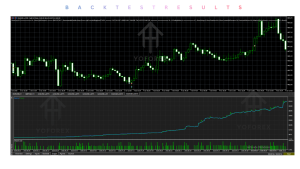
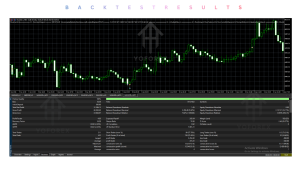
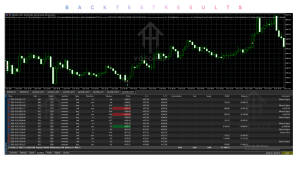
Losing trades, drawdown and quiet periods are normal. Market conditions change; past behavior does not guarantee future results. Risk applies per trade, so multiple simultaneous positions can create higher total exposure. Broker spread, commission, slippage, latency and pending-order handling affect results. MoonLock and Spike Shield cannot eliminate slippage or guarantee exact close prices. Backtests (even real-tick) cannot fully reproduce live fills or spread spikes. A reliable VPS is recommended for virtual protection and continuous operation. Over-optimization of settings is a risk with any EA. Always start small and test on demo with your broker.
Who Should Consider MoonDog EA V4.21 MT5?
Traders comfortable with XAUUSD breakout trading on MT5, who accept defined-risk automation, are willing to review SET files and ONNX modes, can monitor or use a VPS, and plan thorough demo testing. Suitable for those who prefer independent SL/TP per trade over martingale or grid recovery styles and who understand that multi-strategy systems can open several positions at once.
Who Should Avoid MoonDog EA V4.21 MT5?
Traders seeking guaranteed profits or holy-grail performance, those unwilling to test on demo with realistic conditions, traders uncomfortable with any drawdown, users without MT5 or reliable XAUUSD execution, and anyone looking for a completely different style (trend-following only, pure scalping without breakout logic, or recovery systems).
Strategy-Based Buyer Checklist
Before purchasing, verify:
- Exact strategy modules and which ones are enabled by default
- Entry conditions and pending-order behavior
- Exit logic (SL/TP, MoonLock, trailing)
- Risk model (fixed, %, adaptive) and total exposure rules
- Expected or historical drawdown characteristics under your intended settings
- Platform compatibility (MT5 only)
- Broker symbol, spread and execution quality for XAUUSD
- Instruments (XAUUSD focus)
- Recommended timeframe and SET files
- VPS requirements for reliable operation
- All input settings and Magic Number
- Backtesting method (Every tick based on real ticks recommended)
- Demo testing plan
- Support and update policy from the seller
How to Test MoonDog EA Before Live Trading
- Review the complete product specifications and user guide.
- Confirm MT5 and XAUUSD symbol compatibility with your broker.
- Install on a demo account.
- Load one of the supplied fixed-0.01 SET files (start with SET 1 – Default).
- Choose an ONNX mode and enable/disable protections as desired.
- Run Strategy Tester with Every tick based on real ticks and realistic costs.
- Monitor live demo execution, drawdown, simultaneous positions and pending-order handling.
- Evaluate whether the behavior matches your risk tolerance and monitoring capacity.
Do not move to live until you understand the system under your broker’s conditions.
Is MoonDog EA’s Approach Right for You?
MoonDog’s multi-strategy breakout design with defined SL/TP, optional MoonLock, local ONNX filtering and no recovery methods may suit traders who want automated XAUUSD breakout participation from a single chart and who accept the realities of drawdown, variable trade frequency and broker-dependent execution.
It is less suitable if you need ultra-low monitoring, prefer a single simple strategy, require guaranteed maximum loss, or are not prepared to test thoroughly. Your decision should rest on strategy preference, risk tolerance, available capital, monitoring expectations, and verified compatibility with your platform and broker—not on any performance claim.
FAQs
How does MoonDog EA trade?
It uses multiple independent breakout strategy modules on XAUUSD that can place Buy Stop or Sell Stop pending orders, each with its own SL and TP.
Does it use martingale or grid?
No. It does not use martingale, recovery grids, loss averaging or larger trades after a loss.
What platforms and instruments does it support?
MetaTrader 5, focused on XAUUSD. Confirm symbol naming and execution with your broker.
What are the main SET options?
SET 1 (default: original five + classic 50% MoonLock), SET 2 (Adaptive MoonLock), SET 3 (all nine + classic), SET 4 (all nine + Adaptive). Supplied files use fixed 0.01 lot.
How should I test it?
Install on demo, load a supplied SET, use real-tick Strategy Tester, then monitor live demo execution and risk metrics before considering live.
Is a VPS required?
A reliable VPS is recommended, especially when using virtual protection features.
Can I disable MoonLock?
Yes. Users can disable it and configure custom break-even and trailing settings instead.
Where can I get support after purchase?
Contact the seller after purchase for help with installation, SET file, lot size, Magic Number and protection settings. Check the product page for the current support channel.
Conclusion
MoonDog EA V4.21 MT5 approaches XAUUSD trading through multiple independent breakout modules running from one MT5 chart, with defined per-trade risk, optional MoonLock profit protection, local ONNX filtering options, and layered news/weekend/spread safeguards. It avoids recovery systems.
It may be worth considering for traders who understand breakout automation, accept normal losing periods and drawdown, and are prepared to test SET files, ONNX modes and broker conditions thoroughly. It is not suitable for anyone seeking guaranteed results or unwilling to verify configuration and execution.
Review the strategy, check compatibility, test the configuration on demo, and decide whether MoonDog EA V4.21 fits your trading approach.
Next step: View the product details on Yoforexorg / Yoforexea, review the latest specifications and SET files, and begin demo testing if the approach aligns with your requirements.
Support & Disclaimer
Support:
If you need help installing or Downloading or configuring your EA , or face any kind of bug, feel free to reach out on:
Telegram Group: Join our community
Disclaimer:
Forex and gold trading involve risk. Past performance doesn’t guarantee future results. Always test robots on demo before live trading and use proper risk management.
REFERRAL
Join the VIP Signals Telegram Channel for real-time expert trading signals and stay ahead in the forex market. Get personalized strategies by becoming a part of our Real Account Management Telegram Channel and optimize your trading experience. If you’re aiming to Pass PropFirm Challenges , join our dedicated channel for tips and proven methods. Start managing your capital effectively with expert advice from our Funded Account Management Telegram Channel. For advanced traders, our HFT EA / Passing Telegram Channel offers high-frequency trading insights and strategies to boost your performance.