Introduction
Many traders want to capture short-term mean-reversion moves that occur during quiet nighttime sessions. The challenge is practical: you cannot watch five or more currency pairs at once, calculate pending-order levels from moving averages and standard deviation, apply a volatility filter, place the orders, and then manage any grid additions if price moves against you—all while the market is open only for a short window.
Manual execution of this style of trading is time-consuming and error-prone. Missing the entry window, placing orders at the wrong levels, or failing to adjust take-profit after additional positions can turn a structured approach into inconsistent results. Traders who prefer rule-based automation often look for an Expert Advisor that can run the entire process from a single chart.
Polar Star EA V1.54 for MetaTrader 5 is built specifically for this workflow. It is a multi-symbol nighttime mean-reversion EA that calculates pending-order prices, applies a volatility filter, manages stop-loss and take-profit, and can add grid positions when price moves against an open trade. It is not a guarantee of profit; it is a tool that automates a defined set of rules so the trader can evaluate whether those rules fit their risk tolerance and schedule.
Can Polar Star EA Help Solve This Problem?
Yes, for traders whose core need is automated multi-pair mean-reversion during a fixed session.
Polar Star places pending orders based on a moving average and standard deviation, filters entries by volatility, and runs on multiple symbols from one chart. Default pairs are GBPUSD, USDCAD, AUDUSD, EURCHF, and EURUSD; the list is fully customizable. When price moves against a position, the EA can add counter-trend grid positions at adjustable intervals and recalculate take-profit from the volume-weighted average entry price. After the entry window closes, it cancels unfilled pending orders and continues to manage open positions.
Traders who value consistent rule execution across several pairs and prefer not to monitor charts overnight are the primary audience. Those seeking guaranteed returns or a completely hands-off “set and forget” system should look elsewhere.
How Polar Star EA Addresses the Problem
| Problem | Bot Function | Practical Buyer Benefit |
|---|---|---|
| Continuous chart watching across pairs | Multi-symbol operation from one chart | One terminal instance handles the selected list |
| Manual calculation of pending levels | Moving average + standard deviation pricing | Orders are placed only when conditions are met |
| Missing short entry windows | Configurable session window (default 2 hours) + automatic GMT handling | Entries limited to the defined period |
| Inconsistent grid and TP management | Adjustable grid spacing, max additions, dynamic TP | Rules stay consistent even when multiple positions are open |
| Forgetting to cancel stale orders | Automatic cancellation after window closes | Reduces leftover pending orders |
The EA must remain running while positions are open. Automation reduces the need for constant presence; it does not remove market risk.
Quick Buyer Snapshot
| Factor | Details |
|---|---|
| Platform | MetaTrader 5 |
| Strategy | Mean-reversion via pending orders after short-term deviations |
| Trading Style | Nighttime session, multi-symbol |
| Pairs/Instruments | Default: GBPUSD, USDCAD, AUDUSD, EURCHF, EURUSD (fully customizable) |
| Timeframe | Session-based (default 2-hour entry window) |
| Automation | Pending-order entries, SL/TP, grid additions, dynamic TP, post-window management |
| Risk Management | Adjustable max grid positions, dynamic TP, holding-time exits, volatility filter |
| Configuration | Symbol list, lot size, grid settings, GMT, session length |
| Best For | Traders who want multi-pair nighttime mean-reversion automation on a hedging account |
Features That Actually Address the Problem
Multi-symbol trading from a single chart
The EA runs the selected pairs simultaneously. This directly reduces the need to open multiple charts and place orders manually. Verify that your broker’s exact symbol names (including any prefix or suffix) are entered correctly.
Pending-order calculation with volatility filter
Orders are calculated from moving average and standard deviation and only placed when the volatility filter allows. This keeps entries rule-based rather than discretionary. Confirm the parameters match your preferred deviation levels before live use.
Grid management with volume-weighted dynamic take-profit
When price moves against a position, additional positions can be added at set intervals. Take-profit is recalculated from the volume-weighted average entry. Maximum grid levels can be set to zero to disable the feature. Test different spacing and max-addition values on demo to understand capital requirements.
Session control and automatic GMT handling
The default entry window is two hours and is adjustable. The EA detects or accepts manual GMT settings so the window aligns with server time. After the window, unfilled pendings are cancelled while open trades continue to be managed.
Conditional exits
Dynamic take-profit, optional closing of profitable positions after the window, and holding-time exits give additional control. These features support the original mean-reversion logic without requiring constant intervention.
Practical Buyer Use Case
A trader has a hedging MT5 account with at least $50 and wants to trade mean-reversion on five major pairs during the quiet overnight hours. Chart time is limited.
They install Polar Star on one chart, enter the exact broker symbol names, set lot size according to account size, choose maximum concurrent symbols and maximum grid additions, and confirm the session window and GMT. They run the EA on a demo account for several weeks, monitoring how often pending orders are filled, how grids behave, and how drawdown develops. Only after the behavior matches their risk limits do they consider a small live allocation. The EA stays connected and algorithmic trading remains enabled while positions are open.
Where Polar Star EA May Help
- Reduces the need for continuous multi-pair monitoring during the defined session
- Applies the same entry, grid, and exit rules consistently
- Handles pending-order placement and cancellation automatically
- Allows one chart to manage several symbols
- Gives adjustable control over grid depth and take-profit calculation
These benefits apply only when the strategy itself suits the trader’s risk profile and the account meets the stated requirements.
Where Polar Star EA May Not Help
- Market risk remains; mean-reversion can fail in strong trends
- Automation does not guarantee profits or limit drawdown
- Grid additions increase capital requirements and risk
- The EA must stay running and connected while managing positions
- Results depend on broker conditions, spreads, and exact symbol names
- The strategy may not suit traders who prefer trend-following or high-frequency styles
- Thorough demo testing is still required; past live results do not predict future performance
Who Should Consider Polar Star EA?
- Traders comfortable with MT5 and hedging accounts
- Those who already understand mean-reversion and grid concepts
- Users who want multi-symbol automation during a fixed session
- Traders willing to configure parameters and test thoroughly
- Account holders who can meet the minimum balance and capital needs of multi-pair + grid trading
Who Should Avoid Polar Star EA?
- Anyone expecting guaranteed returns or risk-free trading
- Traders who refuse to demo-test automated systems
- Users on netting accounts (hedging required)
- Those who want a different strategy style
- Traders unwilling to monitor open positions or keep the terminal connected
- Accounts too small to support concurrent positions and possible grid additions
Problem-Solution Comparison
| Trading Need | Manual Approach | Polar Star EA |
|---|---|---|
| Monitoring | Watch multiple charts during the session | One chart manages selected symbols |
| Execution | Calculate levels and place pending orders by hand | Automated calculation and placement with volatility filter |
| Consistency | Rules applied only when the trader is present | Same rules applied every session |
| Automation | None | Full pending, grid, SL/TP, and post-window management |
| Configuration | Manual each time | Adjustable symbol list, grid, session, GMT |
| Human Intervention | Required for every step | Required mainly for setup, testing, and overall oversight |
What Should You Check Before Buying?
- MT5 compatibility and hedging account type
- Exact strategy logic matches your preferred mean-reversion approach
- Default and custom symbol list available on your broker
- Session window and GMT settings
- Lot size, max concurrent symbols, and max grid additions relative to account size
- Dynamic take-profit and holding-time exit options
- Broker spreads, execution, and symbol naming conventions
- Whether a VPS is needed for continuous operation
- Configuration parameters and set-file availability
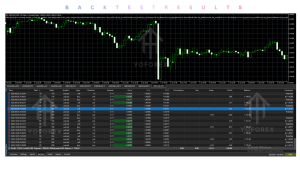
- Ability to run proper backtests on your broker’s data
- Demo testing period
- Support and update policy
- Licensing and pricing details on the seller’s site
- Live signal results (if provided) for transparency only—not as a performance guarantee
How to Test Polar Star EA Before Going Live
- Review the full product specifications and user manual
- Confirm your account is hedging and symbols match exactly
- Install the EA on a demo account
- Load the documented or default settings and adjust for your capital
- Run during the intended session window for several weeks
- Record fill rates, grid behavior, drawdown, and equity curve
- Verify that pending orders cancel correctly after the window
- Check broker-specific conditions (spreads, slippage, commissions)
- Decide whether the risk and behavior fit your requirements
Never move to live capital until you are satisfied with the demo results.
Is Polar Star EA the Right Solution for You?
Polar Star EA V1.54 MT5 addresses a narrow but real problem: the desire to run a multi-symbol mean-reversion strategy with pending orders, volatility filtering, and optional grid management during a defined nighttime window without constant manual intervention.
It is a suitable candidate if your trading style matches that description, you have a hedging MT5 account, and you are prepared to configure, test, and monitor the system. It is not suitable if you expect guaranteed profits, prefer a different strategy, or cannot keep the terminal running while positions are open.
Evaluate the fit on your own terms: problem match, strategy match, platform compatibility, risk tolerance, and testing results.
FAQs
Does Polar Star EA work on netting accounts?
No. A hedging account is required.
What is the minimum account balance?
USD 50 is stated as the minimum. Actual capital needs rise with multiple symbols and grid additions.
Can I change the traded pairs?
Yes. The symbol list is fully adjustable. Enter exact broker names including any prefix or suffix.
Does the EA continue managing positions after the entry window?
Yes. Unfilled pending orders are cancelled; open positions continue to be managed and grids may still be added if conditions are met.
Is a VPS required?
The EA must remain running and connected while managing positions. Many traders use a VPS for reliability; confirm your own setup needs.
Are there guaranteed profits?
No. All trading involves risk of loss. Past results, including any live signal, do not guarantee future performance.
How do I set the trading session?
The default is a 2-hour window. Length and GMT settings are adjustable. Automatic GMT detection is available; manual GMT is used for backtesting.
Where can I see live results?
A live signal link is provided by the seller. Treat it as transparency information only.
Conclusion
If your trading problem is the practical difficulty of running multi-symbol nighttime mean-reversion with pending orders and optional grids without constant chart watching, Polar Star EA V1.54 MT5 is a purpose-built tool worth evaluating. It automates the calculation, placement, grid management, and session control described in its specifications.
It will not eliminate risk, guarantee profits, or suit every trader. Confirm platform compatibility, test thoroughly on demo with your broker’s conditions, and only then decide whether the automated workflow fits your capital, risk tolerance, and schedule.
If Polar Star EA matches the problem you need to solve, review the full specifications, check the live results for transparency, configure the settings on a demo account, and determine whether it belongs in your toolkit.
Support & Disclaimer
Support:
If you need help installing or configuring your EA, or face any kind of bug, feel free to reach out on:
Telegram Group: Join our community
Disclaimer:
Forex and gold trading involve risk. Past performance doesn’t guarantee future results. Always test robots on demo before live trading and use proper risk management.
REFERRAL
Join the VIP Signals Telegram Channel for real-time expert trading signals and stay ahead in the forex market. Get personalized strategies by becoming a part of our Real Account Management Telegram Channel and optimize your trading experience. If you’re aiming to Pass PropFirm Challenges , join our dedicated channel for tips and proven methods. Start managing your capital effectively with expert advice from our Funded Account Management Telegram Channel. For advanced traders, our HFT EA / Passing Telegram Channel offers high-frequency trading insights and strategies to boost your performance.