

Introduction
Many MetaTrader 5 traders end up juggling several Expert Advisors — one for grid or martingale-style recovery, another for breakouts, a news tool, a trade manager, a copier, and chart helpers. Switching between them, managing different magic numbers, and keeping settings consistent becomes messy. Maria Royal EA V1.6 MT5 addresses that exact problem by packing eight distinct Maria projects into a single Expert Advisor controlled from one chart panel.
This guide focuses on what the robot actually does, how the projects work, the practical requirements, the risks, and the buying considerations so you can decide whether it fits your trading approach.
What Is Maria Royal EA V1.6 MT5?
Maria Royal EA V1.6 MT5 is a multi-project Expert Advisor for MetaTrader 5. It combines three trading robots, four trading helpers, and a set of chart tools into one attachable EA. You attach it once to a chart, choose the project you want from the panel, and that project’s interface takes over. Each project keeps its own magic number, its own saved settings, and its own orders. Order comments identify which project opened a trade.
The eight projects are:
- Antimartingale
- Breakout
- News
- Trade Manager
- Copier
- Telegram
- Maria AI
- Maria Tools
Antimartingale, Breakout and News are oriented toward gold (XAUUSD) but can run on other symbols. Trade Manager, Copier, Telegram, Maria AI and Maria Tools work on any symbol. The EA requires a hedging account.
How Does Maria Royal EA Work?
The core design is simple: one panel, one active project for new trades (by default).
You attach the EA to a chart. The project list opens. You select a project; its SETTINGS panel appears. Common settings (chart style, order lines, slippage, max spread, trading session, drawdown stop) are shared. Project-specific settings live in that project’s panel and also appear as inputs for Strategy Tester use.
Run rule (default): Only the project currently on the panel opens new trades. Other projects only manage their existing open trades (exits, trailing, equity targets) until those trades close. An optional mode allows Antimartingale, Breakout and News to trade together in the background, each with its own magic number.
Magic numbers follow a clear structure: Magic base 2610500 + project offset (Antimartingale +10, Breakout +20, News +30, Trade Manager +40, Copier +50, Telegram +60, Maria AI +70). Use a different magic base if you run a second instance on the same symbol.
Signal generation, entries, management and exits depend on the chosen project. The panel makes the active rules visible. All settings are also available as inputs so the Strategy Tester can run the selected project.
Maria Royal EA Strategy Explained
Maria Royal is not a single-strategy robot. It is a container for eight different approaches:
Antimartingale — BUY and SELL baskets with a copy side, equity target, loss eater and martin trailing. Designed around growing exposure in the direction of the move with recovery elements.
Breakout — Ladder of BUY STOP and SELL STOP orders around price. Includes live ladder, lot zones, trailing stop and equity target.
News — BUY STOP + SELL STOP grid placed before economic news. Can be set manually or pulled automatically from the calendar. Includes OCO, spike guard and spread guard.
Trade Manager — Manual one-click trade desk: lot sizing by risk, stop-loss and take-profit in pips/money/%/ATR, breakeven, trailing, partial take-profit and daily guard.
Copier — Copies trades between MetaTrader terminals on the same computer or VPS (MASTER/SLAVE modes, lot modes, symbol mapping).
Telegram — Sends trade messages, daily/weekly/monthly reports, alerts and chart pictures.
Maria AI — Chat interface with supported AI models (Claude, OpenAI or DeepSeek) for market discussion, trade checks, ideas and coaching.
Maria Tools — Chart utilities: moving averages, Bollinger Bands, auto Fibonacci, pivots, sessions, support/resistance zones, oscillators, supply/demand zones, neural forecast, Elliott waves and a cluster view (tick-volume based estimate).
Only the three trading projects (Antimartingale, Breakout, News) open market or pending orders as core strategies. The rest support execution, communication, analysis or trade management.
Key Features
- Single EA containing eight independent projects with separate magic numbers and order comments
- Unified panel with project switching, light/dark theme, hide/show and panel positioning
- Shared common settings (spread filter, slippage, session, drawdown stop) plus project-specific settings
- All settings also available as inputs for Strategy Tester
- RUN modes: only chosen project or selected projects together
- Hedging-account requirement (alerts and refuses to start on netting accounts)
- WebRequest support for News calendar, Telegram and Maria AI services
- Chart tools remain visible even when another project is active on the panel
- Designed primarily for XAUUSD on the trading projects; other symbols supported where applicable
Quick Specifications
| Feature | Details |
|---|---|
| Platform | MetaTrader 5 |
| Strategy | Multi-project (Antimartingale, Breakout, News + helpers) |
| Trading Style | Basket/grid, breakout ladders, news grids, manual management |
| Instruments/Pairs | XAUUSD primary for trading projects; others supported |
| Timeframe | Any (projects may set preferred timeframe on first attach) |
| Risk Management | Max spread, slippage, session filter, drawdown stop, project-specific limits |
| Automation | Full for trading projects; helpers and tools as selected |
| VPS | Recommended for continuous operation and Copier |
| Best For | Traders wanting multiple Maria-style tools in one EA |
Main Benefits
One attachment gives access to several distinct trading approaches and supporting tools without loading multiple EAs. Each project maintains clean separation of orders and settings. The panel makes active rules visible. Shared common safety settings reduce the chance of inconsistent configuration across projects. Strategy Tester support via inputs allows systematic testing of individual projects. Chart tools stay available while trading projects run.
Limitations & Risks
Antimartingale and Breakout use growing lots and multiple orders. Incorrect limits on max orders, max lots or the drawdown stop can produce rapid equity swings. Grid and basket methods are sensitive to prolonged trends against the position, widening spreads and slippage.
News trading depends on accurate calendar data and proper WebRequest setup; spikes can still produce unexpected fills or gaps. The Copier requires master and slave terminals on the same machine or VPS. Maria AI and Telegram need internet access and correct API configuration.
Backtests in the Strategy Tester use the selected project’s inputs only; panel buttons do not function in the tester. Cluster volume in Maria Tools is an estimate from tick volume, not real bid/ask volume. No strategy is immune to changing market conditions, broker execution differences or setting errors. Always test thoroughly on demo and size risk to the account.
Who Is Maria Royal EA For?
Traders who already like or want to explore antimartingale, breakout ladder or news-grid approaches and prefer having trade management, copying, Telegram alerts and chart tools in the same package. Users comfortable with hedging accounts, XAUUSD or multi-symbol setups, and willing to spend time learning each project’s controls. Those who value a single panel interface over running separate EAs.
Who Should Avoid It?
Traders on netting accounts (the EA will not start). Complete beginners who have never used grids, baskets or pending-order ladders. Anyone seeking a fully hands-off “set and forget” single strategy with no configuration. Users unwilling to demo-test growing-lot methods or to monitor drawdown limits. Traders who need only one simple strategy and do not want the complexity of eight projects.
Maria Royal EA vs Manual Trading
| Aspect | Maria Royal EA | Manual Trading |
|---|---|---|
| Execution | Automated entries & management per project | Manual order placement |
| Screen time | Lower once configured | Continuous monitoring |
| Consistency | Rules applied the same way every time | Varies with attention and emotion |
| Emotional interference | Reduced | High during news or drawdowns |
| Speed | Instant on signals/rules | Limited by reaction time |
| Flexibility | Project switching, multiple tools | Full discretionary control |
| Monitoring | Panel + Telegram/AI options | Constant chart watching |
| Risk management | Built-in filters and stops | Trader-defined only |
What To Check Before Buying
- Confirm MetaTrader 5 and hedging account support with your broker
- Verify the trading projects suit your preferred instruments (especially XAUUSD)
- Review the official user guide for each project’s logic and limits
- Plan demo testing of Antimartingale and Breakout with conservative max-order and max-lot settings
- Check VPS needs if you want continuous operation or the Copier
- Ensure you can add the required WebRequest URLs if using News, Telegram or Maria AI
- Confirm license terms, update policy and support channels from the seller
- Understand that growing-lot and grid methods carry elevated risk if limits are set too loosely
Maria Royal EA Settings
Settings are divided into common (shared) and project-specific. Common settings cover chart style, order lines, slippage, max spread, trading session and drawdown stop. Each project has its own SETTINGS panel that opens when selected. All parameters also appear as inputs so the Strategy Tester can run a chosen project. Panel values are saved per symbol and magic base. Change inputs for one project and only that project adopts the new values.
Always start with the default RUN: ONLY THE CHOSEN PROJECT while learning.
Maria Royal EA Backtesting & Performance
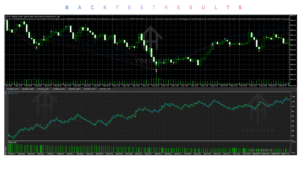
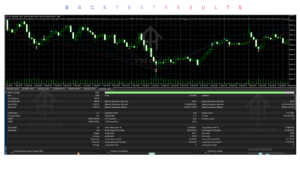
The Strategy Tester can run any single project by selecting it via the “Project that opens first” input and loading the corresponding settings. Panel buttons do not work in the tester. No verified public backtest, forward-test or live performance figures are included in the product materials reviewed for this article. Any results you generate yourself are historical only and do not guarantee future performance. Test every new setting combination on demo before considering live capital.
How To Get Started
- Confirm you have MetaTrader 5 and a hedging account.
- Obtain the EA (Market or file install) and attach it to a chart (preferably XAUUSD for the trading projects). Enable Algo Trading.
- Select a project from the list; review COMMON SETTINGS.
- Configure the project via its SETTINGS panel.
- Run extensive demo tests, especially for Antimartingale and Breakout, keeping max orders, max lots and drawdown stop conservative.
- Monitor results, adjust, and only then consider live use with appropriate risk.
- Add required WebRequest URLs if using News, Telegram or Maria AI.
Is Maria Royal EA Worth Buying?
Maria Royal EA V1.6 MT5 is worth serious consideration if you want several Maria-style tools — antimartingale baskets, breakout ladders, news grids, trade management, copying, Telegram and chart utilities — inside one MT5 Expert Advisor with clean project separation. The panel design and shared safety settings are practical. The growing-lot and grid projects demand careful limit setting and thorough demo testing. It is not a beginner “plug and play” robot and is unsuitable for netting accounts.
Whether it is worth the purchase depends on how well the included projects match the strategies you already want to use and how much time you are prepared to invest in configuration and testing. Review the full user guide, test on demo, and confirm current pricing and license terms with the seller before deciding.
FAQs
What is Maria Royal EA V1.6 MT5?
A multi-project MetaTrader 5 Expert Advisor that combines eight Maria tools (three trading robots and five helpers/utilities) in one EA controlled from a single panel.
Is it MT4 or MT5?
This version is for MetaTrader 5. A MetaTrader 4 version is also available according to the developer.
How does it work?
Attach once, choose a project on the panel. Only the active project opens new trades by default; others only manage existing positions. Each project has its own magic number and settings.
What strategy does it use?
Multiple: antimartingale baskets, breakout stop ladders, news grids, plus trade management, copying, Telegram reporting, AI chat and chart tools.
Can it be backtested?
Yes. Select the project via inputs and run the Strategy Tester. Panel controls do not function in the tester.
Is it suitable for beginners?
Only if the trader is willing to study each project, set conservative limits and demo-test thoroughly. Growing-lot methods are not beginner-friendly.
What broker is required?
Any MT5 broker offering hedging accounts. The EA will not start on netting accounts.
How do I buy and install it?
Purchase or obtain the file from the authorised seller (MQL5 Market or official site), install via Market or by placing the .ex5 in the Experts folder, then attach to a chart with Algo Trading enabled.
Conclusion
Maria Royal EA V1.6 MT5 is a practical all-in-one container for traders who want antimartingale, breakout and news approaches together with solid supporting tools. Its strengths are project isolation, a clean panel interface and shared safety settings. The main considerations are the elevated risk of the grid/basket methods if limits are ignored, the hedging-account requirement, and the need for proper demo testing. If those projects match your style and you treat the risk controls seriously, it is a coherent solution. If you need only one simple strategy or trade on netting accounts, look elsewhere..
Support & Disclaimer
Support:
If you need help installing or configuring your EA, or face any kind of bug, feel free to reach out on:
Telegram Group: Join our community
Disclaimer:
Forex and gold trading involve risk. Past performance doesn’t guarantee future results. Always test robots on demo before live trading and use proper risk management.
REFERRAL
Join the VIP Signals Telegram Channel for real-time expert trading signals and stay ahead in the forex market. Get personalized strategies by becoming a part of our Real Account Management Telegram Channel and optimize your trading experience. If you’re aiming to Pass PropFirm Challenges , join our dedicated channel for tips and proven methods. Start managing your capital effectively with expert advice from our Funded Account Management Telegram Channel. For advanced traders, our HFT EA / Passing Telegram Channel offers high-frequency trading insights and strategies to boost your performance.