

Introduction
Manual gold trading on the 15-minute chart demands constant attention. XAUUSD can move quickly, spreads can widen, and emotional decisions often creep in during volatility. Traders looking for systematic, rules-based execution on this instrument and timeframe frequently evaluate Expert Advisors that can handle entries, management, and exits without sitting at the screen all day.
Yetti EA V3.00 MT4 is one such automated option positioned for MetaTrader 4 users interested in XAUUSD on the M15 timeframe. This article focuses on what is known, the practical decision factors, risks, and what to verify before purchasing or installing. Information is limited; treat unconfirmed details as requiring direct verification from the provider or current product materials.
What Is Yetti EA V3.00 MT4?
Yetti EA V3.00 MT4 is a MetaTrader 4 Expert Advisor (automated trading robot). According to available descriptions of closely related Yetti variants associated with the same ecosystem, it is designed to run on XAUUSD (and in some versions other pairs) with a focus on the M15 timeframe among recommended charts.
It aims to automate trade handling so the user does not need continuous manual monitoring. Exact version-specific capabilities for V3.00 should be confirmed on the current product page or with the seller, as multiple Yetti-named variants (Classic, Pro, Gold, Mod, etc.) exist across sites with overlapping but not identical descriptions.
How Does Yetti EA V3.00 Work?
Publicly available information on related Yetti systems commonly describes an averaging-based grid approach that uses geometric progression for building positions. In general terms for this style of EA:
- Signals / entries are generated according to the EA’s internal logic (exact indicators or filters for V3.00 are not detailed in verified sources for this specific version).
- Additional positions may be added at defined distances if price moves against the initial trade.
- Position management and exits aim to recover or close the basket, often with take-profit on the group of trades.
- Risk controls (drawdown limits, filters, locking mechanisms, etc.) are frequently mentioned in related versions.
Do not assume the precise entry rules, lot multipliers, step sizes, or filters of V3.00 without checking the official inputs or documentation. Grid/averaging systems recover through retracements but increase exposure when trends persist.
Yetti EA V3.00 Strategy Explained
The dominant description across Yetti-family EAs is an averaging system that builds a trading grid using geometric progression of lot sizes or steps. Some versions reference ATR/Momentum filters, news filters, spread control, trading-time limits, and stepwise position locking.
For V3.00 specifically on XAUUSD M15, the exact strategy parameters are not independently verified here. Users should examine the input settings and any included set files or guide after obtaining the EA. Strategy suitability depends heavily on market conditions (ranging vs strong trends), broker spreads/execution on gold, and the chosen risk parameters.
Key Features
Confirmed or commonly associated features from related Yetti descriptions (verify for V3.00):
- Fully automated operation on MT4
- Support for XAUUSD (and in broader versions other pairs)
- M15 (and sometimes H1 or other) timeframe orientation
- Averaging / grid logic with geometric progression elements
- Built-in protective elements in many versions (news filter, spread control, time limits, position locking or deposit protection layers)
- Configurable risk and aggressiveness settings in typical implementations
Exact feature list for V3.00 must be confirmed.
Quick Specifications
| Feature | Details |
|---|---|
| Platform | MT4 |
| Strategy | Averaging / grid (geometric progression elements commonly described) |
| Trading Style | Automated; style depends on settings |
| Instruments/Pairs | XAUUSD (primary note); broader versions claim multi-pair |
| Timeframe | M15 (user-specified and commonly recommended in related versions) |
| Risk Management | Protective systems mentioned in related versions; exact controls to be verified |
| Automation | Full once configured and running |
| VPS | Generally recommended for 24/5 stability |
| Best For | Traders comfortable with grid/averaging risk on gold M15 who will test thoroughly |
Main Benefits
Practical benefits of a well-configured MT4 EA of this type include:
- Reduced need for constant chart watching
- Consistent rule-based execution (no emotional overrides once running)
- Ability to keep the strategy active during off-hours or while away
- Systematic position management according to the coded logic
These advantages only materialize with correct installation, suitable broker conditions, adequate capital for the risk settings, and ongoing monitoring of performance and account health. Automation does not remove market risk.
Limitations & Risks
Grid and averaging systems carry well-known risks:
- Drawdown can grow significantly if price trends strongly against the positions without sufficient retracement.
- Gold (XAUUSD) is volatile; large swings, news spikes, or widening spreads can stress the system.
- Broker execution quality, slippage, and spread on gold directly affect results.
- Incorrect lot sizing, step, or multiplier settings can lead to rapid margin pressure.
- VPS or connection issues can interrupt management.
- Backtests (if any) do not guarantee future live performance; live conditions differ.
- Over-optimization to historical data is a common risk with such EAs.
Always size positions and risk parameters conservatively relative to account equity. Never risk money you cannot afford to lose.
Who Is Yetti EA V3.00 For?
Ideal candidates are traders who:
- Want automated exposure to XAUUSD on M15
- Understand and accept the risk profile of averaging/grid logic
- Will run proper demo/forward testing before live use
- Have sufficient capital for the chosen settings and potential drawdown
- Prefer systematic execution over discretionary decisions
- Are comfortable monitoring account equity, margin, and EA behavior periodically
Who Should Avoid It?
Consider avoiding or approaching with extreme caution if you:
- Prefer fixed-stop, single-entry strategies with tightly defined risk per trade
- Have a small account relative to the EA’s typical capital recommendations in related versions
- Are uncomfortable with open drawdown during adverse moves
- Lack experience installing and monitoring MT4 EAs
- Expect “set and forget” with zero risk or guaranteed results
- Cannot or will not verify current settings, broker compatibility, and live behavior
Yetti EA V3.00 vs Manual Trading
| Aspect | Yetti EA V3.00 (Automated) | Manual Trading |
|---|---|---|
| Execution | Rules-based, once coded and running | Discretionary, depends on trader |
| Screen time | Low after setup | High for active M15 gold trading |
| Consistency | High (same rules every time) | Variable (mood, fatigue, distraction) |
| Emotional interference | Minimal once live | Common |
| Speed | Instant on signals | Limited by human reaction |
| Flexibility | Limited to coded parameters | High – can adapt instantly |
| Monitoring | Periodic equity/margin checks still needed | Continuous attention |
| Risk management | As coded + user settings | Fully under trader control |
Neither approach is inherently superior; the choice depends on the trader’s goals, discipline, and risk tolerance.
What To Check Before Buying
Practical checklist:
- Confirm exact strategy logic and inputs for V3.00
- Review any available risk/drawdown information and capital recommendations
- Verify MT4 compatibility and current build support
- Check broker suitability (spreads, execution, gold symbol, leverage, account type)
- Plan for VPS if running continuously
- Examine default or provided settings; understand every parameter
- Require or perform your own backtests and, more importantly, demo/forward tests
- Clarify support channels and response expectations
- Confirm license terms (accounts, updates, restrictions)
- Verify current pricing and what is included (files, sets, guide)
Only proceed when these points are clear and acceptable.
Yetti EA V3.00 Settings
Specific recommended settings for V3.00 are not detailed in the sources reviewed. Related versions often include adjustable lot size, grid step, multipliers, time filters, news filters, equity protections, and take-profit levels. Always start with the most conservative parameters provided and test thoroughly. Do not run aggressive settings on live capital without extensive validation.
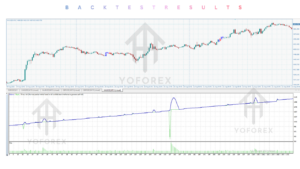
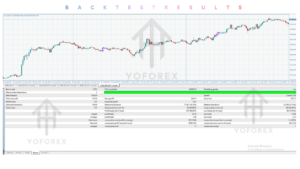
Yetti EA V3.00 Backtesting & Performance
No independently verified, detailed backtest or live performance figures specific to Yetti EA V3.00 MT4 on XAUUSD M15 are presented here. Related Yetti products sometimes show historical results on third-party sites, but these must be treated with caution: backtests can be optimistic, data quality varies, and past results do not predict future performance. Distinguish clearly between backtest, forward-test, and live results. Request or generate your own tests under realistic conditions (variable spread, commission if applicable, slippage modeling).
How To Get Started
- Confirm MT4 compatibility and broker conditions for XAUUSD.
- Obtain the EA files and any official guide or set files from a legitimate source.
- Install into the correct MT4 Experts folder, enable automated trading and any required DLL imports if applicable, and restart the platform.
- Attach to an XAUUSD M15 chart using conservative settings.
- Run on a demo account for a meaningful period that includes different market conditions.
- Monitor equity, open positions, margin, and EA logs closely.
- Only consider live use after positive, stable demo results and with risk capital you can afford to lose. Scale gradually if results remain acceptable.
Never skip testing or risk more than you can lose.
Is Yetti EA V3.00 Worth Buying?
It can be worth evaluating if you specifically want automated averaging/grid-style exposure to XAUUSD on M15, understand the risks of that approach, will test rigorously, and the current price, license, support, and settings align with your needs. It is less suitable if you prefer low-drawdown fixed-risk strategies, have limited capital, or expect guaranteed results.
The decision rests on verified product details, your risk tolerance, testing outcomes, and alternative options available to you. There is no universal “yes.”
FAQs
What is Yetti EA V3.00 MT4?
An MT4 Expert Advisor oriented toward automated trading, with user notes indicating focus on XAUUSD and the M15 timeframe. Exact logic should be confirmed with current materials.
Is it MT4 or MT5?
The designation is MT4.
How does it work?
Related versions commonly use averaging/grid logic with geometric progression and various protective filters. Confirm the precise mechanism for V3.00.
What strategy does it use?
Primarily described as averaging/grid in the Yetti family. Verify for this version.
Can it be backtested?
Yes, in the MT4 Strategy Tester. Results depend on data quality, modeling, and settings. Live performance can differ.
Is it suitable for beginners?
Only if the beginner is willing to learn grid risks, test extensively on demo, and use very conservative settings. Many prefer simpler fixed-risk systems when starting.
What broker is required?
Low-spread, reliable execution brokers that handle XAUUSD well are generally preferred for this style of EA. Confirm compatibility.
How do I buy/install it?
Obtain from the authorized source (check current Yoforexorg / related channels), follow the installation steps into MT4 Experts, attach to the chart, and configure carefully. Support contacts are typically listed on the product page.
Conclusion
Yetti EA V3.00 MT4 is aimed at traders seeking automated handling of XAUUSD on the M15 chart using the averaging/grid style common to the Yetti family of EAs. Its main potential strength is systematic execution that reduces screen time and emotional decision-making. Important considerations include the inherent risks of increasing exposure in adverse trends, the need for adequate capital and conservative settings, broker quality on gold, and thorough personal testing.
If the strategy type, risk profile, and current verified details match your requirements, proceed to detailed review of the official materials, demo testing, and a clear risk plan. If not, continue evaluating other approaches that better fit your capital, risk tolerance, and preferred trading style.
Support & Disclaimer
Support:
If you need help installing or configuring your EA, or face any kind of bug, feel free to reach out on:
Telegram Group: Join our community
Disclaimer:
Forex and gold trading involve risk. Past performance doesn’t guarantee future results. Always test robots on demo before live trading and use proper risk management.
REFERRAL
Join the VIP Signals Telegram Channel for real-time expert trading signals and stay ahead in the forex market. Get personalized strategies by becoming a part of our Real Account Management Telegram Channel and optimize your trading experience. If you’re aiming to Pass PropFirm Challenges , join our dedicated channel for tips and proven methods. Start managing your capital effectively with expert advice from our Funded Account Management Telegram Channel. For advanced traders, our HFT EA / Passing Telegram Channel offers high-frequency trading insights and strategies to boost your performance.