
Introduction
Automated trading can help traders execute predefined market rules without constantly watching charts. However, choosing the right Forex robot requires more than looking at its version number or advertised features. Traders need to understand its entry logic, position management, recovery settings and potential drawdown.
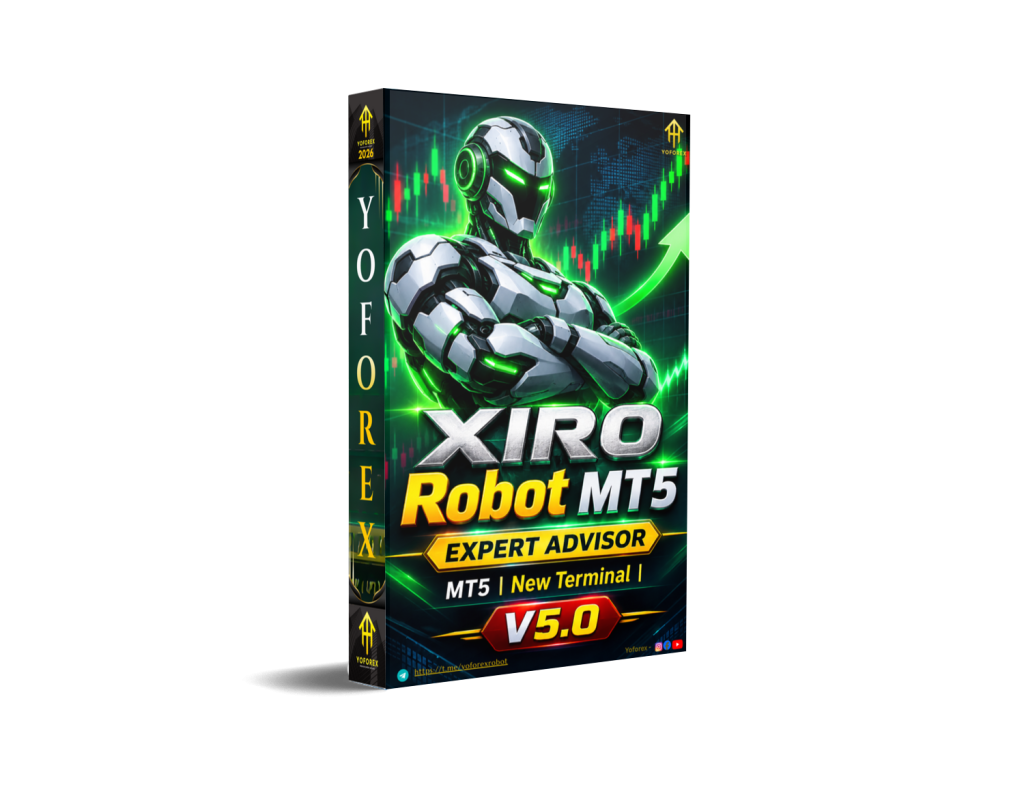
XIRO Robot MT5 V5.0 MT5 is an automated Expert Advisor built around session-range breakout entries. It combines directional filtering, recovery cycles and configurable trade management. Its main attraction is the combination of breakout trading and adjustable position-management controls.
Before deciding whether to buy XIRO Robot MT5, traders should understand how its strategy works, what its settings control and how its historical testing results should be interpreted.
What Is XIRO Robot MT5 V5.0?
XIRO Robot MT5 V5.0 MT5 is an automated trading Expert Advisor designed for MetaTrader 5. It uses session-range breakout entries, with configurable direction filters, recovery cycles and stop-management functions.
The robot identifies a defined trading-session range and uses breakout levels as part of its entry approach. Additional settings allow traders to configure trading direction, volatility filtering, recovery behaviour and position protection.
The product is available in two editions:
-
EX5 Edition: Compiled Expert Advisor with installation instructions and parameter documentation.
-
MQ5 Source Code Edition: Includes editable source code, compiled program and documentation.
The EX5 edition is intended for traders who want to configure and run the existing EA. The MQ5 edition is more suitable for developers who want to inspect, modify and compile the trading code.
How Does XIRO Robot MT5 Work?
XIRO Robot follows a structured automated trading process based on session ranges and breakout entries.
Its general workflow can be understood through five stages.
1. Market and Session Analysis
The EA uses configured session-start and session-end times to establish the trading range.
2. Direction Selection
The DirectionMode setting controls the trading direction. The published initial configuration uses MQLUME_BOTH.
3. Trade Entry
The EA uses breakout distances above and below the session range to determine entry levels.
4. Position Management
Available controls include take profit, stop loss, break-even and trailing-stop management.
5. Recovery and Risk Controls
The recovery module can adjust position volume after losing trades. Other settings include volatility-based lot reduction and optional daily profit and loss caps.
These functions are configurable, so traders should understand their interactions before using the EA on a live account.
XIRO Robot MT5 Strategy Explained
The main identified strategy is Session Range Breakout with Recovery Management.
This approach focuses on price movement beyond a predefined session range.
The EA also includes additional trading controls:
-
Breakout Trading: Uses session-range boundaries to establish entry distances.
-
Direction Filtering: Provides configurable directional selection.
-
Volatility Filtering: Can reduce trading volume based on the volatility-range filter.
-
ADX Filtering: Provides an optional Average Directional Index filter.
-
Recovery Trading: Allows configurable recovery cycles and volume scaling.
-
Position Protection: Includes stop loss, take profit, break-even and trailing-stop controls.
The recovery component deserves particular attention. Increasing position volume after losses can increase overall market exposure and accelerate drawdown.
Therefore, XIRO Robot should not be evaluated as a simple breakout EA without considering its recovery mechanism.
Key Features
-
Automated session-range breakout entries.
-
Configurable buy and sell direction.
-
Optional ADX directional-strength filter.
-
Volatility-based lot reduction.
-
Configurable recovery cycles.
-
Adjustable recovery volume multiplier.
-
Take-profit and stop-loss management.
-
Break-even functionality.
-
Trailing-stop management.
-
Daily profit and loss control inputs.
-
Economic news protection settings.
-
Trading-day and session controls.
-
Customisable Magic Number.
-
MT5 EX5 and editable MQ5 editions.
Quick Specifications
| Feature | Details |
|---|---|
| EA Name | XIRO Robot MT5 V5.0 MT5 |
| Version | V5.0 |
| Platform | MetaTrader 5 |
| File Format | EX5 / MQ5 |
| Strategy | Session Range Breakout |
| Trading Style | Automated Breakout |
| Timeframe | M5 |
| Instruments | Broker chart symbol; verify supported symbols |
| Direction | Both directions available |
| Risk Management | SL, TP, recovery and volume controls |
| Automation | Automated Expert Advisor |
| VPS | Recommended for continuous operation |
| Source Code | Available in separate edition |
| Dependencies | No separate MQH or DLL downloads |
Main Benefits of XIRO Robot MT5
Automated trading execution
The EA handles its configured trading operations automatically, reducing the need to monitor every potential breakout manually.
Flexible trading configuration
Its range, direction, volatility and position-management inputs allow traders to examine different configurations.
Multiple position-management controls
Break-even, stop loss, take profit and trailing-stop functions provide several ways to manage open positions.
Recovery configuration
Traders can configure recovery cycles and volume scaling. However, these settings introduce additional exposure and require careful evaluation.
Source code availability
The separate MQ5 edition provides access to editable code, which can be useful for developers and technically experienced traders.
Documented installation process
The product includes installation instructions and parameter documentation to help users understand its configuration.
Limitations & Risks
XIRO Robot MT5 has several important considerations that potential buyers should understand.
Recovery risk: The recovery multiplier increases exposure when recovery trading is used. Larger positions can produce larger losses.
Drawdown risk: Breakout strategies can experience losing periods when price repeatedly moves beyond a range and then reverses.
Spread and slippage: High transaction costs can affect breakout entries and exit execution.
Broker conditions: Execution speed, contract specifications, minimum lot size and trading costs can change the robot’s behaviour.
VPS requirements: Some protection functions operate locally, so keeping MT5 running is important. A VPS can help maintain continuous platform operation.
Configuration conflicts: The product documentation specifically warns against enabling HiddenMode and HiddenSLTPTSBE together because shared chart levels can trigger additional entries.
Who Is XIRO Robot MT5 For?
XIRO Robot may be worth researching for:
-
MT5 traders interested in session breakout strategies.
-
Traders who prefer automated execution.
-
Users who want configurable recovery and stop-management options.
-
Developers interested in an editable MQL5 project.
-
Traders comfortable analysing backtests and monitoring automated positions.
It may be particularly interesting to users who understand breakout trading and the risks associated with recovery-based position sizing.
Who Should Avoid It?
XIRO Robot may not be suitable for:
-
Traders expecting guaranteed profits.
-
Beginners who do not understand recovery trading.
-
Users who cannot monitor automated trading risks.
-
Traders with insufficient capital for their selected position sizes.
-
Users who specifically require MetaTrader 4 compatibility.
-
Traders unwilling to perform demo testing before live deployment.
XIRO Robot MT5 vs Manual Trading
| Factor | XIRO Robot MT5 | Manual Trading |
|---|---|---|
| Execution | Automated rules | Trader-controlled |
| Screen Time | Lower routine involvement | Usually higher |
| Consistency | Follows programmed rules | Depends on discipline |
| Emotional Interference | Reduced during execution | Can be significant |
| Speed | Automated processing | Depends on trader |
| Flexibility | Limited to programmed logic | More adaptable |
| Monitoring | Still required | Required |
| Risk Management | Configured EA controls | Trader-controlled |
Neither approach is automatically better. The right choice depends on trading experience, strategy knowledge and risk-management preferences.
What To Check Before Buying XIRO Robot MT5
Before purchasing, review these important points:
-
Strategy: Understand how session-range breakouts and recovery cycles operate.
-
Risk: Review recovery multipliers, maximum cycles and volume settings.
-
Compatibility: Confirm that your platform is MetaTrader 5.
-
Broker: Check execution conditions, spread and account specifications.
-
VPS: Consider reliable hosting for continuous operation.
-
Settings: Read the included parameter documentation.
-
Testing: Review historical tests and conduct independent demo testing.
-
Source Code: Decide whether you need the compiled EX5 or editable MQ5 edition.
-
Support: Check the current support conditions.
-
Pricing: Compare the editions and included files before payment.
XIRO Robot MT5 Settings
The published V5.0 documentation provides several configurable inputs.
Some important initial values include:
|
Setting |
Published Initial Value |
|---|---|
|
DirectionMode |
MQLUME_BOTH |
|
BaseVolume |
0.01 |
|
VolatilityRangeFilter |
true |
|
ADXFilter |
false |
|
ADXPeriod |
14 |
|
ADXThreshold |
25 |
|
RangeStart |
03:00 |
|
RangeEnd |
11:00 |
|
PipsAboveRange |
1.0 |
|
PipsBelowRange |
1.0 |
|
TakeProfit |
100 |
|
StopLoss |
250 |
|
RecoveryMode |
true |
|
RecoveryMultiplier |
1.89 |
|
RecoveryMaxcycle |
3 |
|
PipsToBreakEven |
11 |
|
PipsToTrail |
50 |
|
PipsToMoveWhenTrail |
30 |
These are published input values, not recommended settings for every broker or account. In particular, the meaning and units of price-distance inputs should be confirmed in the supplied parameter guide before changing them.
XIRO Robot MT5 Backtesting & Performance
Historical testing is an important part of evaluating an automated trading system.
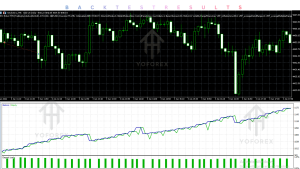
The published XIRO Robot V5.0 review includes a 12-month XAUUSD backtest covering November 2, 2025, to November 2, 2026, with the end date excluded.
Published historical backtest
XAUUSD · M5 · Every Tick model
67.89%
Net historical return
27.96%
Maximum relative equity drawdown
$3,394.67
Net profit
1.28
Profit factor
86.67%
Winning positions
180
Completed positions
Initial balance: $5,000 · Ending balance: $8,394.67 · Test configuration: Risk 15.14, BaseVolume 0. Historical seller-published results, not verified live performance.
Source: MQLume’s published backtest review.
Important Backtest Observations
The reported figures deserve a closer look.
-
The test recorded 156 winning positions and 24 losing positions.
-
Average winning position: $100.12.
-
Average losing position: $505.27.
-
October 2026 recorded a negative monthly cash flow of $1,478.49.
-
The selected automatic-sizing configuration used a Risk input of 15.14.
-
Executed lot sizes ranged from 0.06 to 0.37.
One important concern is the difference between average winning and losing positions. The average losing position was substantially larger than the average winner.
This means the reported winning percentage should not be evaluated in isolation.
The 27.96% maximum relative equity drawdown is also significant and deserves consideration before any live deployment.
The published review identifies these figures as a seller-produced historical backtest, not a verified live-account record.
How To Get Started With XIRO Robot MT5
Follow a careful installation and testing process.
-
Check compatibility: Confirm that you have desktop MetaTrader 5.
-
Review documentation: Read the included README and parameter guide.
-
Install the EA: Copy the EX5 file into the MT5 Experts directory.
-
Refresh Navigator: Refresh the Expert Advisors list and attach the robot to the intended chart.
-
Configure settings: Check the trading symbol, timeframe, volume and risk controls.
-
Run Strategy Tester: Examine entries, exits, drawdown and recovery behaviour.
-
Demo test: Observe execution under your broker’s conditions.
-
Monitor performance: Review trading activity and account exposure regularly.
The compiled EX5 edition does not require MetaEditor compilation. The MQ5 edition can be opened and compiled through MetaEditor.
Is XIRO Robot MT5 Worth Buying?
XIRO Robot MT5 V5.0 offers an identifiable session-range breakout approach with additional direction filters, volatility controls and recovery-based position management.
Its main strengths include:
-
A defined breakout trading approach.
-
Configurable trade-management controls.
-
Recovery and volatility settings.
-
Separate compiled and editable-source editions.
-
Documented installation and parameters.
However, the published backtest also highlights meaningful risks, particularly the 27.96% relative equity drawdown and the substantially larger average losing position.
For traders who understand breakout systems and recovery-based exposure, XIRO Robot may be worth further evaluation.
For beginners, the recovery settings and historical drawdown deserve particular attention. Demo testing and independent verification should come before any live deployment.
Frequently Asked Questions
1. What is XIRO Robot MT5 V5.0?
It is an automated MetaTrader 5 Expert Advisor that uses session-range breakout entries with direction filters, recovery cycles and configurable stop management.
2. Is XIRO Robot compatible with MT4?
The V5.0 MQLume edition is designed for MetaTrader 5. It is not an MT4 version.
3. What strategy does XIRO Robot use?
Its primary strategy is session-range breakout trading, supported by directional filters and recovery management.
4. Can XIRO Robot trade automatically?
Yes. It is an Expert Advisor designed to automate its configured trading operations within MetaTrader 5.
5. Can XIRO Robot be backtested?
Yes. It can be tested using MT5 Strategy Tester. Historical testing should be followed by demo testing.
6. Is XIRO Robot suitable for beginners?
Beginners can study its documentation and test it on a demo account. However, understanding recovery multipliers, position sizing and drawdown is important before live use.
7. Does XIRO Robot require a VPS?
A VPS is worth considering for continuous operation. The product documentation also notes that MT5 must remain running for local protection functions.
8. Does XIRO Robot include source code?
The EX5 edition includes the compiled program and documentation. Editable MQ5 source is available separately.
Conclusion
XIRO Robot MT5 V5.0 is an automated session-range breakout Expert Advisor with configurable trading direction, volatility filtering, recovery cycles and position-management functions.
Its combination of breakout entries and recovery controls makes it an interesting option for traders researching automated MT5 strategies. The separate MQ5 source edition also provides additional flexibility for users who want to examine or customise the implementation.
However, the published historical backtest reports a 27.96% maximum relative equity drawdown, alongside a considerable difference between average winning and losing positions. These are important considerations when evaluating its risk profile.
Overall, XIRO Robot MT5 V5.0 is worth investigating for traders interested in automated session-breakout trading, but its recovery mechanism and historical drawdown should be carefully evaluated before purchase or live deployment
Support & Disclaimer
Support:
If you need help installing or Downloading or configuring your EA , or face any kind of bug, feel free to reach out on:
Telegram Group: Join our community
Disclaimer:
Forex and gold trading involve risk. Past performance doesn’t guarantee future results. Always test robots on demo before live trading and use proper risk management.
REFERRAL
Join the VIP Signals Telegram Channel for real-time expert trading signals and stay ahead in the forex market. Get personalized strategies by becoming a part of our Real Account Management Telegram Channel and optimize your trading experience. If you’re aiming to Pass PropFirm Challenges, join our dedicated channel for tips and proven methods. Start managing your capital effectively with expert advice from our Funded Account Management Telegram Channel. For advanced traders, our HFT EA / Passing Telegram Channel offers high-frequency trading insights and strategies to boost your performance.