
Introduction
Automated Forex trading can become difficult when several currency pairs move in different directions, positions remain open for extended periods, and manual trade management becomes time-consuming. Traders looking for a multi-currency MetaTrader 5 solution may consider an Expert Advisor that combines market analysis, automated entries and structured recovery management.
Counter Form AI EA V2.10 MT5 is a multi-currency trading robot designed to manage four Forex pairs from a single chart. Its documented approach combines volatility-based entry selection, mean-reversion characteristics and a multi-stage recovery mechanism.
For traders researching Counter Form AI EA, understanding its position management, risk controls, supported instruments and recovery structure is important before purchasing. This review examines its documented features, practical benefits and potential limitations.
What Is Counter Form AI EA?
Counter Form AI EA V2.10 MT5 is an automated trading Expert Advisor developed for MetaTrader 5. It is designed to trade four currency pairs simultaneously using one M5 chart.
The supported instruments are:
- AUDCAD
- AUDNZD
- NZDCAD
- EURGBP
The EA uses a quantitative market-analysis approach to identify trading opportunities based on volatility conditions and structural price movement. It also includes an adaptive recovery mechanism that can add positions when the market moves against an initial trade.
Its main objective is to coordinate multiple trading cycles while applying predefined position limits, protective exits and account-level equity controls.
For traders comparing multi-currency MT5 EAs, Counter Form AI EA offers a combination of automated market analysis and basket-style trade management.
How Does Counter Form AI EA Work?
Counter Form AI EA follows a structured trading process involving market analysis, trade execution, recovery management and position exits.
1. Market Analysis
The EA evaluates short-term and medium-term daily volatility using five-day and twenty-day ATR measurements. It also examines ten-day structural price channels to identify qualifying directional market impulses.
When its conditions are not satisfied, the EA remains in monitoring mode rather than automatically forcing an entry.
2. Trade Entry
When the required volatility and structural conditions are detected, the system can initiate a trading position on one of its supported currency pairs.
3. Position Management
If the market moves against the initial position, the recovery engine can introduce additional positions at ATR-based intervals. A mandatory waiting period separates recovery entries.
4. Exit Management
The EA calculates a volume-weighted equilibrium price across open positions within a trading cycle. It then uses a unified take-profit target based on that equilibrium level.
5. Risk Management
The system incorporates individual stop-loss orders, cycle-level protective exits, limits on simultaneous trading cycles and an account-wide equity protection mechanism.
This process is designed to automate trade management rather than require the trader to handle every position manually.
Counter Form AI EA Strategy Explained
Counter Form AI EA combines three important strategy characteristics.
Volatility-Based Entry Strategy
The EA evaluates volatility ratios and structural price channels before entering the market. This helps determine whether current market conditions satisfy its trading requirements.
Mean-Reversion Trading
The recovery and equilibrium exit mechanisms are designed around the possibility of price returning toward the average position level. This makes mean-reversion behaviour an important part of its trading approach.
Grid and Martingale-Style Recovery
When a position moves against the initial entry, the EA can add further positions at calculated distances. The documented system supports a maximum of seven stages per cycle, with position volume increasing by a factor of 1.5 at each stage.
Although the developer distinguishes this mechanism from uncontrolled Martingale doubling, increasing position sizes through successive recovery entries still creates Martingale-style exposure.
Traders should understand this characteristic before selecting a risk profile.
The product also uses the name AI Adaptive Recovery Engine. However, the published technical description does not establish whether it uses machine learning or a self-learning artificial intelligence model. Buyers should not assume that capability without further confirmation.
Key Features of Counter Form AI EA
- Multi-Currency Trading: Manages four supported Forex pairs from one MT5 chart.
- Volatility Classification: Uses ATR measurements and structural price channels for market evaluation.
- Adaptive Recovery Engine: Adds positions using volatility-based spacing and waiting intervals.
- Seven-Stage Limit: Restricts each trading cycle to a maximum of seven positions.
- Volume-Weighted Exit: Calculates a unified target using the average price of open positions.
- Individual Stop Loss: Places protective stop-loss levels on individual orders.
- Equity Protection: Includes an account-wide drawdown protection mechanism.
- Portfolio Cycle Limit: Default maximum of three simultaneous trading cycles.
- On-Chart Dashboard: Displays portfolio activity, execution information and risk monitoring.
- Custom Risk Profiles: Offers multiple predefined risk modes alongside custom and fixed-lot options.
Counter Form AI EA Quick Specifications
| Feature | Details |
|---|---|
| EA Name | Counter Form AI EA |
| Version | V2.10 |
| Platform | MetaTrader 5 |
| Strategy | Volatility-based mean reversion with grid/Martingale-style recovery |
| Trading Style | Automated multi-currency trading |
| Instruments | AUDCAD, AUDNZD, NZDCAD, EURGBP |
| Timeframe | M5 |
| Trading Cycles | Maximum 3 by default |
| Maximum Stages | 7 per cycle |
| Risk Management | Individual SL, cycle protection and equity guard |
| Automation | Automated trading and position management |
| Account Type | Hedging account required |
| VPS | Dedicated 24/5 VPS recommended |
| Recommended Leverage | 1:200–1:500 (developer specification) |
| External DLL | Not required |
| Developer | Maxim Kurochkin |
| Marketplace Price | $299 at the time of review |
Main Benefits of Counter Form AI EA
Automated Multi-Currency Management
Managing four currency pairs manually can require considerable attention. Counter Form AI EA centralizes their trading activity through one chart, reducing the need to operate multiple EA instances.
Structured Recovery Management
The recovery engine uses ATR-based position spacing rather than relying exclusively on fixed-point intervals. Its maximum stage limit also provides a defined boundary for recovery sequences.
Centralized Risk Monitoring
The account-wide equity guard and portfolio concurrency limit give traders additional controls for managing overall exposure.
Reduced Manual Monitoring
Once correctly configured, the EA handles its documented entry, position-management and exit processes automatically. A continuously running trading terminal is still necessary.
Visual Trading Dashboard
The integrated dashboard provides information about portfolio status, open cycles, execution activity and risk measurements.
Limitations & Risks
Counter Form AI EA includes several protection mechanisms, but automated recovery systems still carry substantial trading risks.
1. Recovery Exposure
Increasing position volume during adverse market movement can increase floating losses and margin requirements. A prolonged directional market can create challenging conditions for a mean-reversion recovery system.
2. Drawdown Risk
Multiple positions can remain open simultaneously. The equity guard can close positions when its configured threshold is reached, but it cannot guarantee a particular maximum loss under every execution condition.
3. Currency Correlation
AUDCAD, AUDNZD and NZDCAD share exposure to the Australian dollar, New Zealand dollar and Canadian dollar. Trading these pairs simultaneously may concentrate currency-related risk.
4. Spread and Slippage
Wider spreads, slippage and delayed execution can affect entry prices, protective stops and cycle exits.
5. Broker Compatibility
The developer specifies a hedging account and recommends ECN or Raw Spread conditions. Broker symbol names, contract specifications and execution quality should be checked.
6. Market Shocks
Unexpected economic announcements, liquidity gaps and strong directional movements can challenge mean-reversion strategies.
7. VPS and Connectivity
A dedicated VPS is recommended to keep MT5 running and allow the EA to manage positions continuously.
8. Backtesting Limitations
Historical testing cannot reproduce every live-market condition. Traders should evaluate different market regimes, spreads, commissions and execution assumptions before considering live deployment.
Who Is Counter Form AI EA For?
Counter Form AI EA may be worth investigating for:
- Traders who use MetaTrader 5.
- Users interested in automated multi-currency trading.
- Traders who understand mean-reversion and recovery strategies.
- Users comfortable managing several positions simultaneously.
- Traders who understand ATR-based position spacing.
- Users with access to a compatible hedging account.
- Traders willing to monitor equity exposure and conduct demo testing.
Who Should Avoid It?
This EA may not be suitable for:
- Traders who want a simple single-entry trading robot.
- Users who prefer systems without grid or Martingale-style recovery.
- Traders uncomfortable with floating drawdown.
- Users with insufficient margin for multiple open positions.
- Traders who cannot maintain a continuously running MT5 terminal.
- Beginners who do not understand recovery trading and position sizing.
A trader should understand how the seven-stage recovery structure affects account exposure before using real capital.
Counter Form AI EA vs Manual Trading
| Comparison | Counter Form AI EA | Manual Trading |
|---|---|---|
| Execution | Automated | Trader-controlled |
| Screen Time | Lower routine involvement | Usually higher |
| Consistency | Follows programmed rules | Depends on discipline |
| Emotional Interference | Reduced during execution | Can influence decisions |
| Speed | Automated processing | Human reaction |
| Flexibility | Limited to programmed logic | Highly adaptable |
| Monitoring | Requires terminal monitoring | Requires trader attention |
| Risk Management | Configured automated controls | Trader-managed controls |
Neither approach is automatically better. The choice depends on trading knowledge, risk tolerance and preferred level of involvement.
What To Check Before Buying Counter Form AI EA
Before purchasing Counter Form AI EA V2.10 MT5, review the following points:
- Strategy: Understand the volatility-based entries and recovery mechanism.
- Risk: Review the risk-per-cycle settings and account-wide equity protection.
- Compatibility: Confirm that your terminal supports MetaTrader 5.
- Broker: Check hedging-account availability and supported currency symbols.
- VPS: Consider a reliable VPS for uninterrupted operation.
- Settings: Understand the available risk profiles and fixed-lot option.
- Testing: Use the MT5 Strategy Tester and demo account.
- Support: Confirm the developer’s current support arrangements.
- License: Check the MQL5 Market activation and purchase conditions.
- Pricing: Verify the current marketplace price before checkout.
Counter Form AI EA Settings
The published product specifications include several configurable risk options.
| Risk Mode | Risk Per Cycle |
|---|---|
| Low | 2% |
| Moderate | 4% |
| Standard | 6% |
| High | 10% |
| Ultra | 20% |
| Custom | User-defined |
The documented Standard profile is the default setting.
Additional parameters include:
- Custom risk per trading cycle.
- Fixed starting lot.
- Maximum simultaneous trading cycles.
- Account-wide equity protection threshold.
- Maximum permitted slippage.
- Symbol prefix and suffix.
- Dashboard display and privacy settings.
The automatic equity protection defaults to 25% in the standard risk profiles and 50% in Ultra mode, according to the developer’s documentation.
These figures are configuration thresholds, not recommended loss allowances or guarantees. Higher risk settings can substantially increase account exposure.
Traders should review all parameters and test conservative configurations before using the EA on a live account.
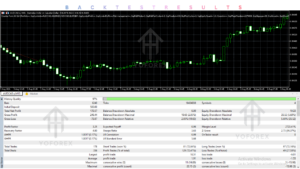
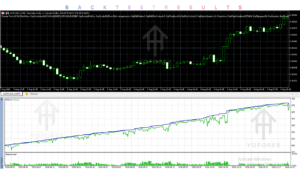
Counter Form AI EA Backtesting & Performance
Evaluating an automated trading system requires more than looking at a profit figure or a single equity curve.
For Counter Form AI EA, buyers should distinguish between three types of evidence:
Historical Backtesting: Use MT5 historical data to evaluate how the EA behaves across different volatility conditions, currency trends and recovery cycles.
Forward Testing: Run the EA on a demo account to observe its execution, spread sensitivity, position management and broker compatibility under current market conditions.
Live Trading: Real-money trading provides additional evidence about actual execution, floating drawdown, margin requirements and operational behaviour.
A public MQL5 signal is referenced by the developer, but its existence alone does not establish the performance of the exact MT5 product configuration.
No independently verified long-term MT5 performance figures are established in this review. Buyers should therefore request and examine relevant testing evidence instead of relying on promotional performance claims.
How To Get Started With Counter Form AI EA
Follow these steps before using the trading robot:
- Check Compatibility: Confirm that you have MetaTrader 5 and a supported hedging account.
- Review Settings: Understand the risk mode, starting lot and equity protection parameters.
- Install the EA: Purchase and install the product through the supported marketplace.
- Prepare the Chart: Open an AUDCAD M5 chart and attach the EA.
- Enable Algo Trading: Allow automated trading in the MT5 terminal.
- Demo Test: Run the system using a demo or suitable cent account.
- Monitor: Review open positions, recovery stages, margin usage and floating drawdown.
- Consider Live Use: Only consider real-money trading after understanding the strategy and its potential losses.
A dedicated VPS is recommended for continuous operation.
Is Counter Form AI EA Worth Buying?
Counter Form AI EA offers an interesting combination of multi-currency trading, volatility-based market analysis, automated recovery and portfolio-level risk controls.
Its ability to manage four currency pairs from one M5 chart may appeal to traders who want a centralized automated trading system.
However, its recovery structure deserves particular attention. Increasing position sizes through successive entries can create substantial exposure when markets move strongly against open positions.
The seven-stage limit, individual stop losses and equity guard provide defined risk-control mechanisms, but they do not eliminate the possibility of significant losses.
At the listed marketplace price of $299, buyers should evaluate the available testing evidence, broker requirements, risk settings and support arrangements before purchasing.
The EA may be worth considering for experienced MT5 users who understand multi-position recovery trading. Traders seeking a straightforward, non-grid strategy should compare other alternatives before making a decision.
Frequently Asked Questions
1. What is Counter Form AI EA?
Counter Form AI EA is an automated MetaTrader 5 trading robot designed to manage four Forex currency pairs using volatility-based entries and an adaptive recovery mechanism.
2. Is Counter Form AI EA compatible with MT4?
The reviewed product is designed for MetaTrader 5. An MT4 version is not confirmed in the product specifications.
3. Which currency pairs does Counter Form AI EA trade?
It supports AUDCAD, AUDNZD, NZDCAD and EURGBP. All four pairs are managed from one M5 chart.
4. Does Counter Form AI EA use Martingale?
Its recovery engine increases position volume by a factor of 1.5 across successive stages. This represents Martingale-style exposure, although it differs from traditional doubling systems.
5. Does Counter Form AI EA require a VPS?
A VPS is recommended to keep the MT5 terminal operating continuously and support uninterrupted trade management.
6. Is Counter Form AI EA suitable for beginners?
Beginners can study and test the EA, but its multi-stage recovery structure and drawdown risks require a good understanding of automated trading and position sizing.
7. What is the price of Counter Form AI EA?
The reviewed MQL5 Market listing displays a price of $299. Buyers should check the current listing for updated pricing.
8. Can Counter Form AI EA be backtested?
It can be evaluated using the MT5 Strategy Tester. Testing should account for all four currency pairs, execution costs, historical data quality and recovery behaviour.
Conclusion
Counter Form AI EA V2.10 MT5 is a multi-currency Expert Advisor that combines volatility-based market analysis, mean-reversion characteristics and a structured recovery system.
Its main attractions include one-chart portfolio management, ATR-based recovery spacing, configurable risk profiles, individual stop losses and account-wide equity protection.
However, the increasing position sizes and potential for correlated exposure across currency pairs make risk evaluation essential.
It is best suited to traders who understand MT5 automation, multi-position management and recovery-based strategies. Demo testing and careful risk configuration should come before any live deployment.
For traders comparing automated Forex solutions, Counter Form AI EA is worth researching further, provided its strategy and risk characteristics match their trading requirements.
Support & Disclaimer
Support:
If you need help installing or configuring your EA, or face any kind of bug, feel free to reach out on:
Telegram Group: Join our community
Disclaimer:
Forex and gold trading involve risk. Past performance doesn’t guarantee future results. Always test robots on demo before live trading and use proper risk management.
REFERRAL
Join the VIP Signals Telegram Channel for real-time expert trading signals and stay ahead in the forex market. Get personalized strategies by becoming a part of our Real Account Management Telegram Channel and optimize your trading experience. If you’re aiming to Pass PropFirm Challenges , join our dedicated channel for tips and proven methods. Start managing your capital effectively with expert advice from our Funded Account Management Telegram Channel. For advanced traders, our HFT EA / Passing Telegram Channel offers high-frequency trading insights and strategies to boost your performance.