Introduction
In the fast-paced world of forex trading, having the right tools can make all the difference. One such tool that has gained popularity among traders is the SupDem Indicator V2.0 for MetaTrader 4 (MT4). This powerful indicator helps traders identify key supply and demand zones, enabling them to make informed trading decisions with greater confidence. Whether you’re a beginner or a seasoned trader, the SupDem V2.0 offers a robust solution for navigating the complexities of the forex market. In this comprehensive guide, we’ll explore what makes this indicator stand out, how to install and use it, and how it can enhance your trading strategy.
What is the SupDem Indicator?
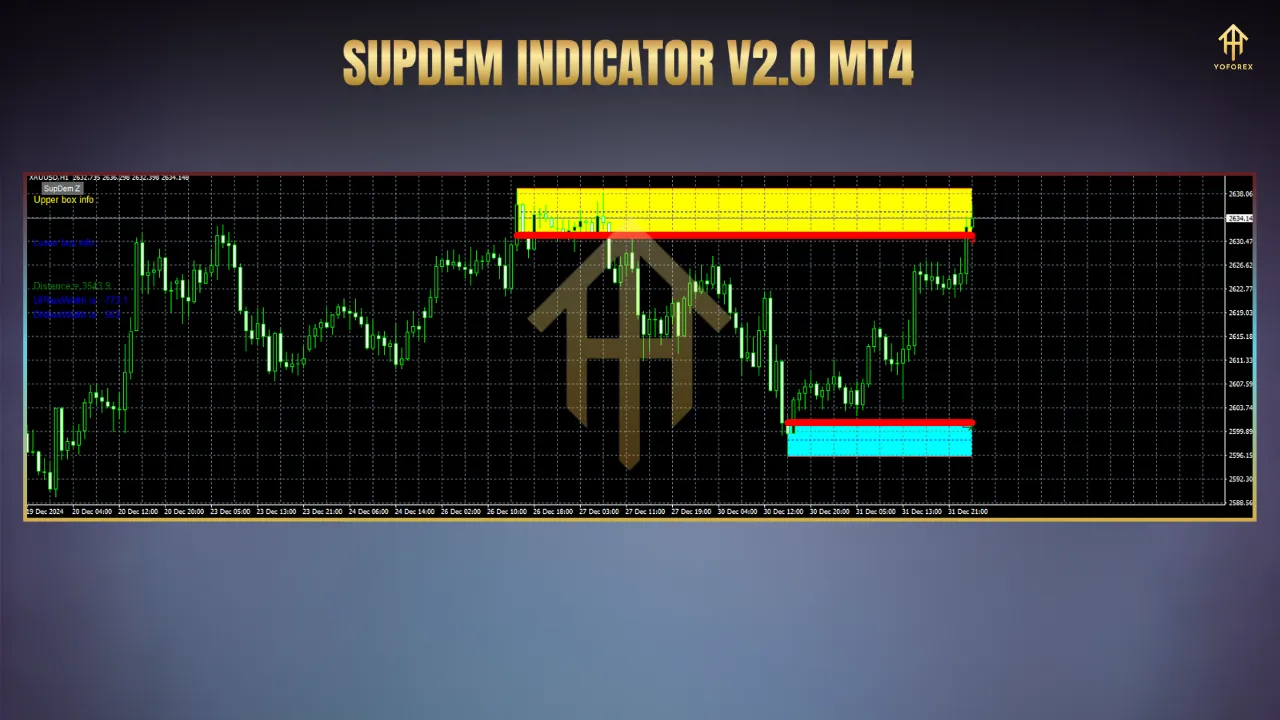
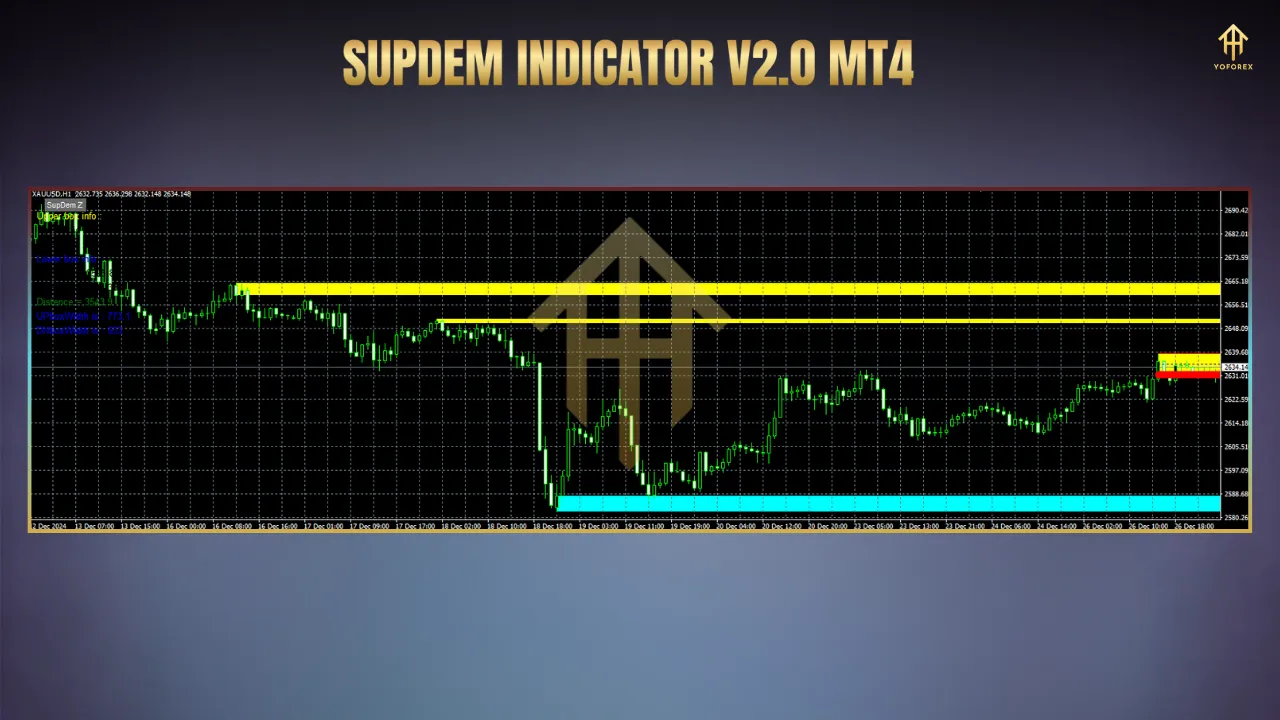
The SupDem Indicator, short for Supply and Demand, is a technical analysis tool designed to highlight areas on a price chart where significant buying (demand) or selling (supply) activity has occurred. These zones often act as support and resistance levels, where price tends to reverse or break out, making them critical for traders. The indicator automatically plots these zones, saving traders the time and effort of manually identifying them.
The SupDem Indicator V2.0 is an advanced version of the original, offering improved accuracy and additional features. Unlike traditional support and resistance indicators that rely on static lines, SupDem V2.0 dynamically identifies zones based on price action, volatility, and trading volume. It’s particularly valued for its ability to adapt to changing market conditions and its compatibility with all currency pairs and timeframes.
Key Features of SupDem V2.0
-
Accurate Zone Detection: The indicator uses sophisticated algorithms to identify high-probability supply and demand zones, reducing false signals and improving trade reliability.
-
Customizable Settings: Traders can adjust parameters like zone width, timeframe visibility, and color schemes to suit their trading style.
-
Multi-Timeframe Support: You can display higher timeframe zones (e.g., 1-hour zones) on lower timeframe charts (e.g., 5-minute charts) for precise entries while keeping the bigger picture in view.
-
Non-Repainting: Unlike some indicators that repaint past signals, SupDem V2.0 provides stable, reliable zones that don’t change once plotted.
-
Visual Clarity: Supply zones are typically marked in red, and demand zones in green, with clear rectangular boxes that make it easy to spot key levels.
-
Additional Tools: Features like Fibonacci-based zone extensions, strength indicators, and alert options enhance its versatility.
How to Install SupDem V2.0 on MT4
-
Download the Indicator: Obtain the SupDem V2.0 files (typically SupDemV2.ex4 and SupDemV2.mq4) from a trusted source, such as IndicatorsPot or MT4Collection.
-
Open MT4: Launch your MetaTrader 4 platform.
-
Access the Data Folder: Go to the “File” menu and select “Open Data Folder.”
-
Navigate to Indicators: In the folder that opens, locate the “MQL4” folder, then open the “Indicators” subfolder.
-
Add the Files: Copy and paste the SupDemV2.ex4 and SupDemV2.mq4 files into the Indicators folder.
-
Restart MT4: Close and reopen MT4 to load the indicator.
-
Apply to Chart: In the MT4 Navigator window (left sidebar), find “SupDemV2” under Indicators. Drag it onto your desired chart or double-click to apply it.
-
Configure Settings: A settings window will appear. Keep the default settings for initial use or customize parameters like zone colors, timeframe, or alerts as needed.
Note: If prompted to allow DLL imports, only proceed if you trust the source, as DLLs can pose security risks if not verified. Once installed, you should see supply and demand zones plotted on your chart.
How to Use the SupDem Indicator V2.0
Using the SupDem V2.0 effectively requires understanding how supply and demand zones influence price action. Here’s a step-by-step guide:
-
Identify Zones: Look for red (supply) and green (demand) zones on your chart. Supply zones indicate areas where sellers are likely to dominate, while demand zones suggest buyer interest.
-
Choose Your Timeframe: Use higher timeframes (e.g., H1 or H4) to identify significant zones and lower timeframes (e.g., M5 or M15) for precise entry points.
-
Monitor Price Action: Watch how price reacts at these zones. Common reactions include reversals (price bounces off the zone) or breakouts (price breaks through the zone).
-
Set Alerts: Enable the indicator’s alert feature to get notified when price approaches a key zone, ensuring you don’t miss trading opportunities.
-
Combine with Other Tools: Pair the indicator with trend indicators (e.g., Moving Averages) or oscillators (e.g., RSI) to confirm signals and avoid false breakouts.
Trading Strategies with SupDem V2.0
The SupDem V2.0 can be integrated into various trading strategies. Here are two practical approaches:
1. Reversal Trading Strategy
-
Setup: Identify a demand zone on an H1 chart and switch to an M5 chart for entry.
-
Entry: Wait for price to approach the demand zone and show signs of reversal (e.g., bullish candlestick patterns like a pin bar or engulfing candle).
-
Stop Loss: Place a stop loss 10-15 pips below the demand zone to account for market noise.
-
Take Profit: Target a 2:1 or 3:1 reward-to-risk ratio, aiming for the next supply zone or a key resistance level.
-
Example: If EUR/USD approaches a demand zone at 1.0800 on H1, enter a buy on M5 when a bullish pin bar forms. Set a stop loss at 1.0785 and target 1.0845 (2:1 ratio).
2. Breakout Trading Strategy
-
Setup: Spot a supply zone on an H4 chart where price has consolidated.
-
Entry: Enter a buy trade if price breaks above the supply zone with strong momentum (e.g., a large bullish candle or increased volume).
-
Stop Loss: Place a stop loss below the broken supply zone to protect against false breakouts.
-
Take Profit: Aim for the next significant level or use a trailing stop to capture extended moves.
-
Example: If GBP/USD breaks above a supply zone at 1.3000 on H4, enter a buy with a stop loss at 1.2970 and target 1.3100.
Benefits of SupDem V2.0
-
Time-Saving: Automatically plots zones, eliminating manual analysis.
-
Beginner-Friendly: Clear visuals and customizable settings make it accessible to new traders.
-
Versatile: Works across all currency pairs, timeframes, and even other markets like stocks or commodities.
-
Enhanced Decision-Making: Provides high-probability zones for better trade entries and exits.
Limitations to Consider
-
Not a Standalone Tool: The indicator works best when combined with other analysis methods, as it may produce false signals in ranging markets.
-
Learning Curve: Beginners may need time to understand how to interpret zones and avoid overtrading.
-
Platform Dependency: Limited to MT4, which may not suit traders using other platforms like TradingView.
Conclusion
The SupDem Indicator V2.0 for MT4 is a game-changer for forex traders seeking to master supply and demand trading. Its ability to accurately identify key zones, coupled with customizable features and multi-timeframe support, makes it a valuable addition to any trader’s toolkit. By following the installation guide, experimenting with the provided strategies, and combining the indicator with sound risk management, you can unlock new opportunities in the forex market.
Ready to elevate your trading? Download the SupDem V2.0 from a trusted source, apply it to your MT4 platform, and start exploring its potential. As with any trading tool, practice on a demo account first to build confidence. Happy trading!