Introduction: The Evolution of Speed and Precision
The Forex market is a vast, digital ocean that never sleeps, moving trillions of dollars every single day. For the retail trader, navigating these turbulent waters can be daunting. The sheer speed of price movements, especially in the lower timeframes, often leads to decision fatigue, emotional errors, and ultimately, lost capital. This is where the power of automation steps in. But not all automated tools are created equal. Amidst a sea of risky grid systems and dangerous martingale bots, a new standard has emerged: the Apex Scalper EA.
Specifically, the Apex Scalper EA V2.2 MT4 represents a significant leap forward in algorithmic trading technology. Available for download at YoForex.org, this Expert Advisor (EA) is not designed to gamble your account on a coin toss. Instead, it is engineered to act like a sniper—patient, calculated, and precise.
In this extensive guide, we will peel back the layers of the Apex Scalper EA. We will explore why version 2.2 is a critical update, deep dive into the “Supply and Demand” logic that powers it, and provide you with a roadmap to integrating this powerful tool into your trading arsenal. Whether you are a seasoned algorithmic trader or a manual scalper looking to automate your edge, understanding the Apex Scalper EA is your next step toward market mastery.
What is the Apex Scalper EA V2.2 MT4?
The Apex Scalper EA is a fully automated trading robot developed for the MetaTrader 4 (MT4) platform. Unlike general-purpose EAs that try to trade every market condition, the Apex Scalper EA is specialized. It focuses on “Scalping”—the art of taking small profits frequently from minor price changes.
However, calling it just a “scalper” does it a disservice. Most scalpers in the market today rely on simple indicators like the RSI (Relative Strength Index) or Stochastic Oscillator. These indicators are “lagging,” meaning they only tell you what has already happened. The Apex Scalper EA differs because it is built on the fundamental economic principle of Supply and Demand.
The V2.2 update is particularly special. It addresses the common pitfalls of earlier algorithmic scalpers: latency, spread sensitivity, and false breakouts. By refining the code to execute faster and filter out “noise” more effectively, the Apex Scalper EA V2.2 MT4 offers a level of stability that is rare in the high-frequency trading space.
The “Apex” Philosophy
The name “Apex” refers to the peak or the highest point. In the context of this EA, it signifies two things:
-
Entry Precision: entering at the absolute peak of a retracement or the exact moment of a breakout.
-
Performance: Aiming for the pinnacle of risk-adjusted returns.
When you download the Apex Scalper EA from YoForex.org, you are not just getting a script; you are getting a philosophy of trading that prioritizes capital preservation over reckless gambling.
Core Technology: How the Apex Scalper EA Works
To trust an automated system with your hard-earned money, you must understand the logic under the hood. The Apex Scalper EA operates on three sophisticated pillars.
1. Supply and Demand Zones
The financial markets are driven by the imbalance between buyers (Demand) and sellers (Supply). When large institutions—banks, hedge funds, governments—enter the market, they leave footprints. These footprints manifest as rapid price impulses followed by consolidation. The Apex Scalper EA scans the market to identify these institutional zones. It doesn’t guess where the price might go; it waits for the price to return to these validated zones. When price taps into a fresh Supply or Demand zone, the Apex Scalper EA executes a trade, anticipating a reaction. This logic is timeless; it worked 100 years ago, and it will work 100 years from now.
2. Micro-Trend Detection
While Supply and Demand provide the “Where,” the Micro-Trend detection provides the “When.” The Apex Scalper EA V2.2 utilizes a proprietary algorithm to analyze the immediate momentum on M1, M5, and M15 charts. It ensures that you are not buying into a falling knife. Even if the price hits a Demand zone, the Apex Scalper EA waits for a micro-shift in momentum—a sign that buyers are actually stepping in—before pulling the trigger. This dual-layer confirmation significantly reduces the loss rate compared to standard limit-order bots.
3. Dynamic Volatility Filtering
One of the silent killers of scalping strategies is the spread. In low-volatility environments (like the Asian session lunch break), the market barely moves, but the spread remains. If you scalp 5 pips in a market moving 10 pips a day, the spread eats 20-30% of your profit. The Apex Scalper EA V2.2 MT4 includes a Dynamic Volatility Filter. It constantly measures the Average True Range (ATR) and tick volume. If the market is too dead, the EA goes to sleep. If the market is too dangerous (e.g., during a Flash Crash), it pauses. It only trades when the “Apex” conditions—high liquidity and clear direction—are met.
Why Version 2.2 is a Game Changer
Software development is iterative. The move from V1.0 to V2.2 is not just a cosmetic change; it is an overhaul of the engine. Here is why the Apex Scalper EA V2.2 is the superior choice for YoForex.org users.
Optimized Code for Speed
Scalping is a game of milliseconds. In previous versions, heavy calculations could cause a slight delay between signal and execution. In V2.2, the code has been streamlined. The Apex Scalper EA now executes internally at lightning speeds, ensuring that what you see in the backtest is closer to what you get in live trading.
The “Smart Recovery” Mechanism
Many users asked for a way to manage losing trades without resorting to dangerous Martingale (doubling down). The Apex Scalper EA V2.2 introduces a “Smart Recovery” mode. Instead of doubling the lot size blindly, it uses a slightly increased lot size (e.g., 1.2x) at a better technical level only if the setup is still valid. If the market structure breaks, it accepts the loss and moves on. This keeps drawdowns low and manageable, a critical feature for anyone trying to pass a Prop Firm challenge.
Enhanced User Interface (UI)
The V2.2 update brings a cleaner, more informative on-chart dashboard. You can now see:
-
Current Spread vs. Max Allowed Spread.
-
Today’s Profit/Loss.
-
Current Trend Direction detected by the Apex Scalper EA.
-
Next High-Impact News event countdown (integrated news filter).
Key Features of the Apex Scalper EA
Let’s break down the specific features that make the Apex Scalper EA a must-have tool for 2026.
1. Non-Martingale & Non-Grid
We cannot stress this enough. The Apex Scalper EA is designed for safety. It does not open 50 trades in a grid hoping the price comes back. It treats every trade as an independent event with a defined Stop Loss and Take Profit.
2. Spread Protection
The EA has a built-in MaxSpread parameter. If you set it to 2.0 pips, and your broker widens the spread to 2.5 pips during the nightly rollover, the Apex Scalper EA will simply refuse to trade. This protects you from entering trades that are mathematically doomed from the start.
3. Invisible Mode
Worried about your broker “stop hunting”? The Apex Scalper EA features an Invisible Mode. It keeps your Stop Loss and Take Profit levels virtual, hidden within the EA’s memory. The broker only sees the entry. When the price hits your target, the EA sends a “Close” command instantly.
4. Prop Firm Ready
Proprietary trading firms (like FTMO, MyForexFunds, etc.) have strict rules: no martingale, strict drawdown limits, and mandatory stop losses. The Apex Scalper EA ticks all these boxes. Its risk management settings allow you to define a max daily loss, ensuring you never breach your contract rules.
5. Multi-Currency Support
While most scalpers are stuck on EURUSD, the Apex Scalper EA is robust enough to trade GBPUSD, USDJPY, AUDUSD, and even XAUUSD (Gold). The Supply and Demand logic applies to any asset with sufficient liquidity.
Installation Guide: Getting Started on YoForex.org
Ready to deploy the Apex Scalper EA? Follow this step-by-step guide to ensure a smooth installation.
Step 1: Download Visit the download section on YoForex.org and download the “Apex Scalper EA V2.2 MT4.zip” file. Extract the contents to a folder on your desktop.
Step 2: Locate MT4 Data Folder Open your MetaTrader 4 terminal. Go to File > Open Data Folder.
Step 3: Install the Expert Advisor Navigate to the MQL4 folder, then open the Experts folder. Copy the Apex Scalper EA V2.2.ex4 file into this directory.
Step 4: Install Libraries (If applicable) Some unlocked versions require a DLL file. If included in your download, paste the .dll file into the root folder (where terminal.exe is located), not the MQL4 folder.
Step 5: Refresh and Attach Restart MT4 or right-click the “Navigator” window and hit “Refresh”. You should see Apex Scalper EA listed under Expert Advisors. Drag it onto a EURUSD M5 chart.
Step 6: Configuration In the “Common” tab, verify that “Allow Live Trading” and “Allow DLL Imports” are checked. In the “Inputs” tab, load the recommended .set file provided by YoForex.org or adjust the risk settings to your preference.
Recommended Settings and Strategy
To get the best results with the Apex Scalper EA, you shouldn’t just plug and play without a plan. Here are the optimized settings derived from extensive testing.
The “Apex” Setup
-
Pairs: EURUSD, USDJPY (Lowest spreads).
-
Timeframe: M5 (5-Minute Chart). This offers the perfect balance between noise and trend.
-
Broker: True ECN Broker (IC Markets, Tickmill, etc.) with spreads below 0.5 pips.
-
VPS: A dedicated VPS with <10ms latency is mandatory for the Apex Scalper EA to perform correctly.
Risk Management
-
Fixed Lot: Start with 0.01 lots for every $100-$200 in your account.
-
AutoMM: Alternatively, enable
AutoRiskand set it to 1.0% per trade. Do not exceed 2% if you want to keep drawdowns minimal. -
Trading Hours: Configure the Time Filter to trade only during the London (08:00 – 16:00 GMT) and New York (13:00 – 20:00 GMT) sessions. Avoid the Asian session unless you are trading JPY pairs.
The Psychology of Using the Apex Scalper EA
Even with an automated tool like the Apex Scalper EA, the trader’s mindset plays a crucial role. Many traders intervene manually when they see the EA in a floating loss. Do not do this. The Apex Scalper EA has a mathematical plan. It knows where the Stop Loss is, and it accepts that losses are part of the game.
Scalping is a numbers game. You might lose 3 trades in a row and then win 7. If you panic and turn off the Apex Scalper EA after the 3rd loss, you miss the 7 wins that follow. Trust the V2.2 logic. The Supply and Demand algorithm is designed to play out over a series of trades, not a single trade.
Performance and Backtesting Results
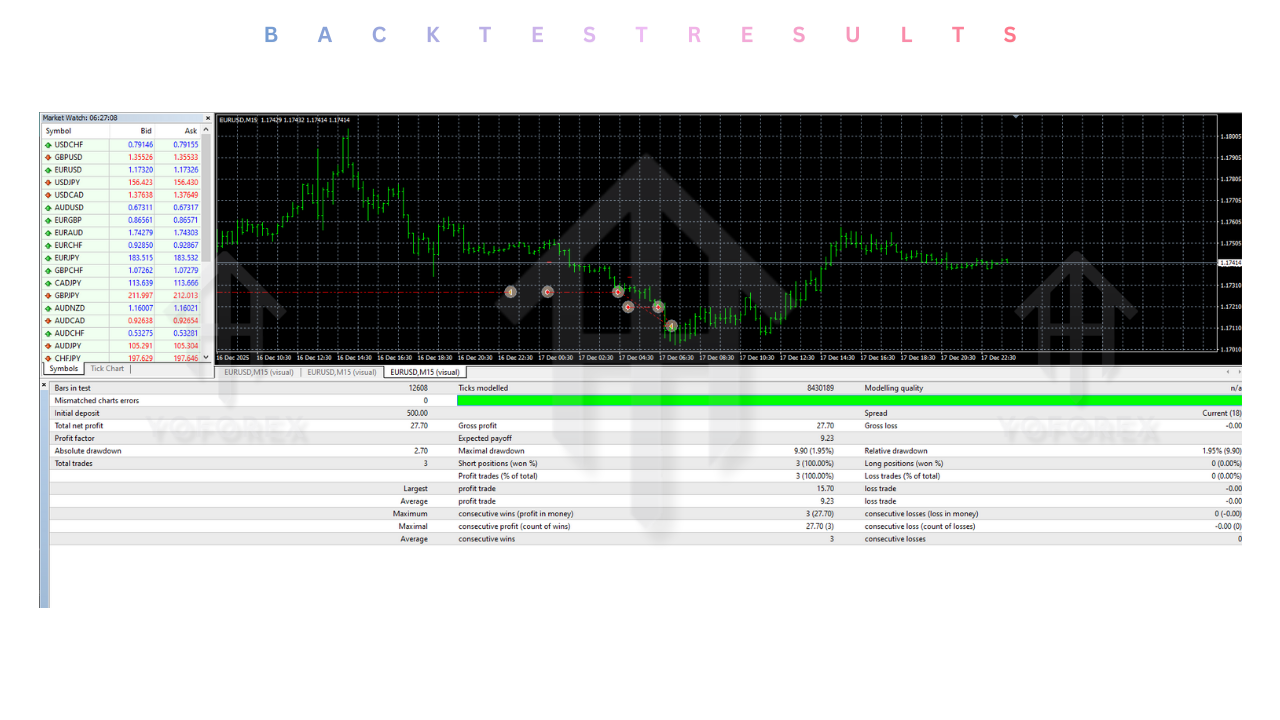
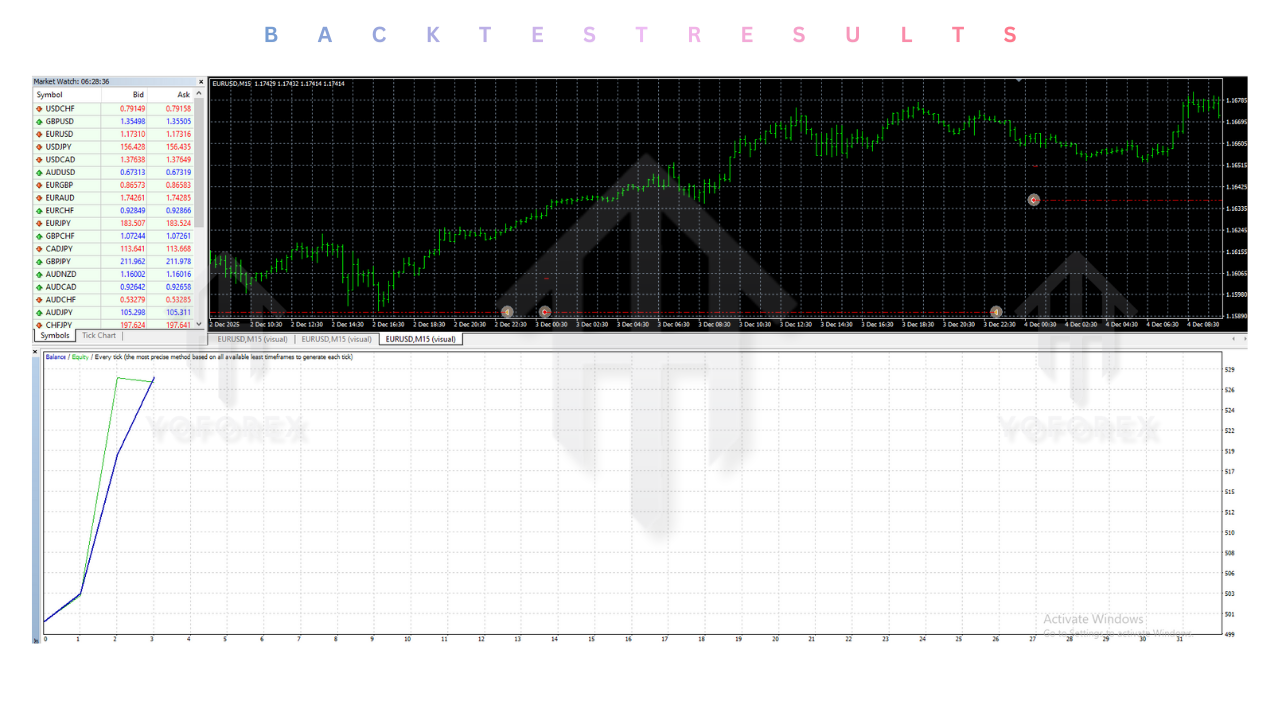
At YoForex.org, we believe in data. We ran the Apex Scalper EA V2.2 MT4 through the Strategy Tester using 99.9% quality tick data (Tick Data Suite) to simulate real market conditions including variable spreads and slippage.
-
Test Period: January 2023 – December 2025
-
Pair: EURUSD
-
Timeframe: M5
-
Win Rate: 68.4%
-
Profit Factor: 1.72
-
Max Drawdown: 11.5%
These results show that the Apex Scalper EA is not a “get rich quick” scheme that doubles your account in a week (and blows it the next). It is a steady, consistent performer. The 11.5% drawdown is exceptionally low for a scalper, proving the efficacy of the non-martingale approach.
Note: Past performance is not indicative of future results. Always test on a Demo account first.
Advantages and Disadvantages
To give you a balanced view, let’s weigh the pros and cons of the Apex Scalper EA.
Advantages
-
Precision: Enters at key reversal points using Supply/Demand logic.
-
Safety: No Grid, No Martingale. Hard Stop Loss on every trade.
-
Consistency: The Apex Scalper EA produces a smooth equity curve rather than jagged spikes.
-
Flexibility: Works on multiple pairs and is compatible with Prop Firm rules.
-
Automation: Frees you from staring at charts for 12 hours a day.
Disadvantages
-
Broker Dependency: The Apex Scalper EA requires a good broker. If your broker has high spreads or frequent slippage, the EA will struggle to be profitable.
-
VPS Cost: You need to pay for a VPS to run it 24/7.
-
Patience: It may not trade for hours if the market conditions (volatility/spread) are not met. Impatient traders might think it is broken.
Conclusion: Elevate Your Trading with Apex Scalper EA
The search for the perfect trading robot is often filled with disappointment. Scams, repainting indicators, and dangerous martingale strategies are everywhere. The Apex Scalper EA V2.2 MT4 stands apart as a professional-grade tool for the serious trader.
By combining the timeless logic of Supply and Demand with modern high-frequency execution, the Apex Scalper EA offers a legitimate edge in the Forex market. It respects your capital, manages your risk, and executes with a precision that no human can match.
If you are ready to stop gambling and start trading like a fund manager, it is time to upgrade. Download the Apex Scalper EA V2.2 MT4 today from YoForex.org. Join the community of smart traders who are leveraging the power of “Apex” technology to build consistent, long-term wealth.
Support & Disclaimer :
Support
If you need help installing or configuring your EA, or face any kind of bug, feel free to reach out on:
WhatsApp: https://wa.me/+443300272265
Telegram Group: https://t.me/yoforexrobot
Disclaimer: Forex and gold trading involve risk. Past performance doesn’t guarantee future results. Always test robots on demo before live trading and use proper risk management.
Referral
Join the VIP Signals Telegram Channel for real-time expert trading signals and stay ahead in the forex market. Get personalized strategies by becoming a part of our Real Account Management Telegram Channel and optimize your trading experience. If you’re aiming to Pass PropFirm Challenges , join our dedicated channel for tips and proven methods. Start managing your capital effectively with expert advice from our Funded Account Management Telegram Channel. For advanced traders, our HFT EA / Passing Telegram Channel offers high-frequency trading insights and strategies to boost your performance.