Unveiling the Potential of the Auto Day Fibs Indicator for MT5: A Detailed Guide
Introduction to Fibonacci in Trading
Fibonacci retracement levels—23.6%, 38.2%, 50%, 61.8% and 78.6%—are essential to technical analysis. Derived from the Fibonacci sequence, these levels help traders identify potential support and resistance zones where price reversals or extensions may occur. The Auto Day Fibs Indicator for MetaTrader 5 (MT5) automates the plotting of these levels based on the previous day’s price action, delivering precision and saving valuable time.
What Is the Auto Day Fibs Indicator?
-
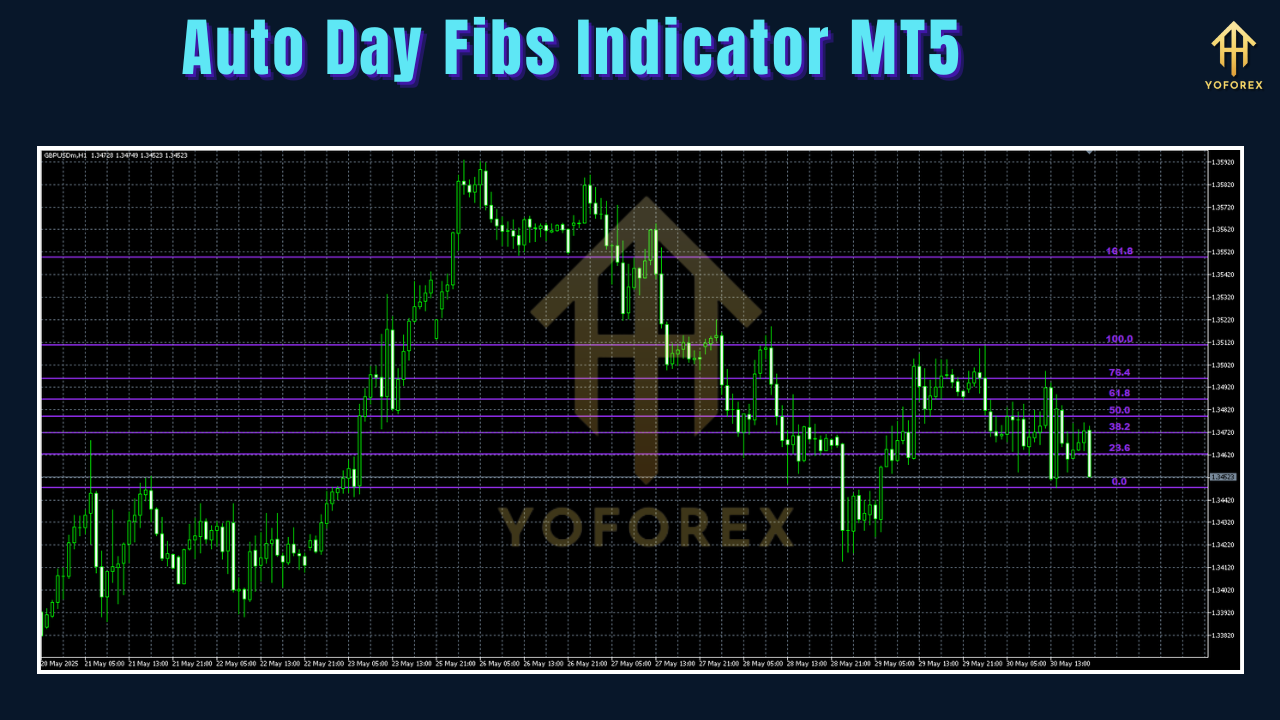
Purpose: Automatically plots Fibonacci retracement levels on your chart using the prior trading day’s high and low.
-
Platform: Designed exclusively for MetaTrader 5.
-
Ideal Users: Day traders and swing traders focused on intraday or multi‑day price swings.
-
Key Benefit: Eliminates manual errors and ensures consistency across multiple charts and timeframes.
Why Use the Auto Day Fibs Indicator?
-
Time‑Saving Automation
-
Auto‑calculates and draws levels based on yesterday’s high and low.
-
Frees up time for analysis and strategy development.
-
-
Enhanced Accuracy
-
Relies on precise daily extremes—levels often respected by institutional traders.
-
Reduces human error in selecting swing points.
-
-
Cross‑Market Adaptability
-
Equally effective in forex, stocks, commodities, and crypto markets.
-
-
Improved Decision‑Making
-
Provides clear visual cues for entries, exits, and stop‑loss placements.
-
Combines seamlessly with other indicators for higher‑probability setups.
-
How to Install on MT5
-
Download the Indicator File
Obtain the.mq5or.ex5file from trusted sources. -
Open MT5 Data Folder
In MT5, go to File → Open Data Folder. -
Copy to Indicators Folder
Place the downloaded file intoMQL5/Indicators. -
Restart MT5
Close and reopen the platform to load the new indicator. -
Apply to Chart
-
Open Navigator (Ctrl + N), drag “Auto Day Fibs” onto your chart.
-
Or right‑click the chart → Indicators → select “Auto Day Fibs.”
-
-
Configure Settings
-
Adjust lookback period, line colors, widths, and styles.
-
Ensure Auto Scroll is enabled for live updates.
-
Key Features
-
Automatic Plotting
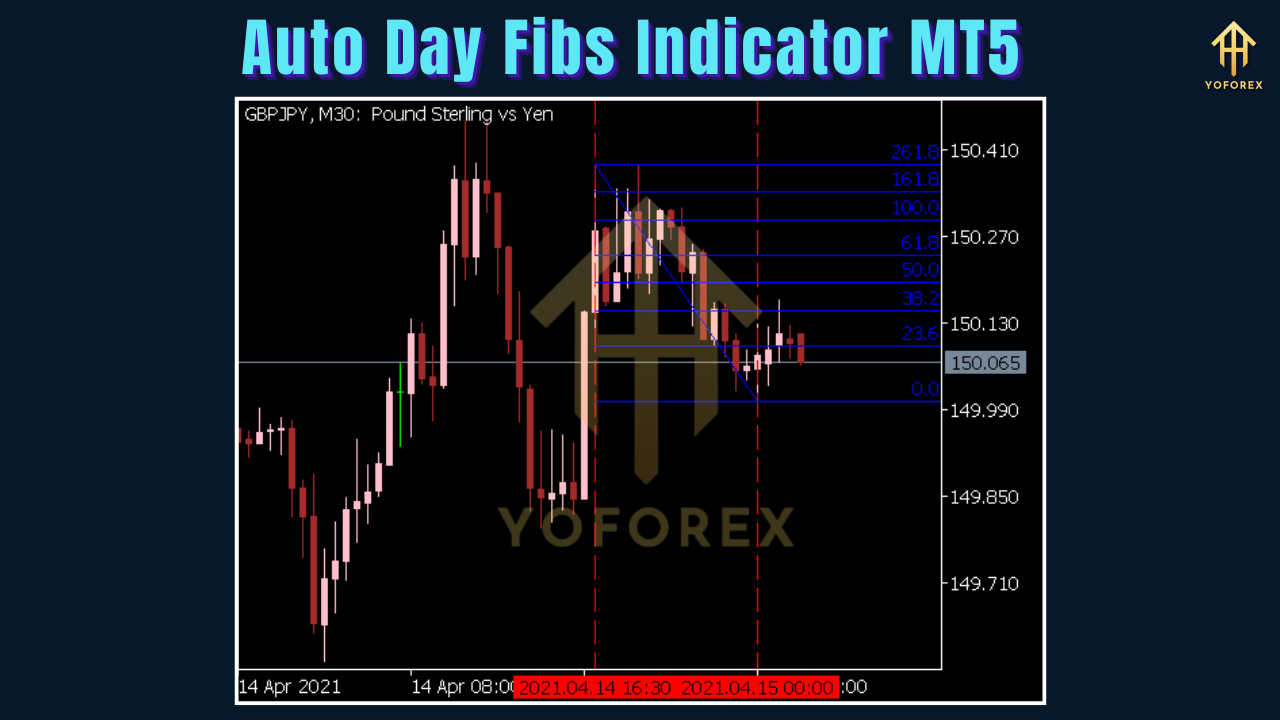
Identifies prior day’s high/low and draws levels: 0%, 23.6%, 38.2%, 50%, 61.8%, 78.6%, 100%. -
Customizable Appearance
Change colors, line thickness, and style (solid, dashed). -
Dynamic Trend Adaptation
Aligns 0%/100% based on whether the previous day was an uptrend or downtrend. -
Support & Resistance Zones
Levels act as dynamic zones where price may stall, reverse, or extend.
Trading Strategies
1. Confluence Trading
-
Setup:
-
Price approaches 38.2% or 61.8% level in an uptrend
-
Coincides with 50‑period MA and bullish candlestick pattern
-
-
Entry: Buy on bounce with confirmation
-
Stop‑Loss: Below the 78.6% level or recent swing low
-
Take‑Profit: Next Fib level (23.6% or 0%) or horizontal resistance
2. Scalping Strategy
-
Setup:
-
Use 15m or 30m chart
-
Trend confirmed by price above 200 EMA
-
-
Entry: Enter on pullback to 23.6%/38.2% with reversal signal (e.g., candlestick rejection, RSI divergence)
-
Stop‑Loss: Just beyond next Fib level
-
Take‑Profit: 0% or –23.6% extension for quick gains
3. Swing Trading
-
Setup:
-
4‑hour or daily chart
-
Price reacting at 50% or 61.8% Fib level
-
-
Entry: On reversal pattern (double bottom, pin bar)
-
Stop‑Loss: Beyond 78.6% or major support/resistance
-
Take‑Profit: Higher extensions (e.g., 161.8%) or historical levels
Tips for Maximizing Effectiveness
-
Use Higher Timeframes: H1, H4, and Daily charts yield more reliable levels.
-
Combine with Oscillators: Confirm with RSI/MACD for stronger signals.
-
Practice Risk Management: Always place stop‑loss orders; demo‑test before going live.
-
Monitor Market Context: Favor trending conditions; range‑bound markets may require supplementary tools (pivot points, horizontal zones).
Advantages
-
User‑Friendly: Easy installation and operation.
-
Efficient: Automates repetitive charting tasks.
-
Accurate: Focus on significant daily extremes.
-
Customizable: Tailor to individual styles.
-
Versatile: Suitable for scalping, day trading, and swing strategies across asset classes.
Limitations
-
Not Standalone: Best when paired with other indicators.
-
Market Noise Sensitivity: False signals in choppy conditions.
-
Lookback Settings: Incorrect periods can reduce reliability.
-
Daily Focus: May overlook longer‑term trends or abrupt intraday moves.
Conclusion
The Auto Day Fibs Indicator for MT5 is a powerful tool that simplifies Fibonacci analysis by automating the plotting of retracement levels based on the previous day’s price action. Its time-saving automation, precision, and versatility make it an essential addition to any trader’s toolkit, whether you’re scalping, day trading, or swing trading. By combining the indicator with other technical tools and practicing sound risk management, traders can enhance their decision-making and improve their trading outcomes.
Whether you’re a novice trader learning the ropes or an experienced professional refining your strategy, the Auto Day Fibs Indicator offers a streamlined way to leverage the power of Fibonacci retracement in the dynamic world of financial markets. Download it today, test it in a demo environment, and unlock its potential to elevate your trading performance.