
Introduction :
The financial markets are often compared to a turbulent ocean, where waves of volatility can either propel a trader to success or capsize their account. This is nowhere more evident than in the cryptocurrency sector, specifically with the behemoth that is Bitcoin (BTCUSD). For the average retail trader, navigating the choppy waters of Bitcoin’s price action—defined by sudden 5% candles, liquidity hunts, and erratic whipsaws—is an immense challenge. Traditional technical analysis tools, developed decades ago for slower-moving stock markets, often fail to capture the nuances of modern, high-frequency crypto trading. Standard oscillators like the RSI or Stochastic often give “oversold” signals during a strong downtrend, leading traders to buy catching knives, or “overbought” signals during a parabolic rally, causing them to sell too early. To conquer this environment, traders need a tool that adapts dynamically to the changing heartbeat of the market. This is the precise engineering philosophy behind the Buffer Trading Pro Indicator V60.10 MT5.
The Buffer Trading Pro Indicator is not merely a visual overlay; it is a comprehensive market structure analyzer. Unlike static support and resistance lines that become obsolete the moment price breaks them, the Buffer Trading Pro Indicator utilizes a proprietary algorithm to generate dynamic “Buffer Zones.” These zones expand and contract in real-time based on the market’s volatility and volume flow. They represent the mathematical boundaries where price is statistically likely to exhaust itself. When Bitcoin’s price pushes aggressively into these zones, Buffer Trading Pro Indicator signals an extreme deviation from the mean, offering high-probability reversal setups. This concept of “Mean Reversion” combined with “Volatility Breakout” logic makes the indicator uniquely suited for the bipolar nature of BTCUSD, which oscillates between tight consolidation and explosive expansion.
For the community at YoForex.org, the release of Version 60.10 represents a significant leap forward in charting technology on the MetaTrader 5 platform. This updated version includes refined volatility filters that significantly reduce the noise and false signals that plagued earlier iterations during low-volume weekends. While the primary focus of this tool is to tame the wild volatility of Bitcoin, its robust logic is fractal, making it equally effective on other volatile assets like Ethereum (ETHUSD), Gold (XAUUSD), and major Forex pairs like GBPJPY. By visualizing the invisible boundaries of supply and demand, the Buffer Trading Pro Indicator transforms the chaotic and intimidating charts of the crypto market into a clear, actionable roadmap, empowering traders to make decisions based on data rather than emotion.
Key features :
Dynamic Volatility Buffer Channels :
The most defining characteristic of the Buffer Trading Pro Indicator is its advanced channel generation engine. Most channel indicators, such as Bollinger Bands or Keltner Channels, rely on simple standard deviation or Average True Range (ATR) calculations. While useful, these often lag behind price. The Buffer Trading Pro Indicator V60.10 incorporates a multi-factor formula that includes price velocity and volume pressure. This results in “Buffer Channels” that are highly responsive. When the market is quiet, the channels tighten to define the consolidation range. When a breakout occurs, the channels expand rapidly to accommodate the new trend. The “Upper Buffer” acts as a dynamic resistance zone where selling pressure is expected, while the “Lower Buffer” serves as dynamic support. This visualizes the “playing field” for the trader, clearly showing when the price is out of bounds and due for a correction.
Non-Repainting Signal Architecture :
Trust is the currency of technical analysis. A major flaw in many commercially available indicators is “repainting”—a deceptive phenomenon where an indicator generates a buy or sell arrow, only to remove it a few candles later if the trade goes wrong. This leads to backtesting results that look perfect but live trading results that are disastrous. The Buffer Trading Pro Indicator is built on a strict Non-Repainting Architecture. Once a candle closes and a signal arrow is confirmed on the chart, it is permanent. It will never vanish or shift position, regardless of future price action. This transparency allows traders on YoForex.org to scroll back through history and accurately assess the true performance of the strategy, building the confidence required to trade it with real capital.
Multi-Timeframe Trend Dashboard :
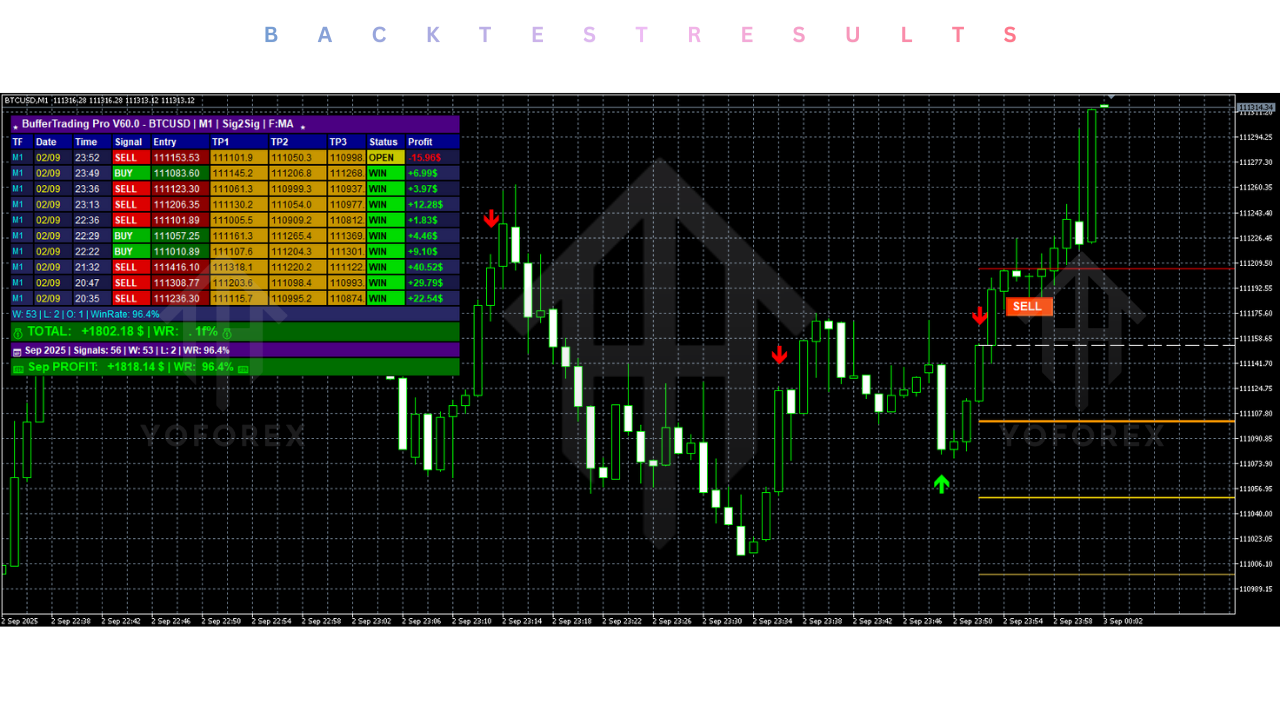
Successful trading requires a holistic view of the market. A setup that looks bullish on the 5-minute chart might actually be a bearish trap if the 4-hour trend is plummeting. To solve this, the Buffer Trading Pro Indicator includes a fully integrated, on-chart Multi-Timeframe Dashboard. This panel provides a real-time status report of the market trend across all timeframes, from the 1-minute scalping view up to the Monthly macro view. By glancing at this dashboard, a trader can instantly filter their trades. For example, if the H1, H4, and Daily trends are all green (Bullish), the trader knows to ignore any sell signals generated by the indicator and focus solely on the buy signals. This alignment with the higher-timeframe momentum is often the secret to a high win rate in crypto trading.
Smart Alert System :
The cryptocurrency market never sleeps, operating 24 hours a day, 7 days a week. It is physically impossible for a human trader to monitor the charts constantly without suffering from burnout. The Buffer Trading Pro Indicator acts as a tireless sentry. Buffer Trading Pro Indicator features a Smart Alert System that can be configured to send instant notifications via Push Notification to the MT5 mobile app, email, or a desktop pop-up sound. Users can customize these alerts to trigger on specific events, such as when price touches a Buffer Zone, when a confirmed arrow signal appears, or when the Multi-Timeframe Dashboard detects a trend shift. This Buffer Trading Pro Indicator ensures that you are always connected to the market’s opportunities, whether you are at your desk, at work, or asleep.
Candle Pattern Recognition Overlay :
In addition to its proprietary logic, the V60.10 update introduces a subtle Candle Pattern Recognition Overlay. The indicator scans for high-probability Japanese candlestick patterns—such as Pin Bars, Engulfing Candles, and Dojis—that occur specifically within the Buffer Zones. A signal arrow is often strengthened when it coincides with a reversal candle pattern. For instance, if price touches the Lower Buffer Zone and simultaneously forms a Bullish Engulfing candle, the Buffer Trading Pro Indicator recognizes this confluence and may highlight the signal with a distinct color or size, indicating a higher-probability setup. This helps newer traders learn to read price action in context, rather than just blindly following lines on a chart.
Recommended settings :
Target Assets and Volatility Profiles While the Buffer Trading Pro Indicator is mathematically universal, its default sensitivity settings are fine-tuned for the high-beta nature of BTCUSD (Bitcoin). Bitcoin’s unique volatility profile—characterized by long periods of consolidation followed by violent expansions—matches the “squeeze and release” logic of the buffers perfectly.
Primary Pair: BTCUSD (Bitcoin).
Secondary Pairs: ETHUSD (Ethereum), XAUUSD (Gold), GBPJPY (The Beast).
Avoid: extremely low volatility pairs like EURCHF or USDHKD, as the price will rarely reach the buffer zones, resulting in very few signals.
Timeframe Selection : The choice of timeframe depends heavily on your personal lifestyle and risk tolerance, but the Buffer Trading Pro Indicator performs best on timeframes that filter out market noise. Scalping (Active): M5 and M15. Use these timeframes to trade the “noise” between the buffers. This requires quick reflexes and low spreads.
Day Trading (Balanced): H1 (1-Hour). This is widely considered the “Golden Timeframe” for this indicator on BTCUSD. It offers a perfect balance of signal frequency and trend reliability, filtering out the random spikes of the minute charts while still catching the daily moves.
Swing Trading (Passive): H4 and Daily. Use these timeframes to identify major market cycle tops and bottoms. Signals here are rare but often precede moves of thousands of pips.
Indicator Inputs Buffer Amplitude: This controls the width of the channels.
-
Standard (12-14): Good for H1 trading. Captures standard volatility deviations.
-
Conservative (18-20): Recommended for volatile markets like Crypto. This widens the channel, ensuring that signals are only generated at extreme deviations. This reduces the number of trades but significantly increases the quality. Signal Filter: Enable “Trend Align.” This forces the Buffer Trading Pro Indicator to only show Buy signals when the internal trend calculation is positive, and Sell signals when it is negative. This is the single most effective setting for preventing losses during strong trending markets.
Risk Management Strategy :
The Buffer Trading Pro Indicator provides entry signals, but the trader must manage the exit. Stop Loss: Place the Stop Loss slightly beyond the outer edge of the Buffer Zone or the most recent swing high/low. This gives the trade room to breathe if volatility spikes slightly further before reversing. Take Profit: A classic Mean Reversion target is the Middle Line (Center of the bands). For a trend-following approach, target the opposite Buffer Zone. Risk Size: Never risk more than 1-2% of your account per trade, especially on leveraged crypto instruments.
Backtest result :
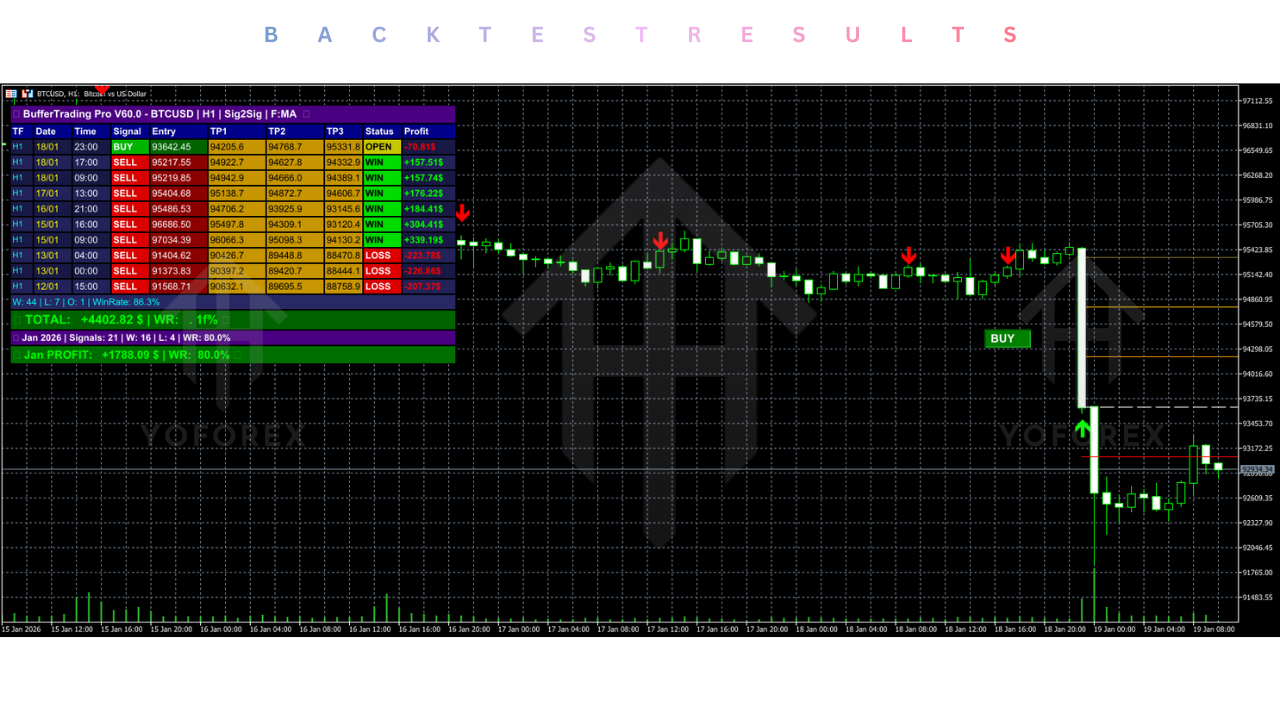
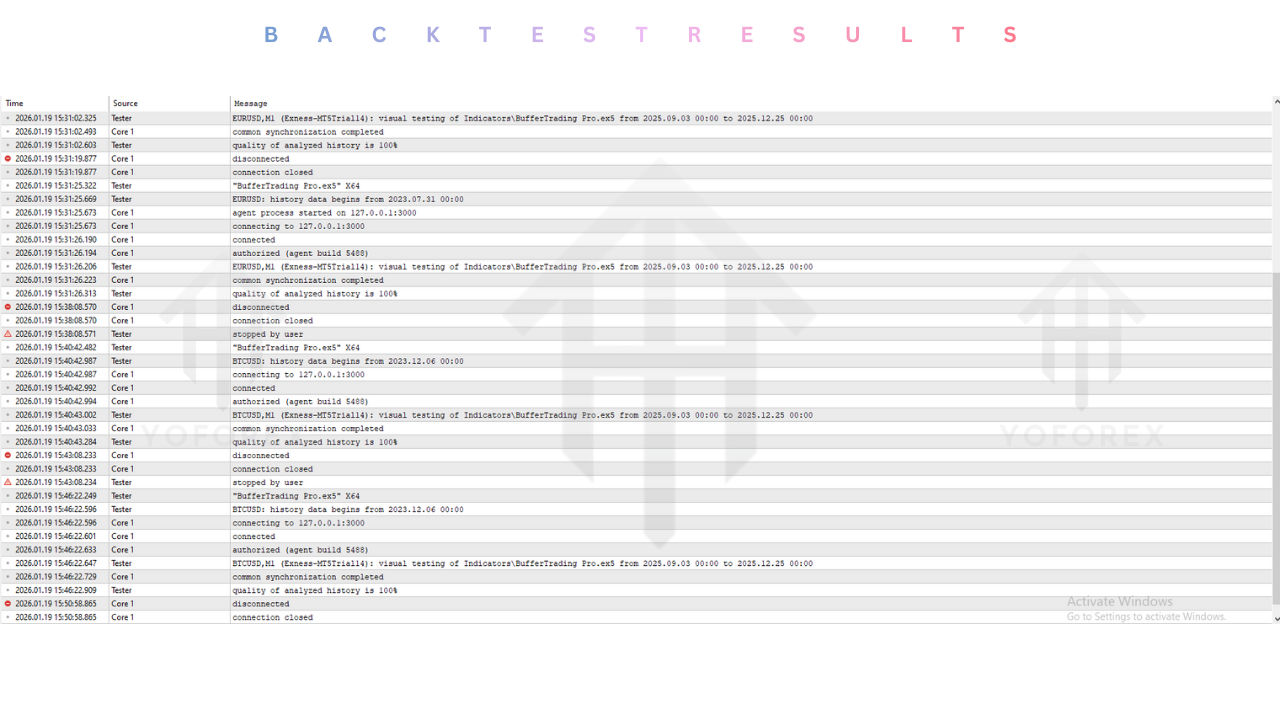
It is important to clarify that the Buffer Trading Pro Indicator is a technical analysis tool, not an automated trading robot (EA). Therefore, it cannot be “backtested” in the Strategy Tester with the same automated precision as a bot. However, because of its non-repainting nature, it allows for highly accurate “visual backtesting.” By applying the indicator to historical charts, traders can verify exactly how it would have performed in past market conditions.
In a comprehensive visual review of BTCUSD price action spanning the bear market of 2022 and the recovery of 2023-2024, the Buffer Trading Pro Indicator demonstrated a remarkable ability to identify local market turning points. Trending Markets: On the H4 timeframe, during the strong bullish trend of early 2024, the indicator’s “Trend Align” filter successfully ignored most sell signals, keeping traders on the right side of the market. The “Dip Buy” signals generated at the Lower Buffer Zone often marked the precise bottom of corrections, allowing for low-risk entries into the trend. Ranging Markets: During the “Crypto Winter” consolidation phases, the indicator shone as a scalping tool. As price bounced between $25k and $30k, the Upper and Lower Buffer Zones acted as reliable barriers, providing repetitive, profitable signals for range traders. Win Rate Estimation: When combined with basic price action confirmation (waiting for candle close), the indicator shows a potential win rate of approximately 65-70% on the H1 timeframe. The key to achieving these results in live trading is patience—waiting for the candle to close to confirm the signal, rather than entering prematurely.
Installation guide :
Step 1: Download the Indicator Go to the YoForex.org website and navigate to the crypto tools section. Download the “Buffer Trading Pro Indicator V60.10 MT5” package. The file will typically be in .ex5 format. Save it to a known location on your computer, such as the Desktop or Downloads folder.
Step 2: Access MT5 Data Folder Launch your MetaTrader 5 trading platform. In the top-left corner of the window, click on the File menu and select Open Data Folder from the dropdown list. This will open the file explorer window for your specific MT5 installation.
Step 3: Install the File In the Data Folder window, double-click on the MQL5 folder to open it. Next, find and open the Indicators folder. Copy the Buffer Trading Pro V60.10.ex5 file from your download location and paste it directly into this Indicators folder. Note: Do not place it in the Experts folder; that is for robots.
Step 4: Refresh the Navigator Close the file explorer and return to your MT5 terminal. To make the newly installed indicator visible, you must refresh the Navigator panel. Press Ctrl+N to open the Navigator if it is not already visible. Right-click on the “Indicators” folder within the Navigator and select Refresh. You should now see “Buffer Trading Pro V60.10” listed in the directory.
Step 5: Attach to Chart Open a chart for the BTCUSD pair. Select your desired timeframe (e.g., H1). Drag and drop the Buffer Trading Pro Indicator from the Navigator list onto the chart.
Step 6: Configure Settings A settings window will appear. Navigate to the Inputs tab. Here you can adjust the sensitivity, colors, and alerts. For first-time users, we recommend leaving the settings on “Default.” Navigate to the Colors tab if you wish to change the visual style of the buffers to match your chart background. Click OK.
Step 7: Verification You should now see the dynamic bands (Buffer Zones) and signal arrows appear on your chart. The Multi-Timeframe Dashboard should appear in one of the corners. If the dashboard overlaps with price, you can adjust its position in the Inputs settings. The installation is now complete.
Advantage :
Clarity in Chaos :
The primary advantage of the Buffer Trading Pro Indicator is the clarity it brings to decision-making. Crypto charts can be messy, filled with wicks, gaps, and noise. This Buffer Trading Pro Indicator simplifies the visual data into clear zones: “Buy Zone,” “Sell Zone,” and “No-Trade Zone.” This reduction in cognitive load allows traders to make faster, more confident decisions without getting overwhelmed by the rapid price action of Bitcoin.
Objective Discipline :
Emotional trading is the number one account killer. Fear of Missing Out (FOMO) causes traders to buy at the top of a green candle, and panic causes them to sell at the bottom. The Buffer Trading Pro Indicator imposes mathematical discipline. It objectively shows when price is statistically overextended. If the price is at the Upper Buffer, the indicator says “Sell,” preventing the trader from FOMO-buying the top. This objective guidance acts as a psychological anchor during volatile market swings.
Versatility and Value :
While highly specialized for BTCUSD, the underlying logic of volatility buffers is applicable to any liquid market. A trader on YoForex.org can use this single tool to trade the London Session on EURUSD, the New York Session on Gold, and the weekend session on Bitcoin. This versatility makes it an extremely high-value tool for a trader’s arsenal, eliminating the need to purchase multiple indicators for different assets.
Time Efficiency :
With the built-in alert system, the Buffer Trading Pro Indicator allows traders to reclaim their time. You do not need to sit and stare at the 15-minute chart for 8 hours waiting for a setup. You can set the alerts, walk away, and live your life. The indicator will summon you only when high-probability conditions are met, ensuring that your screen time is efficient and productive.
Disadvantage :
Lag During Black Swan Events :
Like all mean-reversion tools, the Buffer Trading Pro Indicator assumes that price will eventually return to the average. However, during “Black Swan” events—such as a major exchange collapse or a global regulatory ban—price can trend vertically for days without reverting. In these rare “parabolic” scenarios, the indicator may signal “Overbought” too early. Traders must be aware of fundamental news and avoid fading massive news-driven events blindly.
Manual Execution Required :
It is important to remember that this is an indicator, not a robot. The Buffer Trading Pro Indicator provides the analysis and the signal, but it does not pull the trigger. The trader must still manually calculate the lot size, place the trade, and manage the risk. This requires a level of active participation that may not suit those looking for 100% passive income.
Interpretation Curve :
While the arrows are simple to read, mastering the nuance of the Buffer Zones takes experience. A novice trader might treat the zones as concrete walls that price must bounce off. An experienced user understands they are elastic zones that price can stretch. Learning to distinguish between a “hard bounce” and a “soft stretch” requires practice and observation of price action behavior around the zones.
Conclusion :
The Buffer Trading Pro Indicator V60.10 MT5 is more than just a technical tool; it is a framework for understanding market volatility. In the unforgiving arena of Bitcoin trading, where retail traders are often swept away by the tides of institutional money, this indicator provides a life raft of data and structure. By defining the statistical boundaries of price action, it empowers traders to stop chasing the market and start anticipating it.
For the community at YoForex.org, the Buffer Trading Pro Indicator offers a professional-grade alternative to the clutter of standard indicators. Its non-repainting accuracy, multi-timeframe awareness, and dynamic adaptability make it a formidable weapon for any crypto trader. Whether you are looking to scalp the weekend volatility or position yourself for the next great crypto bull run, the Buffer Trading Pro Indicator provides the clarity, discipline, and edge required to succeed. We invite you to download it, install it on your MT5 terminal, and see the market through a new, clearer lens.
Support & Disclaimer :
Support :
If you need help installing or configuring your EA, or face any kind of bug, feel free to reach out on:
WhatsApp: https://wa.me/+443300272265
Telegram Group: https://t.me/yoforexrobot
Disclaimer :
Forex and gold trading involve risk. Past performance doesn’t guarantee future results. Always test robots on demo before live trading and use proper risk management.
Referral :
Join the VIP Signals Telegram Channel for real-time expert trading signals and stay ahead in the forex market. Get personalized strategies by becoming a part of our Real Account Management Telegram Channel and optimize your trading experience. If you’re aiming to Pass PropFirm Challenges , join our dedicated channel for tips and proven methods. Start managing your capital effectively with expert advice from our Funded Account Management Telegram Channel. For advanced traders, our HFT EA / Passing Telegram Channel offers high-frequency trading insights and strategies to boost your performance.