The Common Stop Loss (SL) and Take Profit (TP) Expert Advisor (EA) Version 1.51 for MetaTrader 5 (MT5) is a powerful tool designed to help traders set and manage SL and TP levels automatically, enhancing efficiency and discipline in trading. This blog explores the features, benefits, and practical applications of this EA, providing insights into how it can optimize your trading strategy.
What is the Common SL TP EA V1.51?
The Common SL TP EA V1.51 is an automated trading tool developed for the MetaTrader 5 platform, one of the most popular trading platforms for Forex, stocks, and commodities. This EA simplifies the process of setting Stop Loss and Take Profit levels for open positions, ensuring traders can manage risk without constant manual intervention. It is particularly useful for traders who want to maintain consistent risk management across multiple trades, regardless of whether they trade manually or use other EAs.
Unlike complex EAs that execute trades based on indicators or strategies, the Common SL TP EA focuses solely on managing SL and TP levels. It can automatically apply predefined SL and TP values to new trades, adjust them based on market conditions, or even implement trailing stops to lock in profits as trades move in a favorable direction. Version 1.51 includes enhancements over previous iterations, such as improved performance, better compatibility with MT5, and user-friendly customization options.
Key Features of the Common SL TP EA V1.51
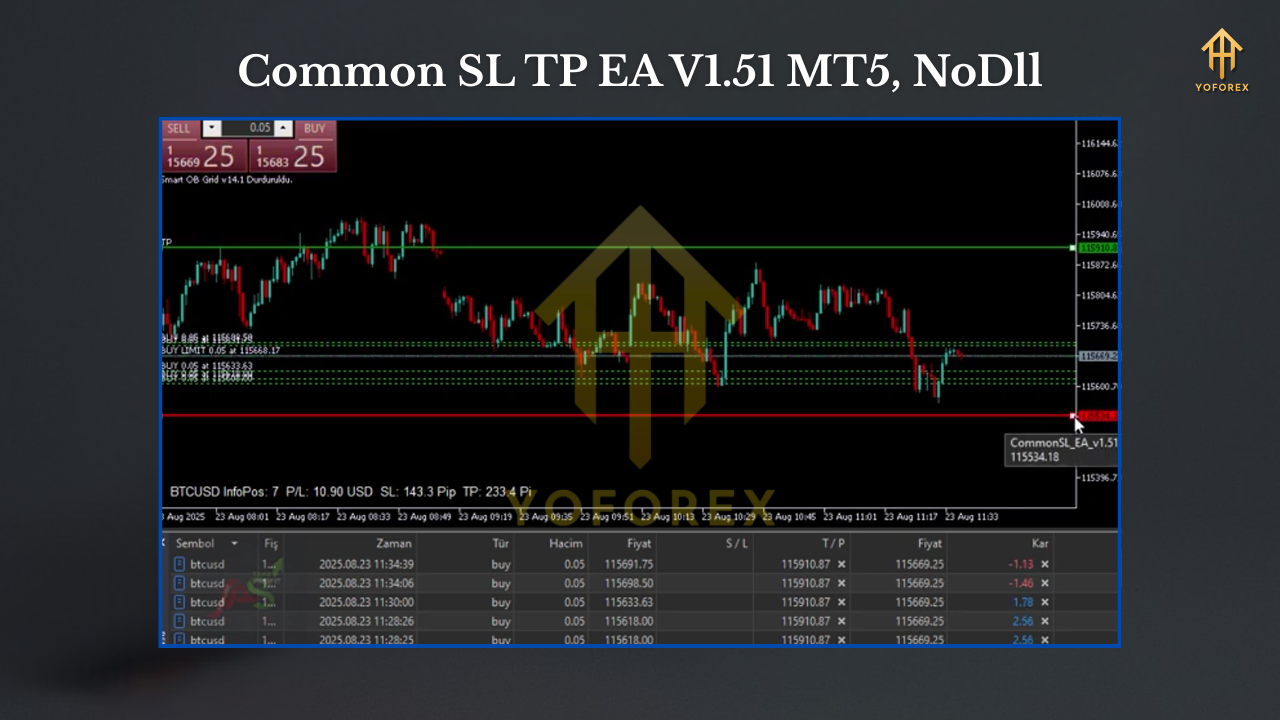
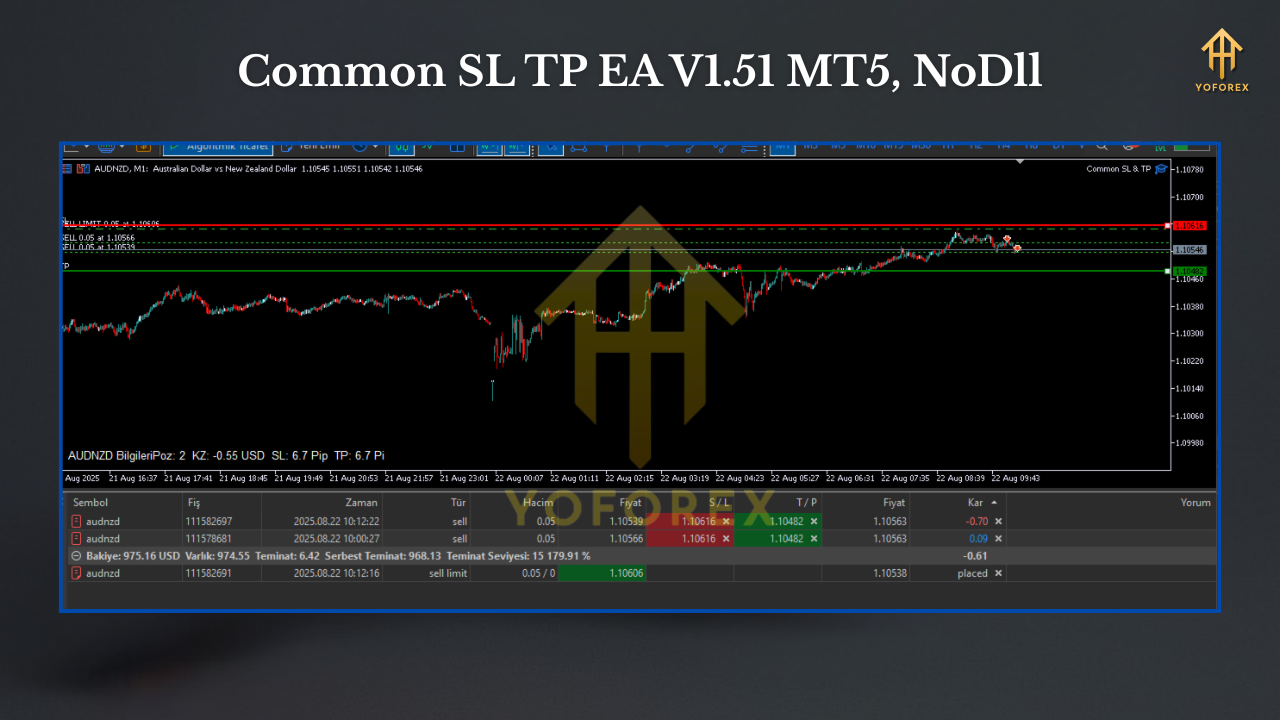
- Automatic SL and TP Setting: The EA allows traders to define fixed SL and TP levels in points or as price levels, which are automatically applied to new trades. This eliminates the need to manually set these levels for each position, saving time and reducing errors.
- Trailing Stop Functionality: The EA supports trailing stops, which adjust the SL level as the price moves in the trader’s favor. This feature is crucial for securing profits during strong market trends while still protecting against reversals.
- Customizable Parameters: Traders can configure SL and TP distances, trailing stop settings, and other parameters to suit their trading style. The EA also supports risk-based position sizing, allowing users to align trade volumes with their risk tolerance.
- Virtual SL and TP: For traders concerned about stop-hunting by brokers, the EA offers virtual SL and TP options. These levels are hidden from the broker and managed internally by the EA, adding an extra layer of security.
- Compatibility with Manual and Automated Trading: Whether you trade manually or use other EAs, the Common SL TP EA integrates seamlessly, applying SL and TP rules to all qualifying trades.
- User-Friendly Interface: The EA includes a control panel for easy management of settings directly on the MT5 chart, making it accessible even for traders with limited coding knowledge.
Why Use the Common SL TP EA V1.51?
Risk management is the cornerstone of successful trading, and the Common SL TP EA V1.51 excels in this area. Here are some compelling reasons to incorporate it into your trading routine:
- Consistency: By automating SL and TP settings, the EA ensures that every trade adheres to your predefined risk parameters, reducing emotional decision-making.
- Time Efficiency: Manual SL and TP adjustments can be time-consuming, especially for scalpers or traders managing multiple positions. The EA streamlines this process, freeing up time for market analysis.
- Profit Protection: The trailing stop feature helps lock in profits during favorable market movements, allowing traders to capitalize on trends without constant monitoring.
- Flexibility: With customizable settings, the EA caters to various trading styles, from day trading to swing trading, and works across different asset classes like Forex, metals, and cryptocurrencies.
How to Install and Set Up the EA
- Download the EA: Obtain the EA file (usually in .mq5 or .ex5 format) from a trusted source, such as the MQL5 Market or a reputable developer.
- Access the MT5 Data Folder: In MT5, go to File → Open Data Folder, then navigate to the MQL5 → Experts folder.
- Copy the EA: Place the EA file in the Experts folder.
- Refresh the Navigator: In MT5, right-click the Navigator window and select Refresh to load the EA.
- Attach to a Chart: Drag the EA onto a chart or double-click it in the Navigator, then configure the input parameters (e.g., SL/TP values, trailing stop settings).
- Enable AutoTrading: Ensure the AutoTrading button in MT5 is active to allow the EA to function.
Once installed, you can customize the EA’s settings via the input parameters dialog box. Key settings include SL and TP distances (in points), trailing stop activation levels, and whether to use virtual or real stops.
Practical Applications and Strategies
- Scalping: Scalpers can set tight SL and TP levels to capture small price movements while using the trailing stop to maximize gains on breakout trades.
- Swing Trading: For longer-term trades, the EA’s trailing stop can follow price trends, securing profits as the market moves in your favor.
- Risk Management for Prop Firms: Traders aiming to pass prop firm challenges (e.g., FTMO, FundedNext) can use the EA to enforce strict risk parameters, ensuring compliance with drawdown limits.
- Multi-Asset Trading: The EA works across Forex pairs, gold (XAUUSD), and other instruments, making it suitable for diversified portfolios.
Best Practices and Considerations
- Backtest Thoroughly: Use MT5’s Strategy Tester to backtest the EA with your preferred settings on historical data. This helps identify optimal SL/TP levels and trailing stop distances for your chosen instruments.
- Optimize for Market Conditions: Adjust SL and TP settings based on the volatility of the asset. For example, use wider stops for volatile pairs like GBPJPY and tighter stops for stable pairs like EURUSD.
- Monitor Performance: Regularly review the EA’s performance to ensure it aligns with your trading goals. Update settings as market conditions change.
- Avoid Over-Reliance: While the EA automates risk management, it’s not a substitute for a sound trading strategy. Combine it with robust market analysis or other EAs for best results.
Limitations and Risks
No tool is without limitations. The Common SL TP EA V1.51 relies on the trader’s ability to set appropriate parameters. Incorrect settings (e.g., overly tight stops) can lead to premature trade exits. Additionally, virtual SL/TP levels require the MT5 platform to remain active, as they are managed client-side. If the platform is offline, these levels won’t trigger. Finally, while the EA enhances risk management, it cannot guarantee profits, as trading inherently involves risks.
Conclusion
The Common SL TP EA V1.51 for MetaTrader 5 is a valuable tool for traders seeking to automate and enhance their risk management. Its ability to set SL and TP levels, implement trailing stops, and offer virtual stop options makes it a versatile addition to any trader’s toolkit. By saving time, ensuring consistency, and protecting profits, this EA empowers traders to focus on strategy and market analysis. Whether you’re a beginner or an experienced trader, the Common SL TP EA V1.51 can help you trade with greater confidence and discipline. Always backtest and optimize the EA to suit your needs, and combine it with a well-thought-out trading plan for the best results.