Community Power EA V2.61 MT4: Revolutionizing Automated Forex Trading
The world of Forex trading has evolved dramatically over the past decade, with automated trading systems becoming increasingly popular among traders of all experience levels. Among these powerful tools, Community Power EA V2.61 for MetaTrader 4 stands out as a robust solution designed to enhance trading efficiency and potentially improve profitability. This comprehensive guide explores the features, benefits, and applications of this remarkable Expert Advisor.
Understanding Expert Advisors in Modern Trading
Expert Advisors (EAs) have transformed the Forex trading landscape by enabling automated execution of trading strategies based on predefined parameters. These sophisticated algorithms operate within the MetaTrader platform, analyzing market conditions, identifying trading opportunities, and executing trades without human intervention. For traders struggling with emotional decision-making or limited time availability, EAs offer an invaluable solution that maintains trading discipline around the clock.
Introducing Community Power EA V2.61
Community Power EA V2.61 represents the culmination of collaborative development within the trading community. This advanced automated trading system has been specifically designed for the MetaTrader 4 platform, combining sophisticated algorithms with user-friendly functionality. Unlike many commercial EAs that operate as “black boxes,” Community Power EA embraces transparency and community input, allowing users to understand and modify its core parameters to suit their individual trading preferences.
Key Features That Set Community Power EA Apart
-
Advanced Algorithmic Foundation: At its core, Community Power EA utilizes a multi-layered algorithm that analyzes various market indicators including price action, trend strength, volatility measures, and support/resistance levels. This comprehensive analysis enables the EA to identify high-probability trading opportunities across different market conditions.
-
Customizable Parameters: The EA offers extensive customization options, allowing traders to adjust risk settings, trade entry/exit criteria, position sizing, and other critical parameters. This flexibility ensures that the EA can be tailored to individual risk tolerance levels and trading objectives.
-
Built-in Risk Management: Community Power EA incorporates sophisticated risk management features, including dynamic stop-loss and take-profit levels, equity protection mechanisms, and drawdown controls. These features help preserve capital during unfavorable market conditions while maximizing profit potential during favorable trends.
-
Multi-Currency and Timeframe Compatibility: The EA can operate simultaneously across multiple currency pairs and timeframes, providing traders with diversification benefits and increased trading opportunities. This versatility allows for adaptation to various market environments and trading styles.
-
Community-Driven Development: As its name suggests, Community Power EA benefits from continuous improvements based on user feedback and shared experiences. This collaborative approach ensures the EA evolves with changing market dynamics and incorporates the collective wisdom of its user base.
How Community Power EA Works
The trading methodology behind Community Power EA V2.61 combines several technical analysis approaches to create a comprehensive trading system. The EA monitors multiple indicators and price patterns to identify potential trade setups. When specific conditions align according to its algorithm, the EA automatically executes trades with predetermined entry points, stop-loss levels, and take-profit targets.
The system employs a combination of trend-following and counter-trend strategies, allowing it to perform well in various market environments. During trending markets, the EA focuses on capturing sustained price movements, while in range-bound conditions, it may employ mean-reversion techniques to profit from price oscillations.
Installation and Setup Process
Getting started with Community Power EA V2.61 is straightforward, even for traders with limited technical expertise:
- Download the EA file and save it to the “Experts” folder in your MT4 platform directory.
- Restart MT4 or refresh the Navigator window to make the EA appear in your list of Expert Advisors.
- Drag the EA onto your desired chart, which will open the input parameters window.
- Configure the settings according to your trading preferences and risk tolerance.
- Enable automated trading in your MT4 platform by clicking the “AutoTrading” button.
The EA comes with comprehensive documentation that explains each parameter in detail, ensuring users can optimize the settings for their specific trading objectives.
Performance and Results
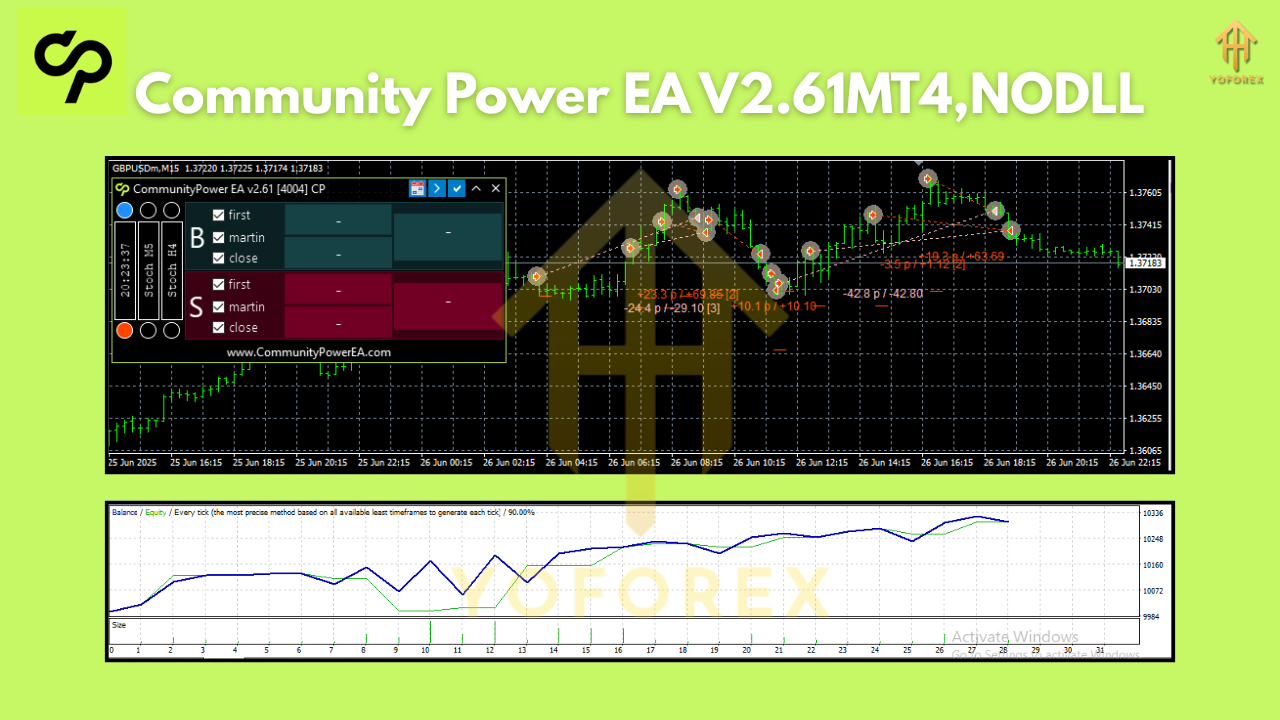
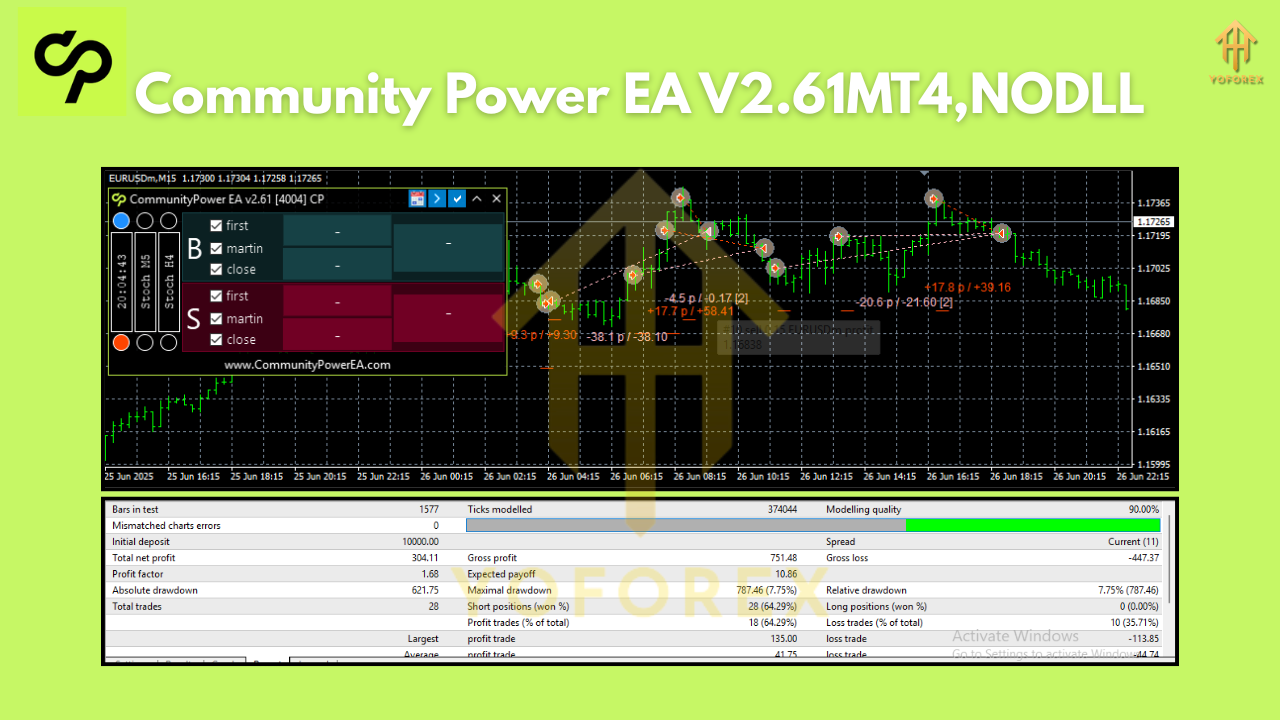
Community Power EA V2.61 has demonstrated consistent performance across various market conditions. Backtesting results indicate a balanced approach to risk and reward, with controlled drawdowns and steady equity growth. Real-world trading results from community members further validate the EA’s effectiveness, with many users reporting positive outcomes over extended periods.
However, it’s important to note that no trading system can guarantee profits, and past performance does not necessarily indicate future results. Market conditions can change rapidly, and all automated systems require periodic monitoring and adjustment to maintain optimal performance.
Who Can Benefit from Community Power EA?
This versatile EA caters to a wide range of traders:
- Novice Traders: Beginners can leverage the EA’s automated decision-making while they learn about market dynamics and trading principles.
- Busy Professionals: Those with limited time for market analysis can rely on the EA to monitor and execute trades on their behalf.
- Systematic Traders: Traders who prefer rule-based approaches will appreciate the EA’s disciplined execution of predefined strategies.
- Portfolio Diversifiers: The EA can serve as a component of a broader trading portfolio, potentially reducing overall risk through diversification.
Best Practices for Optimal Performance
To maximize the effectiveness of Community Power EA V2.61:
- Begin with Demo Trading: Test the EA thoroughly with virtual funds before deploying it in a live trading environment.
- Optimize Parameters: Experiment with different settings to find the optimal configuration for current market conditions.
- Regular Monitoring: While the EA operates automatically, periodic review of its performance is essential.
- Stay Informed: Keep abreast of economic events and market developments that could impact the EA’s performance.
- Community Engagement: Participate in user forums to share experiences and learn from other traders using the same EA.
Limitations and Risk Considerations
Despite its advanced capabilities, Community Power EA V2.61 has certain limitations:
- Market Adaptation: The EA may require parameter adjustments during significant market regime changes.
- Technical Dependencies: Reliable internet connectivity and stable platform performance are essential for proper EA operation.
- Over-Optimization Risk: Excessive parameter tuning based on historical data may reduce future performance.
- Inherent Market Risk: Automated trading does not eliminate the fundamental risks associated with Forex trading.
Conclusion
Community Power EA V2.61 for MT4 represents a powerful tool in the modern trader’s arsenal. By combining sophisticated algorithms with customizable parameters and community-driven development, it offers a compelling solution for those looking to automate their trading strategies. Whether you’re seeking to free up time, eliminate emotional trading decisions, or simply explore the potential of automated trading systems, Community Power EA V2.61 provides a robust platform to achieve these goals.