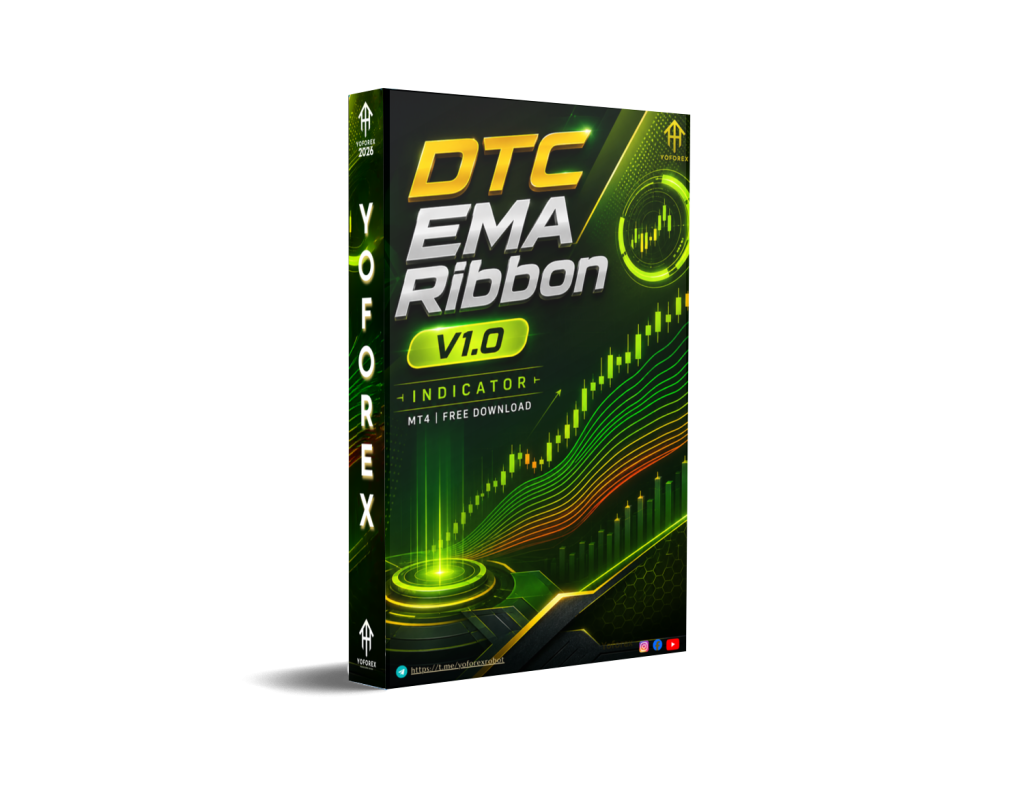
DTC EMA Ribbon INDICATOR V1.0 MT5: Should You Add This Visual Trend Tool?
Many traders struggle to read trend strength and direction quickly. Single moving averages lag or give mixed signals. Charts get cluttered. Sideways markets create noise. The result is hesitation, late entries, or trading against the prevailing momentum.
DTC EMA Ribbon INDICATOR V1.0 MT5 is positioned as a visual solution for that problem. It is an indicator (not an Expert Advisor or automated bot) built for MetaTrader 5. The goal is clearer trend context through an EMA ribbon rather than automated trade execution.
This article focuses on what the tool is, how EMA ribbons typically function, practical benefits and limitations, who it suits, and the checks worth making before purchase. Specific performance numbers, exact settings, or proprietary logic that are not publicly confirmed are omitted or flagged for verification on the product page at yoforex.org / yoforexea.com
What Is DTC EMA Ribbon INDICATOR V1.0 MT5?
DTC EMA Ribbon INDICATOR V1.0 MT5 is a custom technical indicator for the MetaTrader 5 platform. It displays a ribbon formed by multiple Exponential Moving Averages of different periods.
The ribbon gives a visual picture of trend direction, alignment, and relative strength. When the EMAs stack cleanly and expand, the market is typically trending. When they compress or tangle, the market is often ranging or transitioning.
It is a decision-support tool, not a fully automated trading system. Traders still decide entries, exits, position sizing, and risk management. The brand associated with related tools is YoForex (yoforex.org and the blog atyoforexea.com). Always confirm current availability, version details, and licensing directly on the official site.
How Does DTC EMA Ribbon INDICATOR V1.0 MT5 Work?
Exact internal parameters of this specific V1.0 release are not publicly detailed in available sources, so the description below follows standard EMA ribbon logic. Verify the precise implementation with the product documentation.
Typical flow for an EMA ribbon indicator:
- Signal / Visual — Multiple EMAs (usually 6–10 lines with increasing periods) are plotted on the chart. The area between selected lines is often filled to create the “ribbon” effect. Color changes commonly reflect bullish or bearish alignment.
- Trend Context — Clean stacking (faster EMAs above slower ones in an uptrend, reverse in a downtrend) and expansion of the ribbon suggest directional momentum. Compression signals consolidation or potential change.
- Position Management — The ribbon itself does not manage positions. Traders use it as dynamic support/resistance or a filter. Price holding above a bullish ribbon or rejecting a bearish one can help frame bias.
- Exit / Risk — Exit and risk decisions remain with the trader. Common approaches include trailing with the ribbon edge, using higher-timeframe alignment, or combining with separate stop-loss and take-profit rules.
- Risk Management — No built-in automated risk module is assumed. Position size, maximum drawdown limits, and trade filters must be applied manually or via other tools.
Because it is an indicator, it updates with new price data on the chosen timeframe and symbol. It does not place or close trades by itself.
DTC EMA Ribbon Strategy Explained
The core idea behind any EMA ribbon is multi-period trend visualization. Shorter EMAs react faster; longer ones provide structure. Alignment and width of the ribbon help distinguish strong trends from choppy conditions.
In practice traders often:
- Trade only in the direction of the ribbon alignment.
- Look for pullbacks into the ribbon as potential continuation zones.
- Avoid or reduce activity when the ribbon is tightly compressed.
- Confirm with higher-timeframe ribbon state or additional filters (price action, volume, or other indicators).
Specific entry rules, exact EMA periods, color logic, or alert conditions for DTC EMA Ribbon INDICATOR V1.0 are not confirmed here. Review the official product page and any included manual for the intended strategy.
Key Features
Confirmed or standard features expected of this type of MT5 indicator (verify on the product page):
- EMA-based ribbon visualization on MT5 charts
- Color-coded trend direction or fill between lines
- Customizable periods and appearance (typical for such tools)
- Works across common Forex pairs, metals, indices, and other MT5 symbols
- Visual trend strength and momentum context
- Non-repainting behavior expected of standard moving-average calculations (confirm)
- Suitable for multiple timeframes
No claims are made about alerts, multi-timeframe dashboards, or other advanced modules unless listed by the seller.
Quick Specifications
| Feature | Details |
|---|---|
| Platform | MetaTrader 5 (MT5) |
| Type | Indicator (visual / analytical) |
| Strategy | EMA ribbon trend visualization |
| Trading Style | Trend following / trend filter |
| Instruments/Pairs | Forex, metals, indices, others available on MT5 (verify) |
| Timeframe | Multi-timeframe capable (user selectable) |
| Risk Management | Manual (trader controlled) |
| Automation | None – indicator only |
| VPS | Not required for the indicator itself |
| Best For | Traders seeking clearer visual trend context |
Main Benefits
- Faster visual read of trend direction and strength compared with single moving averages.
- Reduced chart clutter when properly configured.
- Systematic filter that can keep discretionary trading more consistent with the prevailing momentum.
- Works on any symbol and timeframe the trader chooses within MT5.
- No need for continuous multi-chart monitoring of separate MAs.
- Supports both discretionary and rule-based approaches once the trader defines clear rules around the ribbon.
These are practical workflow benefits. They do not equal guaranteed results.
Limitations & Risks
- Lag is inherent to moving averages. Strong moves can be underway before the ribbon fully aligns.
- Sideways or choppy markets produce compression and frequent color changes that can generate false or low-quality context.
- Spread, slippage, and broker execution quality still affect any trades taken using the indicator.
- Incorrect period settings or over-optimization can reduce usefulness.
- Backtest or visual history is not future performance. Market regimes change.
- Connectivity or platform issues affect chart updates the same as any indicator.
- It provides no automated risk controls. Over-leveraging or poor position sizing remains the trader’s responsibility.
- Specific performance statistics, win rates, or drawdown figures for this version are not provided here and should not be assumed.
Treat it as one input among several, not a complete system.
Who Is DTC EMA Ribbon INDICATOR V1.0 MT5 For?
Ideal users typically include:
- Discretionary traders who want a clean visual trend filter.
- Those who already understand moving-average concepts and want a multi-period view.
- Swing or intraday traders looking for alignment and pullback context.
- Traders who prefer to keep final decision-making in their own hands rather than fully automated EAs.
- Users comfortable installing and configuring MT5 custom indicators.
Who Should Avoid It?
- Traders seeking a fully automated “set-and-forget” bot or EA.
- Absolute beginners who have not yet learned basic price action, risk management, or how moving averages behave.
- Anyone expecting guaranteed profits, fixed win rates, or risk-free signals.
- Traders unwilling to demo-test and adapt settings to their style and market.
- Those who cannot accept lagging indicators and the need for additional confirmation.
DTC EMA Ribbon vs Manual Trading
| Aspect | DTC EMA Ribbon Indicator | Pure Manual Trading |
|---|---|---|
| Execution | Visual only – trader still executes | Full manual |
| Screen Time | Reduced for trend assessment | Higher for constant chart watching |
| Consistency | Systematic visual filter | Depends on trader discipline |
| Emotional Interference | Can reduce bias by providing objective structure | Higher risk of emotion-driven decisions |
| Speed | Instant visual update | Depends on analysis speed |
| Flexibility | Fixed logic + user settings | Fully adaptable |
| Monitoring | Chart-based | Continuous attention required |
| Risk Management | Manual | Manual |
What To Check Before Buying
- Confirm it is the MT5 version (V1.0) and matches your terminal.
- Review the exact strategy description, default settings, and any included manual.
- Check license terms (activations, updates, commercial use).
- Verify broker compatibility (standard MT5 is usually fine; test on your broker’s platform).
- Assess whether a VPS is needed for your overall setup (not required for the indicator itself).
- Plan proper demo testing across different market conditions.
- Confirm support channels and response expectations.
- Compare pricing and what is included against alternatives.
- Ensure you understand risk management remains your responsibility.
- Look for any sample charts or video demonstrations on the official YoForex pages.
DTC EMA Ribbon Settings
Specific default periods, colors, or input parameters for V1.0 are not detailed in public sources. Typical EMA ribbon tools allow adjustment of the number of lines, individual periods, MA method (EMA), and visual options. Always start with the seller’s recommended settings on a demo account and document any changes you make.
DTC EMA Ribbon Backtesting & Performance
No verified public backtest results, forward-test data, or live performance statistics for DTC EMA Ribbon INDICATOR V1.0 MT5 are available in the sources reviewed. Indicators of this type are best evaluated visually on historical charts and in demo mode rather than traditional EA-style backtests.
Any historical chart examples shown by the seller should be treated as illustrative only. Past visual appearance does not guarantee future usefulness under changing market conditions.
How To Get Started
- Confirm MT5 compatibility and your broker’s terminal version.
- Review the product page and any documentation for recommended settings.
- Purchase or obtain the indicator through the official channel (yoforex.org / related pages).
- Install via the MetaTrader 5 data folder (MQL5 → Indicators) and refresh the Navigator.
- Attach to a demo chart and observe behavior across different pairs and timeframes.
- Define clear rules for how you will use the ribbon (bias only, pullback entries, etc.).
- Monitor for a meaningful period before considering live use with proper risk controls.
- Combine with your existing risk management and never risk more than you can afford to lose.
Is DTC EMA Ribbon INDICATOR V1.0 MT5 Worth Buying?
It can be a practical visual upgrade for traders who already like moving-average-based analysis and want cleaner multi-period context on MT5. Strengths lie in simplicity, flexibility across instruments, and the ability to act as a consistent trend filter.
Weaknesses include the inherent lag of EMAs, limited value in ranging markets, and the complete reliance on the trader for execution and risk. Without confirmed performance data or unique proprietary features beyond a standard ribbon concept, the decision rests on whether the visual presentation and any extra features offered by this specific version improve your process enough to justify the cost.
If you already use multiple EMAs manually, testing this packaged version on demo is the logical next step. If you need automation, look elsewhere.
FAQs
What is DTC EMA Ribbon INDICATOR V1.0 MT5?
A MetaTrader 5 indicator that displays a ribbon of Exponential Moving Averages for visual trend direction and strength assessment.
Is it MT4 or MT5?
It is specified for MT5. Confirm the exact file and platform requirements on the product page.
How does it work?
It plots multiple EMAs and typically fills or colors the area between them to show alignment and expansion/compression. Exact logic should be verified in the documentation.
What strategy does it use?
EMA ribbon trend visualization. Specific entry or exit rules are defined by the user or any guidelines provided by the seller.
Can it be backtested?
As an indicator it can be observed on historical charts. Traditional EA-style statistical backtests are not applicable in the same way.
Is it suitable for beginners?
Only if the trader already understands basic trend concepts and risk management. Absolute beginners should first learn core chart reading.
What broker is required?
Any broker offering MetaTrader 5. Test the indicator on your specific platform and symbol set.
How do I buy or install it?
Obtain it through the official YoForex channels, place the file in the MT5 Indicators folder, restart or refresh the terminal, and attach it to a chart.
Conclusion
DTC EMA Ribbon INDICATOR V1.0 MT5 is a visual trend tool aimed at traders who want clearer multi-period EMA context on MetaTrader 5. Its main strengths are simplicity and the ability to act as a consistent filter. Important considerations include lag, ranging-market noise, the absence of automation or built-in risk controls, and the need to verify all specific features, settings, and licensing details yourself.
It suits discretionary traders who value structured visual bias more than fully automated systems. It is less suitable for those seeking hands-off EAs or guaranteed outcomes.
Next step: Visit the official product page on yoforex.org (or the related blog at yoforexea.com), review the current details, download or purchase if it matches your needs, and thoroughly demo-test before any live application. Always trade with proper risk management.
Support & Disclaimer
Support:
If you need help installing or configuring your EA, or face any kind of bug, feel free to reach out on:
WhatsApp: Click here
Telegram Group: Join our community
Disclaimer:
Forex and gold trading involve risk. Past performance doesn’t guarantee future results. Always test robots on demo before live trading and use proper risk management.
REFERRAL
Join the VIP Signals Telegram Channel for real-time expert trading signals and stay ahead in the forex market. Get personalized strategies by becoming a part of our Real Account Management Telegram Channel and optimize your trading experience. If you’re aiming to Pass PropFirm Challenges , join our dedicated channel for tips and proven methods. Start managing your capital effectively with expert advice from our Funded Account Management Telegram Channel. For advanced traders, our HFT EA / Passing Telegram Channel offers high-frequency trading insights and strategies to boost your performance.