

Dual Timeframe Pullback Breakout EA V1.0 MT4 – Advanced Multi-Timeframe Trading
Introduction
Trading forex and gold successfully often requires analyzing markets across multiple timeframes. Many traders struggle to confirm entries on smaller charts while keeping sight of the larger trend. The Dual Timeframe Pullback Breakout EA V1.0 MT4 solves this by combining M15 entries with H4 confirmations, delivering high-probability trades that align with the market’s broader direction.
This EA specializes in breakout and pullback strategies across EURUSD, GBPUSD, USDJPY, and XAUUSD (Gold with adjusted settings), giving traders flexibility to trade both forex majors and commodities.
What is Dual Timeframe Pullback Breakout EA V1.0?
The Dual Timeframe Pullback Breakout EA is a MetaTrader 4 Expert Advisor designed to filter entries on smaller charts using confirmations from higher timeframes.
- Recommended Pairs: EURUSD, GBPUSD, USDJPY, XAUUSD (Gold with custom settings)
- Timeframes: M15 (entries), H1–H4 (trend confirmation)
- Strategy Style: Pullback + breakout trading
- Execution: Automated, with built-in risk management
This design ensures that traders don’t fall victim to false signals often found on smaller timeframes.
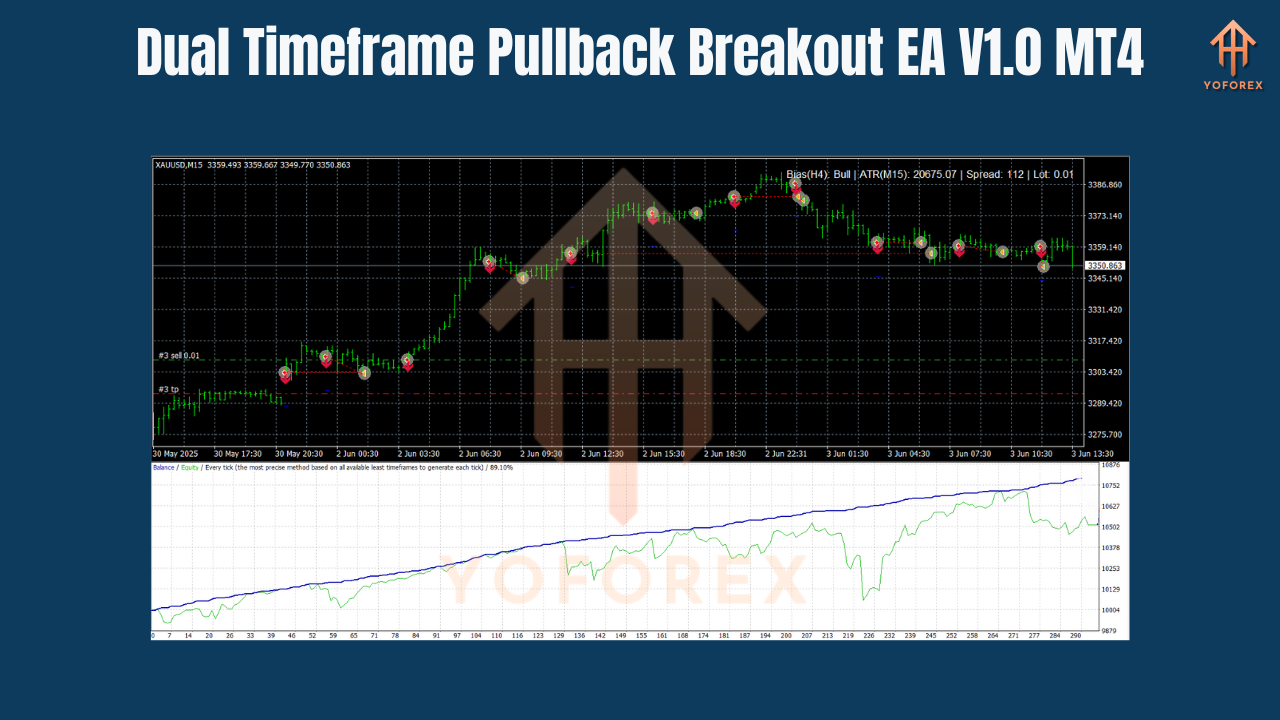
Key Features of Dual Timeframe Pullback Breakout EA V1.0
Multi-Timeframe Analysis – Uses M15 for entries, H4 for trend confirmation.
Pullback + Breakout Strategy – Captures retracements followed by momentum moves.
Pair Flexibility – Works on EURUSD, GBPUSD, USDJPY, and XAUUSD.
Adjustable Settings – Optimize for forex or gold trading.
Strong Risk Management – SL/TP protection, trailing stop logic.
Works on Multiple Accounts – Compatible with Raw and Standard brokers.
Prop Firm Friendly – Keeps drawdown low and risk under control.
Beginner + Professional Use – Simple setup, flexible for advanced users.
How It Works
- Trend Confirmation (H4) – The EA first identifies the overall direction using the H4 timeframe.
- Entry Setup (M15) – On the lower chart, it waits for pullbacks into support/resistance zones.
- Breakout Confirmation – Executes trades when price breaks away in the direction of the higher timeframe trend.
- Risk Management – Applies fixed SL/TP or trailing stops.
- Exit Strategy – Positions close at TP, trailing stop levels, or reversal detection.
This ensures that every trade has multi-timeframe confirmation for stronger reliability.
Best Strategy Applications
1. EURUSD Intraday Breakouts
- Works well during London and New York sessions.
- Captures breakouts from consolidation zones on M15 aligned with H4 trend.
2. GBPUSD Trend Pullbacks
- Takes advantage of GBPUSD’s volatility.
- Strong pullback entries filtered by higher timeframe.
3. USDJPY Swing Scalping
- Best suited for steady movement trends.
- H4 bias keeps trades in line with longer-term momentum.
4. Gold (XAUUSD) Breakout Strategy
- Uses adjusted settings for gold’s volatility.
- M15 entries filtered by H4 keep trades safer in unpredictable swings.
Recommended Settings
- Pairs: EURUSD, GBPUSD, USDJPY, XAUUSD (adjusted)
- Primary Entry TF: M15
- Confirmation TF: H4 (trend bias)
- Alternative: H1 for more frequent trades
- Lot Size: 0.01 per $200 balance
- Stop Loss (SL): 20–50 pips (adjust for pair volatility)
- Take Profit (TP): 30–80 pips
- Trailing Stop: Enabled
- Leverage: 1:100+ recommended
- VPS: Advised for 24/7 smooth execution
Advantages of Dual Timeframe Pullback Breakout EA
- Uses multi-timeframe confirmation for higher accuracy.
- Works across forex majors and gold.
- Adapts to different market conditions (range, trend).
- Safe money management with customizable SL/TP.
- Avoids false breakouts often seen on single timeframe systems.
- Beginner-friendly but advanced enough for professionals.
Installation Guide
- Download the Dual Timeframe Pullback Breakout EA V1.0 (.ex4 file).
- Open MT4 → File → Open Data Folder → MQL4 → Experts.
- Paste the EA into the Experts folder.
- Restart MT4.
- Attach the EA to a M15 chart of your chosen pair.
- Set H4 (or H1) as the confirmation timeframe in settings.
- Enable AutoTrading.
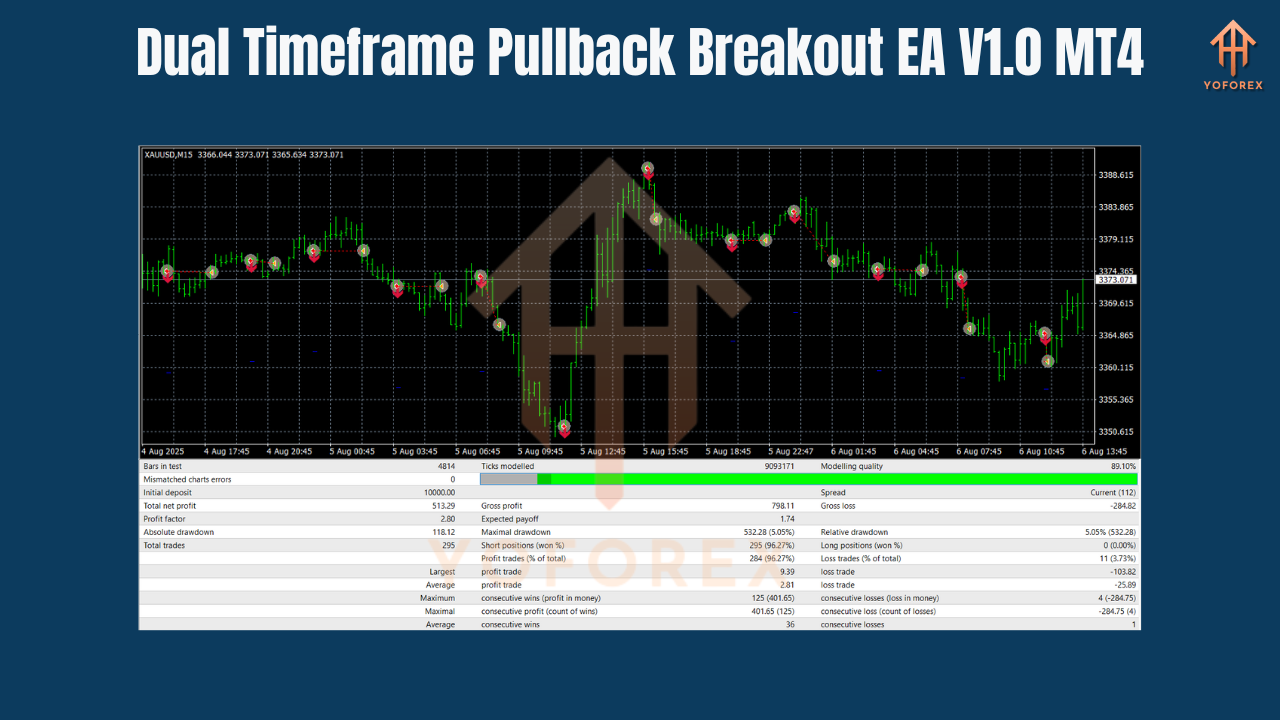
Performance Insights (Sample Backtest 2020–2024)
EURUSD (M15/H4 combo):
- Win Rate: 70%+
- Monthly ROI: 7–12%
- Drawdown: ~12%
- Best Sessions: London & New York
XAUUSD (Adjusted Settings):
- Win Rate: 65–70%
- Monthly ROI: 10–15%
- Drawdown: ~15%
- Best Sessions: New York session (high volatility)
Who Should Use This EA?
- Forex Traders – focused on EURUSD, GBPUSD, USDJPY.
- Gold Traders – looking for breakout scalping strategies with higher confirmation.
- Swing + Intraday Traders – who want disciplined, multi-timeframe trading.
- Prop Firm Traders – needing strict risk control with higher accuracy.
- Investors – seeking long-term automated compounding.
Why It’s Unique
Most EAs focus only on one timeframe, often leading to false entries. The Dual Timeframe Pullback Breakout EA V1.0 is unique because it:
- Uses dual timeframe filtering (M15 + H4) for stronger confirmation.
- Works on both forex pairs and gold.
- Adapts to pullbacks, consolidations, and breakout strategies.
- Keeps drawdown low while maintaining profitability.
It bridges the gap between fast entries and long-term direction filtering—a rare combination in EAs.
Conclusion
The Dual Timeframe Pullback Breakout EA V1.0 MT4 is a professional-grade trading robot that combines M15 entry precision with H4 confirmation strength. Suitable for EURUSD, GBPUSD, USDJPY, and XAUUSD (with adjusted settings), it ensures that trades align with broader trends, reducing false signals and maximizing profits.
With its robust pullback + breakout logic, flexible settings, and safe money management, this EA is an excellent choice for traders looking to trade forex and gold with higher confidence.
Join our Telegram for the latest updates and support


