Introduction: Boost Your Trading Accuracy with FireBird Pro
In today’s fast-paced forex environment, traders need more than just instinct—they need a reliable indicator that gives accurate, timely, and non-repainting signals. That’s where the FireBird Pro Indicator V1.20 for MT5 steps in. Designed to work across all major forex pairs and any timeframe, this advanced indicator empowers traders to make informed decisions based on smart market logic.
Whether you are a scalper, swing trader, or position trader, FireBird Pro adapts to your style and helps filter out noise, giving you clean buy/sell alerts with high confidence.
What is FireBird Pro Indicator V1.20 MT5?
FireBird Pro Indicator V1.20 is a next-generation MetaTrader 5 (MT5) indicator that provides visual buy and sell signals based on proprietary algorithms. Unlike many traditional indicators that lag behind price movements, FireBird Pro anticipates momentum shifts, trend breakouts, and price reversals to deliver tradeable setups in real-time.
It is designed to work seamlessly with any major forex pair including EURUSD, GBPUSD, USDJPY, and AUDUSD, and performs across any timeframe, from M1 to MN.
Key Features of FireBird Pro Indicator
Universal Pair Compatibility
-
Works on all major forex pairs such as EURUSD, GBPUSD, USDJPY, USDCAD, AUDUSD, and more.
Multi-Timeframe Ready
-
Supports M1 to Monthly charts. Whether you scalp or hold long-term, FireBird adapts.
Non-Repainting Buy/Sell Signals
-
Once a signal appears, it remains. No false hope, no disappearing arrows.
Smart Entry Points
-
Built-in logic evaluates candle structure, volume spikes, and momentum before confirming signals.
Simple and Clean UI
-
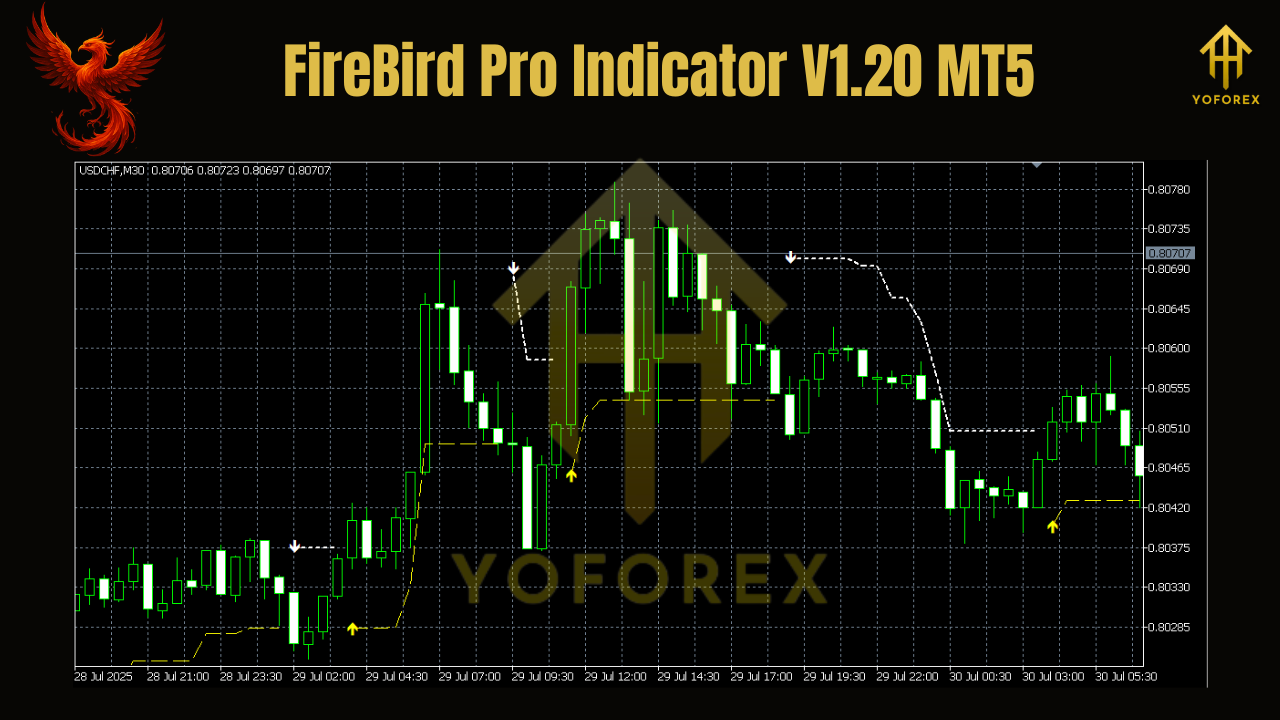
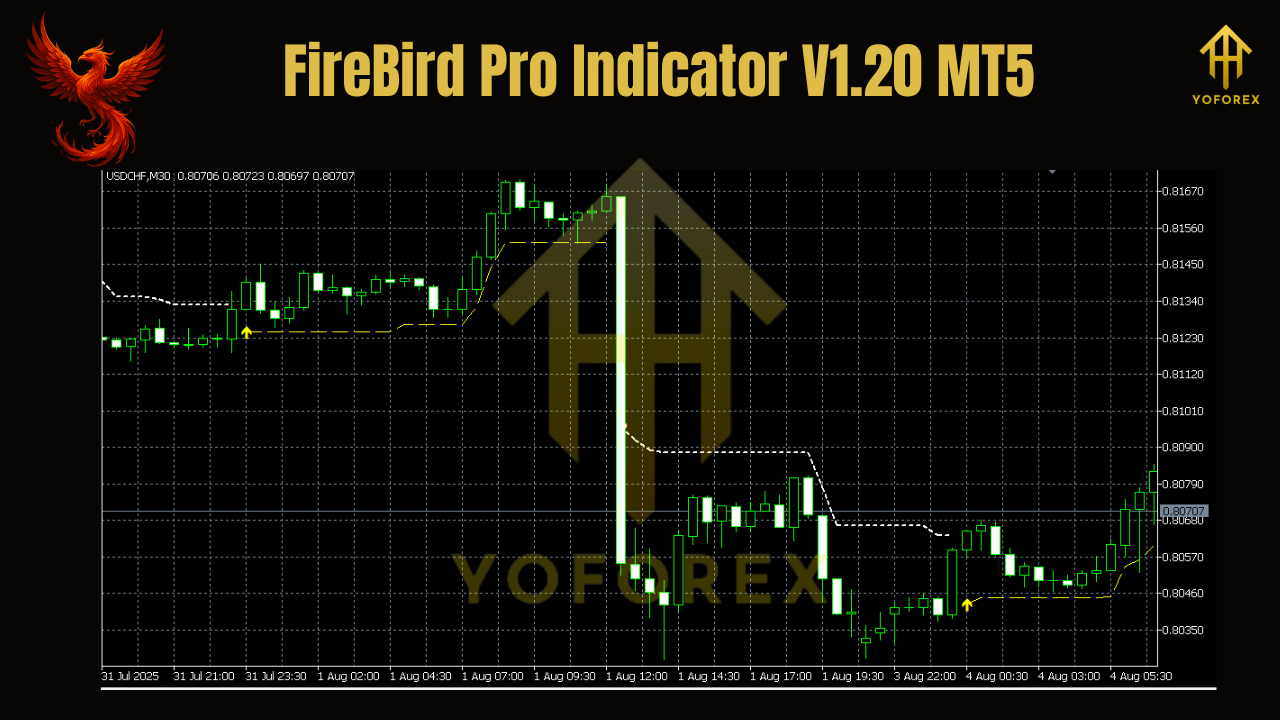
Buy (Green Arrow) and Sell (Red Arrow) for intuitive interpretation.
Alert System
-
Optional notifications via sound, email, or push alerts when new signals are generated.
Beginner & Pro Friendly
-
No complicated settings. Plug, set, and trade.
How FireBird Pro Works
FireBird Pro uses a blend of trend-following and reversal-based logic. It tracks market momentum, price exhaustion points, and breakout conditions to detect the most probable turning points or continuation waves.
Buy Signal Logic:
- Identifies oversold conditions paired with bullish reversal patterns
- Confirms with upward momentum and trend shift signals
- Places a green arrow below the price bar once confirmed
Sell Signal Logic:
- Detects overbought price patterns with bearish confluence
- Confirms with downward strength and price structure
- Places a red arrow above the candle as a confirmed signal
These signals are always placed after candle close, ensuring that no repainting occurs.
Supported Forex Pairs
The indicator works flawlessly with all major currency pairs, such as:
- EURUSD
- GBPUSD
- USDJPY
- USDCAD
- AUDUSD
- USDCHF
- NZDUSD
It can also be tested on:
- Minor forex pairs
- Cross-currency pairs
- Commodities like XAUUSD (Gold), if broker offers MT5 symbols
Which Timeframes Work Best?
The true beauty of FireBird Pro is its timeframe flexibility. You can use it on:
- M1 to M15: For scalping quick setups
- M30 to H4: For intraday and swing trades
- D1 and above: For position trades and long-term confirmation
Best Strategy to Use with FireBird Pro Indicator
Here’s a step-by-step guide for using FireBird Pro in a real trading scenario:
Entry Strategy:
- Wait for a Buy/Sell arrow on your selected timeframe.
- Confirm with a higher timeframe trend direction (e.g., H4 for D1 confirmation).
- Place trade when the next candle opens after the signal.
Exit Strategy:
- Exit at a pre-defined Take Profit level (e.g., 30–100 pips depending on timeframe).
- Use the opposite signal as an exit cue.
- Alternatively, apply a trailing stop to capture extended trends.
Risk Management:
- Use a consistent lot size or percentage risk per trade (e.g., 1–2%).
- Avoid trading during major news releases unless you have the experience.
Installation Guide
To install the FireBird Pro Indicator:
- Download the
.ex5file - Open MT5 → File → Open Data Folder → MQL5 → Indicators
- Paste the indicator file
- Restart MT5
- Attach the indicator to any chart
- Customize settings if needed
Ensure you have AutoTrading enabled and that your broker supports your selected pairs and symbols.
Who Can Benefit from FireBird Pro?
Scalpers – Looking for quick and accurate entry/exit signals
Swing Traders – Wanting clean confirmation before holding positions
New Traders – Need visual guidance and low-complexity setups
Multi-Timeframe Traders – Use FireBird for alignment across charts
Strategy Builders – Can combine FireBird with RSI, MACD, or moving averages
Advantages Over Traditional Indicators
While many indicators suffer from signal lag, confusion, or repainting, FireBird Pro stands out because:
- No repainting once signals appear
- Real-time signal confirmation with logic filtering
- Works across all major pairs and timeframes
- No complex templates or dependencies required
- Optional alert system for convenience
It’s not just another arrow indicator—it’s a precision-built, decision-support tool for serious traders.
Best Practices for Using FireBird Pro
Use Higher Timeframes for Confirmation – Combine with trend indicators for increased accuracy
Stick to One Strategy – Don’t switch logic too frequently
Use Stop Losses and Risk Controls – No indicator is 100% accurate
Avoid Overtrading – Quality over quantity wins in the long run
Backtest and Demo First – Build confidence before going live
Why FireBird Pro V1.20 Is Worth It
If you’re looking for a smart, reliable, and non-repainting MT5 signal indicator that works across major pairs and timeframes, FireBird Pro V1.20 is a powerful asset in your trading arsenal.
It’s clean. It’s clear. It’s tested. Whether you’re building your first strategy or refining an existing system, FireBird Pro gives you the edge needed to succeed in volatile forex markets.
Download FireBird Pro Indicator V1.20 MT5 Now
Ready to upgrade your chart with high-probability signal generation?
Download FireBird Pro Indicator V1.20 for MT5 today and get started with smarter trades.
https://yoforex.org/firebird-pro-indicator-v1-20-mt5
Join our Telegram for the latest updates and support