
FOREX ZONE SPOT VIX STRATEGY Indicator for MT5: A Detailed Guide
Introduction
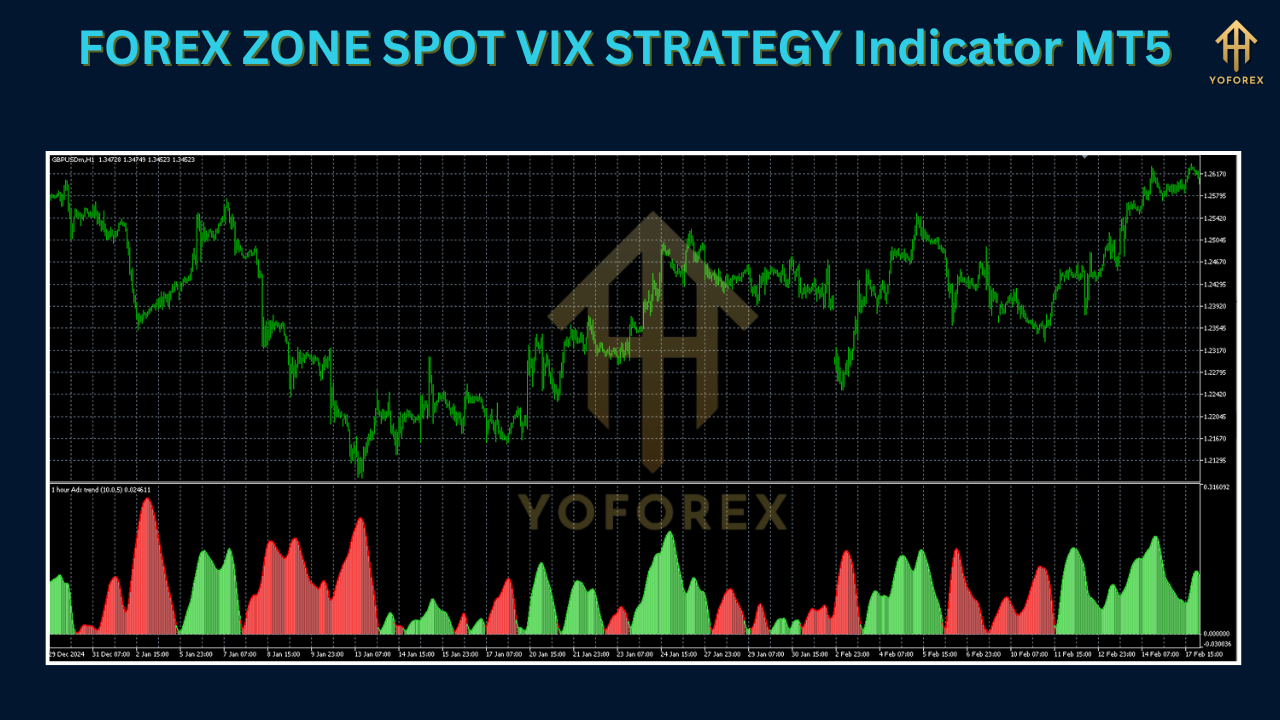
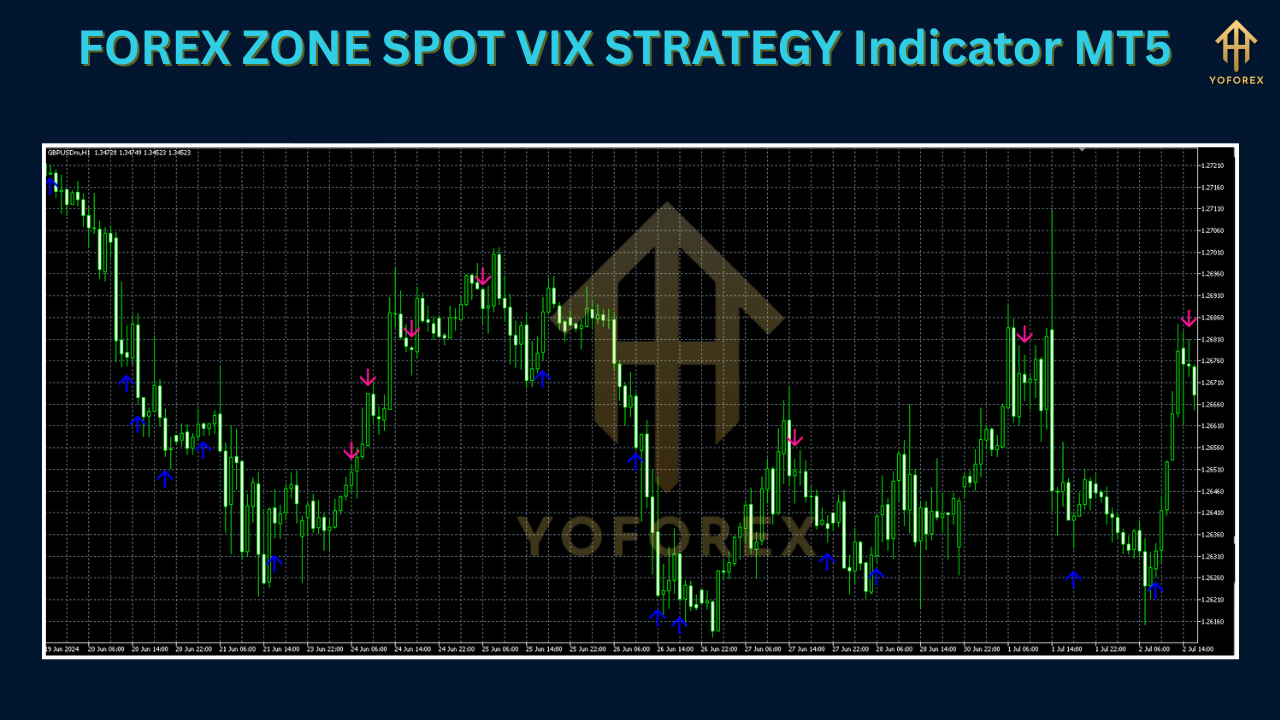
The FOREX ZONE SPOT VIX STRATEGY Indicator for MetaTrader 5 blends volatility analysis with price action to help forex traders identify high‑probability entry and exit points. Inspired by the CBOE’s VIX “fear gauge,” this custom MT5 tool adapts volatility concepts to currency pairs—highlighting zones of market uncertainty and providing clear, non‑repainting signal arrows.
Understanding the VIX in Forex Trading
-
What is the VIX?
-
Measures expected 30‑day volatility of S&P 500 options.
-
High values → increased uncertainty; low values → stability.
-
-
Why apply VIX ideas to forex?
-
Currency pairs also experience sharp swings on economic releases and sentiment shifts.
-
Adapting volatility zones helps spot consolidations, breakouts, and reversals in FX.
-
Key Features
-
Volatility‑Based Zones
-
Dynamic bands marking areas of high (resistance) and low (support) volatility.
-
-
Non‑Repainting Signal Arrows
-
Blue arrows for buy, red arrows for sell—remain fixed once generated.
-
-
Multi‑Timeframe Compatibility
-
Usable on M1 through D1 charts for scalping, intraday, or swing trading.
-
-
Customizable Inputs
-
Adjust volatility period, signal sensitivity, and visual styles (colors, line types).
-
-
Seamless Integration
-
Pairs well with Moving Averages, RSI, Bollinger Bands, etc., for signal confirmation.
-
Installation & Setup on MT5
-
Download the File
-
Obtain the
.mq5indicator from a trusted MQL5 Market or community source.
-
-
Install
-
In MT5: File → Open Data Folder → MQL5 → Indicators
-
Copy
.mq5into Indicators folder. -
Restart MT5.
-
-
Apply to Your Chart
-
Open the desired currency pair chart (e.g., EUR/USD).
-
Navigate to Insert → Indicators → Custom and select FOREX ZONE SPOT VIX STRATEGY.
-
-
Configure Inputs
-
Set Volatility Period (default 14), Signal Sensitivity, and Display Options.
-
-
Demo Testing
-
Practice on a demo account to understand signal behavior across sessions.
-
How the Indicator Works
-
Volatility Measurement
-
Calculates volatility via ATR‑style or standard deviation over the chosen period.
-
-
Zone Plotting
-
High‑Volatility Zones (red): potential breakout/reversal areas.
-
Low‑Volatility Zones (green): consolidation/range areas.
-
-
Signal Generation
-
Arrows appear when price breaches a zone with confirming momentum.
-
-
Multi‑Timeframe Confirmation
-
Validate trends on higher frames (H4/D1) before precise entries on lower frames (M15/M30).
-
Trading Strategies
Breakout Strategy
-
Identify a low‑volatility zone on H1/H4.
-
Wait for price to break above/below the zone with a corresponding arrow.
-
Confirm with volume or an auxiliary indicator (e.g., MFI).
-
Place stop‑loss just below/above the zone; target next key level.
Reversal Strategy
-
Spot a high‑volatility zone on H4.
-
Look for an arrow signaling exhaustion (oversold/overbought).
-
Cross‑check with RSI or DeMarker for extreme readings.
-
Enter with stop‑loss beyond zone; take‑profit at the next support/resistance.
Trend‑Following Strategy
-
Determine trend direction via higher timeframe EMA.
-
On a lower timeframe, wait for an arrow in trend direction near a zone.
-
Use a trailing stop to capture extended moves.
-
Exit on reversal arrow or hit significant level.
Tips for Maximizing Effectiveness
-
Combine Indicators: Use Bollinger Bands, MACD, or Supply & Demand to filter signals.
-
Session Focus: Trade during London/New York hours when volatility is robust.
-
Strict Risk Management: Never risk more than 1–2% per trade; always set SL/TP.
-
Backtesting: Leverage MT5’s Strategy Tester across multiple instruments and timeframes.
-
Maintain Discipline: Adhere to your plan—avoid impulsive trades without confirmation.
Advantages & Limitations
| Advantages | Limitations |
|---|---|
| • Clear, visual zones and arrows | • False signals in sideways markets |
| • Suitable for all timeframes | • Must be confirmed by other tools |
| • Non‑repainting for reliability | • Requires learning curve for new traders |
| • Volatility‑driven insights | • Not a standalone “holy grail” |
Conclusion
The FOREX ZONE SPOT VIX STRATEGY Indicator for MT5 offers a volatility‑focused edge—plotting dynamic zones and delivering fixed signal arrows to guide your breakout, reversal, and trend‑following trades. By combining its insights with sound risk management and complementary indicators, you can enhance your precision and confidence in the fast‑paced forex market.
Support & Disclaimer
Got questions or need help? Reach out anytime:
- WhatsApp: https://wa.me/+443300272265
- Telegram: https://t.me/yoforexrobot
Disclaimer: Past performance is no guarantee of future results. All trading carries risk. Always demo-test the FOREX ZONE SPOT VIX STRATEGY Indicator MT5 in a risk-free environment before deploying on a live account.