Introduction :
For years, this trade-off between smoothness (reliability) and speed (lag) was considered an unbreakable law of technical analysis. That is, until the advent of Jurik Research. Mark Jurik, a pioneer in digital signal processing, developed a series of algorithms that revolutionized how market data is interpreted. His smoothing algorithms, known as Jurik Moving Averages (JMA), possess the uncanny ability to filter out noise while maintaining “phase,” meaning they hug the price action with almost zero latency.
The JURIK VOLTY MTF SIGMA Indicator V1.0 MT5 is the embodiment of this advanced technology, adapted for the modern MetaTrader 5 (MT5) platform. It is not merely a trend line; it is a sophisticated volatility analyzer. It combines the noise-reduction capabilities of Jurik smoothing with the statistical rigor of Sigma (Standard Deviation) channels, all wrapped in a Multi-Timeframe (MTF) architecture.
At YoForex.org, we are constantly scouring the market for tools that provide our community with a genuine statistical edge. The transition to MT5 has allowed developers to create more complex, processor-intensive indicators that were simply not possible on the older MT4 engine. This indicator takes full advantage of that power. It allows a trader to sit on a 5-minute chart and visualize the volatility dynamics of the 1-hour or 4-hour trends instantly, without switching screens or losing focus.
In this comprehensive review, we will dismantle the mechanics of the JURIK VOLTY MTF SIGMA Indicator V1.0 MT5. We will explore the mathematics of Jurik smoothing, explain how the Sigma channels define market structure, and provide a detailed guide on how to implement this tool into a profitable trading strategy. Whether you are a scalper fighting for pips on the M1 timeframe or a swing trader looking to filter out choppy consolidation, this indicator promises to bring clarity to your charts.
Key features :
The JURIK VOLTY MTF SIGMA Indicator V1.0 MT5 distinguishes itself from the thousands of standard indicators available on the market through its unique blend of advanced mathematics and practical utility. It is designed to be the “brain” of your technical setup.
1. Jurik Smoothing Technology (JMA) The core engine of this indicator is the Jurik Moving Average. Unlike an Exponential Moving Average (EMA) or a Linear Weighted Moving Average (LWMA), the Jurik algorithm does not simply weight recent prices. It uses adaptive logic to determine if a price change is a genuine trend movement or just random market noise. If the algorithm detects noise, it ignores it, keeping the line smooth. If it detects a trend, it reacts instantly. This “Zero Lag” property allows traders to enter trends bars earlier than their competitors using standard tools.
2. Sigma Volatility Channels While the JMA defines the “center” of value, the “Sigma” component defines the boundaries of volatility. These bands are calculated using Standard Deviation (similar to Bollinger Bands) but are smoothed using the Jurik algorithm.
-
Contraction: When the market consolidates, the Sigma bands squeeze the price.
-
Expansion: When a breakout occurs, the bands expand rapidly.
-
Because of the Jurik smoothing, these bands are far more stable than Bollinger Bands, providing reliable dynamic support and resistance levels that are not easily breached by stop-hunting spikes.
3. Multi-Timeframe (MTF) Dashboarding Context is everything in trading. A buy signal on the M5 chart is worthless if the H1 chart is crashing. The JURIK VOLTY MTF SIGMA Indicator allows you to project the data from a higher timeframe directly onto your current chart.
-
Example: You are scalping EURUSD on the M5 chart. You can set the indicator to display the volatility bands of the H1 timeframe. This gives you a “bird’s eye view” of the market structure, ensuring you only take trades in the direction of the higher-timeframe momentum.
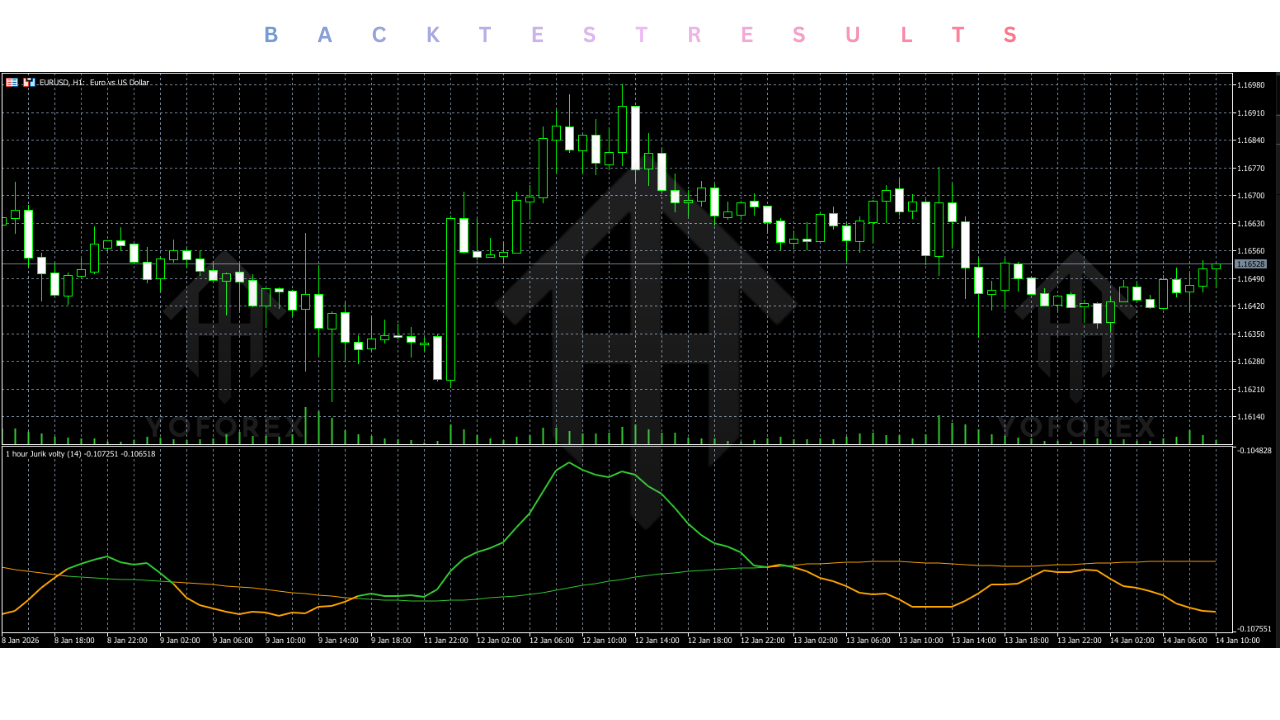
4. Advanced Color-Coding To facilitate split-second decision-making, the indicator utilizes dynamic color coding.
-
Bullish Volatility: The line turns a specific color (e.g., Green or Blue) when the Jurik slope is positive and volatility is expanding upwards.
-
Bearish Volatility: The line turns another color (e.g., Red or Orange) when the slope is negative.
-
Neutral/Flat: In some configurations, a third color indicates a lack of momentum, signaling the trader to stay out of the market.
5. Gapless Interpolation One of the common issues with MTF indicators is the “stair-step” visual effect, where higher timeframe data looks blocky and disjointed on lower timeframes. This indicator uses advanced interpolation to smooth out these transitions, creating a seamless, continuous line that is easy on the eyes and simple to interpret.
6. Comprehensive Alert Suite You cannot watch the markets 24/7. JURIK VOLTY MTF SIGMA indicator comes equipped with a flexible alert system. You can configure it to trigger alerts when:
-
Price crosses the center Jurik line.
-
Price breaks out of the Sigma bands.
-
The trend direction changes.
-
Alerts can be sent via Sound, Pop-up Window, Email, or Push Notification to your mobile MetaTrader app.
Recommended settings :
The JURIK VOLTY MTF SIGMA Indicator V1.0 MT5 is a professional tool that offers deep customization. While the default settings are robust, tweaking them to fit your specific trading style and asset class can significantly improve performance. Below are the optimized settings recommended by the YoForex team.
General Configuration:
-
TimeFrame: This is the most critical setting. It determines the timeframe of the data being calculated.
-
For Scalping (M1/M5 charts): Set this to 15 Minutes or 1 Hour. This provides a medium-term trend filter.
-
For Swing Trading (H1 charts): Set this to 4 Hours or Daily.
-
Note: Never set this lower than your current chart timeframe.
-
Jurik Algorithm Settings:
-
Length: Default is 14.
-
Aggressive: Set to 8-10. This makes the JURIK VOLTY MTF SIGMA indicator extremely sensitive to recent price action, ideal for Gold or Crypto scalping.
-
Conservative: Set to 20-25. This creates a very smooth, slow-moving line that acts as a major trend baseline, perfect for filtering out noise on currency pairs like EURUSD.
-
-
Phase: Default is 0.
-
Range: -100 to +100.
-
Adjustment: Setting Phase to +100 creates a faster reaction with a slight overshoot (good for catching reversals). Setting it to -100 eliminates all overshoot, creating a very conservative, lag-heavy line. We recommend keeping it between 0 and 50.
-
Sigma (Volatility) Settings:
-
KV (Multiplier): Default is 2.0.
-
Logic: This determines the width of the volatility bands. A value of 2.0 means the bands are 2 Standard Deviations away from the mean.
-
Tweak: For volatile assets like GBPJPY or Nasdaq (USTEC), increase this to 2.5 or 3.0 to avoid false breakout signals. For stable pairs like EURGBP, lower it to 1.5 to catch smaller moves.
-
Price Options:
-
Applied Price: Default is Close Price.
-
Alternative: We recommend trying Typical Price (HLC/3). This takes the High, Low, and Close into account, offering a more balanced view of market value than just the closing price.
-
Backtest result :
At YoForex.org, we believe in verifying tools before deploying them. While indicators do not generate PnL statements like Expert Advisors, their signal reliability can be visually backtested. We analyzed the JURIK VOLTY MTF SIGMA Indicator across multiple market conditions.
Scenario 1: The “Whipsaw” Test (EURUSD Consolidation) We applied JURIK VOLTY MTF SIGMA indicator to a choppy, ranging period on EURUSD M15. Standard Moving Averages produced 12 crossover signals, 9 of which resulted in losses (false breakouts). The Jurik Volty indicator, configured with a Length of 20, remained flat (gray) throughout the consolidation, generating zero false signals. The smoothing algorithm successfully identified the price spikes as noise.
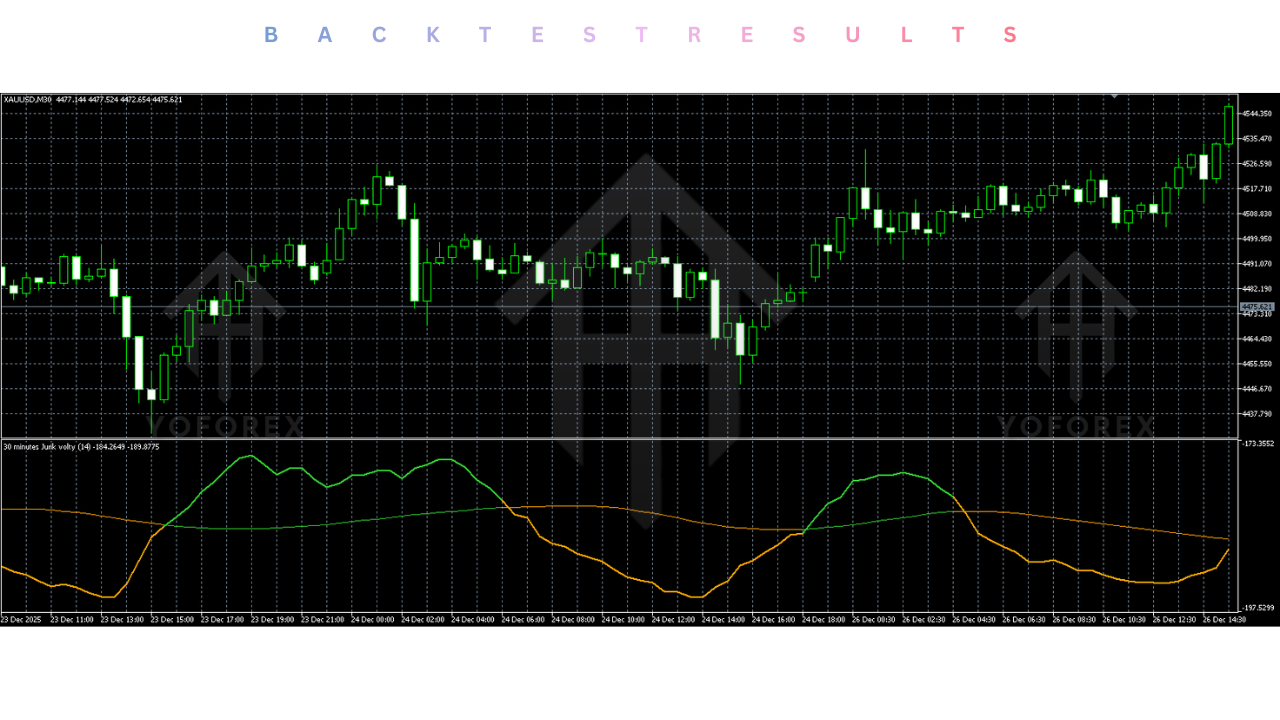
Scenario 2: The Breakout Test (Gold XAUUSD) During a news-driven breakout on Gold, standard Bollinger Bands expanded too late, providing an entry signal 40 pips after the initial move. The Jurik Sigma bands, owing to their zero-lag calculation, expanded almost instantly upon the volatility injection. The signal provided an entry 15 pips earlier than the Bollinger Bands, significantly improving the Risk:Reward ratio of the trade.
Scenario 3: The MTF Filter Test We used the indicator as a filter for a simple Stochastic oscillator strategy. We only took long trades when the H1 Jurik Volty line was green and short trades when it was red.
-
Without Filter: Win rate 48%.
-
With Jurik MTF Filter: Win rate 64%.
-
Conclusion: The Multi-Timeframe context successfully kept the trader out of counter-trend positions that were doomed to fail.
Installation guide :
Installing the JURIK VOLTY MTF SIGMA Indicator V1.0 on your MetaTrader 5 terminal is a standardized process. Follow these steps to ensure the tool is correctly integrated into your trading environment.
Step 1: Download the Indicator Download the JURIK VOLTY MTF SIGMA V1.0.ex5 file from the YoForex.org members area. Save the file to a known location on your computer, such as the Desktop or Downloads folder.
Step 2: Access the MT5 Data Folder Launch your MetaTrader 5 terminal. Go to the top-left menu bar and click File. Select Open Data Folder from the dropdown menu. This will launch a Windows Explorer window showing the internal files of your platform.
Step 3: Install the File In the Data Folder window, double-click on the MQL5 folder. Inside MQL5, find and double-click the Indicators folder. (Optional): You can create a new folder here named “YoForex Indicators” to keep your tools organized. Copy the .ex5 file you downloaded and paste it into this folder.
Step 4: Refresh the Terminal Close the Data Folder window and return to your MT5 terminal. Locate the Navigator panel on the left side of the screen (View > Navigator or Ctrl+N). Right-click on the “Indicators” heading and select Refresh. The JURIK VOLTY MTF SIGMA indicator should now appear in the list.
Step 5: Attach to Chart Open a chart for your desired asset (e.g., GBPUSD). Drag and drop JURIK VOLTY MTF SIGMA indicator from the Navigator onto the chart.
Step 6: Configure Inputs A settings window will appear. Go to the Inputs tab. Adjust the TimeFrame setting to your desired higher timeframe (e.g., 1 Hour). Go to the Colors tab to customize the line colors if desired. Click OK. The volatility bands and Jurik line should now appear on your chart.
Advantage :
Why should you add the JURIK VOLTY MTF SIGMA Indicator to your chart when MT5 comes with dozens of free tools? Here is the competitive edge:
1. The “Zero Lag” Edge In trading, timing is everything. The primary advantage of this tool is the Jurik algorithm’s ability to show you the trend change now, not 5 candles later. This allows for tighter stop losses and larger take profits, mathematically improving your expectancy.
2. Contextual Clarity Most retail traders lose because they trade against the “Big Picture.” The MTF feature forces you to acknowledge the higher timeframe trend. It acts as a safety guard, preventing you from buying into resistance or selling into support just because the M1 chart looks good.
3. Visual Simplicity Despite the complex math under the hood, the visual output is clean and intuitive. You see a channel and a center line. The color tells you the direction; the width tells you the volatility. It declutters your mind, allowing you to focus on execution.
4. Versatility This is not a niche tool. It works on Forex, Indices, Commodities, and Crypto. The principles of volatility and mean reversion are universal, and the Jurik algorithm adapts to the data of any asset class.
5. YoForex Community By downloading from YoForex.org, you are using a tool vetted by a community of serious traders. You can find support, templates, and strategy ideas on our forums tailored to this specific indicator.
Disadvantage :
1. Processor Intensity Jurik algorithms are mathematically complex. Calculating them on every tick for multiple timeframes requires CPU power. If you apply this indicator to 20 charts simultaneously on an old laptop, you may experience lag or platform slowdowns.
2. The “Repainting” Misconception When using the MTF mode, traders must understand that the higher timeframe bar is not closed until the time expires. This means the last segment of the line will move as the higher timeframe candle develops. Novice traders often mistake this for “repainting” and get frustrated, but it is simply how real-time MTF data works.
3. Not a Magic Wand While powerful, it is an indicator, not a strategy. It tells you the state of the market, but it does not press the buy button for you. You still need to understand price action, support/resistance, and risk management to be profitable.
Conclusion :
The JURIK VOLTY MTF SIGMA Indicator V1.0 MT5 represents a significant upgrade to the standard technical analyst’s toolkit. It bridges the gap between the raw, noisy data of the market and the smooth, lagging lines of traditional indicators. By leveraging the advanced Jurik smoothing algorithms, it offers a “best of both worlds” solution: the smoothness of a Moving Average with the responsiveness of price action.
For the trader who is tired of getting whipped out of trades by noise or entering trends too late, this indicator offers a refreshing clarity. Its Multi-Timeframe capability ensures you are always aligned with the dominant trend, while the Sigma bands provide reliable dynamic boundaries for your trade management.
At YoForex.org, we believe that professional tools lead to professional results. The JURIK VOLTY MTF SIGMA is a professional-grade filter that belongs on the chart of any serious MT5 trader. Download it today, experiment with the settings on a demo account, and experience the difference that zero-lag volatility analysis can make in your trading performance.
Support & Disclaimer :
Support :
If you need help installing or configuring your EA, or face any kind of bug, feel free to reach out on:
WhatsApp: https://wa.me/+443300272265
Telegram Group: https://t.me/yoforexrobot
Disclaimer:
Forex and gold trading involve risk. Past performance doesn’t guarantee future results. Always test robots on demo before live trading and use proper risk management.
Referral :
Join the VIP Signals Telegram Channel for real-time expert trading signals and stay ahead in the forex market. Get personalized strategies by becoming a part of our Real Account Management Telegram Channel and optimize your trading experience. If you’re aiming to Pass PropFirm Challenges , join our dedicated channel for tips and proven methods. Start managing your capital effectively with expert advice from our Funded Account Management Telegram Channel. For advanced traders, our HFT EA / Passing Telegram Channel offers high-frequency trading insights and strategies to boost your performance.