Introduction
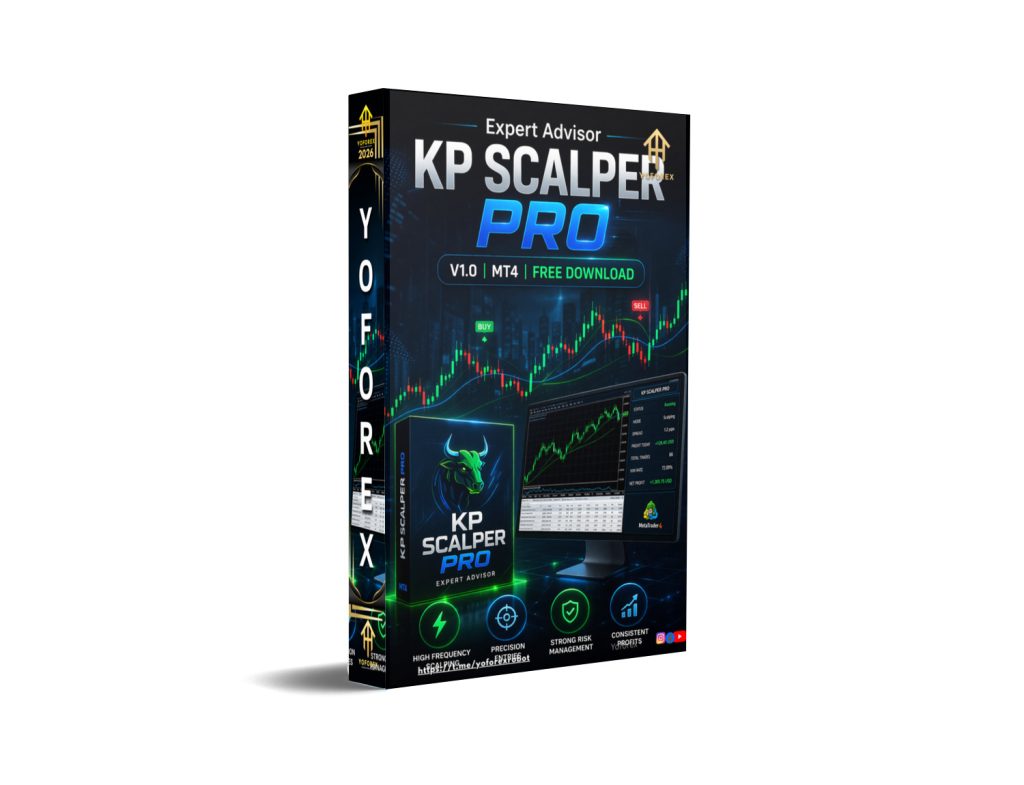
In the fast-paced world of forex trading, scalping strategies have gained immense popularity due to their ability to capture small but frequent profits from the market. Automated trading systems have further transformed how traders operate, allowing them to execute strategies with precision, speed, and discipline. One such system designed for MetaTrader 4 (MT4) is KP SCALPER PRO EA V1.0 MT4, an expert advisor built to perform high-frequency scalping trades in volatile market conditions.This trading system is designed for traders who prefer short-term opportunities and want to minimize emotional decision-making. By relying on algorithmic logic, KP SCALPER PRO EA V1.0 MT4 analyzes price movements, identifies potential entry points, and executes trades automatically. The goal is to help traders take advantage of small market fluctuations while maintaining controlled risk exposure.
Overview
KP SCALPER PRO EA V1.0 MT4 is built specifically for the MetaTrader 4 platform, which is one of the most widely used trading platforms in the forex industry. It focuses primarily on scalping strategies, which involve opening and closing trades within a very short time frame, sometimes within seconds or minutes.KP SCALPER PRO EA V1.0 MT4 operates using pre-defined algorithmic conditions that analyze market volatility, spread conditions, and price momentum. Once the conditions align with its strategy, it automatically places buy or sell orders with pre-set stop loss and take profit levels.
This trading approach is suitable for traders who:
- Prefer short-term trading opportunities
- Want automated execution without manual intervention
- Aim to reduce emotional trading decisions
- Have access to stable internet and a reliable broker
The system is generally optimized for major currency pairs due to their liquidity and tighter spreads, which are essential for scalping strategies.
How KP SCALPER PRO EA V1.0 MT4Works?
1. Market Data Collection
KP SCALPER PRO EA V1.0 MT4 continuously reads live market information from MetaTrader 4.
- It monitors real-time Bid and Ask prices
- Tracks candlestick formation on selected charts
- Observes price movement speed and volatility
- Checks spread changes between buy and sell prices
This forms the base data layer for all trading decisions.
2. Market Condition Filtering
Before any trade is considered, the system evaluates whether market conditions are safe and suitable.
KP SCALPER PRO EA V1.0 MT4 applies filters such as:
- Spread filter to avoid high trading costs
- Volatility filter to ensure the market is active enough
- Time filter to trade only during high-liquidity sessions
- Stability filter to avoid unpredictable market behavior
If conditions are not suitable, no trade is placed.
3. Signal Generation Logic
When conditions are acceptable, the system begins analyzing short-term price behavior.
KP SCALPER PRO EA V1.0 MT4 identifies:
- Micro trend direction over a short period
- Small momentum bursts in price movement
- Quick reversals and pullback behavior
- Temporary support and resistance levels
- Candle strength and pattern behavior
The purpose is to detect small scalping opportunities in the market.
4. Entry Confirmation Process
Before entering a trade, KP SCALPER PRO EA V1.0 MT4 waits for additional confirmation.
It checks:
- Whether price continues in the expected direction
- Whether momentum is stable and not fading
- Whether spread remains within acceptable range
- Whether price movement is not erratic or unstable
This reduces false entries and improves trade quality.
5. Trade Execution
Once confirmation is complete, KP SCALPER PRO EA V1.0 MT4 automatically places a trade in MetaTrader 4.
Each trade includes:
- Buy or sell direction based on signal
- Predefined lot size according to risk settings
- Stop loss to control downside risk
- Take profit set for small scalping gains
- Optional trailing stop depending on configuration
Execution is designed to be fast because scalping depends on timing.
6. Risk Management System
Every trade of KP SCALPER PRO EA V1.0 MT4 is controlled through strict risk rules.
These include:
- Fixed or dynamic lot sizing based on account balance
- Stop loss to limit potential loss per trade
- Take profit targeting small but frequent gains
- Daily loss limits if enabled in settings
- Maximum number of simultaneous trades
This helps prevent large drawdowns.
7. Trade Management After Entry
After a trade is opened, KP SCALPER PRO EA V1.0 MT4 continues to monitor it.
It may:
- Move stop loss to breakeven after reaching profit level
- Close trades early if momentum weakens
- Use trailing stop to protect accumulated profit
- Maintain or adjust position based on market behavior
This ensures profits are protected while reducing risk exposure.
8. Exit Strategy
Trades are closed based on predefined exit rules.
A trade can exit when:
- Take profit is reached
- Stop loss is triggered
- Market direction reverses unexpectedly
- Time limit for trade duration is exceeded
- Market conditions become unfavorable
KP SCALPER PRO EA V1.0 MT4 focuses on quick exits rather than long-term holding.
9. Continuous Operation Cycle
After closing a trade, KP SCALPER PRO EA V1.0 MT4 immediately returns to scanning mode.
The cycle repeats in this order:
- Market scanning
- Condition filtering
- Signal generation
- Confirmation
- Trade execution
- Trade management
- Exit
- Repeat process
This continues during active trading hours.
10. Dependence on Broker and Execution Quality
Performance is strongly affected by external trading conditions.
Important factors include:
- Low spread broker for better entry accuracy
- Fast execution speed to reduce slippage
- Stable internet or VPS hosting
- No trading restrictions from broker
- Reliable liquidity during active sessions
Poor execution conditions can reduce effectiveness.
11. Core Working Principle
KP SCALPER PRO EA V1.0 MT4 is based on capturing small repeated price movements.
- It does not rely on long-term forecasting
- It focuses on short-term market inefficiencies
- It executes frequent small trades
- It aims for consistency rather than large wins
The logic is repetition and precision.
Key Features
-
Automated Scalping Strategy
- Executes trades automatically based on pre-set conditions
- Designed for quick entry and exit positions
-
MT4 Compatibility
- Fully compatible with MetaTrader 4 platform
- Works with most forex brokers supporting MT4
-
Fast Trade Execution
- Optimized for low-latency environments
- Helps capture small price movements efficiently
-
Risk Management System
- Includes built-in stop loss and take profit settings
- Helps protect account balance from large drawdowns
-
Spread Filter Mechanism
- Avoids trading during high spread conditions
- Improves trade quality and reduces unnecessary losses
-
Time Filter Functionality
- Trades only during selected market hours
- Avoids low liquidity periods
-
Multi-Currency Support
- Can be applied to multiple forex pairs
- Commonly used on major pairs like EURUSD, GBPUSD, and USDJPY
-
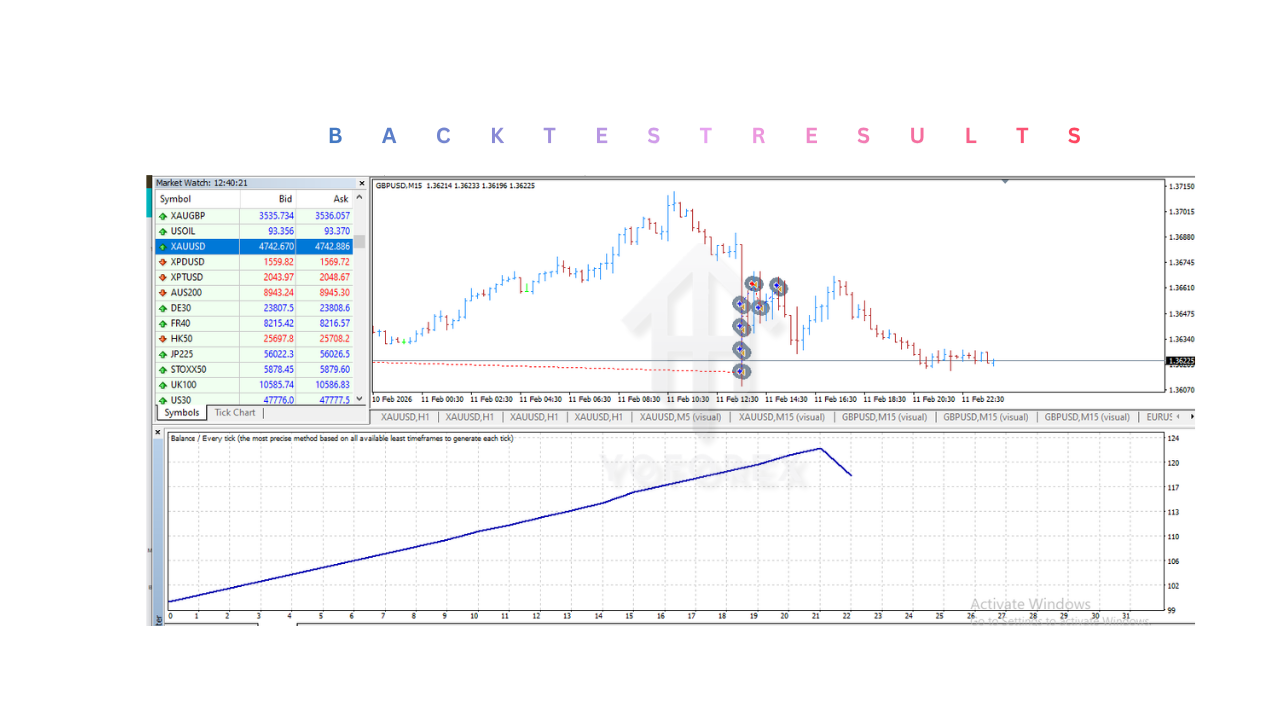
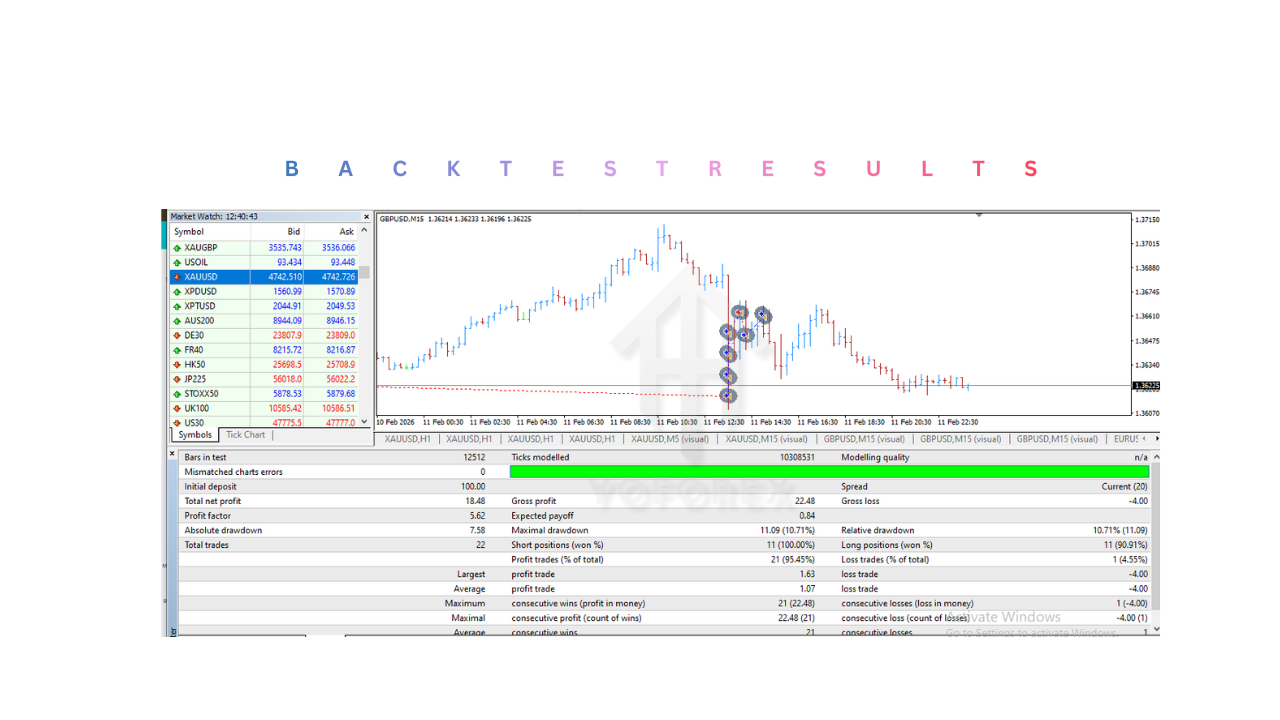
Backtesting Capability
- Can be tested using historical data in MT4
- Helps traders evaluate strategy performance before live deployment
-
User-Friendly Configuration
- Easy-to-adjust input settings
- Suitable for both beginners and experienced traders
-
Low Emotional Dependency
- Removes human bias from trading decisions
- Ensures consistent execution of strategy rules
Installation & Setup Guide
Step 1: Download KP SCALPER PRO EA V1.0 MT4 File
- Obtain KP SCALPER PRO EA V1.0 MT4 file in
.ex4or.mq4format - Ensure the file is compatible with MetaTrader 4
Step 2: Open MetaTrader 4 Platform
- Launch MT4 on your computer
- Log in to your trading account (demo or live)
Step 3: Access Data Folder
- Click on File in the top menu
- Select Open Data Folder
- Navigate to
MQL4→Experts
Step 4: Paste KP SCALPER PRO EA V1.0 MT4 File
- Copy KP SCALPER PRO EA V1.0 MT4 file into the Experts folder
- Restart MetaTrader 4 to load the file
Step 5: Attach to Chart
- Open a chart of your preferred currency pair
- Drag and drop KP SCALPER PRO EA V1.0 MT4 onto the chart
- A settings window will appear
Step 6: Enable Automated Trading
- Go to Tools → Options → Expert Advisors
- Enable:
- Allow automated trading
- Allow DLL imports (if required)
Step 7: Configure Settings
Adjust the following parameters based on your trading preference:
- Lot size (risk per trade)
- Stop loss level
- Take profit level
- Trading hours
- Maximum spread limit
Step 8: Activate Trading
- Click the “AutoTrading” button on MT4
- Ensure smiley face appears on chart (indicating active status).
Advantages
KP SCALPER PRO EA V1.0 MT4 offers several benefits for traders who prefer automated scalping strategies:
-
High-Speed Execution
- Executes trades quickly, essential for scalping success
-
Emotion-Free Trading
- Eliminates fear and greed from decision-making
-
Time Efficiency
- No need for constant chart monitoring
-
Consistent Strategy Execution
- Follows predefined rules without deviation
-
Backtesting Support
- Allows performance testing before real usage
-
Customizable Settings
- Flexible parameters for different risk profiles
-
Suitable for Beginners
- Easy installation and configuration process
-
Market Adaptability
- Can perform in various market conditions when optimized correctly
Disadvantages
Despite KP SCALPER PRO EA V1.0 MT4‘s benefits, there are also limitations that traders should be aware of:
-
High Market Dependency
- Performance may vary during volatile news events
-
Requires Low Spread Environment
- Not suitable for brokers with high spreads or commissions
-
Not Fully Risk-Free
- Like all trading systems, losses are still possible
-
Needs Stable Internet Connection
- Disruptions may affect trade execution
-
Over-Optimization Risk
- Poor parameter tuning can reduce effectiveness
-
Not Ideal for All Market Conditions
- Scalping strategies may struggle in sideways or unpredictable markets
-
Broker Restrictions
- Some brokers may limit scalping or high-frequency trading
KP SCALPER PRO EA V1.0 MT4 represents a powerful automated trading solution designed for scalping-focused traders. KP SCALPER PRO EA V1.0 MT4 leverages algorithmic precision to identify short-term opportunities in the forex market and execute trades with speed and discipline.While KP SCALPER PRO EA V1.0 MT4 offers several advantages such as automation, emotion-free trading, and fast execution, KP SCALPER PRO EA V1.0 MT4 also requires careful configuration and a suitable trading environment to perform effectively. Traders should always test the system on a demo account before deploying it in live markets.Ultimately, KP SCALPER PRO EA V1.0 MT4 can be a valuable tool for those who understand scalping strategies and are willing to manage risk responsibly. It is not a guaranteed profit solution, but rather a structured approach to improving trading efficiency and consistency in fast-moving market conditions.
Support & Disclaimer
Support
If you need help installing or configuring your EA, or face any kind of bug, feel free to reach out on:
WhatsApp: Click here
Telegram Group: Join our community
Disclaimer:
Forex and gold trading involve risk. Past performance doesn’t guarantee future results. Always test robots on demo before live trading and use proper risk management.
REFERRAL
Join the VIP Signals Telegram Channel for real-time expert trading signals and stay ahead in the forex market. Get personalized strategies by becoming a part of our Real Account Management Telegram Channel and optimize your trading experience. If you’re aiming to Pass PropFirm Challenges , join our dedicated channel for tips and proven methods. Start managing your capital effectively with expert advice from our Funded Account Management Telegram Channel. For advanced traders, our HFT EA / Passing Telegram Channel offers high-frequency trading insights and strategies to boost your performance.