Introduction :
In the rapidly evolving world of Forex trading, the demand for sophisticated automated tools has never been higher. Traders are constantly seeking solutions that not only execute trades but also adapt to the dynamic nature of the financial markets. Enter the META i7 EA V1.6 MT5, a cutting-edge expert advisor designed specifically for the MetaTrader 5 platform. This powerful tool represents a significant leap forward in algorithmic trading, utilizing advanced neural networks and artificial intelligence to analyze market structures in real-time.
For traders visiting Yoforex.org, the META i7 EA offers a unique proposition: a system that claims to “learn” from its own performance. Unlike traditional linear robots that follow a static set of rules, this EA is built on a framework of “expectation probabilities.” It allows the software to recognize complex patterns and adjust its strategy to avoid past mistakes. Whether you are a seasoned investor looking to diversify your portfolio or a beginner seeking a reliable hands-free solution, understanding the capabilities of the META i7 EA V1.6 MT5 is the first step toward modernizing your trading approach.
Key features :
The META i7 EA V1.6 MT5 stands out due to its integration of next-generation technology. Here are the core features that define its performance:
-
Neural Network Architecture: At its heart, the EA uses dual cooperative neural networks. These networks work in tandem to evaluate market conditions, making probabilistic decisions rather than relying solely on lagging indicators.
-
Self-Correcting Trade Memory (SCTM): One of the most marketed features of the META i7 EA is its ability to learn. The system analyzes historical trade data and “remembers” market conditions that led to losses, effectively blocking those decision paths in the future.
-
Predictive Market Pattern Recognition (PMPR): The EA is designed to identify trend reversals and liquidity zones before they become apparent to the naked eye. It analyzes volume behavior and institutional reaction patterns to time entries with precision.
-
Adaptive Equity Balancing (AEB): Risk management is dynamic rather than static. The META i7 EA adjusts its lot sizes and risk exposure based on the current volatility of the market, trading more defensively during erratic movements and aggressively during stable trends.
-
GPT-5 Based Control Layer: The V1.6 version includes an advanced AI interface (marketed as a GPT-5 control layer) that acts as a supervisor, validating the decisions made by the neural networks to ensure they align with broader market contexts.
-
Multi-Currency Support: While optimized for major pairs, the logic is robust enough to handle various instruments, including Gold (XAUUSD), provided the settings are tuned correctly.
Recommended settings :
To maximize the potential of the META i7 EA V1.6 MT5, sticking to recommended guidelines is crucial. While the EA is adaptive, it requires a stable environment to function correctly.
-
Platform: MetaTrader 5 (MT5) is mandatory. This EA is not compatible with MT4 due to its complex MQL5 code structure.
-
Timeframe: The META i7 EA is generally flexible, but the H1 (1-Hour) timeframe is often recommended to filter out market noise while still capturing significant trend movements. Some users also report success on M15 for more active scalping.
-
Currency Pairs: The most stable performance is typically seen on major pairs such as EURUSD, GBPUSD, and USDJPY. It is also highly popular for trading XAUUSD (Gold), though this requires higher capital due to volatility.
-
Account Type: An ECN or Raw Spread account is highly recommended. The neural network relies on precise entry and exit points, so low spreads and fast execution are vital.
-
Minimum Deposit: To allow the Adaptive Equity Balancing to work without over-leveraging, a minimum balance of $500 to $1000 is suggested. For safer operation, $2000+ is ideal.
-
Leverage: A leverage of 1:500 is standard to allow the EA sufficient margin to open multiple positions if the strategy calls for it.
Backtest result :
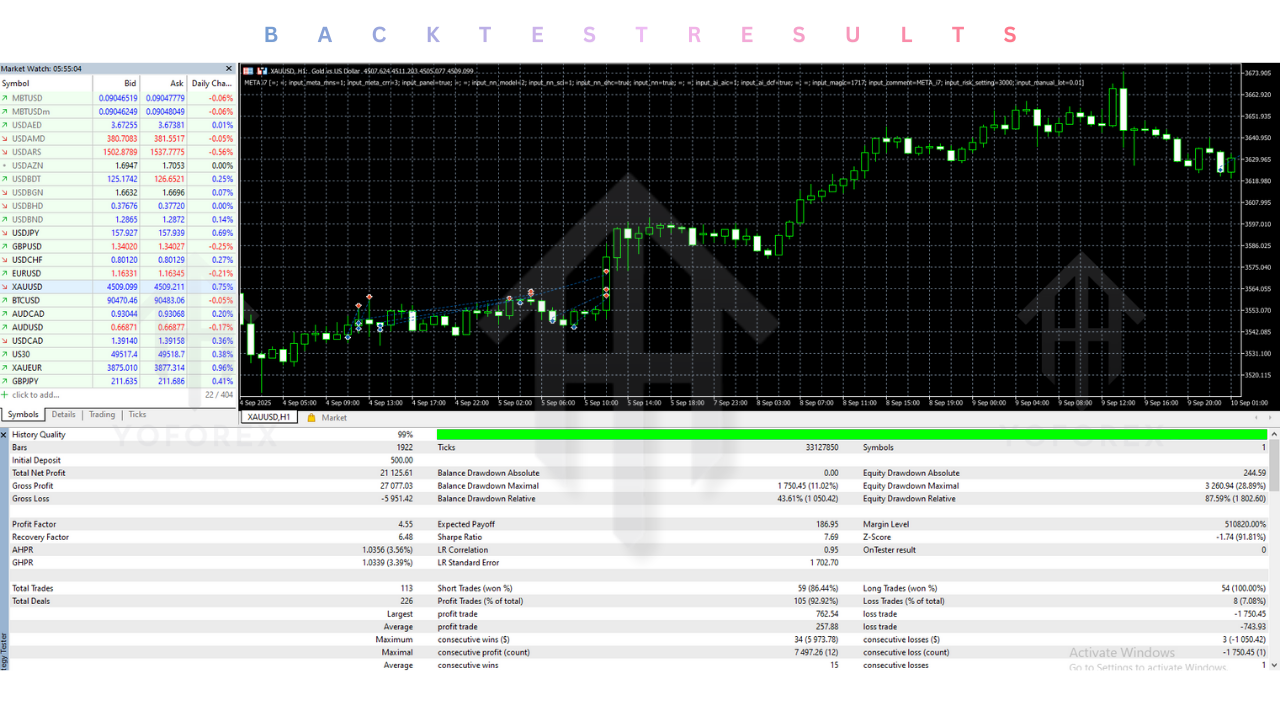
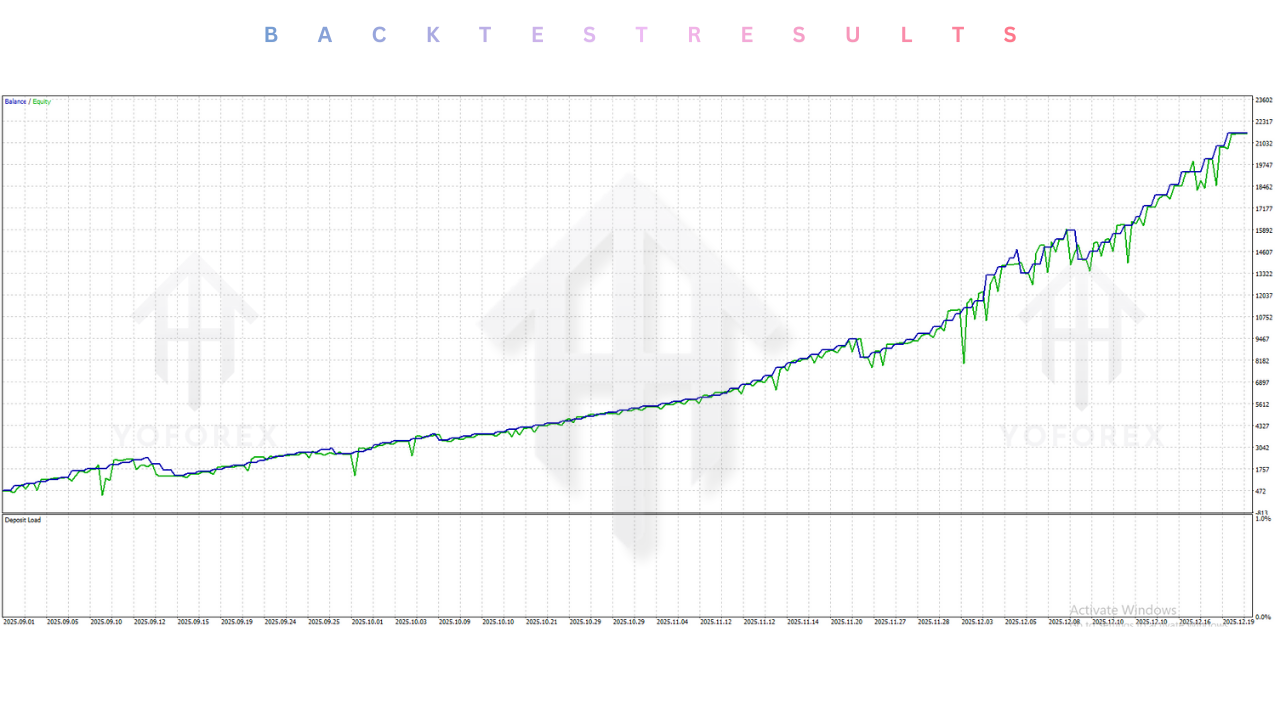
Backtesting the META i7 EA V1.6 MT5 often yields visually stunning results, primarily due to its “learning” engine. In simulation modes, the EA can access historical data to “correct” bad trades, leading to equity curves that appear almost linear with minimal drawdown.
-
Profit Factor: High-quality backtests often show a Profit Factor exceeding 2.0, indicating that the gross profit is double the gross loss.
-
Drawdown: The intelligent risk management modules aim to keep maximum drawdown below 15-20%, ensuring capital preservation even during adverse market cycles.
-
Win Rate: Because the META i7 EA filters out low-probability setups, win rates can be exceptionally high, often ranging between 65% to 80% depending on the aggression settings.
Note: While backtest results for the META i7 EA are impressive, traders should remember that past performance does not guarantee future results. Real-time market conditions such as slippage and variable spreads can affect live performance.
Installation guide :
Installing the META i7 EA on your MT5 platform is a straightforward process. Follow these steps to get started:
-
Download: Obtain the
META i7 EA V1.6.ex5file from the YoForex download section. -
Open Data Folder: Launch your MetaTrader 5 terminal. Go to File > Open Data Folder.
-
Locate Folder: Navigate to the MQL5 folder, then open the Experts subfolder.
-
Copy File: Paste the downloaded
.ex5file into this folder. -
Refresh: Return to your MT5 terminal, right-click on “Expert Advisors” in the Navigator panel (Ctrl+N), and select Refresh. The META i7 EA should now appear in the list.
-
Attach to Chart: Open the chart of your desired currency pair (e.g., EURUSD H1). Drag and drop the EA onto the chart.
-
Allow Permissions: In the settings window that pops up, go to the Common tab. Ensure that “Allow Algo Trading” is checked. If the EA uses external libraries, check “Allow DLL imports” (refer to specific download notes if this is required for V1.6).
-
Configure Inputs: Adjust lot sizes and risk settings in the Inputs tab according to your account balance.
-
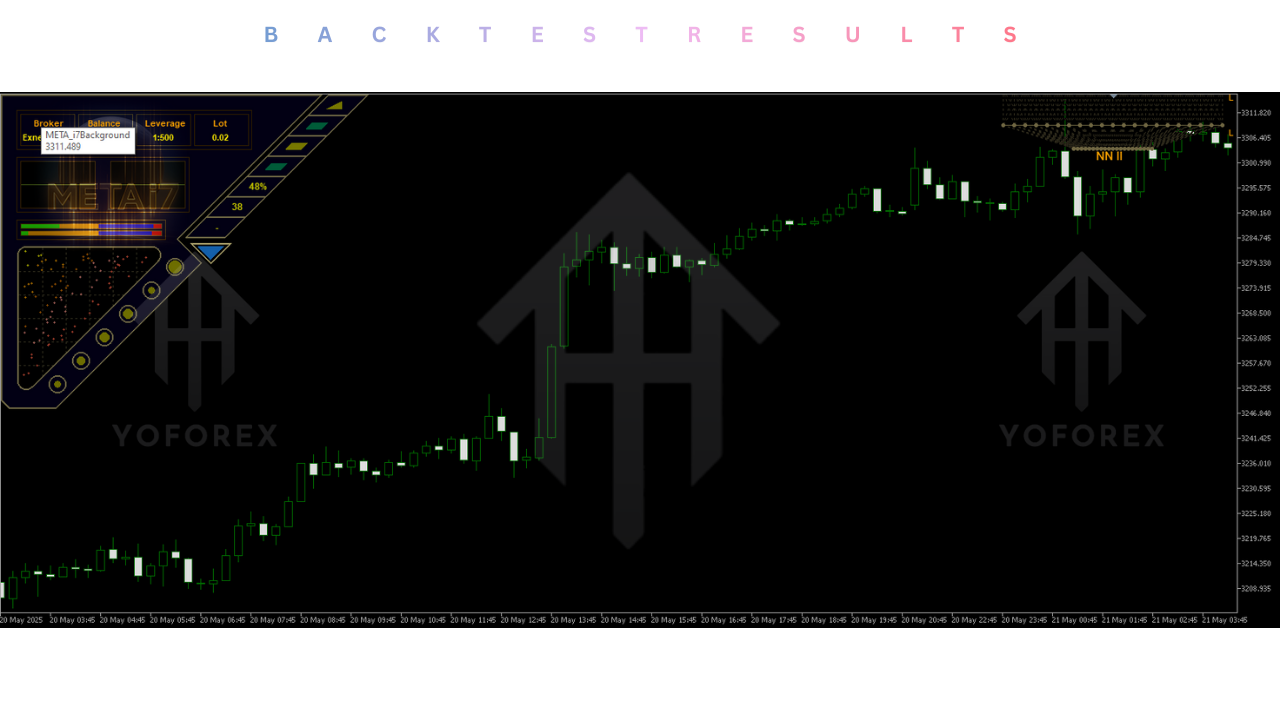
Activate: Click OK. Ensure the “Algo Trading” button on the top toolbar is green. You should see a smiley face or a dashboard confirming the EA is running.
Advantage :
-
Emotionless Trading: The META i7 EA removes the psychological stress of trading, executing orders based on logic and probability rather than fear or greed.
-
Continuous Learning: Unlike static bots, this EA adapts to changing market conditions, potentially increasing its longevity and profitability over time.
-
Time-Saving: It operates 24/5, monitoring the markets around the clock so you don’t have to.
-
Advanced Risk Management: The AEB system protects your capital by reducing risk during dangerous volatility, a feature often missing in cheaper EAs.
-
User-Friendly: Despite its complex internal code, the user interface and setup process are simple enough for beginners.
Disadvantage :
-
Technical Requirements: To ensure the neural network runs without interruption, a high-quality VPS (Virtual Private Server) is strictly recommended. Home PC downtime can disrupt its “learning” flow.
-
Black Box Nature: As with many proprietary AI tools, the exact logic behind specific trades is hidden. Traders must trust the META i7 EA without fully seeing the “why” behind every decision.
-
Market Shocks: While smart, no EA is immune to “Black Swan” events or massive geopolitical news that can cause instant, erratic price spikes.
-
Optimization Risk: There is a risk that the “learning” feature in backtests creates an over-optimized result that may not perfectly translate to future live market data.
Conclusion :
The META i7 EA V1.6 MT5 is a formidable tool in the arsenal of any modern trader. Its blend of neural network technology and adaptive risk management sets it apart from the crowd of standard indicators and grid bots. For users of Yoforex.org, this EA represents an opportunity to leverage institutional-grade technology in their personal trading accounts.
While no system guarantees infinite wealth, the META i7 EA offers a robust, intelligent, and highly automated approach to the markets. By following the recommended settings and ensuring a stable trading environment, users can aim for consistent growth while minimizing manual workload. If you are ready to embrace the future of AI-driven trading, the META i7 EA is certainly worth testing.
Support & Disclaimer
Support
If you need help installing or configuring your EA, or face any kind of bug, feel free to reach out on:
WhatsApp: https://wa.me/+443300272265
Telegram Group: https://t.me/yoforexrobot
Disclaimer:
Forex and gold trading involve risk. Past performance doesn’t guarantee future results. Always test robots on demo before live trading and use proper risk management.
Referral
Join the VIP Signals Telegram Channel for real-time expert trading signals and stay ahead in the forex market. Get personalized strategies by becoming a part of our Real Account Management Telegram Channel and optimize your trading experience. If you’re aiming to Pass PropFirm Challenges , join our dedicated channel for tips and proven methods. Start managing your capital effectively with expert advice from our Funded Account Management Telegram Channel. For advanced traders, our HFT EA / Passing Telegram Channel offers high-frequency trading insights and strategies to boost your performance.