Unlock Market Clarity with the MTF ZONE Indicator V2.0 for MT4: Your Ultimate Multi-Timeframe Trading Companion
In the fast-paced world of Forex trading, seeing the bigger picture while acting on precise signals is the holy grail. Traders often struggle with conflicting signals across different timeframes, leading to hesitation, missed opportunities, or costly mistakes. Enter the MTF ZONE Indicator V2.0 for MetaTrader 4 (MT4) – a powerful, visually intuitive tool designed to cut through the noise and provide a unified view of market momentum and potential reversal zones across multiple timeframes. This isn’t just another indicator; it’s a strategic framework designed to enhance your decision-making process.
What is the MTF ZONE Indicator V2.0?
At its core, the MTF ZONE Indicator V2.0 is a Multi-Timeframe (MTF) momentum and support/resistance identification tool. It analyzes price action and momentum across several user-defined timeframes simultaneously and displays this consolidated information directly on your main chart. The “ZONE” aspect refers to its ability to highlight areas where momentum is strong (either bullish or bearish) and where potential price reversals or continuations might occur, based on confluence across timeframes.
Unlike traditional indicators that only show data for the single timeframe you’re viewing, the MTF ZONE V2.0 aggregates insights from higher timeframes (like H4, D1, W1) and overlays them onto your current chart (whether it’s M5, M15, H1, etc.). This provides crucial context: Is the daily trend strongly bullish while the 15-minute chart shows a pullback? The indicator makes this relationship instantly visible.
How Does It Work? The Magic of Multi-Timeframe Confluence
The genius of the MTF ZONE Indicator V2.0 lies in its synthesis of multiple data streams:
- Momentum Calculation: It calculates momentum (often using derivatives of RSI, Stochastic, or similar oscillators) for each selected timeframe.
- Zone Identification: Based on these momentum readings, it identifies:
- Overbought Zones: Areas where momentum is extremely high, suggesting potential exhaustion and a possible bearish reversal or pullback.
- Oversold Zones: Areas where momentum is extremely low, suggesting potential capitulation and a possible bullish reversal or bounce.
- Neutral Zones: Areas where momentum is balanced, indicating consolidation or uncertainty.
- MTF Aggregation: It then combines these zone readings from all selected timeframes into a single, easy-to-interpret visual output on your chart.
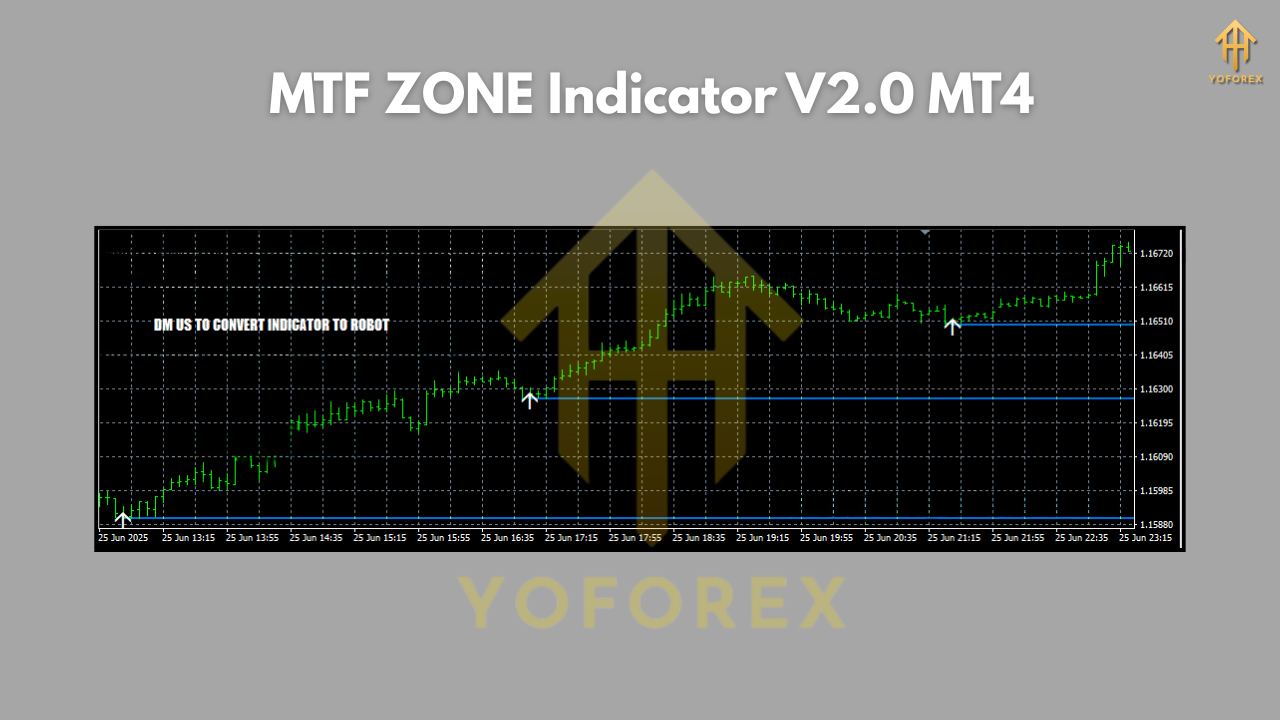
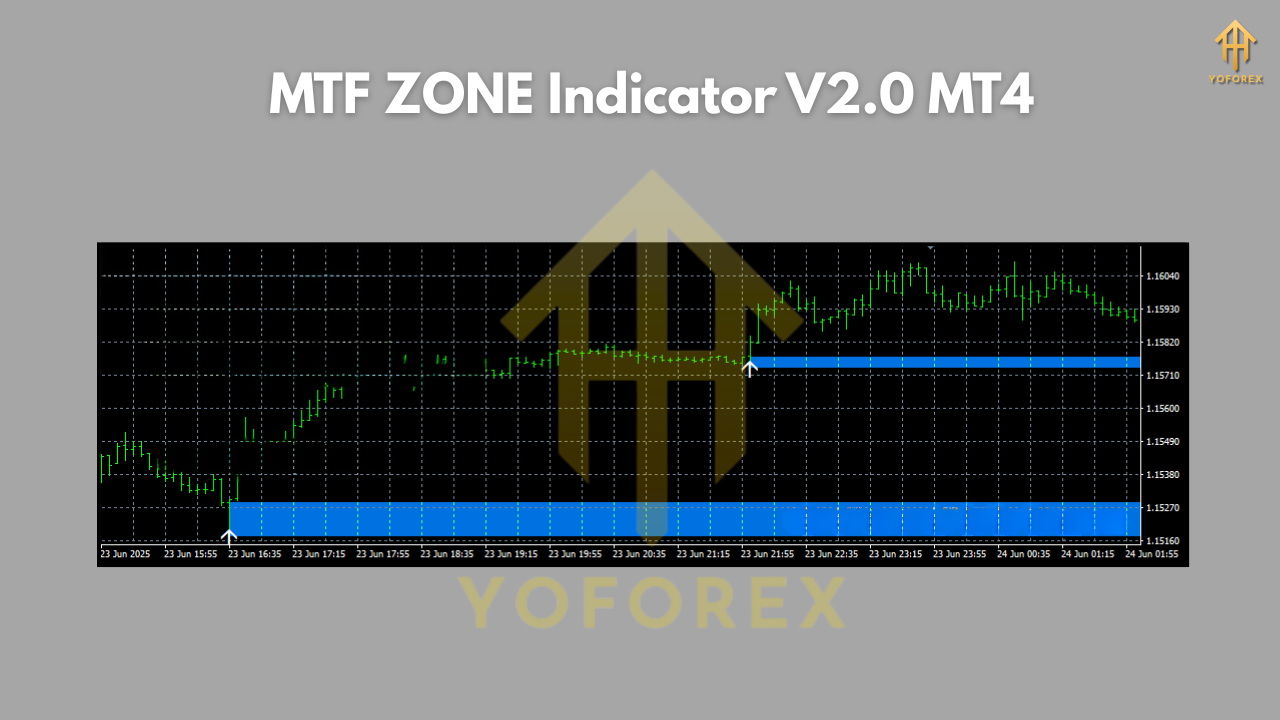
- Visual Representation: The indicator typically displays colored bands, rectangles, or background shading directly on the price chart. For example:
- A strong green zone might indicate confluence for bullish momentum (e.g., H4, D1, and current timeframe all showing bullish momentum).
- A strong red zone might indicate confluence for bearish momentum.
- Yellow or orange zones might indicate mixed signals or neutral conditions.
- Darker shades often represent stronger agreement (confluence) across more timeframes.
Key Features of MTF ZONE Indicator V2.0: Why It Stands Out
The V2.0 iteration brings significant enhancements over its predecessor and many competing MTF tools:
- True Multi-Timeframe Flexibility: Users can select any combination of timeframes to monitor (e.g., M5, M15, H1, H4, D1). This customization allows tailoring the indicator to your specific trading style (scalping, day trading, swing trading).
- Dynamic Zone Visualization: The zones aren’t static; they update in real-time as price action evolves across all monitored timeframes. This provides a living, breathing view of market sentiment.
- High Confluence Highlighting: V2.0 excels at emphasizing moments when multiple timeframes align in the same direction (e.g., 3 or 4 timeframes all signaling overbought). This is often where the highest probability trading opportunities arise.
- Customizable Parameters: Adjust sensitivity levels, the lookback period for momentum calculations, colors for different zones, and which timeframes are displayed. This allows fine-tuning for different assets and market conditions.
- Non-Repainting (Crucial!): Reliable indicators don’t repaint past signals. The MTF ZONE V2.0 is designed to provide stable signals once a bar closes, giving you confidence in your analysis.
- Clean & Uncluttered Interface: Despite processing complex data, it presents information clearly without overwhelming your chart with unnecessary lines or clutter. Focus remains on price action.
- Alert System (Often Included): Many versions come with built-in pop-up, sound, or email/push notifications when a zone changes significantly or when high confluence is detected, ensuring you never miss a potential setup.
How to Use the MTF ZONE Indicator V2.0: A Practical Guide
- Installation: Download the indicator file (usually a .ex4) and place it in your MT4’s
Indicatorsfolder (File > Open Data Folder > MQL4 > Indicators). Restart MT4, and it will appear in the Navigator panel under “Indicators.” - Applying to Chart: Drag the indicator onto your desired chart (e.g., EURUSD M15).
- Configuration (Inputs Tab): This is where you customize:
- Timeframes to Monitor: Select the higher timeframes relevant to your strategy (e.g., for M15 trading, include M15, H1, H4).
- Momentum Period: Adjust the lookback period for the underlying momentum calculation (default is often 14, similar to RSI).
- Overbought/Oversold Levels: Set the thresholds (e.g., 70/30, 80/20) that define the zones. Tighter levels mean fewer, potentially stronger signals.
- Colors: Customize colors for bullish, bearish, neutral, and high-confluence zones for clarity.
- Alert Settings: Enable/disable alerts and set thresholds for triggering them.
- Interpreting the Display:
- Strong Green Zone (High Confluence Bullish): Indicates robust upward momentum across multiple timeframes. Look for buying opportunities on pullbacks within this zone, or be cautious about shorting. Avoid taking short signals here.
- Strong Red Zone (High Confluence Bearish): Indicates strong downward momentum across multiple timeframes. Look for selling opportunities on rallies within this zone, or be cautious about buying. Avoid taking long signals here.
- Mixed/Neutral Zone (Yellow/Orange): Indicates conflicting signals or balanced momentum. This is often a period of consolidation or uncertainty. Exercise caution; wait for a breakout into a colored zone or look for other confirmations before entering trades.
- Zone Transitions: Pay close attention when the chart moves out of a strong colored zone (e.g., green fading to yellow). This can signal momentum exhaustion and a potential trend change or deep pullback. Conversely, price moving into a strong colored zone confirms momentum strength.
- Confirmation is Key: The MTF ZONE is a powerful context tool, not a standalone signal generator. Always combine its readings with:
- Price Action: Candlestick patterns (pin bars, engulfing bars), support/resistance levels, trendlines.
- Other Indicators: Volume, moving averages (for trend direction), or specific entry/exit tools.
- Fundamental Factors: Especially for longer-term trades.
Integrating MTF ZONE V2.0 into Your Trading Strategies
- Trend Filtering (The “Big Picture” Check): Before taking any trade on your lower timeframe (e.g., M5), glance at the MTF ZONE. If the D1 and H4 zones are strongly red, taking only short trades on the M5 aligns you with the dominant higher timeframe momentum. Avoid fighting the major trend.
- Pullback Trading in a Trend: In a strong D1/H4 green zone, wait for the M15 or H1 chart to pull back into a yellow/neutral zone or even a brief red zone. Look for bullish price action confirmation (e.g., bullish engulfing) near support within that pullback to enter long, targeting the previous highs.
- Reversal Trading (High Risk/Reward): When price has been in a strong red zone (D1/H4) for an extended period and finally breaks out into a yellow/neutral zone, watch for signs of reversal on the lower timeframe (e.g., M30/H1). A move into a green zone on the lower timeframe, confirmed by price action, can signal a potential major trend change. Use tight stops.
- Breakout Confirmation: If price is consolidating near a key level (identified by support/resistance or chart pattern) and the MTF ZONE starts showing increasing confluence (e.g., yellow turning to green) across timeframes as price breaks out, it adds significant weight to the breakout’s validity.
- Avoiding Bad Trades: The indicator excels at keeping you out of low-probability setups. If the MTF ZONE shows strong red across H4/D1, but your M5 chart shows a bullish signal – ignore the M5 signal. The higher timeframe momentum is overwhelmingly against it.
Pros and Cons: A Balanced View
Pros:
- Unparalleled Context: Provides instant, multi-timeframe momentum context impossible to get manually.
- Reduced Noise: Filters out conflicting signals, highlighting high-confluence opportunities.
- Enhanced Decision-Making: Helps align trades with the dominant higher timeframe trend.
- Versatility: Adaptable to scalping, day trading, and swing trading strategies.
- Visual Clarity: Easy-to-interpret zones reduce analysis time and mental fatigue.
- Objective Framework: Removes some emotional bias from timeframe interpretation.
Cons:
- Not a Holy Grail: Still requires confirmation from price action and other tools. False signals can occur, especially in choppy markets.
- Lagging Nature: Like all momentum-based indicators, it reacts to price moves, it doesn’t predict them. Zones change after price movement.
- Parameter Sensitivity: Poorly chosen settings (e.g., too many timeframes, inappropriate OB/OS levels) can lead to confusion or missed signals.
- Learning Curve: Understanding the nuances of confluence and zone transitions takes practice.
- Potential for Over-reliance: Traders might neglect other crucial aspects of analysis (fundamentals, pure price structure).
Conclusion: Elevate Your Trading Perspective
The MTF ZONE Indicator V2.0 for MT4 is more than just a technical tool; it’s a paradigm shift in how you view the markets. By seamlessly integrating momentum analysis across multiple timeframes into a single, intuitive visual display, it empowers traders to make more informed, context-rich decisions. It helps you trade with the higher timeframe momentum, avoid fighting it, and identify high-probability setups where confluence aligns.
While it demands practice, confirmation, and sound risk management, the MTF ZONE V2.0 addresses a core challenge faced by traders: reconciling different timeframe signals. It cuts through complexity, providing clarity on where the real market momentum lies. If you’re tired of being whipsawed by conflicting indicators or missing the bigger trend, integrating the MTF ZONE Indicator V2.0 into your MT4 arsenal could be the transformative step your trading strategy needs. Embrace the power of Confluence and trade with the confidence that comes from seeing the complete market picture.