Introduction: Why a Specialized Scalping EA Matters
In modern forex and gold trading, speed, consistency, and discipline matter more than ever. Markets move in milliseconds, spreads can widen without warning, and emotional decisions often destroy even the best manual strategies. That’s exactly where Pips Hunter EA V2.2 MT5 steps in as a specialized, rule-based solution.
Instead of staring at charts for hours, waiting for the “perfect” entry that never seems to appear, traders are increasingly relying on automated systems that monitor price 24/5 and execute trades the moment conditions align. A well-built system like Pips Hunter EA doesn’t get tired, doesn’t panic, and doesn’t chase the market out of fear of missing out. It simply follows the logic that has been coded and tested into it.
This Expert Advisor is designed for the MetaTrader 5 platform and focuses on short-term intraday trades, mainly on major forex pairs and XAUUSD (gold). The goal is not random high-frequency trading, but structured scalping: small but frequent profits, controlled risk per position, and clear exit rules. Instead of hoping for one huge win, the strategy aims to accumulate pips day after day.
In this detailed guide, you’ll learn exactly what Pips Hunter EA V2.2 MT5 is designed to do, how it works, the core strategy it follows, which account types it suits, how to install and configure it, and how you can adapt it for personal or prop-firm use. By the end, you’ll have a complete technical and practical understanding of how to make this EA fit into your overall trading plan.
What Is Pips Hunter EA V2.2 MT5?
At its core, Pips Hunter EA V2.2 MT5 is an automated trading robot (Expert Advisor) for MetaTrader 5 that focuses on scalping and short-term intraday trades. It is built to detect precise entries based on trend direction, volatility, and price action filters, then manage trades using predefined stop loss, take profit, and trailing systems.
Rather than gambling on big moves, this system seeks:
- Multiple small to medium-sized trades per day
- Clear stop loss protection for every position
- Smart trade management using partial closures or trailing
- Reduced emotional involvement from the trader
In typical usage, the EA works best on:
- Pairs: XAUUSD (Gold), major FX pairs like EURUSD, GBPUSD, USDJPY, and sometimes volatile crosses
- Timeframes: M5, M15, and M30, depending on risk appetite and broker conditions
- Style: Trend-following scalper with pullback entries and volatility filters
The “V2.2” tag suggests that Pips Hunter EA has gone through previous versions and refinements. The objective of this version is better entry accuracy, smarter exit logic, and improved stability under different market conditions such as trending phases, small consolidations, and short volatility spikes.
Why Forex Traders Choose Pips Hunter EA
Most traders come to a system like Pips Hunter EA for one main reason: they are tired of emotional, inconsistent trading. Manually trading a scalping strategy is extremely demanding; you must be in front of the screen during high-impact sessions, react instantly to signals, and still stick to your plan without over-trading.
This is hard in real life. That’s why a systematic tool becomes so attractive:
- Consistency of Execution: The entries and exits are based on fixed rules. If the conditions match, the EA acts; if not, it waits. There’s no second-guessing or last-minute hesitation.
- 24/5 Monitoring: You can’t stay awake for all sessions, but the EA can monitor London, New York, and Asia. It doesn’t miss setups, especially during volatile moments when spreads are acceptable.
- Realistic, Measurable Edge: With an EA, you can backtest, forward test, and review trade logs to see if your strategy is genuinely profitable over a large sample of trades. That gives you a data-driven foundation instead of gut feeling.
- Reduced Emotional Stress: Even with risk, a rule-based system like Pips Hunter EA reduces emotional overload. You focus on configuration, risk management, and performance analysis instead of every tick.
For traders who want a structured, repeatable approach that aligns with intraday scalping and strict risk rules, this kind of EA often becomes a central component of their trading toolbox.
How Pips Hunter EA V2.2 MT5 Works Under the Hood
To truly use Pips Hunter EA V2.2 MT5 effectively, it helps to understand the underlying logic and structure of its strategy. While exact internal formulae will differ from one developer to another, a robust scalping EA generally follows a layered logic:
Trend Detection Layer
- Uses moving averages, trend filters, or price channel direction to define if the market is bullish, bearish, or ranging.
- Only takes buy trades in aligned bullish conditions and sell trades in aligned bearish conditions, avoiding trades against the dominant move.
Entry Confirmation Layer
After trend is defined, the EA looks for:
- Pullbacks to dynamic support/resistance zones
- Price reactions near recent highs/lows or local liquidity areas
- Candlestick confirmations like rejections, pin bars, or breakout candles
When multiple conditions align, Pips Hunter EA issues a buy or sell signal.
Volatility & Spread Filter Layer
Scalping needs decent volatility with acceptable spread. The EA typically checks:
- Spread not exceeding a pre-defined maximum
- Volatility not being too low (dead market) or too extreme (news spikes)
If conditions are not suitable, it pauses entries.
Trade Management Layer
Once a trade is open, the EA automates:
- Stop loss placement at a logical technical level
- Take profit targeting a reasonable risk-to-reward ratio (often 1:1.2, 1:1.5, or similar)
- Optional trailing stop that moves in steps as price progresses
- Optional partial closures to lock in profit while leaving a smaller position to run
Safety & Recovery Layer
Professional EAs try to avoid dangerous martingale or unlimited grid growth. Instead, they may limit:
- Maximum number of trades per symbol
- Maximum floating drawdown as a % of balance/equity
- Hard equity stop levels that shut down trading if loss limit is hit
This combination allows Pips Hunter EA to operate intelligently in different markets while still being governed by the risk parameters you set.
Key Features of Pips Hunter EA V2.2 MT5
A well-designed EA is not just about entries and exits; it is also about usability, flexibility, and protection features. Pips Hunter EA V2.2 MT5 typically includes a wide range of parameters so you can adapt it to your risk profile and broker conditions.
1. Multi-Pair & Multi-Timeframe Support
- Works on major forex pairs (EURUSD, GBPUSD, USDJPY, USDCAD, AUDUSD, etc.)
- Can be optimized separately for XAUUSD (gold) for traders who like metal volatility
- Supports M5, M15, and M30 charts depending on how aggressively you want to trade
2. Purely Automated Scalping Logic
-
- Fully automated entries and exits
- No need for manual confirmation once the EA is configured
- Can run on a VPS for 24/5 continuous operation
3. Built-In Money Management
- Fixed lot size or automatic lot calculation based on percentage risk per trade
- Configurable maximum lot per pair and per account
- Equity protection modes to disable trading if drawdown exceeds a user-defined level
4. Advanced Exit Logic
- Static or dynamic stop loss and take profit
- Step-based trailing stop or ATR-based trailing for volatility adaptive exits
- Break-even feature to move stop loss to entry once a certain profit is reached
5. News & Session Filters (Depending on Version)
- Option to filter trades around high-impact news time (if integrated with external news data or a manual time window)
- Session filters to limit trading to London and New York sessions where spreads and volatility are generally more favorable
6. Clean Dashboard & Alerts
- On-chart panel showing:
- Current spread
- Active trades and profit
- Overall daily result
- Optional notifications via terminal alerts, email, or mobile push (if enabled in MT5)
Overall, Pips Hunter EA V2.2 MT5 aims to balance power, flexibility, and safety, allowing both aggressive and conservative traders to tailor the behavior of the system.
Best Market Conditions for This EA
Even a strong system like Pips Hunter EA performs best in specific environments. Understanding these conditions helps you align expectations and avoid running the EA in the wrong market.
Moderate to High Volatility
- Ideal during active parts of London and New York sessions.
- Targets intraday moves of 10–50 pips or more, depending on the pair and timeframe.
Clean Trending or Controlled Ranging Markets
- Works well when price respects trend channels or clean support/resistance zones.
- Like most scalpers, choppy and random spikes can reduce performance.
Reasonable Spreads & Commissions
- ECN or raw spread accounts are usually preferred.
- Brokers with very wide spreads on gold or exotic pairs are less favorable.
Stable Connection & Low Latency
- Running the EA on a VPS near your broker’s trading server improves execution.
- Avoid unstable internet connections, as scalpers require consistent order handling.
If you run the system where spreads are tight, slippage is limited, and volatility is healthy, you give Pips Hunter EA the environment it needs to execute its edge.
Account Type, Capital & Broker Recommendations
To get the most from this type of system, you need to match Pips Hunter EA with a suitable account and broker.
1. Recommended Account Types
- ECN / Raw Spread account: Tight spreads and separate commission.
- Hedging allowed: So that trades can be managed flexibly when multiple positions are open.
- 5-digit pricing: Provides accurate pip calculation and narrower step sizes.
2. Recommended Initial Deposit
Exact amounts depend on risk, but examples might be:
- Conservative:
- $300–$500 minimum
- 0.01–0.03 lots on major pairs
- Moderate:
- $500–$1000
- 0.03–0.08 lots depending on risk per trade
- Aggressive / prop-style:
- $2,000+ or prop account challenge sizes
- Higher lot sizes, but always using percentage-based risk
3. Leverage
- 1:100 to 1:500 leverage gives room for proper stop placement and margin usage.
- Avoid running maximum risk even if leverage is high. Leverage is a tool, not a signal to over-risk.
4. Broker Quality
- Look for:
- Regulated brokers
- Fast order execution
- Competitive spreads on majors and gold
- Good reputation for withdrawals and customer support
Matching Pips Hunter EA with a quality ECN broker and realistic capital base dramatically affects real-world performance.
Recommended Settings for Pips Hunter EA V2.2 MT5
While every account is different, there are common configuration principles that help Pips Hunter EA V2.2 MT5 run smoothly.
1. Risk & Lot Size Settings
Risk_Percent:
- Conservative: 0.5% – 1% per trade
- Moderate: 1% – 2% per trade
- Aggressive: 3% – 5% per trade (not advised for prop challenges)
Fixed_Lot:
- Use only if you prefer manual control and understand the risk.
- For small accounts, 0.01 or 0.02 lots per pair is reasonable to start.
Max_Open_Trades:
- 3–5 trades per symbol to prevent over-exposure
- Total trades limit across all pairs, e.g., 8–10 maximum
2. Entry Filter Settings
Trend_Filter:
- Enabled to ensure trades go with the overall direction.
- Timeframe used for filter can be H1 or H4.
Pullback_Sensitivity:
- Higher values = fewer but more filtered trades
- Lower values = more entries but possibly more noise
Spread_Filter:
- Set maximum spread in points appropriate for your pair:
- Majors: 15–25 points (1.5–2.5 pips)
- Gold: 300–500 points (0.30–0.50) depending on broker pricing
3. Stop Loss & Take Profit
Stop_Loss_Points:
- Enough room to survive normal pullbacks but not too wide to destroy R:R
- Example: 150–300 points on majors; 1000–2000 points on gold
Take_Profit_Points:
- Often set slightly larger than stop loss or around equal
- Example: 200–400 points on majors; 1500–2500 points on gold
Trailing_Stop & BreakEven:
- Enable trailing once price moves at least 50% towards TP
- Move stop to break-even after a certain profit level to protect equity
These parameters give you a strong starting template. Then you can fine-tune Pips Hunter EA V2.2 MT5 through backtesting and forward testing for each pair.
Risk Management & Drawdown Control
No system is perfect; there will always be losing trades and periods when performance slows. The difference between survival and blowing an account comes from risk management. With Pips Hunter EA, smart control is non-negotiable.
Key Risk Principles
Use Percentage Risk, Not Random Lot Sizes
Decide a fixed % of equity per trade (e.g., 1%) and let the EA calculate lots automatically. This keeps risk proportional to your account size.
Limit Simultaneous Exposure
Avoid running too many correlated pairs at high risk. For example, trading EURUSD, GBPUSD, and EURGBP all at large sizes increases exposure to EUR and GBP volatility.
Set a Daily or Weekly Loss Limit
Configure equity protection or manually monitor:
- Example: Stop trading if daily loss reaches 3%–5% of equity.
- Let the EA rest after a streak of losses instead of chasing recovery.
Avoid Over-Optimization Trap
Extremely optimized settings can look perfect in backtesting but fail live. Prefer robust parameters that work acceptably across different years.
By respecting these principles, you’ll give Pips Hunter EA room to operate, while ensuring account survival during difficult phases.
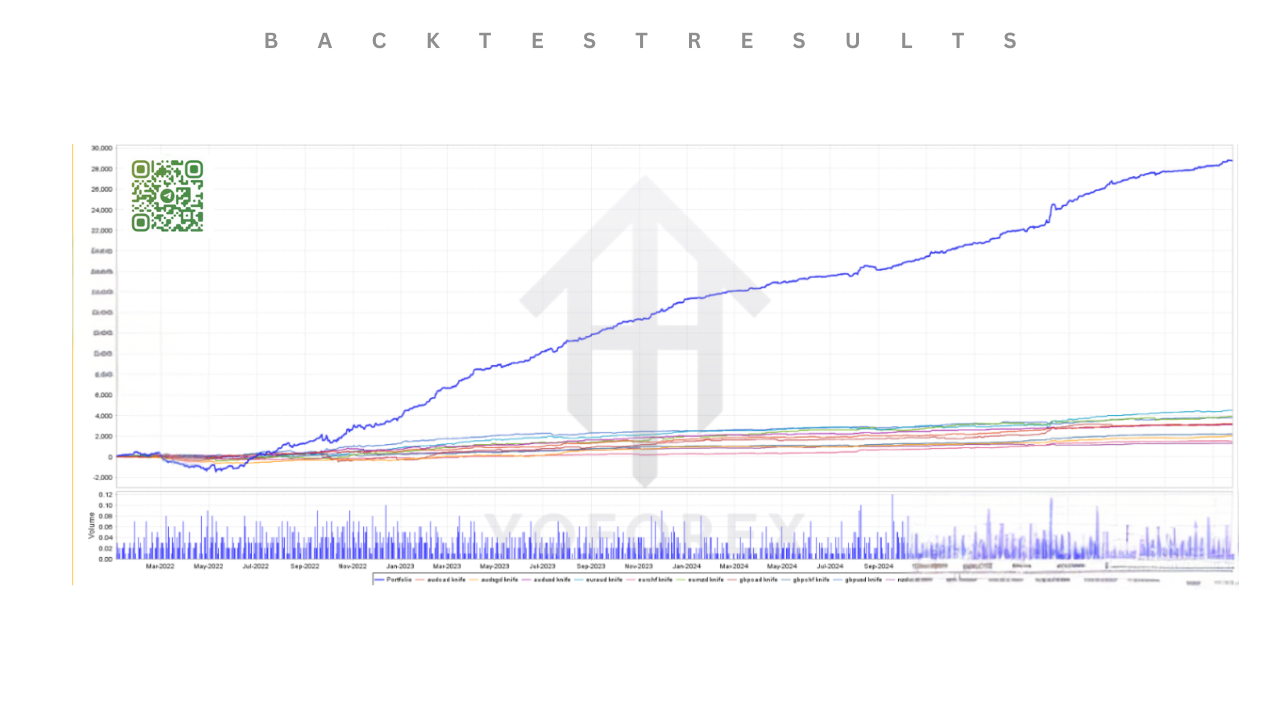
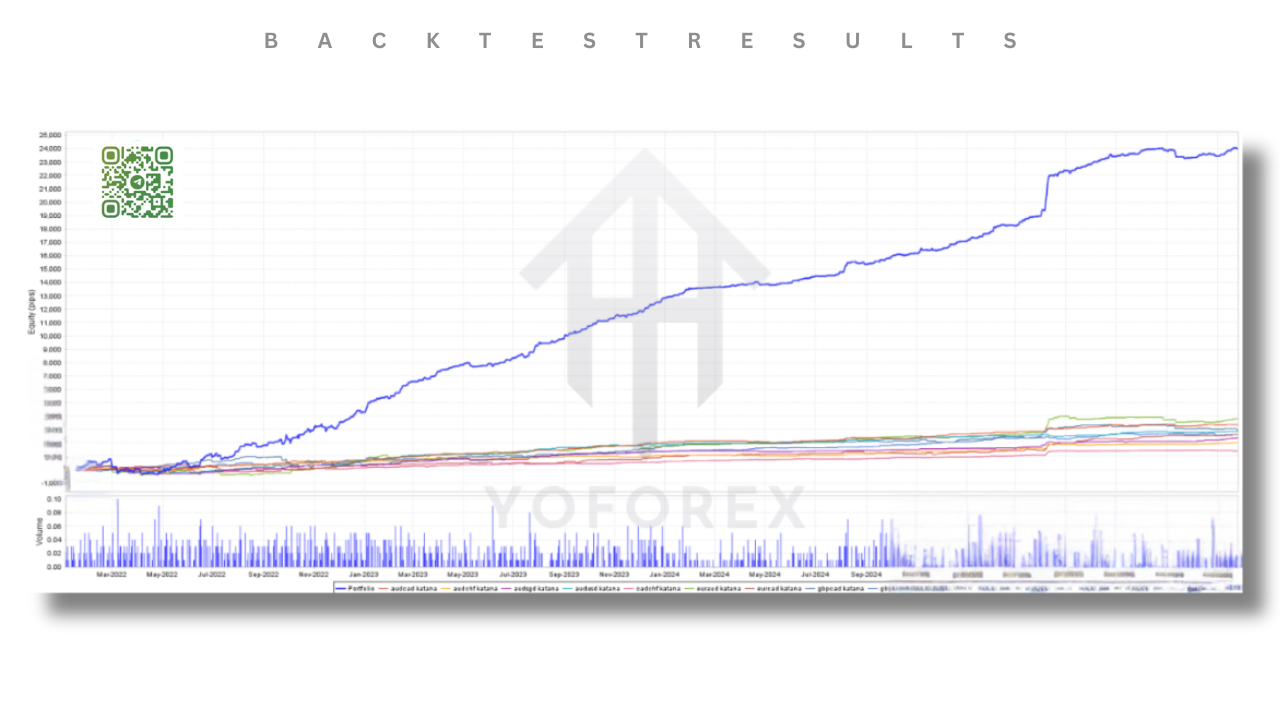
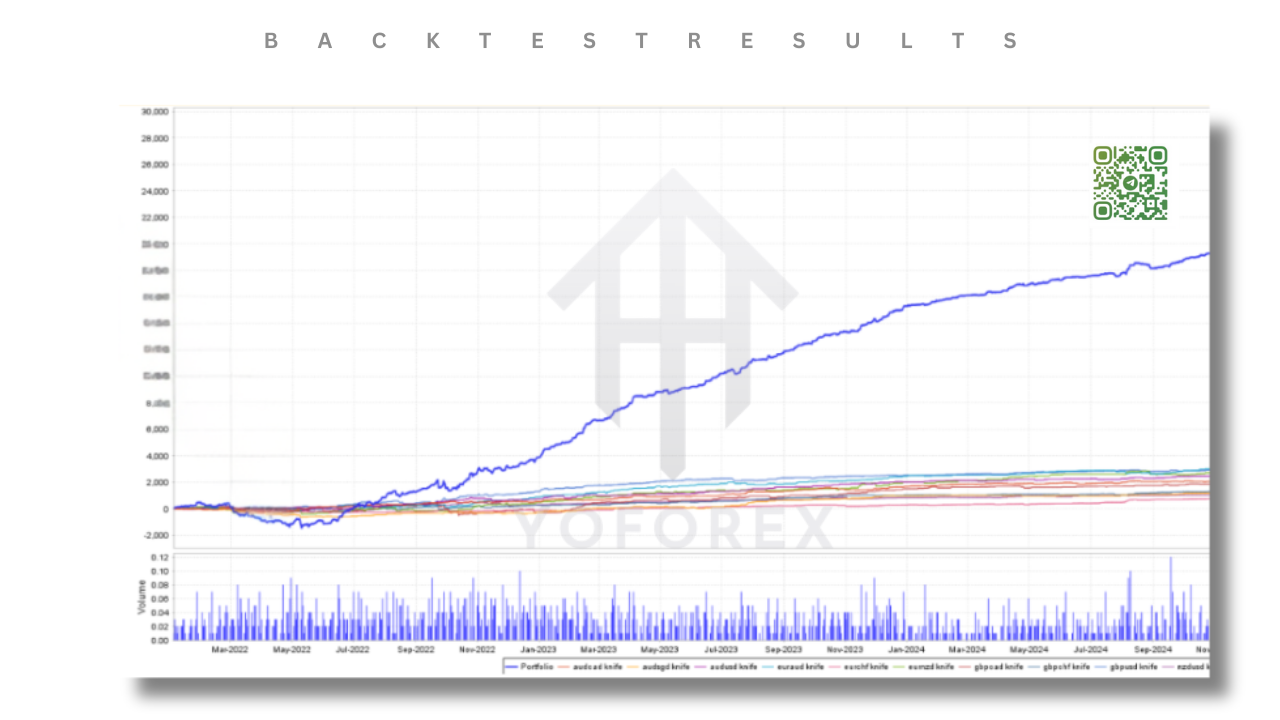
Backtesting & Performance Analysis of Pips Hunter EA
Backtesting is essential for understanding how Pips Hunter EA behaves across market cycles and black swan conditions. Instead of relying on a handful of trades, you should look at long historical periods.
How to Run a Quality Backtest
Use Quality Historical Data
- 99% modeling quality where possible
- Realistic spreads and commissions
- Include slippage if your platform supports it
Test Across Multiple Years
- Ideally 3–5 years of data for each pair
- Include different environments: trending markets, ranging periods, high-impact news phases, and low volatility stretches
Focus on Key Metrics
- Net profit over full period
- Maximum drawdown (% and monetary)
- Profit factor and win rate
- Average reward-to-risk ratio
- Number of trades – more trades provide more statistical reliability
Walk-Forward & Out-of-Sample Testing
- Optimize on one period, then test on a different period without re-optimizing
- This shows how Pips Hunter EA generalizes to new market phases
After backtesting, forward testing on a demo or small live account confirms whether real-time execution and slippage still allow the EA to perform close to the backtest expectations.
Step-by-Step Installation Guide for MT5
Setting up Pips Hunter EA on MetaTrader 5 is straightforward if you follow the steps carefully.
Copy the EA File
- Download the
.ex5or.mq5file. - In MT5, go to File → Open Data Folder.
- Navigate to MQL5 → Experts and paste the EA file there.
Restart MetaTrader 5
- Close and reopen MT5 so it recognizes the new Expert Advisor.
- After restart, check the Navigator → Experts section for the EA name.
Attach the EA to a Chart
- Open the desired chart (e.g., XAUUSD M15).
- Drag Pips Hunter EA from the Navigator onto the chart.
- A settings window will appear.
Enable Auto Trading & Inputs
- In the Common tab, allow live trading and DLL imports if required.
- In the Inputs tab, configure risk, lot size, pairs, filters, and other parameters.
- Click OK to attach the EA.
Turn On Algo Trading
- Make sure the “Algo Trading” or “AutoTrading” button in MT5 is enabled (green).
- You should see a happy face or active status in the top-right corner of the chart.
Monitor Initial Trades
- Let the EA run during active sessions and monitor the first days closely.
- Make minor adjustments to risk or filters if needed.
Once properly installed, Pips Hunter EA can run on your live or demo account with minimal manual intervention.
Optimizing & Forward Testing the EA
Even though Pips Hunter EA V2.2 MT5 is pre-configured with sensible defaults, you can enhance performance by carefully optimizing and testing.
1. Symbol-By-Symbol Optimization
Each pair behaves differently; volatility, spread, and session activity vary. Run optimizations for:
- EURUSD on M5 and M15
- GBPUSD on M15
- XAUUSD on M15 or M30
- USDJPY or other majors if desired
Change only a few parameters at a time (e.g., stop loss, take profit, trailing start) to keep the process focused.
2. Avoid Overfitting
If results look “too perfect” – extremely high profit factor and almost no drawdown – you might be overfitting. Aim for:
- Robust profitability across different years
- Acceptable drawdown that matches your risk tolerance
- Parameters that don’t need to be changed every week
3. Forward Testing
After optimization:
- Run Pips Hunter EA on a demo account for several weeks
- Compare live trades versus backtest patterns
- Check slippage, spread changes, and trade frequency
When you see stable behavior on demo, you can consider moving to a small live account, then gradually scaling up.
Prop Firm Friendly Usage With Pips Hunter EA
Many traders today use EAs to pass prop firm challenges or to maintain funded accounts. Pips Hunter EA can be adapted to fit typical prop rules if configured correctly.
Key Prop Firm Considerations
Daily Drawdown Limits
- Most firms limit daily loss around 4%–5%.
- Set EA risk so that even a streak of losses in one day does not breach this.
Maximum Overall Drawdown
- Firm rules often cap total drawdown around 8%–10%.
- Use low risk per trade and limit maximum open positions.
News & Time Filters
- Many prop firms do not allow risky trading around major news.
- Use time filters or pause trading manually before high-impact events.
Consistency Over Aggression
- Prop challenges reward stable, controlled equity curves.
- Configure Pips Hunter EA for smaller but steadier gains rather than high-risk spikes.
With the right risk profile, discipline, and monitoring, this EA can be part of a structured approach to both passing and keeping prop accounts.
Common Mistakes Traders Make With Scalping EAs
Even with a solid system like Pips Hunter EA, traders can sabotage results through misuse. Avoid these common errors:
Running At Max Lot Size Because “Backtest Looked Good”
Over-leveraging destroys even good strategies. Stick to sensible risk.
Ignoring Broker Conditions
Using a wide-spread, slow-execution broker will hurt any scalper’s performance.
Changing Settings Constantly
Every time you change parameters, you reset the statistical process. Commit to a configuration for a reasonable sample size before judging.
Trading Too Many Pairs at Once
It’s better to trade fewer pairs with robust parameters than over-extend on 10–15 charts.
Expecting No Drawdown
All systems lose sometimes. A realistic mindset is essential to using Pips Hunter EA profitably.
Frequently Asked Questions About Pips Hunter EA V2.2 MT5
Q1: Can I use Pips Hunter EA on any broker?
You can technically attach Pips Hunter EA to most MT5 brokers, but it performs best with ECN or raw-spread accounts where spreads and commissions are competitive. Always test on demo first to evaluate execution speed and slippage.
Q2: Which pairs are best for this EA?
Typically, traders focus on XAUUSD (gold) and major currency pairs like EURUSD, GBPUSD, and USDJPY. These symbols have deeper liquidity and more predictable intraday volatility, which suits the logic of Pips Hunter EA.
Q3: How many VPS or charts do I need?
You can run multiple charts on one VPS as long as resources (RAM/CPU) are adequate. Assign Pips Hunter EA to each chart for every symbol and timeframe you want to trade, ensuring that risk settings are consistent.
Q4: Is martingale or aggressive grid used?
Well-designed configurations avoid infinite martingale. Instead, they may use controlled position scaling with strict limits or no scaling at all. Your chosen settings determine how conservative or aggressive the behavior is.
Q5: Can beginners use this EA?
Yes, beginners can use the EA as long as they understand basic MT5 usage, risk management, and account handling. Even though execution is automated, you still need to supervise and manage the overall trading plan.
Q6: How often should I update or re-optimize settings?
You don’t need daily changes. Many traders review performance monthly or quarterly, then decide whether to slightly adjust key parameters based on new forward-test data.
Final Thoughts – Is Pips Hunter EA Right for You?
If you’re searching for a structured, automated way to trade intraday moves on forex and gold, Pips Hunter EA V2.2 MT5 offers a powerful balance between precision, flexibility, and safety. Instead of impulsive manual decisions, you’re relying on a coded methodology that you can test, measure, and refine.
Used correctly, Pips Hunter EA can help you:
- Capture frequent short-term price movements
- Maintain consistent risk per trade
- Avoid emotional over-trading
- Build a data-driven trading process that scales from small accounts up to prop firm capital
However, like all trading tools, it is not a guarantee of profits. The outcome depends on your risk management, broker choice, discipline, and willingness to test thoroughly before going live with serious capital.
If you are ready to approach trading as a systematic business rather than a random gamble, integrating Pips Hunter EA V2.2 MT5 into your strategy can be a major step toward more professional, structured, and sustainable trading.
Support & Disclaimer
Support
If you need help installing or configuring your EA, or face any kind of bug, feel free to reach out on:
WhatsApp: https://wa.me/+443300272265
Telegram Group: https://t.me/yoforexrobot
Disclaimer: Forex and gold trading involve risk. Past performance doesn’t guarantee future results. Always test robots on demo before live trading and use proper risk management.