Quant Analyzer EA V4.9.2 MT4: What Is It & Should You Trust It?
In the fast‐moving world of Forex, traders are always looking for tools that increase edge, reduce risk, and bring clarity to performance metrics. One name that has started circulating among MetaTrader 4 (MT4) users is Quant Analyzer EA V4.9.2. If you’re considering this product, this post will help you understand what Quant Analyzer is (what’s real, and what’s uncertain), how it works (or claims to), its potential benefits and risks, and best practices if you plan to use or test it.
What Is Quant Analyzer?
There are a few products/tools with similar names, so it’s important to distinguish between them.
-
QuantAnalyzer by StrategyQuant is a well-known analytics tool to assess trading results, backtests, portfolios, Monte Carlo simulations, equity curve analysis, etc.
-
What is not clearly documented is a version called “Quant Analyzer EA V4.9.2 MT4”. Searches do bring up listings and adverts claiming this version, often under “EA” (Expert Advisor) branding, which implies automated trading rather than just analysis. But as of now, there’s no verified source like StrategyQuant confirming that version as an official EA that trades.
Key Features That QuantAnalyzer (Legitimate Version) Offers
To understand what “Quant Analyzer EA V4.9.2” might offer (if it exists in a legitimate form), it helps to know what the real QuantAnalyzer does. These are features from the StrategyQuant QuantAnalyzer product.
-
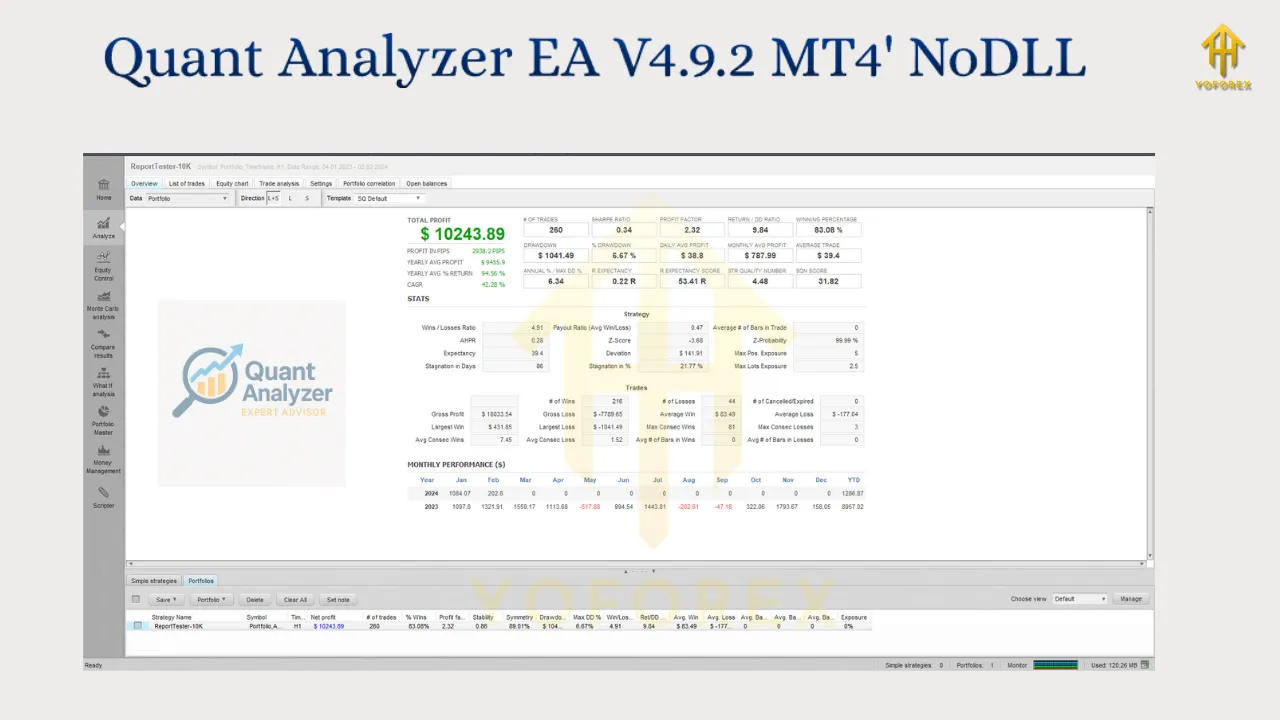
Detailed Performance Reports: Sharpe ratio, monthly returns, drawdowns, stagnation periods etc.
-
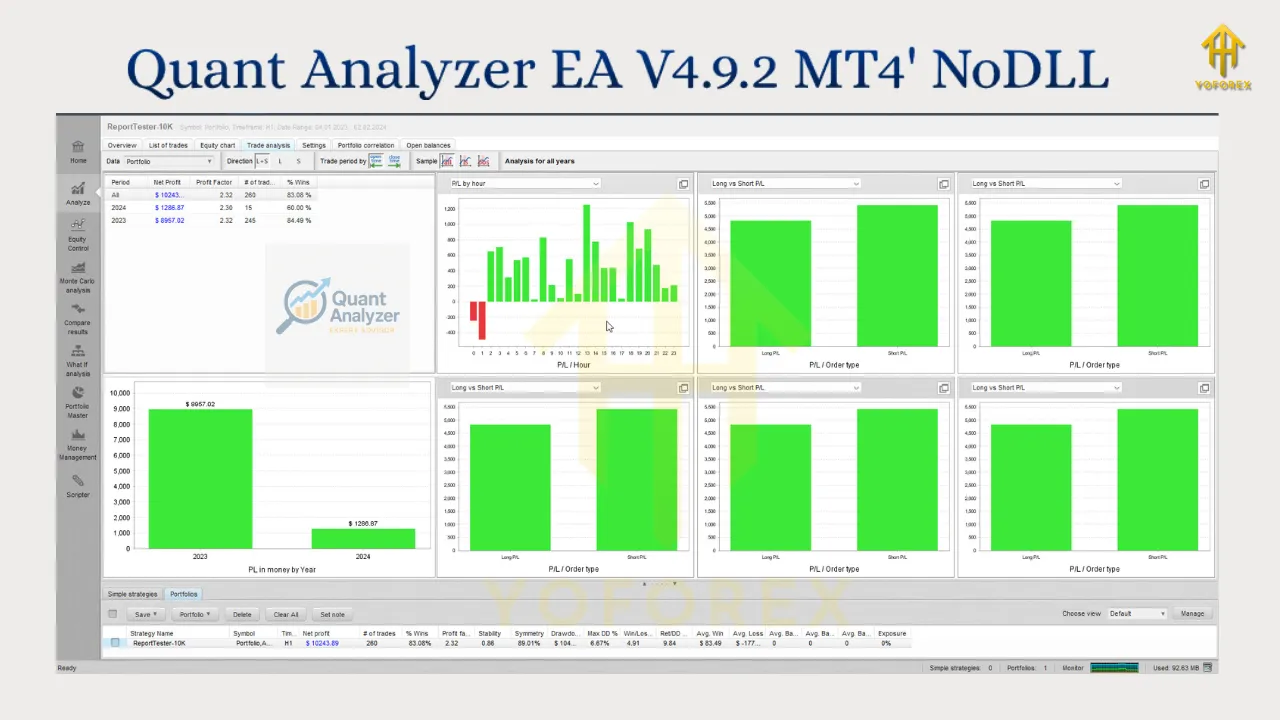
What-If Scenarios & Simulations: Ability to simulate different market conditions—e.g. trading only at certain hours, days, or under various volatility regimes.
-
Money Management Simulator: Compare different risk management models.
-
Monte Carlo Analysis: Test the robustness of strategies across many possible randomised paths. Helps assess worst-case scenarios.
-
Portfolio Master Tools: If you have multiple strategies, combine them, compute correlations, pick what combination reduces risk or maximizes certain metrics.
What “EA V4.9.2 MT4” Could Imply & Why It’s Controversial
Much of what is being advertised under “Quant Analyzer EA V4.9.2 MT4” is murky. Here are likely implications and uncertainties:
-
EA (Expert Advisor): If it’s an EA, it means automatic trading—placing entries/exits in live markets. That adds risk. If all you want is analysis, you may not need an EA.
-
Version Number: “V4.9.2” suggests maturity. But no reputable documentation seems to confirm that version. Could be mis-labelled, a custom build, or even an unauthorized/cracked copy.
-
Source / Licensing: Many advertisements seem from non-official or lesser known websites. Often low price offers or “unlimited licence” claims are red flags.
-
Support & Updates: If not from an official vendor, updates (bug-fixes, compatibility) may be unreliable or absent.
Pros & Benefits (If It’s Legitimate)
If you do find a legitimate version of “Quant Analyzer EA V4.9.2 MT4” from a reliable provider, here are the potential benefits:
-
Automatic Performance Monitoring
Having an EA that continuously monitors, records, or alerts you to metric changes (drawdowns, equity shifts, unexpected slippage) can help you respond faster. -
Backtesting & Forward Testing
If it includes or works with backtests and forward tests, you can better estimate how a strategy might behave under different scenarios. -
Risk Management Built In
A legitimate EA version might automate things like max drawdown limits, equity protection, stopping trading after certain losses. -
Time Saving
Automating analysis and possibly some parts of trade execution frees up psychological and manual effort.
Risks & What Can Go Wrong
Whenever EAs are involved—especially those not verified or official—there are risks. Here are what to watch out for:
-
Scam / Malware Risk: If the provider is unauthorized, the EA might have malicious code, backdoors, or logic you don’t understand.
-
Unverified Claims: Some vendors show attractive past performance, but without third-party verified reports, the claims might be cherry-picked or manipulated.
-
Poor Fit with Market Conditions: An EA tuned for certain periods / volatility may perform poorly when conditions change.
-
Hidden Costs: Slippage, spread, broker issues, execution delays may cause performance to degrade versus backtests.
-
Reliability & Support: If EA stops working due to MT4 updates, broker issues, or bugs, you might be left without help.
How to Tell If “Quant Analyzer EA V4.9.2 MT4” Is Legit
If you come across offers for this product, here’s a checklist to evaluate legitimacy:
| Check | What to Look For |
|---|---|
| Official Vendor / Developer | Is StrategyQuant or some other reputable firm acknowledging the product? Do credible reviews exist (forums like MQL5, Forex-Factory, Verified trading blogs)? |
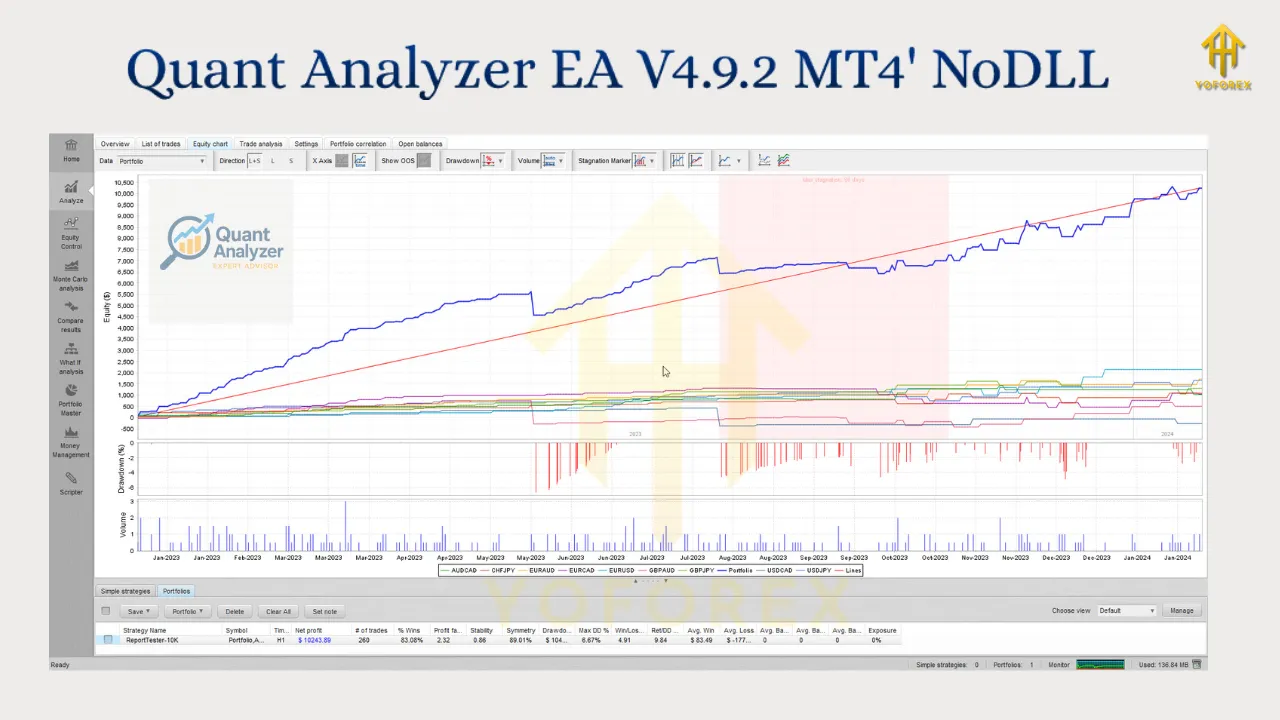
| Verified Performance Data | Backtest + live accounts, third-party verification, audited reports. Equity curves, drawdowns, matching expected charts. |
| Demo Testing | Can you test on a demo before paying? Does it behave as promised in a risk-free environment? |
| Support & Updates | Is there a guarantee of updates? Clear support channels? Terms of license spelled out (how many accounts, revocation, upgrades etc.) |
| Security & Code Transparency | Are there details of how it handles data, if the code is obfuscated, whether there’s licensing protection? Is it safe? |
| Community Feedback | Check forums, trader feedback. If many complaints or reports of “this is fake” or “EA doesn’t do what claimed”, warning sign. |
Best Practices If You Decide to Try It
Here are tips & guidelines to protect yourself and get the best from any EA (including “Quant Analyzer EA V4.9.2 MT4”):
-
Start with DEMO Accounts
Before going live, run it on a demo account for weeks or months in conditions similar to what you’ll use. Observe how it handles slippage, spreads, drawdown. -
Use Proper Risk Management
Don’t put a large % of capital at risk. Use stop losses, equity-protection, limit order sizes. -
Monitor Regularly
An EA doesn’t mean “set and forget”. Markets change; sometimes you need to disable or tweak the EA. -
Check Broker Compatibility
Some brokers have high latency, big spreads, rejections etc. EA performance can degrade if broker conditions are poor. -
Secure Environment
If installing on VPS, ensure logs, backups, and security. Protect from misuse. Use snapshots/backups in case the EA or MT4 crashes. -
Inspect Permissions & Code
If possible, see what external libraries / DLLs the EA wants, whether there’s license validation, etc. Be cautious of EAs that request too many permissions. -
Transparency & Record Keeping
Keep records of EA settings, account performance, version used. If something changes (broker, market, software), note it. That helps in diagnosing issues.
Why Google May Rank This Topic & How YoForex Can Leverage It
If YoForex.org publishes a well‐researched, honest, and helpful article about Quant Analyzer EA V4.9.2 MT4, here’s why it has potential to rank well:
-
High Search Intent: Traders searching “Quant Analyzer EA V4.9.2 MT4” are likely looking for reviews, legitimacy, how‐to, whether they should use it. Content that answers those questions has good chances.
-
Low Quality Content Elsewhere: Many listings are vague, unverified. A clear, authoritative post will stand out.
-
Niche Topic: Not many deeply researched articles covering this exact version + risks + comparison. Niche but relevant.
-
Opportunity for Backlinks: If you include useful charts, screenshots, possibly expert commentary, others may link to it (in forums, trading blogs).
To help SEO, make sure to:
-
Use the keyword “Quant Analyzer EA V4.9.2 MT4” naturally in headings, intro, and throughout body.
-
Also target related keywords like “QuantAnalyzer review”, “Quant Analyzer EA legitimacy”, “MT4 EA risk analysis”, etc.
-
Include internal links to related content on YoForex (e.g. EA guides, broker reviews, MT4 tutorials) to keep readers longer.
-
Use visuals (screenshots, charts) if possible.
-
Ensure page loads quickly, mobile friendly, with meta description summarizing the purpose (“Is Quant Analyzer EA V4.9.2 legit? Features, risk, how to test…”).
Conclusion: Should You Use Quant Analyzer EA V4.9.2 MT4?
At this point, because there is no verifiable source confirming “Quant Analyzer EA V4.9.2 MT4” as an officially supported EA from a trusted vendor, it’s wise to approach with caution.
-
If the offer is too cheap, lacks performance proof, or comes from less known seller, treat it as high risk.
-
If you really want to try it, limit exposure via demo accounts first.
-
If you want analysis instead of automatic trading, maybe stick with tools like StrategyQuant’s QuantAnalyzer which are more transparent.