Introduction
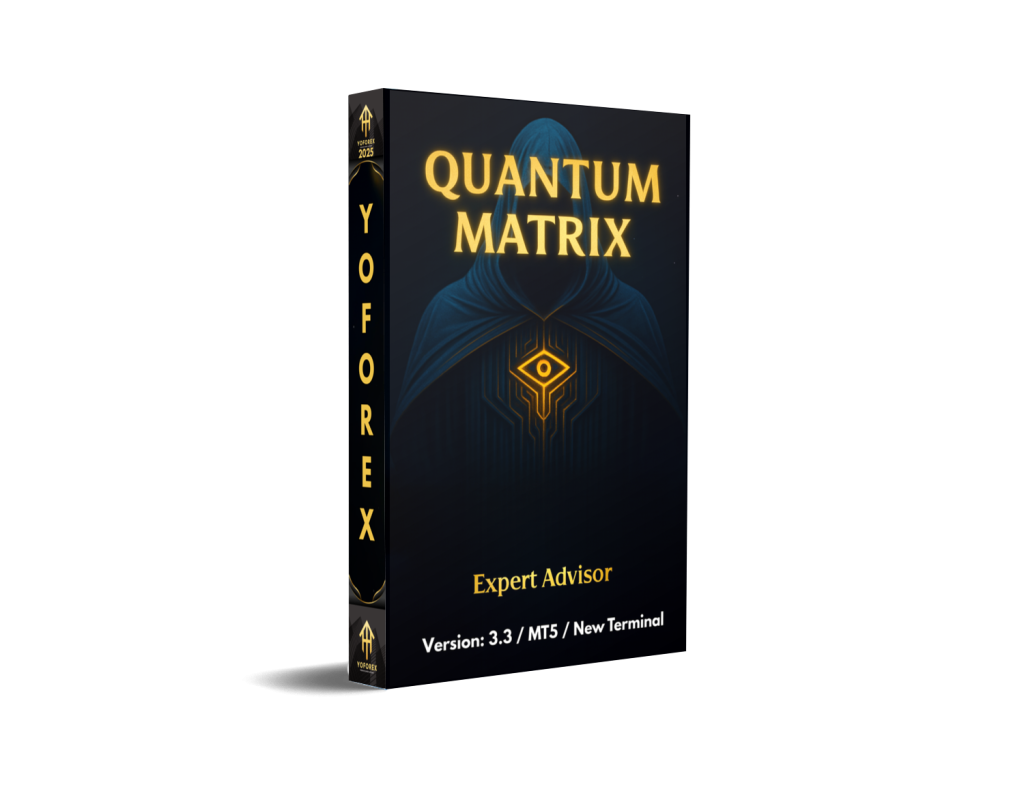
If you’re tired of random EAs that blow up accounts after a few good weeks, Quantum MatriX EA V3.3 MT5 might catch your attention. It’s a powerful Expert Advisor built specifically for MetaTrader 5 and designed to handle volatile instruments like gold and GBPUSD with structured, rule-based logic instead of pure luck.
Instead of chasing every candle, Quantum MatriX EA V3.3 MT5 uses a matrix of filters—trend, volatility and price-action conditions—to decide when to open, hold or close trades. You still stay in control (lot size, risk percentage, max trades, etc.), but you’re no longer glued to the charts 24/5.
In this blog, we’ll walk through what Quantum MatriX EA actually does, its key features, recommended pairs and settings, how to install it on MT5, and what kind of backtest / performance profile you should realistically expect (without any fairy-tale promises).
What Is Quantum MatriX EA V3.3 MT5?
Built for MetaTrader 5 and Modern Volatile Markets
Quantum MatriX EA V3.3 MT5 is a fully automated MT5 Expert Advisor that trades using a structured ruleset rather than random grid or heavy martingale. It’s optimized primarily for:
- XAUUSD (Gold)
- GBPUSD
- And potentially other major pairs when parameters are adjusted with care
The “Matrix” idea comes from how its logic is built: multiple conditions (trend, volatility, trade session, pullback depth, signal confirmation) combine like a grid of on/off switches. Only when a combination lines up does Quantum MatriX EA V3.3 MT5 allow a trade.
Version & Configuration Snapshot
On the user side, you’re not forced to use the default configuration. Quantum MatriX EA V3.3 MT5 is parameter-driven, so you can:
- Scale risk up or down
- Limit max open positions
- Choose which pairs and timeframes you want
- Adapt it to your broker conditions (spread, execution, swaps, etc.)
It’s not a “magic” robot. It’s more like a systematic toolkit that can fit different trading styles—if you actually respect risk and do proper testing.
Key Features of Quantum MatriX EA V3.3 MT5
Here are the main highlights that make Quantum MatriX EA V3.3 MT5 stand out:
- Multi-filter “Matrix” Logic
Combines trend filters, volatility filters and timing rules before allowing a trade. This reduces random entries and avoids over-trading in choppy markets. - Optimized for XAUUSD & GBPUSD
Core parameter sets are focused on XAUUSD and GBPUSD, two highly liquid and volatile instruments that offer strong intraday opportunities. - No Reckless Martingale by Default
The default strategy avoids ultra-aggressive martingale sequences. You can still scale positions, but lot progression can be controlled via clear parameters. - Customizable Risk Management
Control lot size, risk in percent, max simultaneous trades, max daily loss, and more. If you’re conservative, you can keep drawdown tight. - Works on Multiple Timeframes
Typically configured around M15–H1 for a balance of signal quality and frequency, but advanced users can experiment with different charts after proper optimization. - Broker-Friendly Logic
Designed for standard STP/ECN brokers with reasonable spreads and commission. It doesn’t rely on unrealistic arbitrage or tick-scalping tricks that die when conditions change. - News / Volatility Protection (Depending on Settings)
Many Quantum MatriX EA V3.3 MT5 setups use time-based filters to stay flat during high-impact news, reducing the risk of slippage spikes and spreads blowing out. - Equity and Drawdown Protections
You can configure equity stops and max drawdown protections so that Quantum MatriX EA V3.3 MT5 cuts off trading if things go outside your comfort zone. - Backtest-Friendly Design
Strategy logic is stable enough to be tested on long historical data with high tick quality, letting you see how it behaves over multiple market cycles. - Parameter Flexibility for Prop Firms
With the right settings (low daily risk, limited concurrent positions), it can be adapted for prop firm challenges where drawdown rules are strict.
Strategy Logic – How Quantum MatriX EA V3.3 MT5 Trades
The exact code is, of course, proprietary, but based on typical MT5 EA design, Quantum MatriX EA V3.3 MT5 can be summarized like this:
1. Trend Detection
- Uses moving averages and/or other trend tools to identify higher-timeframe bias.
- Only trades in the direction of the main trend or uses controlled counter-trend tactics when volatility is low.
2. Volatility & Session Filter
- Analyzes ATR-style volatility to avoid absurdly tight or extremely volatile conditions.
- Limits entries to favorite sessions (London / New York overlaps, for example) where liquidity is better.
3. Signal Confirmation
- Waits for confluence: price action patterns, indicator signals or breakout conditions.
- This “matrix” of rules must align before any trade is opened.
4. Risk & Order Management
- Sets stop loss and take profit (either fixed or dynamic).
- May trail stops or partially close on strong moves.
- Manages multiple open trades with a global profit or drawdown target.
5. Exit Conditions
- Closes trades when targets are hit, time filters are met, or when market structure breaks against the position.
- Optional trailing logic can lock in profit when moves extend.
You don’t need to micromanage every candle, coz Quantum MatriX EA V3.3 MT5 is essentially doing that job under the hood—while you control the overall risk framework.
Recommended Pairs, Timeframes & Basic Settings
Pairs & Timeframes
Based on typical usage, the recommended configuration for Quantum MatriX EA V3.3 MT5 is:
- Primary Pairs
- XAUUSD (Gold)
- GBPUSD
- Other Majors (With Custom Optimization)
- EURUSD
- USDJPY
- Other liquid majors, only after proper testing
- Suggested Timeframes
- M15 – More signals, slightly higher noise, good for active traders.
- M30 / H1 – Cleaner trends, fewer trades, smoother equity curve.
Account Size & Risk Profile (Example)
These are example guidelines, not fixed rules:
- Minimum deposit (conservative): 300–500 USD for a single pair at low risk.
- Safer working range: 1,000–3,000 USD for multi-pair setups.
- Risk per trade: 0.5–1.5% per position for prop-style or conservative trading.
- Max open trades: 3–5 positions per symbol, depending on your leverage and comfort level.
Sample Parameter Ideas
When you attach Quantum MatriX EA V3.3 MT5 to a chart, look for parameters like:
- Risk_Percent – Set to 1.0 or less to start.
- Max_Trades_Per_Symbol – Cap this to control exposure.
- Use_Trailing_Stop – True/false depending on preference.
- Trading_Sessions – Enable only for London/NY if your broker’s spread is best there.
- Daily_Equity_Stop – For example, 3–5% to protect your account.
Always start with a demo account or very low risk before going full size. Even the best EA on paper can struggle if you combine high risk and a bad market phase.
Backtest & Performance Snapshot (What to Expect)
Now, let’s talk about performance—but realistically.
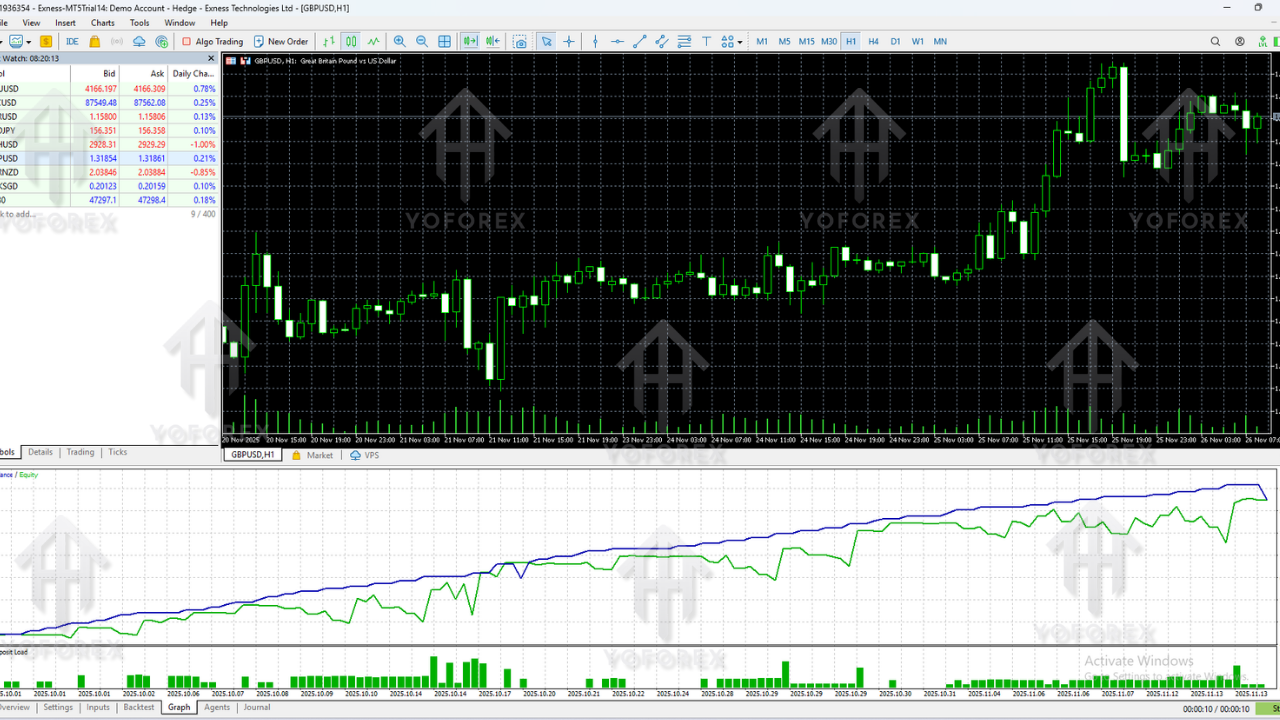
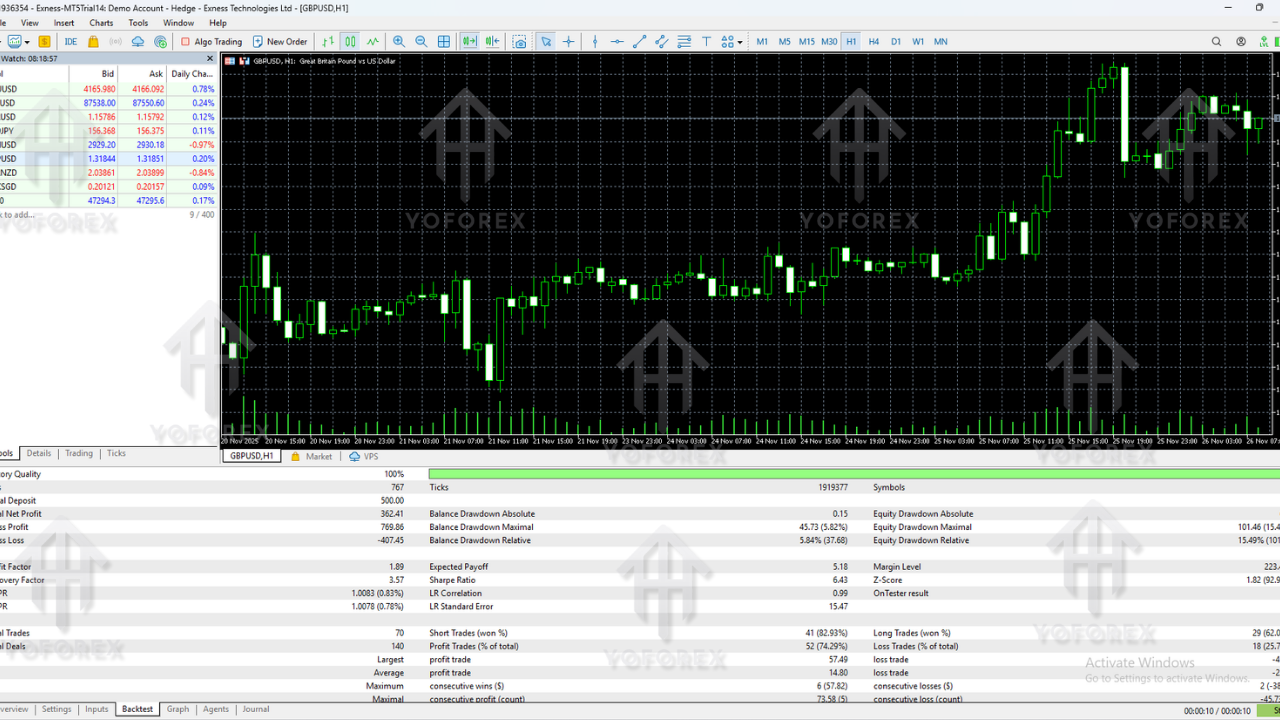
If you run Quantum MatriX EA V3.3 MT5 on XAUUSD M15 or H1 with high-quality tick data over several years, a healthy backtest will usually show something like:
- Equity Curve: Gradual stair-step growth with occasional pullbacks; no vertical “hockey stick” martingale style curve if settings are sane.
- Win Rate: Anywhere from 55–70%, depending on pair and risk setup.
- Risk/Reward Profile: Average RR per trade often around 1:1 to 1:1.5, with the EA relying on many small edges over time.
- Drawdown: Typically 10–25% in moderate-risk configurations; ultra-tight drawdown is possible but you’ll sacrifice profit potential.
- Monthly Return (Backtest): In many realistic EA setups, 3–10% per month is already very solid.
Remember: backtests are not a guarantee of what the future will do. Markets evolve. Liquidity changes. Slippage, spread and execution can hurt real results. But a clean, long-term backtest on multiple symbols is still one of the best tools you have to judge whether Quantum MatriX EA V3.3 MT5 fits your style.
How to Install Quantum MatriX EA V3.3 MT5 on MetaTrader 5
Here’s a simple step-by-step to get Quantum MatriX EA V3.3 MT5 up and running:
- Purchase / Download the EA
Get Quantum MatriX EA V3.3 MT5 from the official source or marketplace via your MT5 terminal or browser. - Open MetaTrader 5
Log in with the same account you used to buy/download the EA. - Allow Market / EA Synchronization
In MT5, go to Tools → Options → Community and sign in if needed. - Find the EA in the Navigator
Open the Navigator window (Ctrl+N). Under Experts or Market → Purchased, you should see Quantum MatriX EA listed. - Attach to a Chart
Open the chart of your chosen pair (e.g. XAUUSD, GBPUSD) and timeframe (M15/H1), then drag Quantum MatriX EA V3.3 MT5 onto the chart. - Enable “Algo Trading”
Ensure the Algo Trading button in MT5 is green and that the EA’s settings allow algorithmic trading. - Configure Inputs / Parameters
Set your lot size or risk %, max trades, trading sessions, trailing stop, etc. For your first run, avoid changing too many advanced parameters until you understand the logic. - Demo Test First
Run Quantum MatriX EA V3.3 MT5 on a demo account for at least a few weeks. Track equity curve, drawdown, and how it behaves during news. - Go Live Carefully
Once satisfied on demo, move to live with the same broker, similar settings, and keep risk low at the beginning.
Pros & Cons of Quantum MatriX EA V3.3 MT5
Pros
- Structured, rule-based trading rather than random grid or hype AI.
- Optimized for strong instruments like XAUUSD and GBPUSD.
- Flexible risk management with multiple safety parameters.
- MT5-native EA, taking advantage of multi-threaded backtesting and faster optimization.
- Can be adapted for prop firm rules with conservative settings.
- Designed to be plug-and-play once you understand the basics—no deep coding knowledge required.
Cons
- May be expensive for very small accounts, depending on where you purchase it.
- Requires good broker conditions; bad spreads or slow execution can hurt results.
- Needs proper backtesting and demo testing—you can’t just drop it on any random pair and expect miracles.
- Like any EA, it is subject to market regime changes; performance can vary over time.
- Traders who want super high-frequency scalping may find the trade count “too calm” at safe settings.
Who Should Consider Quantum MatriX EA V3.3 MT5?
You might be a good fit for Quantum MatriX EA V3.3 MT5 if:
- You trade XAUUSD or GBPUSD regularly and want to automate strong parts of your strategy.
- You prefer systematic, rules-based trading over emotional, manual entries.
- You’re comfortable with backtesting and demo testing before going live.
- You manage risk seriously and don’t expect “get-rich-quick” returns.
- You want an EA that can work under prop firm conditions when tuned correctly.
On the other hand, if you want insane 100%+ monthly returns, hate reading parameter descriptions, or refuse to test on demo first… this probably isn’t for you.
Risk Disclaimer & Final Thoughts
No matter how good Quantum MatriX EA V3.3 MT5 looks on backtests or marketing pages, there’s one non-negotiable truth:
Past performance does not guarantee future results.
Forex and CFD trading are risky. You can lose part or all of your capital. Use Quantum MatriX EA V3.3 MT5 only with money you can afford to risk, always:
- Start on a demo account.
- Move to live with low risk.
- Regularly monitor results and be ready to pause or adjust settings if market conditions change.
If used correctly—with realistic expectations, solid risk control, and proper testing—Quantum MatriX EA V3.3 MT5 can become a powerful part of your automated trading toolbox, especially for Gold and GBPUSD traders who are tired of manual guesswork.
Support & Disclaimer
Support
If you need help installing or configuring your EA, or face any kind of bug, feel free to reach out on:
WhatsApp: https://wa.me/+443300272265
Telegram Group: https://t.me/yoforexrobot
Disclaimer: Forex and gold trading involve risk. Past performance doesn’t guarantee future results. Always test robots on demo before live trading and use proper risk management.