The Ribbon Indicator V1.1 for MetaTrader 4 (MT4) is a powerful technical analysis tool designed to help forex traders identify market trends and make informed trading decisions. This indicator, built on the concept of moving averages, creates a visually intuitive “ribbon” on the price chart, offering clear signals for potential entry and exit points. In this blog, we’ll dive into the features, benefits, and practical applications of the Ribbon Indicator V1.1, along with tips for integrating it into your trading strategy.
What is the Ribbon Indicator V1.1?
The Ribbon Indicator V1.1 is a custom MT4 indicator that plots multiple moving averages of varying periods on a chart, forming a ribbon-like structure. Unlike a single moving average, which can sometimes provide ambiguous signals, the ribbon combines several moving averages to offer a more comprehensive view of market trends. The indicator is particularly valued for its ability to highlight trend direction, momentum, and potential reversal points through the interaction of these moving averages.
This version, V1.1, builds on earlier iterations by improving responsiveness and adding customizable features, making it suitable for both novice and experienced traders. It is compatible with any currency pair and timeframe, offering flexibility for scalpers, day traders, and long-term investors alike. The indicator is often available for free download from trading communities like 4xone.com, where it comes in .ex4 or .mq4 formats for easy installation on MT4 platforms.
How Does the Ribbon Indicator Work?
The Ribbon Indicator V1.1 operates by plotting a series of moving averages—typically eight or more—with different periods. These moving averages can be simple (SMA), exponential (EMA), or other types, depending on the trader’s preference. The key feature is the “ribbon” effect, where the moving averages are layered on the chart, visually resembling a ribbon that expands or contracts based on market conditions.
- Trend Identification: When the moving averages are evenly spaced and moving in the same direction, it indicates a strong trend. For example, if the shorter-period moving averages are above the longer ones, it suggests a bullish trend.
- Crossovers: The indicator generates buy or sell signals when the shorter moving averages cross over the longer ones. A bullish crossover (short MA crossing above long MA) signals a potential buy, while a bearish crossover (short MA crossing below long MA) suggests a sell.
- Contraction and Expansion: A narrowing ribbon indicates low volatility or a potential trend reversal, while an expanding ribbon suggests increasing momentum.
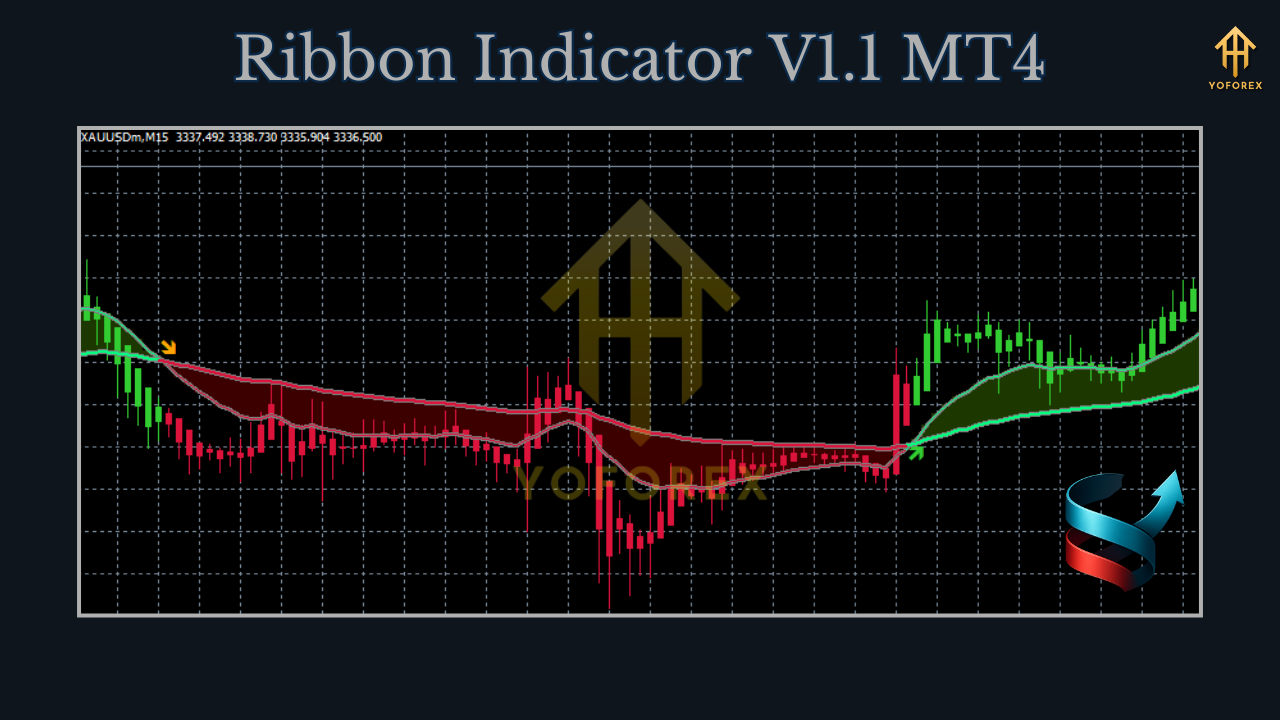
The Ribbon Indicator V1.1 may also include alerts (e.g., pop-ups, emails, or mobile notifications) when specific conditions, such as crossovers or price interactions with the ribbon, are met. This feature enhances its usability for traders who can’t monitor charts constantly.
Installing the Ribbon Indicator V1.1 on MT4
- Download the Indicator: Obtain the .ex4 or .mq4 file from a trusted source, such as 4xone.com or other reputable trading forums.
- Access MT4 Data Folder: Open your MT4 platform, go to the “File” menu, and select “Open Data Folder.”
- Navigate to Indicators Folder: Inside the MQL4 folder, locate the “Indicators” subfolder.
- Install the Files: Copy and paste the downloaded .ex4 and .mq4 files into the Indicators folder.
- Restart MT4: Close and reopen the MT4 platform, or refresh the Navigator window by right-clicking and selecting “Refresh.”
- Apply to Chart: Drag the Ribbon Indicator V1.1 from the Navigator to your desired chart and configure the settings (e.g., moving average periods, types, or alert preferences).
Trading Strategies with the Ribbon Indicator V1.1
1. Trend-Following Strategy
- Setup: Apply the Ribbon Indicator to a higher timeframe (e.g., H1 or H4) to capture sustained trends.
- Buy Signal: Enter a buy trade when the price closes above the ribbon and the shorter moving averages cross above the longer ones, indicating a bullish trend.
- Sell Signal: Enter a sell trade when the price closes below the ribbon and the shorter moving averages cross below the longer ones, signaling a bearish trend.
- Risk Management: Set stop-loss orders below the recent swing low for buys or above the swing high for sells. Aim for a risk-to-reward ratio of at least 1:2.
2. Reversal Strategy
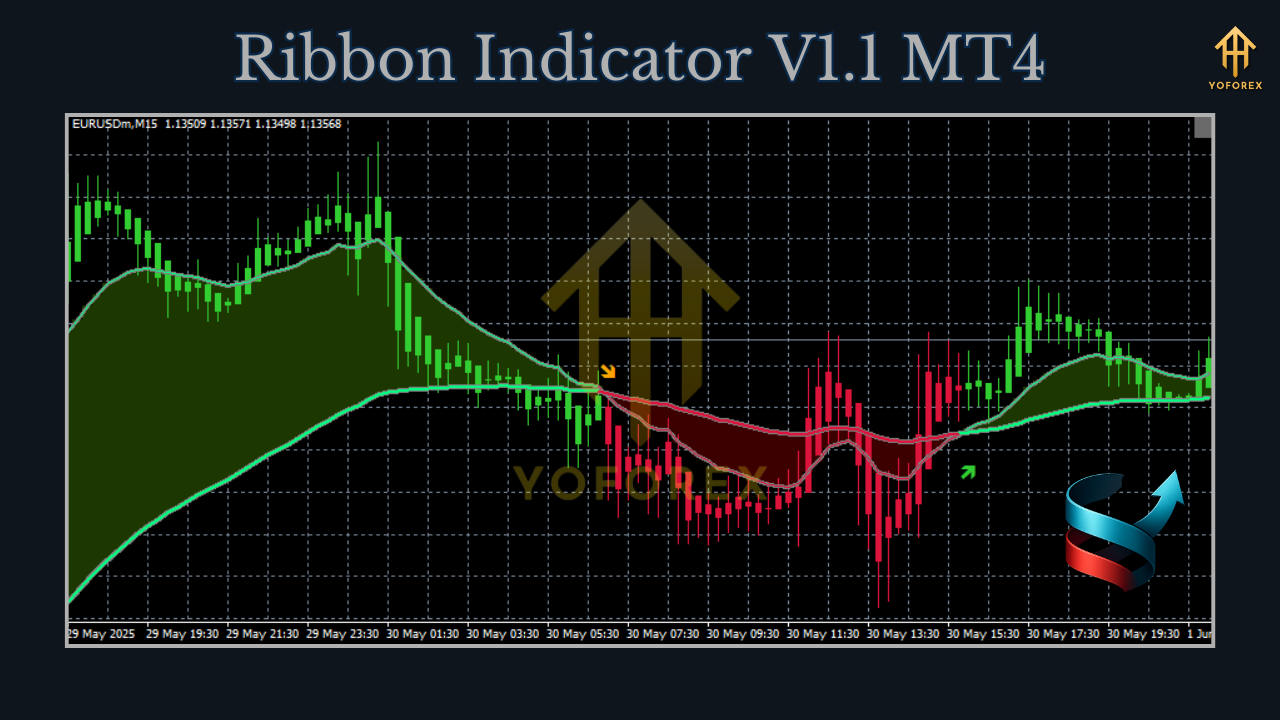
- Setup: Use the indicator on shorter timeframes (e.g., M15 or M30) to spot reversals during consolidation.
- Signal: Look for a narrowing ribbon, indicating low volatility, followed by a breakout. A price move above the ribbon after contraction suggests a potential bullish reversal, while a move below indicates a bearish reversal.
- Confirmation: Combine with support/resistance levels or other indicators like RSI to confirm the reversal.
Benefits of the Ribbon Indicator V1.1
- Clear Visual Cues: The ribbon’s visual representation makes it easy to interpret trend strength and direction.
- Customizability: Traders can adjust the number of moving averages, their periods, and types to suit their trading style.
- Versatility: Works across all timeframes and currency pairs, making it suitable for various market conditions.
- Alert Features: Notifications help traders stay updated without constant chart monitoring.
Limitations to Consider
- Lagging Nature: As a moving average-based tool, it may lag in fast-moving markets, leading to delayed signals.
- False Signals: In choppy or sideways markets, crossovers may produce false signals, necessitating confirmation from other tools.
- Complexity: The ribbon’s multiple lines can clutter charts, especially for beginners.
Tips for Maximizing the Ribbon Indicator V1.1
- Combine with Other Indicators: Use oscillators like RSI or Stochastic to confirm overbought/oversold conditions.
- Test on Demo Accounts: Practice with the indicator on a demo account to understand its behavior in different market conditions.
- Adjust Settings: Experiment with moving average periods and types to optimize for your preferred timeframe and currency pair.
- Focus on Higher Timeframes: For trend-following strategies, higher timeframes (H4, D1) tend to produce more reliable signals.
Conclusion
The Ribbon Indicator V1.1 for MT4 is a valuable tool for forex traders seeking to identify trends and capitalize on market movements. Its unique ribbon-like visualization, customizable settings, and alert features make it a versatile addition to any trading toolkit. By combining it with proper risk management and complementary indicators, traders can enhance their decision-making process and improve their success rate. Whether you’re a beginner or a seasoned trader, the Ribbon Indicator V1.1 offers a robust framework for navigating the dynamic forex market. Download it from a trusted source, test it thoroughly, and integrate it into your strategy to unlock its full potential.