Trend Trading Arrows Indicators V1.0 MT4 – Full Review and Complete User Guide
Trend Trading is the backbone of successful technical analysis, and when traders combine market direction with accurate entry signals, the probability of consistent profits increases dramatically. Trend Trading Arrows Indicators V1.0 MT4 is designed to do exactly that. It is a powerful trend-following arrow-based indicator created specifically for MetaTrader 4. Whether you are a new trader who struggles with entries or an experienced trader aiming to refine accuracy, this indicator provides visually clean, reliable buy and sell arrows that are easy to follow.
This blog post offers a complete explanation of how the indicator works, its core logic, key features, trading strategies, recommended settings, pros and cons, best currency pairs, timeframes, and how you can maximize profitability using Trend Trading Arrows Indicators V1.0 MT4.
Introduction to Trend Trading Arrows Indicators V1.0 MT4
Trend Trading Arrows Indicators V1.0 MT4 is built to help traders identify high-probability entry points during trending markets. The indicator uses algorithmic calculations based on moving averages, volatility filters, and price action patterns to generate directional arrows. A blue arrow indicates a buy signal, and a red arrow indicates a sell signal. Since the arrows appear directly on the chart, traders no longer need to guess trend direction or rely on lagging confirmations.
The indicator is especially useful for scalping, intraday trading, swing trading, and even long-term positional analysis. It works on all major forex pairs, gold (XAUUSD), crypto pairs, indices, and synthetic instruments available on MT4. This versatility makes it an ideal tool for traders seeking an easy yet powerful way to trade trends.
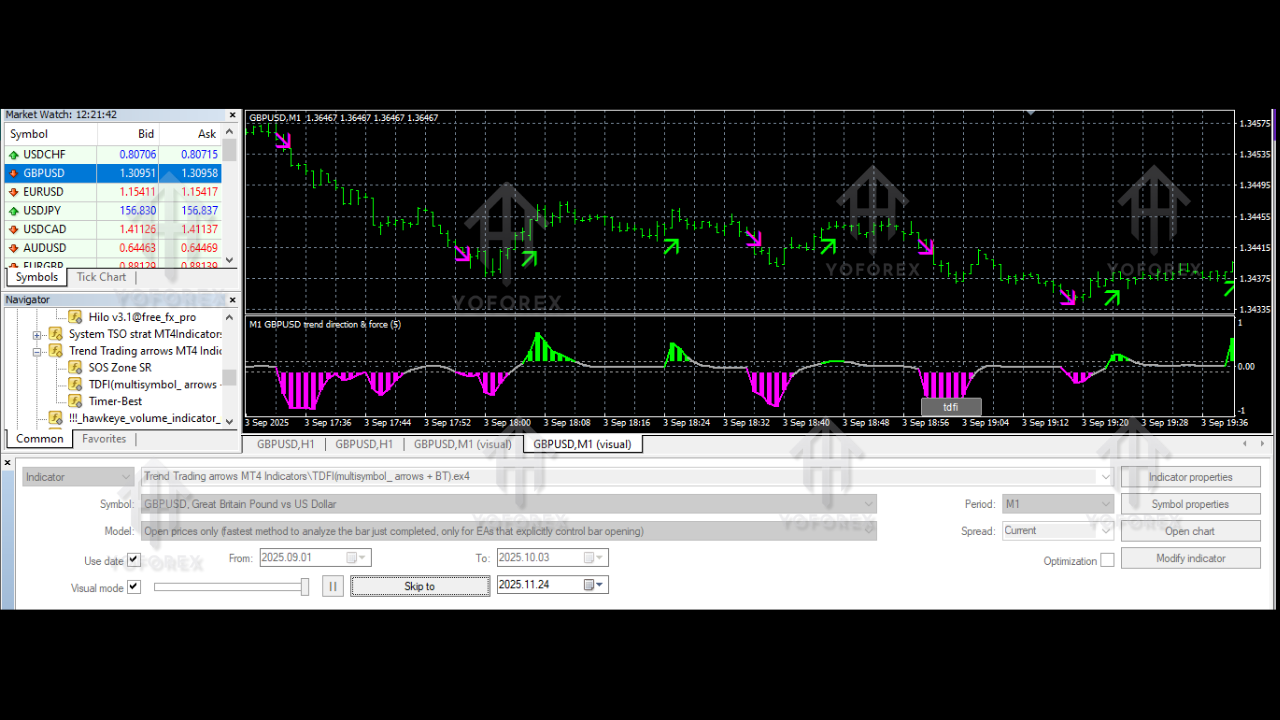
How the Indicator Works: The Logic Behind the Arrows
Trend Trading Arrows Indicators V1.0 MT4 is based on three core components:
-
Trend Direction Filter
The indicator uses smoothed moving averages in combination with market structure readings. It identifies bullish and bearish shifts and only triggers an arrow when the direction is confirmed. -
Price Action Confirmation
Instead of relying solely on moving averages, the indicator scans for price action patterns such as breakouts, engulfing candles, micro-reversals, and momentum pushes. When these align with the trend direction, an arrow appears. -
Volatility and Noise Reduction Filter
Markets often generate false signals during choppy or sideways phases. This indicator applies a volatility-based filter that reduces arrow generation during such periods. As a result, traders receive only high-probability signals.
The combination of these three systems ensures cleaner entries, reduced noise, and better accuracy for all types of traders.
Key Features of Trend Trading Arrows Indicators V1.0 MT4
Below are the standout features that make this indicator popular:
-
Highly Accurate Buy/Sell Arrows that appear at strong turning points
-
Non-repainting algorithm ensuring stable signals
-
Works on all timeframes from M1 to D1
-
Ideal for forex, gold, crypto, indices
-
User-friendly and beginner-friendly interface
-
Customizable filters to match any trading style
-
Alerts via pop-up, push notifications, and email
-
Supports multiple trading strategies including scalping, trend continuation, and swing trading
Traders appreciate how clean the signal presentation is, with minimal chart clutter and maximum clarity.
Best Trading Strategy Using Trend Trading Arrows Indicators V1.0 MT4
To maximize accuracy, combine the indicator with simple trend-confirmation tools such as:
1. Trend Continuation Strategy (Most Popular)
-
Use M15, M30, or H1 timeframes
-
Enter only when arrow direction matches the higher-timeframe trend
-
Set Stop Loss below/above the previous swing
-
Set TP at 1:1 or 1:2 or based on market structure
This strategy is ideal for intraday and swing traders.
2. Scalping Strategy with M1 or M5
-
Use arrows only in strong trending sessions
-
Avoid low-volume periods
-
Use small Stop Loss (5–10 pips)
-
Close at the first sign of reversal
Works best for EURUSD, XAUUSD, and USDJPY.
3. Swing Trading Strategy (H4 or Daily)
-
Wait for arrow confirmation after a breakout
-
Place conservative Stop Loss levels
-
Hold trades for multi-day moves
Perfect for traders who prefer fewer but high-quality setups.
Best Currency Pairs and Timeframes
Although the indicator works on all pairs, these combinations produce the cleanest results:
Best Forex Pairs:
-
EURUSD
-
GBPUSD
-
USDJPY
-
XAUUSD (Gold)
-
US30 or NAS100
Recommended Timeframes:
-
Scalping: M5
-
Intraday: M15, M30
-
Swing: H4
The indicator’s adaptability is a major edge for traders using multiple trading styles.
Advantages of Trend Trading Arrows Indicators V1.0 MT4
-
Eliminates emotional decision-making
-
Helps beginners identify safe entry zones
-
Reduces chart clutter and simplifies analysis
-
Improves consistency in trending markets
-
Provides early trend entry signals
-
Non-repainting logic increases confidence
-
Provides clear, visual confirmation
Disadvantages or Limitations
-
Not ideal for sideways or ranging markets
-
Should not be used alone without Stop Loss rules
-
Requires basic trend knowledge for best results
-
Scalping with low spreads is recommended to avoid losses
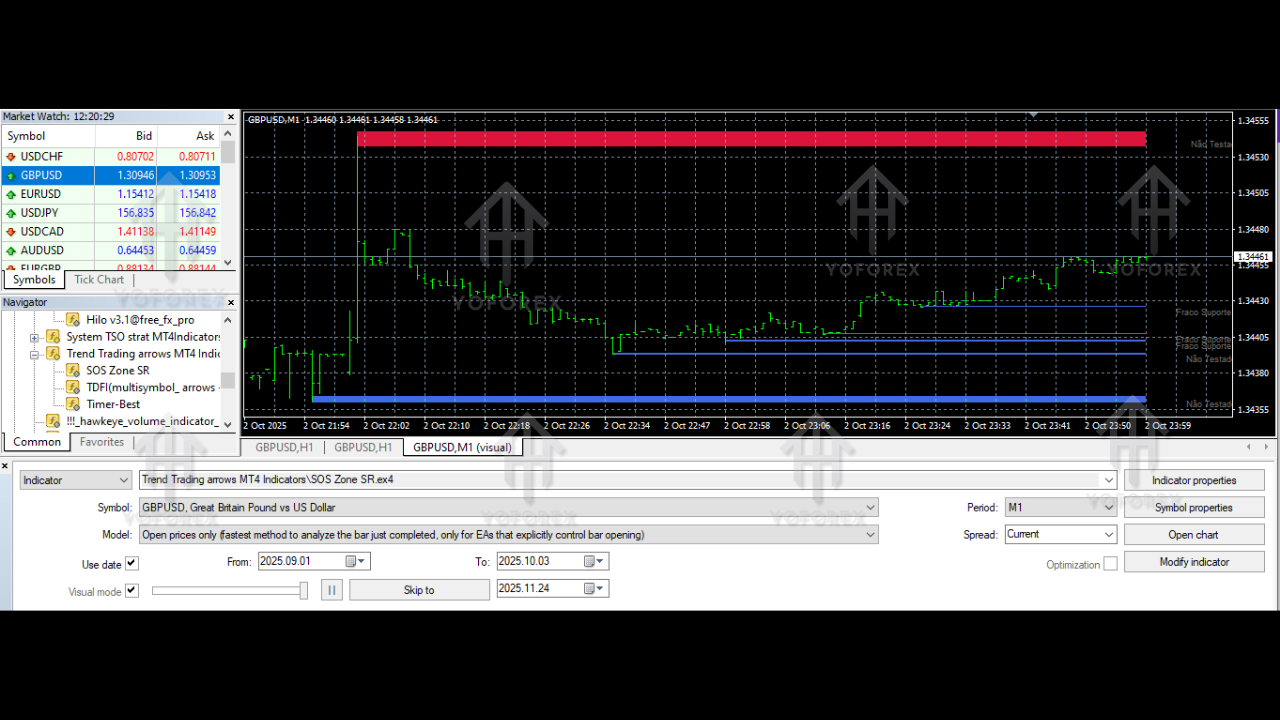
Risk Management Tips While Using the Indicator
-
Always set a Stop Loss, even for scalping.
-
Avoid trading during major high-impact news events.
-
Never take reversal arrows without confirmation from price structure.
-
Follow a fixed risk percentage (1–2% per trade).
-
Backtest settings on demo before going live.
Proper risk management combined with Trend Trading Arrows Indicators V1.0 MT4 can significantly improve performance.
Who Should Use This Indicator?
This indicator is ideal for:
-
Beginners who struggle to identify trend direction
-
Part-time traders
-
Scalpers seeking fast entry signals
-
Intraday traders wanting clean workflow
-
Swing traders looking for strong reversal detection
-
Automated EA developers needing confirmed trend signals
Whether you trade manually or semi-automatically, the indicator fits seamlessly into any strategy.
Installation Guide for Trend Trading Arrows Indicators V1.0 MT4
-
Download the indicator file (.ex4 or .mq4)
-
Open MT4 and click File → Open Data Folder
-
Go to MQL4 → Indicators
-
Paste the indicator file
-
Restart MT4
-
Open any chart and attach the indicator
-
Adjust settings based on your style
Final Verdict: Should You Use Trend Trading Arrows Indicators V1.0 MT4?
Trend Trading Arrows Indicators V1.0 MT4 is a highly effective trend-based arrow indicator for traders who want simple yet powerful trading signals. It brings clarity to your charts, reduces emotional trading, and boosts decision-making accuracy. While no indicator guarantees profits, this tool provides reliable signals that help traders enter trends confidently.