Volume Profile Indicator V1.01 MT4 – Complete Guide for Traders
The Volume Profile Indicator V1.01 MT4 is one of the most powerful tools used by professional traders to understand market behavior, identify key price levels, and build high-probability trading setups. Unlike traditional MT4 indicators that rely only on price movement, the Volume Profile Indicator V1.01 MT4 highlights where the market participants were most active and where major liquidity zones exist. This makes it an invaluable resource for technical traders, scalpers, intraday traders, and swing traders.
This in-depth guide explores how the indicator works, why it is used by institutional traders, and how you can apply it effectively in your trading strategy.
What Is the Volume Profile Indicator V1.01 MT4?
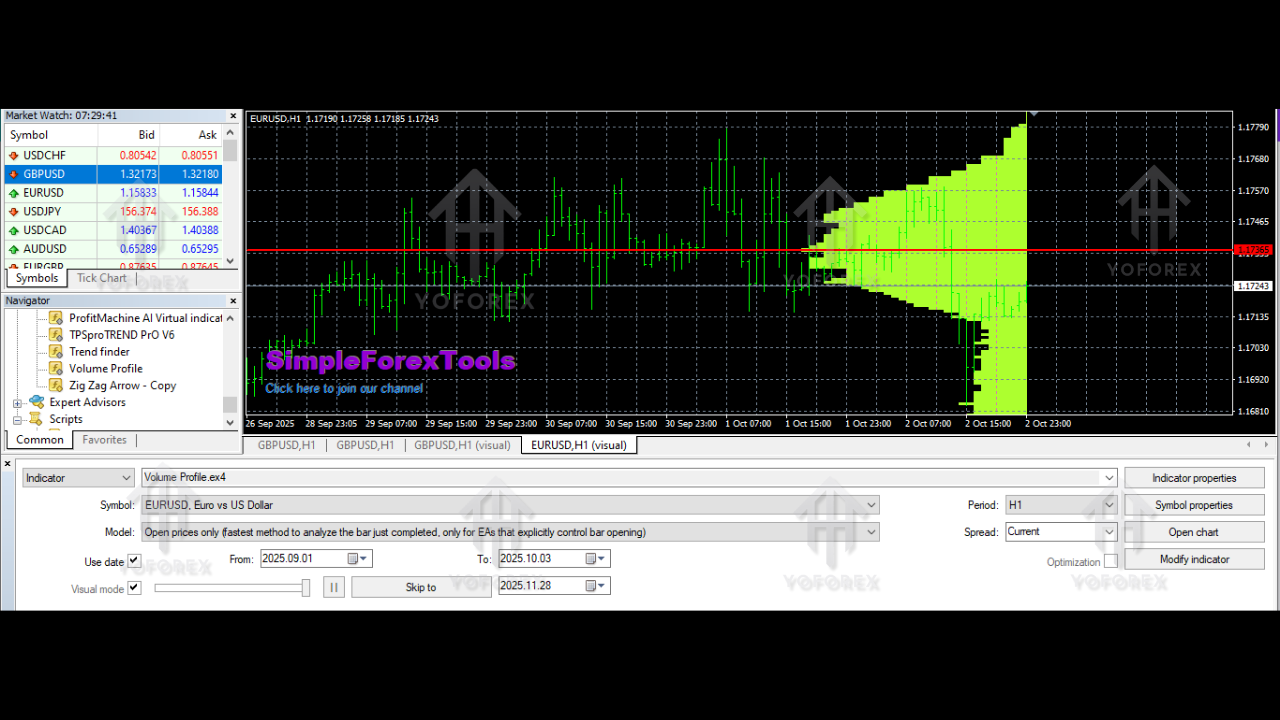
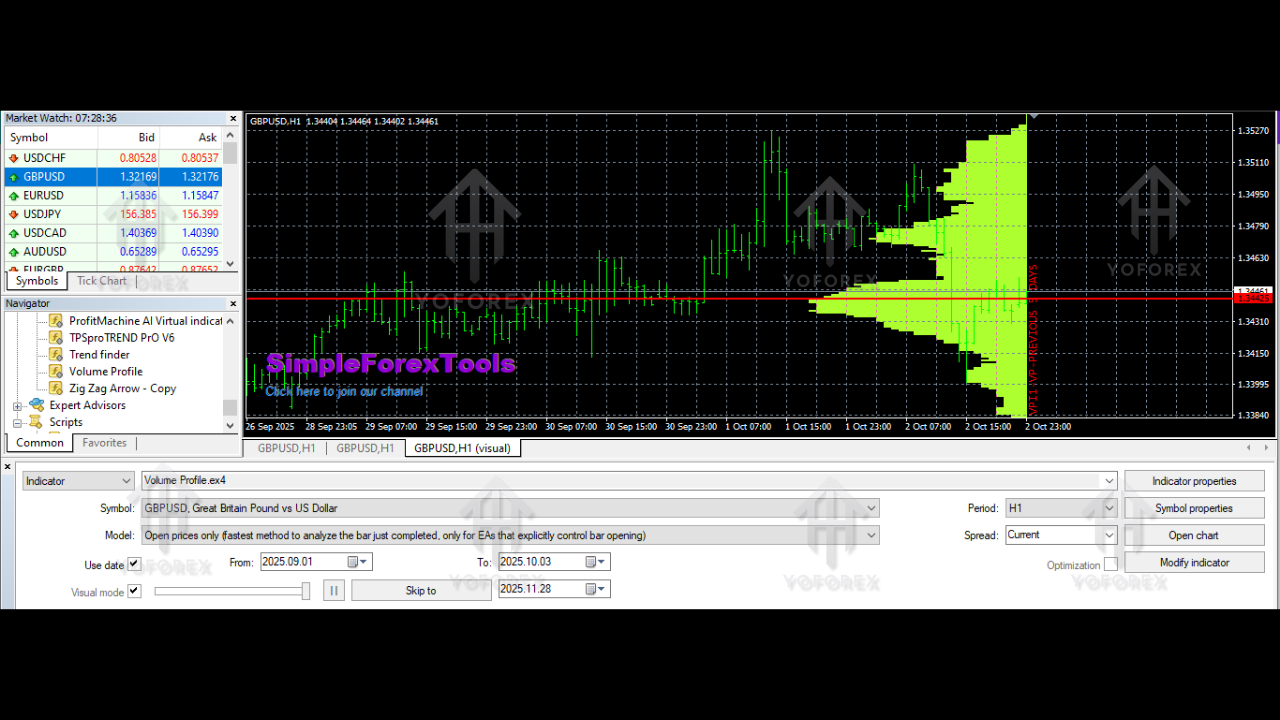
The Volume Profile Indicator V1.01 MT4 is a specialized analytical tool designed for MetaTrader 4 that tracks the historical volume traded at each price level. It displays this information visually as a vertical histogram on the chart, showing where the strongest market participation occurred. These high-volume zones signal areas of support, resistance, and accumulation.
It works by scanning a specific number of previous candles and calculating the amount of volume that occurred at each price. The longer the histogram bar is, the more trading activity took place at that price. This gives traders a clear map of the market’s accepted value levels and potential rejection zones.
Why Volume Matters in Trading
Most retail indicators only analyze candlestick patterns or price highs and lows, ignoring the intensity behind those moves. Volume is a crucial part of market analysis because:
-
It confirms the strength of price movements
-
It reveals hidden support and resistance
-
It exposes key liquidity levels
-
It helps traders avoid false breakouts
-
It highlights reversal zones early
The Volume Profile Indicator V1.01 MT4 combines both price and volume, offering a richer, more accurate market picture than simple indicators like moving averages or oscillators.
How the Indicator Works
Once installed, the indicator scans a defined number of candles (bars) on your chart. This can be adjusted — for example, scanning the last 100, 500, or even 5,000 candles, depending on your trading style.
The indicator then:
-
Identifies each price level within the selected range
-
Calculates the total volume traded at those price points
-
Plots a vertical histogram to visually represent market activity
-
Highlights the most important price zones, including
-
High Volume Nodes (HVN)
-
Low Volume Nodes (LVN)
-
Value Area High (VAH)
-
Value Area Low (VAL)
-
Point of Control (POC)
-
These levels provide a structural understanding of market behavior.
Key Components of the Volume Profile Indicator V1.01 MT4
1. Point of Control (POC)
The price level where the highest trading volume occurred during the selected period. This is a strong magnet level where price often returns.
2. Value Area (VA)
Represents the price zone where around 70% of trading activity occurred. This area helps traders understand where the market was most comfortable.
3. High Volume Nodes (HVN)
Areas with heavy past buying/selling. These levels often act as strong support or resistance.
4. Low Volume Nodes (LVN)
Zones with little trading activity. Price usually moves quickly through these areas, creating breakout or rejection opportunities.
Why Traders Use the Volume Profile Indicator
1. Identifying Strong Support and Resistance Zones
Support and resistance levels are the backbone of technical analysis. However, many traders draw them manually, leading to inaccuracy.
Volume Profile shows you actual market-validated levels based on activity — not guesswork.
2. Improving Trade Entries and Exits
Knowing where institutional traders were active helps you choose precise entry zones and safer stop-loss levels.
3. Avoiding False Breakouts
Markets often break levels with low volume, only to pull back violently. Volume Profile helps you determine whether a breakout is real or fake.
4. Finding Reversal Zones
When price reaches a previously active high-volume zone, it often reverses or consolidates, giving clear trade opportunities.
5. Understanding Market Structure
Volume Profile shows the market’s internal structure — accumulation, distribution, imbalances, and value shifts.
How to Use the Volume Profile Indicator V1.01 MT4 in Trading
1. Trend Trading
Use high-volume areas to catch pullback entries in trending markets.
For example, in an uptrend, price often retests HVN before continuing upward.
2. Breakout Trading
LVN zones are perfect for breakout trades because price tends to move quickly through low-volume regions.
3. Reversal Trading
When price approaches a previous POC or HVN, watch for signs of exhaustion or reversal patterns.
4. Intraday Scalping
Scalpers use Volume Profile on M1, M5, and M15 charts to locate micro-support and micro-resistance zones.
5. Swing Trading
Use the indicator on H1 or H4 to map long-term supply and demand zones.
Customizable Settings
The Volume Profile Indicator V1.01 MT4 allows you to adjust:
-
Number of bars to analyze
-
Histogram thickness and style
-
Volume calculation method
-
Color themes
-
Display range (entire chart or up to specific candle)
-
Value Area percentage
-
Show/Hide key zones such as POC, VAH, VAL
These customization options allow traders to tailor the indicator to their preferred trading style.
Advantages of Volume Profile Indicator V1.01 MT4
-
Helps identify institutional price zones
-
Improves accuracy of support/resistance
-
Works on any pair and timeframe
-
Provides early warning of reversals
-
Great for scalpers, day traders, and swing traders
-
Easy to interpret
-
Helps manage risk effectively
Limitations to Keep in Mind
While the indicator is powerful, traders must consider:
-
It does not predict the future; it highlights historical volume
-
Low-quality brokers may provide inaccurate volume data
-
It should be used with other confirmations (market structure, candlestick patterns, etc.)
Best Trading Tips for Using Volume Profile
-
Combine it with price action for confirmation.
-
Watch for LVN breaks — these often lead to strong momentum trades.
-
Use POC reversals cautiously with stop-loss protection.
-
Avoid trading directly inside heavy HVN zones, as the market often ranges there.
-
Use multiple timeframe analysis to find confluence.
Who Should Use the Volume Profile Indicator V1.01 MT4?
This indicator is ideal for:
-
Beginners learning market structure
-
Advanced traders using liquidity concepts
-
Intraday scalpers
-
Swing traders
-
Institutional-style traders
-
Price action traders
-
Smart money concept (SMC) traders
Anyone who wants deeper insight into market behavior will benefit from Volume Profile.
Conclusion
The Volume Profile Indicator V1.01 MT4 is more than just a chart tool — it is a complete market analysis system that helps traders read the market like professionals. By showing where major trading activity happened in the past, it helps you identify accurate support and resistance, avoid false breakouts, and plan precise entries and exits.