Introduction
In the fast-paced world of forex trading, having a reliable technical indicator can transform market analysis and execution. The XU ma HL Simple Indicator V1.2 MT4 is designed to offer clarity and precision by combining moving average dynamics with high/low price levels. Whether you trade major currency pairs, commodities, or indices, and regardless of your preferred timeframe—from M1 scalps to H4 swing trades—this indicator adapts seamlessly to your strategy. In this guide, we’ll explore its core features, installation process, settings optimization, trading strategies, risk management tips, and best practices to help you harness its full potential.
What Is the XU ma HL Simple Indicator?
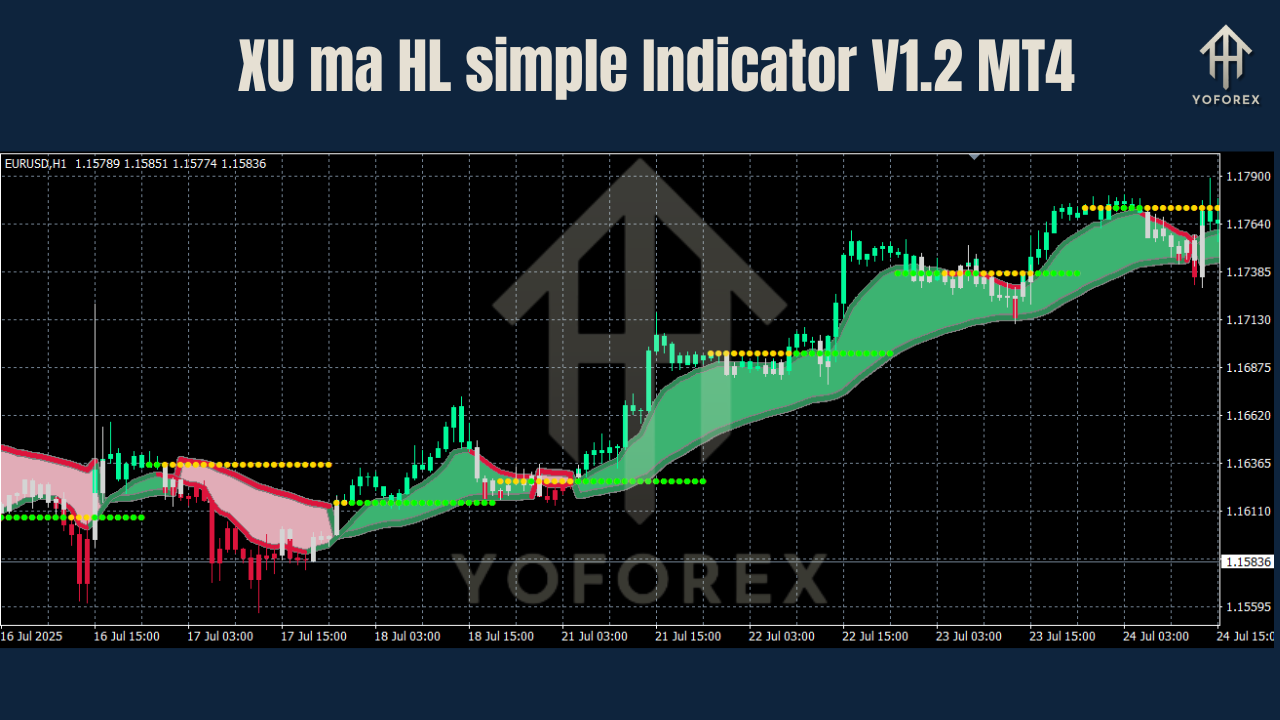
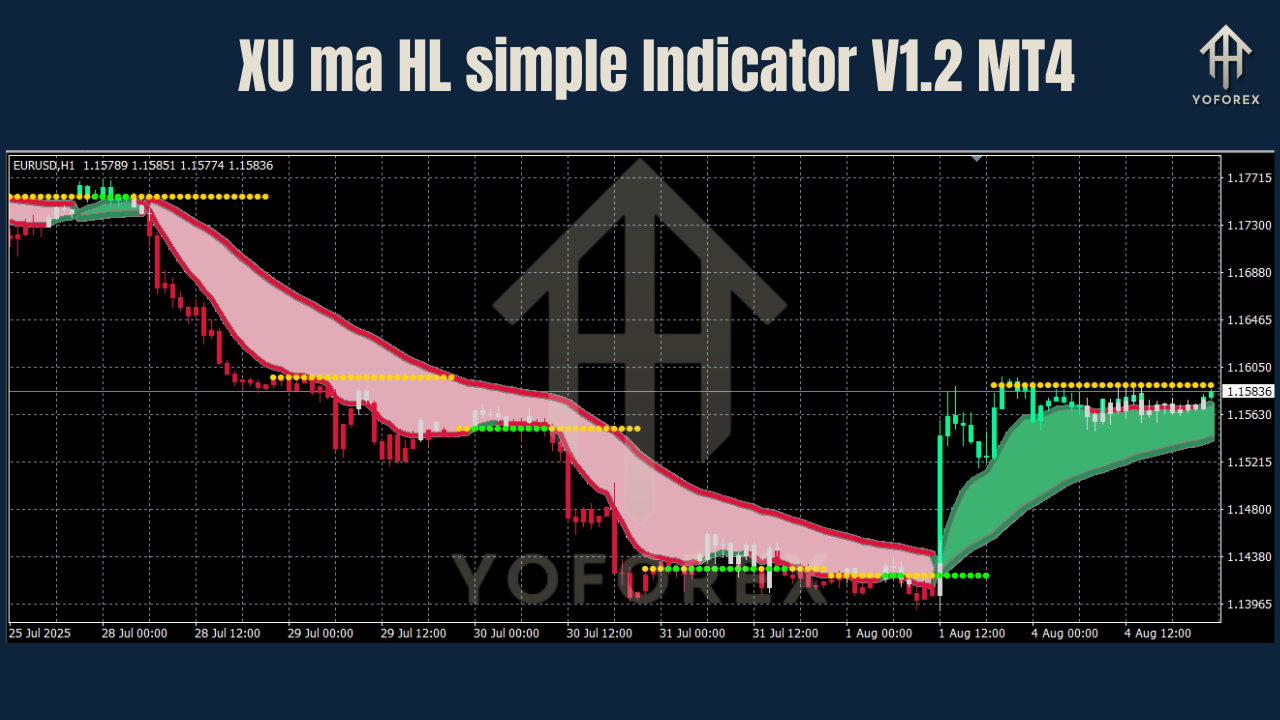
The XU ma HL Simple Indicator V1.2 MT4 overlays two primary elements on your MetaTrader 4 chart:
- Moving Average (MA): A customizable MA (simple, exponential, or smoothed) tracks price momentum and highlights trend direction.
- High/Low Levels (HL): Recent swing highs and lows are plotted dynamically, signaling potential support and resistance zones.
By fusing these elements, the indicator equips traders with actionable insights—filtering noise, confirming breakouts, and pinpointing reversals with confidence.
Key Features and Benefits
- Adjustable MA Types & Periods: Choose between simple, exponential, or smoothed moving averages. Period inputs range from fast (e.g., 10-period) to slow (e.g., 200-period) to suit scalping or long-term analysis.
- Dynamic HL Plotting: Automatic identification of the most recent swing highs and lows saves time and reduces subjectivity in drawing manual trendlines.
- Multi-Timeframe Compatibility: Use on any timeframe—M1 to MN—without loss of performance or clarity.
- Minimal Chart Clutter: Clean design ensures that only essential lines and zones appear on your chart, preserving focus on price action.
- Optimized for Speed: Lightweight code ensures smooth performance even on lower-end PCs and during high-volatility sessions.
Installation Guide
- Download the Indicator File: Obtain the
XU_ma_HL_Simple_v1.2.ex4(or.mq4) from your provider. - Copy to MT4 Directory:
- Open MetaTrader 4.
- Navigate to File → Open Data Folder → MQL4 → Indicators.
- Paste the indicator file into this folder.
- Refresh Navigator: In the MT4 Navigator panel, right-click Indicators and select Refresh—you should see “XU ma HL Simple” appear.
- Attach to Chart: Drag and drop the indicator onto any chart. Configure inputs as needed and click OK.
Configuring Settings for Optimal Performance
- MA Type & Period:
- Scalpers: EMA, 10–20 period on M1–M15 charts.
- Day Traders: SMA, 50–100 period on M30–H1.
- Swing Traders: SMoothed MA, 100–200 period on H4–D1.
- High/Low Lookback: Default is usually 14 bars; adjust between 10–20 bars for tighter or broader swing detection.
- Zone Coloring & Thickness: Customize line colors and thickness to match your chart theme and improve visibility.
- Alerts & Notifications: Enable pop-up, email, or push alerts when price crosses the MA or touches HL zones—ideal for traders away from their screens.
Trading Strategies with XU ma HL Indicator
-
Trend-Following Breakouts:
-
Wait for price to close above the MA in an uptrend.
-
Confirm a break of the recent swing high.
-
Enter long with a target at the next HL level and a stop-loss below the swing low.
-
-
Pullback Entries:
-
Identify a strong trend when price is consistently above/below the MA.
-
On a pullback toward the MA, look for a bounce off the HL level.
-
Enter in the trend direction with tight stops just beyond the swing extreme.
-
-
Reversal Signals:
-
In ranging markets, monitor when price fails at the MA and reverses from the HL level.
-
Use RSI or Stochastic confirmation for added conviction.
-
Implementing Across Any Currency Pair
The XU ma HL Simple Indicator excels on all forex pairs—majors, minors, and exotics—thanks to its adjustable parameters. Here’s how to tailor it per pair:
- High-Volatility Pairs (e.g., GBP/JPY): Increase lookback and MA period to filter noise.
- Low-Volatility Pairs (e.g., USD/CHF): Reduce period settings for quicker signal generation.
- Cross Pairs & Exotics: Test indicator inputs on demo charts before trading live, as volatility profiles can differ substantially.
Using the Indicator on Multiple Timeframes
- Scalping (M1–M5): Fast MA and shorter HL lookback yield quick signals.
- Intraday (M15–H1): Mid-range settings balance signal frequency and reliability.
- Swing (H4–D1): Longer MAs and extended lookbacks capture major market moves with fewer false alarms.
Combine multiple-chart analysis: confirm a trend on H4 before entering on H1 or M30 pullbacks for higher-probability setups.
Risk Management & Best Practices
- Position Sizing: Never risk more than 1–2% of your account per trade. Use the indicator’s HL levels to define precise stop-loss placement.
- Confirmation: Pair indicator signals with volume analysis or oscillator divergence for robust entries.
- Avoid Overtrading: Let the indicator guide you; do not force trades in choppy markets.
- Backtesting & Forward Testing: Rigorously test your settings on historical data and a demo account before deploying with real capital.
Common Pitfalls to Avoid
- Chasing Indicators: Entering late after multiple signals can erode profits.
- Ignoring Market Context: Always consider major economic events and news that may override technical patterns.
- Static Settings: Markets evolve—regularly revisit and tweak your MA and lookback inputs.
- Neglecting Psychology: Stick to your trading plan; emotional decisions lead to inconsistent results.
Conclusion
The XU ma HL Simple Indicator V1.2 MT4 offers a versatile, user-friendly approach to trend identification, breakout detection, and pullback entries. By understanding its features, optimizing your settings, and integrating sound risk management, you can elevate your trading performance across any pair and timeframe.
Ready to enhance your MT4 toolkit? Download the XU ma HL Simple Indicator V1.2 MT4 today, apply the strategies outlined in this guide, and take your trading edge to the next level!
Join our Telegram for the latest updates and support