
The world of forex trading is both exciting and challenging, requiring traders to leverage advanced tools to stay ahead of the curve. Among the myriad of technical indicators available, the Spider Indicator V1 for MT4 has emerged as a powerful tool for traders looking to enhance their market analysis and decision-making. In this blog, we’ll dive deep into what the Spider Indicator V1 is, how it works, its key features, and how you can use it effectively in your trading strategy on the MetaTrader 4 (MT4) platform. By the end, you’ll have a clear understanding of why this indicator is gaining traction among forex traders.
What is the Spider Indicator V1 for MT4?
The Spider Indicator V1 is a custom technical analysis tool designed specifically for the MetaTrader 4 platform, one of the most popular trading platforms worldwide. This indicator is tailored to help traders identify market trends, potential entry and exit points, and key price levels with greater precision. Unlike standard indicators like Moving Averages or RSI, the Spider Indicator V1 combines multiple analytical elements into a single, visually intuitive tool, making it easier to interpret complex market data.
The indicator gets its name from its web-like visual representation, which plots dynamic support and resistance levels, trend lines, and other critical price zones on the chart. This “spider web” effect allows traders to see the market structure at a glance, helping them make informed decisions without needing to juggle multiple indicators.
Key Features of the Spider Indicator V1
- Dynamic Support and Resistance Zones: The indicator automatically identifies and plots key support and resistance levels based on historical price action. These zones adjust dynamically as the market evolves, providing real-time insights into potential reversal or breakout points.
- Trend Identification: The Spider Indicator V1 uses advanced algorithms to detect market trends, whether bullish, bearish, or ranging. It highlights these trends with clear visual cues, such as colored lines or shaded areas, making it easy to spot the market’s direction.
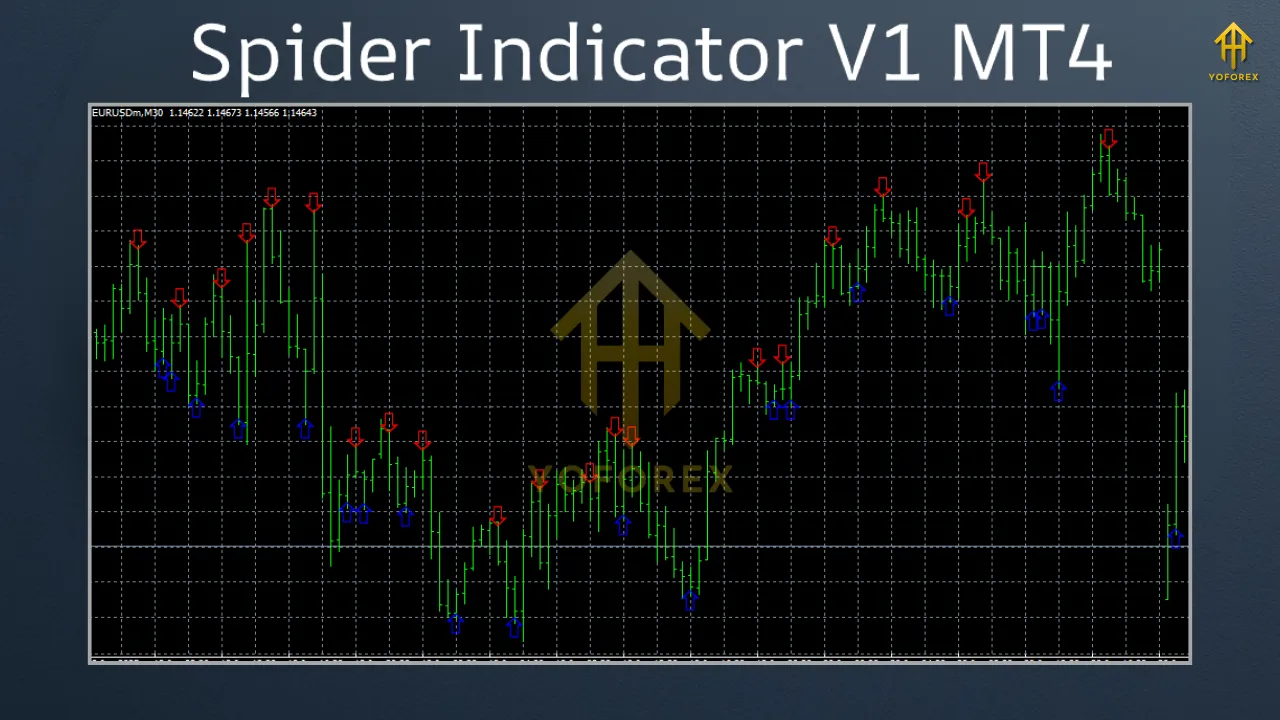
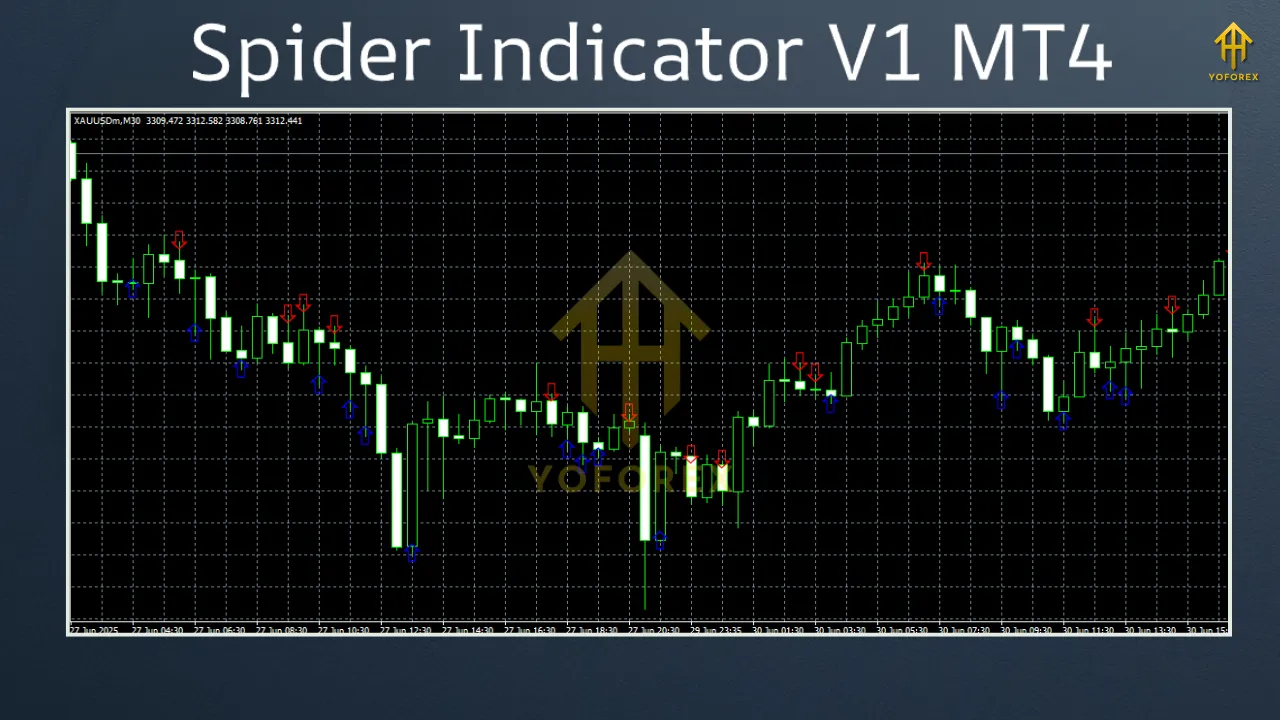
- Signal Generation: The indicator provides buy and sell signals based on its analysis of price action and trend strength. These signals are often accompanied by alerts, ensuring traders don’t miss critical trading opportunities.
- Customizable Settings: Traders can adjust the indicator’s parameters to suit their trading style, whether they focus on scalping, day trading, or swing trading. This flexibility makes it versatile across different timeframes and currency pairs.
- User-Friendly Interface: Designed with simplicity in mind, the Spider Indicator V1 integrates seamlessly with MT4, offering a clutter-free display that doesn’t overwhelm the chart.
How to Install the Spider Indicator V1 on MT4
- Download the Indicator: Obtain the Spider Indicator V1 file (usually in .ex4 or .mq4 format) from a reputable source. Ensure you’re downloading from a trusted provider to avoid malware or corrupted files.
- Copy to MT4 Directory: Open your MT4 platform, go to File > Open Data Folder, and navigate to the MQL4 > Indicators folder. Paste the downloaded indicator file here.
- Restart MT4: Close and reopen your MT4 platform to load the indicator.
- Apply to Chart: Open a chart, right-click, and select Indicators List. Find the Spider Indicator V1, double-click to add it, and adjust the settings as needed.
- Customize Settings: Tweak the indicator’s parameters, such as sensitivity or timeframes, to align with your trading strategy.
How to Use the Spider Indicator V1 in Trading
- The indicator’s dynamic support and resistance zones are its core feature. Look for price interactions with these zones to identify potential reversal points. For example, if the price approaches a resistance zone and shows signs of rejection (e.g., a bearish candlestick pattern), it could signal a selling opportunity.
- Use the indicator’s trend identification feature to determine the market’s direction. If the indicator highlights a bullish trend with green lines or shaded areas, focus on buy opportunities. Conversely, red lines or shaded areas may indicate a bearish trend, signaling sell opportunities.
- The Spider Indicator V1 generates buy and sell signals based on its analysis. Combine these signals with other confirmation tools, such as candlestick patterns or volume analysis, to increase their reliability. For instance, a buy signal near a strong support zone, confirmed by a bullish engulfing pattern, could be a high-probability trade setup.
- No indicator is foolproof, so always incorporate proper risk management. Set stop-loss orders below support levels for buy trades or above resistance levels for sell trades. Aim for a risk-to-reward ratio of at least 1:2 to ensure long-term profitability.
- Before using the Spider Indicator V1 in a live trading environment, test it on a demo account. This allows you to familiarize yourself with its signals and fine-tune your strategy without risking real capital.
Benefits of Using the Spider Indicator V1
- Time-Saving: By combining multiple analytical elements, the indicator reduces the need to use several tools simultaneously.
- Enhanced Accuracy: The dynamic nature of its support and resistance zones provides more accurate insights compared to static levels.
- Versatility: Suitable for various trading styles and timeframes, from M1 for scalping to D1 for swing trading.
- Visual Clarity: The spider web-like display simplifies complex market data, making it easier to interpret.
Limitations to Consider
- Learning Curve: New traders may need time to understand and optimize its settings.
- False Signals: Like all indicators, it can produce false signals in choppy or low-volume markets.
- Dependency Risk: Over-reliance on the indicator without understanding market fundamentals can lead to poor trading decisions.
Tips for Maximizing the Spider Indicator V1
- Combine with Other Tools: Pair the indicator with complementary tools like Fibonacci retracements or MACD to confirm signals.
- Stay Updated: Ensure you’re using the latest version of the indicator, as updates may include improved algorithms or bug fixes.
- Backtest Thoroughly: Use MT4’s Strategy Tester to evaluate the indicator’s performance on historical data.
- Adapt to Market Conditions: Adjust the indicator’s settings based on market volatility or specific currency pairs.
Conclusion
The Spider Indicator V1 for MT4 is a versatile and powerful tool that can significantly enhance your forex trading strategy. Its ability to plot dynamic support and resistance zones, identify trends, and generate actionable signals makes it a valuable asset for traders of all levels. By integrating it into a disciplined trading plan and combining it with proper risk management, you can unlock its full potential and gain a competitive edge in the forex market. Whether you’re a scalper, day trader, or swing trader, the Spider Indicator V1 offers the flexibility and precision needed to navigate the complexities of the market. Download it today, test it on a demo account, and start weaving your own web of profitable trades!