
Introduction
Choosing a trading tool is rarely about finding something that simply looks attractive. Serious buyers compare strategy type, risk handling, platform fit, how much monitoring is required, configuration effort, and whether the tool actually matches their available screen time and trading style. Many traders reach this stage after trying pure manual chart reading or testing fully automated Expert Advisors and finding gaps in consistency, time demand, or control.
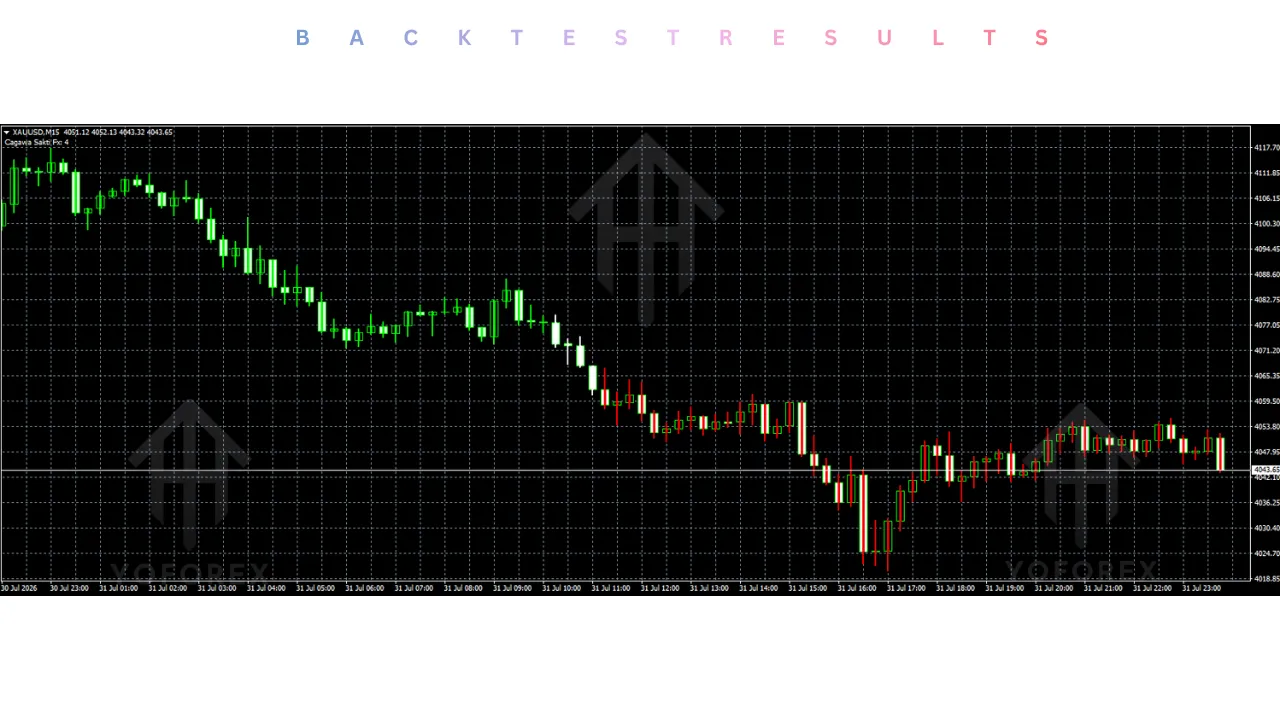
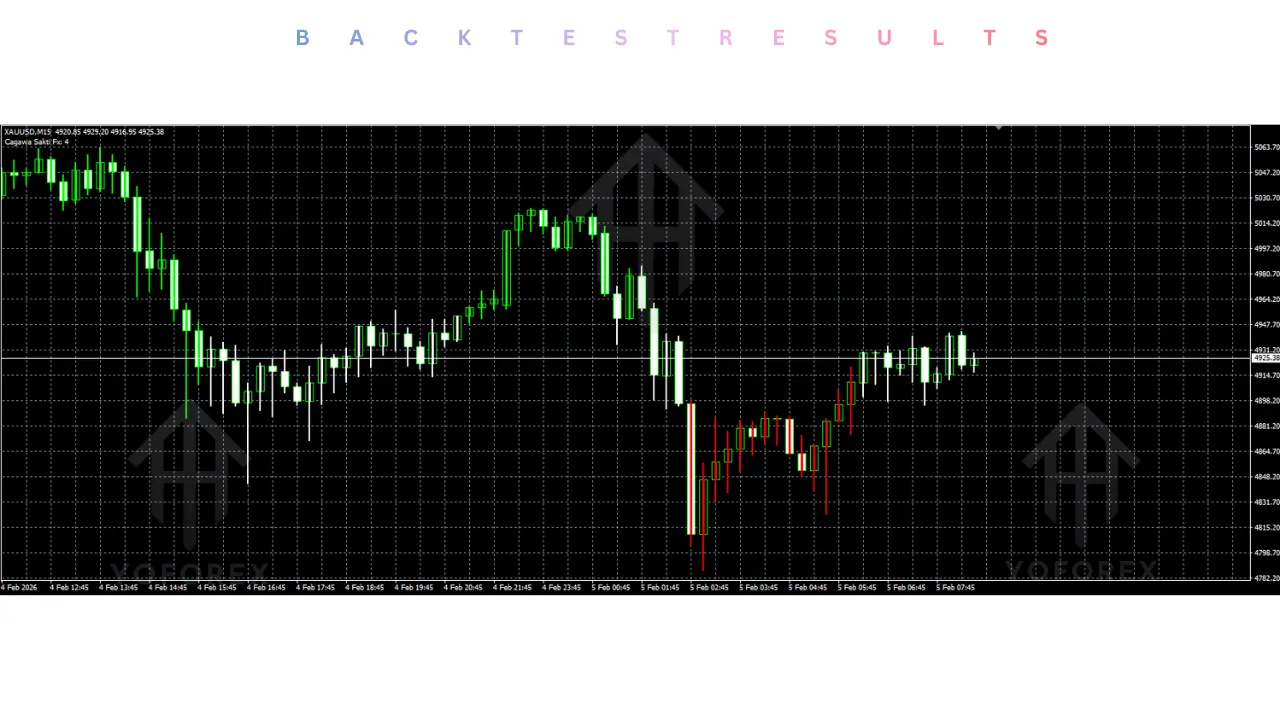
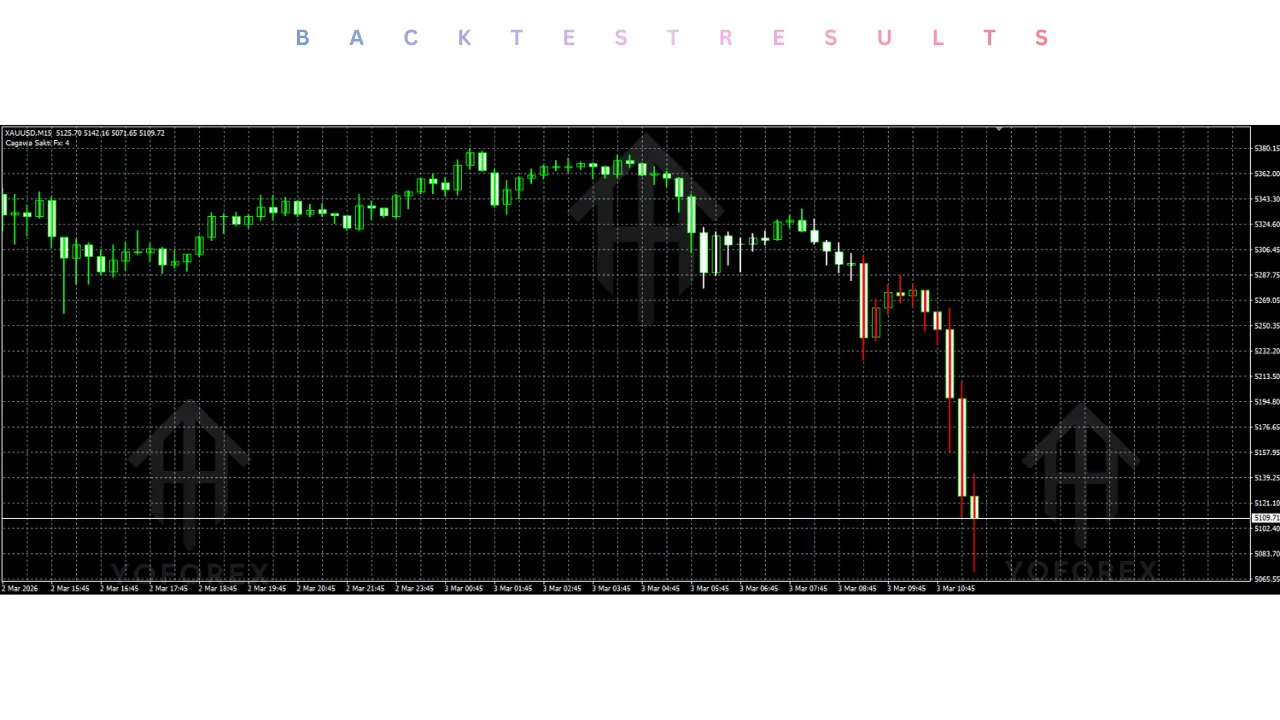
Cagawa Sakti Indicator V1.00 MT4 is one option that appears in these comparisons. It is an MT4 indicator designed to help identify trend direction through clear color changes, aiming to make visual trend analysis simpler. Before purchasing or installing it, the practical question is how it stacks up against manual trading, other indicator approaches, and full automation.
What Is Cagawa Sakti Indicator V1.00 MT4?
Cagawa Sakti Indicator V1.00 is a MetaTrader 4 indicator. Available through YoForex, it focuses on helping traders identify trend direction using clear color changes on the chart. The core idea is visual simplification of trend analysis so that direction becomes easier to read at a glance.
It is an indicator, not a fully automated Expert Advisor. It does not open or close trades on its own. The trader remains responsible for interpreting the visual signals and executing any trades. Platform is MT4. Specific pairs, timeframes, or advanced filters are not locked into public descriptions—check the product specifications before purchase for exact inputs and recommended use.
This places it in the category of decision-support tools rather than set-and-forget automation.
What Makes Cagawa Sakti Indicator V1.00 Different?
The known characteristic is its use of clear color changes to show trend direction. This may suit traders who prefer a simple visual layer on top of price action instead of multiple overlapping indicators or complex dashboards.
It is designed for manual or semi-manual workflows where the trader still decides entries, exits, and risk. It can be useful for those who want faster trend recognition without handing full control to an EA. It is worth considering if your priority is clearer chart reading rather than complete automation.
It does not claim to replace risk management, position sizing, or trade execution. Those remain the trader’s responsibility.
Quick Comparison Snapshot
| Factor | Cagawa Sakti Indicator V1.00 MT4 | Manual Trading | Alternative EA Type (Full Automation) |
|---|---|---|---|
| Execution | Manual (trader places trades) | Manual | Automatic |
| Automation | Visual signals only | None | Full trade management |
| Monitoring | Required for signals + decisions | Continuous chart watching | Lower once running |
| Strategy Control | High (trader decides) | Complete | Limited to EA rules |
| Configuration | Indicator settings | Personal rules | EA parameters + risk settings |
| Risk Control | Trader-managed | Trader-managed | Built into EA (varies by design) |
| Human Input | High | Highest | Low after setup |
When Cagawa Sakti Indicator V1.00 May Make More Sense
This indicator may be worth considering if:
- You want a visual aid for trend direction but still prefer to make the final trade decisions yourself.
- You have limited patience for dense multi-indicator charts and prefer clear color-based trend reading.
- Your trading style involves discretionary entries based on trend bias rather than pure mechanical rules.
- You are evaluating tools that support, rather than replace, your own analysis.
- You want something lightweight to test on MT4 without committing to full automation or complex EA setup.
- Screen time is available for monitoring signals but you want faster trend identification than pure price action alone.
In these cases, the indicator can act as a decision-support layer inside an otherwise manual or semi-manual process.
When Another Approach May Be Better
Honesty improves decision quality. Consider alternatives when:
- You need full hands-off automation because you cannot monitor charts or execute trades yourself. A properly tested Expert Advisor would be more suitable.
- You prefer complete control over every chart element and already have a clear personal trend method that works without additional tools.
- Your broker or account setup creates compatibility issues with custom indicators (always verify MT4 build and file type).
- Your risk tolerance or trading plan requires strict mechanical position sizing and exit rules that an indicator cannot enforce.
- You want backtested statistical performance data or automatic trade management—those belong to EA category, not simple indicators.
- You are looking for high-frequency scalping signals or multi-pair basket management; this tool is oriented toward visual trend direction.
In short, if the main problem is time or emotional discipline around execution, a full EA or a hybrid system may fit better. If the problem is simply clearer trend visualization, the indicator stays relevant.
Cagawa Sakti Indicator V1.00 MT4 vs Manual Trading
| Aspect | Cagawa Sakti Indicator V1.00 MT4 | Pure Manual Trading |
|---|---|---|
| Automation | Visual trend coloring | None |
| Speed of trend read | Faster via color changes | Depends on trader skill and focus |
| Monitoring | Still required for entries/exits | Continuous attention needed |
| Emotional influence | Reduced on trend identification | Fully exposed |
| Flexibility | High—trader keeps full decision power | Highest |
| Setup | Install indicator + adjust settings | No software beyond charting |
| Risk management | Fully trader-controlled | Fully trader-controlled |
What Should You Compare Before Buying?
Use this practical checklist before any purchase decision:
- Strategy match — Does visual trend coloring fit your current approach?
- Platform — Confirm MT4 compatibility and correct file format.
- Broker — Test on a demo with your actual broker for display and refresh behavior.
- Currency pairs and timeframe — Verify recommended or tested conditions in the product specs.
- Settings — Review all inputs and understand what each does.
- Risk approach — Remember the indicator does not manage risk; you must.
- VPS — Not required for an indicator, but useful if you keep charts open long-term.
- Support and updates — Check available channels from the provider (YoForex).
- Demo testing — Install and observe live price action for several sessions before any live use.
- Alternatives — Weigh against pure manual reading and against full EAs you may already be considering.
Never skip demo testing. Past visual clarity on historical charts does not guarantee future usefulness in live conditions.
Buyer Decision Framework
Choose Cagawa Sakti Indicator V1.00 MT4 if:
- You want a simple visual trend tool on MT4 and will still execute trades yourself.
- Clear color-based direction reading would reduce analysis time without removing your control.
- You are comfortable managing risk, stops, and position size manually.
Consider another solution if:
- You need the system to open and close trades automatically.
- You already have a reliable personal method for reading trend and do not need additional visual layers.
- Full statistical backtesting or automated risk rules are non-negotiable for you.
Check the product specifications on the official page before making the final call.
Setup Before Purchase
Before buying or downloading:
- Confirm the file is the correct V1.00 version for MT4.
- Verify your MetaTrader 4 build supports custom indicators.
- Prepare a demo account with the same broker you intend to use live.
- Review any available documentation for inputs and recommended chart conditions.
- Plan how the indicator will fit into your existing rules (entry confirmation, filters, risk %).
- Ensure you have a process for evaluating whether the visual signals improve or complicate your decisions.
Only after these steps does installation make sense.
FAQs
Should I buy Cagawa Sakti Indicator V1.00 MT4?
Only if a visual trend-direction tool fits your workflow better than pure manual reading or a full EA. Review the specs and test on demo first.
How does it compare to a full Expert Advisor?
It provides visual signals; an EA can execute and manage trades. Choose based on whether you want decision support or full automation.
Is it better than manual trend analysis?
It can speed up direction reading through color changes, but the trader still makes all trade decisions. Some prefer no extra tools.
What do I need to check for compatibility?
MT4 platform, broker chart behavior, and any specific inputs listed in the product details.
Does it manage risk or place trades?
No. Risk control and execution remain the trader’s responsibility.
Can I use it on any timeframe or pair?
Check the official product specifications for any guidance. Always test yourself.
Is support available after purchase?
Refer to the channels listed by YoForex on the product page.
Should I test before going live?
Yes. Install on demo, observe behavior across different market conditions, and only then decide on live use.
Conclusion
Cagawa Sakti Indicator V1.00 MT4 is one option among many for traders who want clearer visual trend information on MetaTrader 4 while keeping execution and risk in their own hands. It is not a replacement for a full trading plan, risk rules, or (if needed) complete automation.
Compare the setup against your available time, preferred level of control, and existing process. Review the current product details, confirm compatibility, and test thoroughly on demo.
If the visual trend approach matches what you need, you can view the bot details and get started through the official YoForex page. Make the choice based on fit, not on promises. Forex trading involves risk of loss—always verify specifications and test before any live capital is used.
Support & Disclaimer
Support
If you need help installing or configuring your EA, or face any kind of bug, feel free to reach out on:
WhatsApp: Click here
Telegram Group: Join our community
Disclaimer:
Forex and gold trading involve risk. Past performance doesn’t guarantee future results. Always test robots on demo before live trading and use proper risk management.
REFERRAL
Join the VIP Signals Telegram Channel for real-time expert trading signals and stay ahead in the forex market. Get personalized strategies by becoming a part of our Real Account Management Telegram Channel and optimize your trading experience. If you’re aiming to Pass PropFirm Challenges , join our dedicated channel for tips and proven methods. Start managing your capital effectively with expert advice from our Funded Account Management Telegram Channel. For advanced traders, our HFT EA / Passing Telegram Channel offers high-frequency trading insights and strategies to boost your performance.