
Introduction
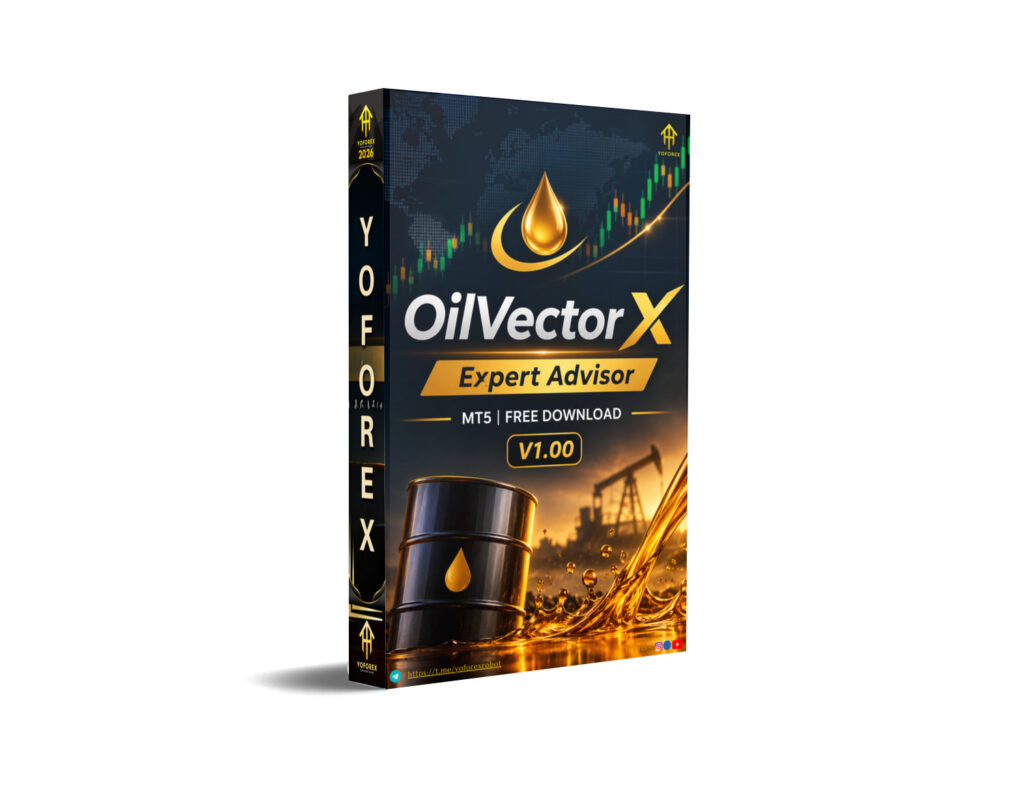
Many traders want systematic exposure to WTI Crude Oil without staring at charts all day. Oil moves on its own schedule—news, inventory data, and momentum shifts can create sharp daily ranges that are hard to catch manually. OilVector X EA V1.00 MT5 is built specifically for that problem: an automated daily breakout system on MetaTrader 5 that looks for momentum opportunities while applying predefined risk controls on every trade.
This article focuses on what the bot is, how it works, who it suits, and the practical checks you should make before buying. Information is drawn from publicly available product details; always verify the latest version, settings, and performance directly with the seller.
What Is OilVector X EA?
OilVector X EA is a specialized Expert Advisor for MetaTrader 5 designed exclusively for WTI Crude Oil (symbols such as XTIUSD, USOUSD, WTI, or broker-specific equivalents). It uses a daily breakout approach to identify potential directional moves and manages each position with its own stop loss, fixed take profit, and automated break-even logic.
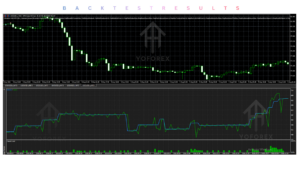
It is positioned as a plug-and-play system: attach it to the correct oil chart, choose your risk parameters, and let it run. The strategy avoids grid, martingale, or other recovery methods. A built-in on-chart dashboard shows statistics and an equity curve in real time.
How Does OilVector X Work?
The core process follows a clear sequence:
- Signal generation – The EA monitors daily breakout levels in the WTI market.
- Entry – When programmed criteria are met, it opens a trade automatically.
- Position management – Each trade carries its own structural stop loss and fixed take profit from the start. Break-even is applied automatically when price moves favorably.
- Exit – Positions close at the predefined take profit, stop loss, or via break-even management.
- Risk management – Position sizing is risk-based. A dedicated Prop Firm Mode adds daily loss limits, total loss limits, optional daily profit lock, and optional randomization of entry/SL/TP.
Chart timeframe does not drive the strategy timing; a timer-based fallback helps maintain operation even with limited ticks. The EA is broker-sensitive, so execution quality, spreads, and symbol specifications matter.
OilVector X Strategy Explained
OilVector X is built around daily breakout levels on WTI Crude Oil. The goal is to capture upward momentum during periods when oil is trending, while applying strict per-trade protection. The developer notes that oil is a challenging market for automation because it lacks the continuous trends of some indices or gold and can react sharply to news. The strategy is presented as transparent and rules-based rather than a complex multi-indicator system.
Exact entry formulas and filter details are typically provided in the private setup manual after purchase. No grid or martingale recovery is used.
Key Features
- Purpose-built for WTI Crude Oil only
- Daily breakout entry logic
- Individual stop loss and fixed take profit on every trade
- Automated break-even management
- Risk-based position sizing
- Plug-and-play setup (select risk and run)
- On-chart dashboard with live statistics and equity curve
- Persistent state (survives terminal restarts)
- Prop Firm Mode (daily/total loss limits, optional profit lock, randomization)
- No grid or martingale
Quick Specifications
| Feature | Details |
|---|---|
| Platform | MetaTrader 5 |
| Strategy | Daily breakout |
| Trading Style | Momentum / breakout on WTI |
| Instruments/Pairs | WTI Crude Oil (XTIUSD, USOUSD, WTI, etc.) |
| Timeframe | Chart TF does not control strategy timing |
| Risk Management | Per-trade SL/TP, break-even, risk-based lots, Prop Firm Mode |
| Automation | Fully automated order execution & management |
| VPS | Recommended for uninterrupted operation |
| Best For | Traders seeking systematic oil exposure |
Main Benefits
Automation removes the need for constant screen watching and emotional decision-making on oil moves. Consistent rule-based execution can help traders apply the same logic day after day. The dedicated oil focus adds portfolio diversification for those already running FX or gold systems. Prop Firm Mode gives extra controls that some evaluation accounts require. The on-chart dashboard reduces reliance on external trackers.
Limitations & Risks
- Oil is news-sensitive; large volatility spikes can produce drawdowns.
- Broker conditions (spread, swap, execution, contract size) materially affect results—the EA is explicitly broker-sensitive.
- Breakout strategies experience losing periods between winning streaks.
- Backtests and short live samples do not guarantee future performance.
- Incorrect risk settings or insufficient capital can amplify losses.
- VPS or connectivity issues can leave trades unprotected if the terminal is offline.
- Limited public long-term live track record at the individual EA level means users must do their own verification.
Always treat historical results (backtest or live) as illustrative only.
Who Is OilVector X For?
Ideal users are traders who want automated, rules-based exposure to WTI Crude Oil, understand breakout risk, and are willing to test thoroughly on demo with their chosen broker. It suits those who already run a diversified portfolio and want an oil component, as well as traders comfortable with MT5 and basic risk settings. Prop-firm candidates who need daily/total loss controls may also find the dedicated mode useful after verifying firm rules.
Who Should Avoid It?
Avoid this EA if you need multi-asset coverage, prefer mean-reversion or scalping styles, cannot accept potential drawdowns, or are unwilling to test broker compatibility. Absolute beginners with no understanding of oil market behavior, risk percentage, or VPS requirements should gain experience first. Anyone seeking “set-and-forget guaranteed income” will be disappointed—no such system exists.
OilVector X vs Manual Trading
| Aspect | OilVector X EA | Manual Trading |
|---|---|---|
| Execution | Automatic, rules-based | Discretionary |
| Screen time | Minimal once running | High during active sessions |
| Consistency | High (same rules every day) | Variable (mood, fatigue) |
| Emotional interference | Low | High |
| Speed | Instant on signal | Depends on trader reaction |
| Flexibility | Limited to programmed logic | Full discretion |
| Monitoring | Dashboard + occasional checks | Continuous |
| Risk management | Pre-defined per trade | Trader-dependent |
What To Check Before Buying
- Confirm the strategy matches your preferred style (daily breakout on oil).
- Review risk/drawdown expectations and set conservative parameters.
- Verify MT5 compatibility and correct WTI symbol with your broker.
- Test broker conditions (spread, execution, swaps) on the oil symbol.
- Plan for a reliable VPS.
- Obtain and study the setup manual/settings.
- Run proper backtests (real ticks preferred) and extended demo testing.
- Check support channels and license terms (activations).
- Confirm current pricing and any version differences.
- Evaluate Prop Firm Mode against your specific evaluation rules if relevant.
OilVector X Settings
Detailed settings are normally supplied in the private setup manual after purchase. Users typically select risk percentage or lot-sizing mode and enable Prop Firm Mode parameters if needed. Always start with conservative risk and verify on demo. Exact recommended presets should be obtained from the seller.
OilVector X Backtesting & Performance
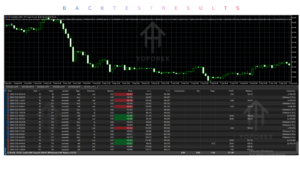
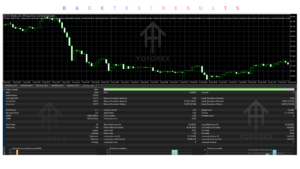
Public information indicates development and validation used real-tick data with in-sample and out-of-sample periods. Live signals have shown positive results over limited periods and trade counts, but sample sizes are small and MQL5 has issued related warnings. One public oil-only signal has displayed strong closed-trade statistics over a short history; portfolio signals that include multiple EAs cannot be attributed solely to OilVector X.
Backtests and live results are not the same. Historical performance—whether backtested or observed live—does not guarantee future results. Always run your own tests under your broker’s conditions.
How To Get Started
- Confirm MT5 and your broker’s WTI symbol compatibility.
- Review risk settings and obtain the setup guide.
- Install the EA on a demo account.
- Run extended demo testing (including different market conditions).
- Monitor the dashboard and trade behavior.
- Only consider live use after satisfactory demo results and with proper risk controls and VPS.
Never risk money you cannot afford to lose.
Is OilVector X Worth Buying?
OilVector X offers a clear, oil-specific daily breakout approach with solid per-trade protection and useful Prop Firm features. Its strengths are specialization, simplicity of setup, and avoidance of high-risk recovery methods. Weaknesses include broker sensitivity, the inherent drawdown profile of breakout systems, and the need for users to verify performance themselves rather than relying on short public samples.
It can be worth considering if you specifically want automated WTI exposure, are prepared to test thoroughly, and accept the risks. It is not a universal solution or a passive income machine. Compare it against your existing systems, risk tolerance, and available capital before deciding.
FAQs
What is OilVector X EA?
A MetaTrader 5 Expert Advisor specialized for automated daily breakout trading on WTI Crude Oil.
Is it MT4 or MT5?
MT5 only.
How does it work?
It monitors daily breakout levels, enters when criteria are met, and manages each trade with its own stop loss, fixed take profit, and break-even logic.
What strategy does it use?
Daily breakout aimed at capturing upward momentum in trending oil periods.
Can it be backtested?
Yes. Use the correct oil symbol, preferably real ticks, and a realistic deposit size.
Is it suitable for beginners?
Only if the beginner is willing to learn oil market behavior, risk settings, and proper testing. Absolute novices should gain experience first.
What broker is required?
Broker-sensitive. Darwinex and IC Markets/IC Trading are commonly mentioned; always test your own broker’s conditions.
How do I buy/install it?
Purchase through authorized channels (including those associated with Yoforexea where available), receive the file and setup instructions, then install on an MT5 oil chart following standard EA procedures.
Conclusion
OilVector X EA V1.00 MT5 is a focused tool for traders who want systematic, non-grid exposure to WTI Crude Oil breakouts on MetaTrader 5. Its main strengths are clear risk rules per trade, plug-and-play design, and Prop Firm Mode. Important considerations remain broker compatibility, realistic expectations around drawdowns, and the need for independent testing.
If the strategy and risk profile match your goals, the next practical step is to review the current product details, obtain the setup information, and run thorough demo tests.
Support & Disclaimer
Support:
If you need help installing or Downloading or configuring your EA , or face any kind of bug, feel free to reach out on:
Telegram Group: Join our community
Disclaimer:
Forex and gold trading involve risk. Past performance doesn’t guarantee future results. Always test robots on demo before live trading and use proper risk management.
REFERRAL
Join the VIP Signals Telegram Channel for real-time expert trading signals and stay ahead in the forex market. Get personalized strategies by becoming a part of our Real Account Management Telegram Channel and optimize your trading experience. If you’re aiming to Pass PropFirm Challenges, join our dedicated channel for tips and proven methods. Start managing your capital effectively with expert advice from our Funded Account Management Telegram Channel. For advanced traders, our HFT EA / Passing Telegram Channel offers high-frequency trading insights and strategies to boost your performance.