Unlock Consistent Trading with TRADE EA V1.10 for MT4: Your $200 Gateway to Automation
In the fast-paced world of Forex trading, consistency is king, yet achieving it manually can feel like an uphill battle. Emotional decisions, missed opportunities, and the sheer exhaustion of monitoring charts 24/5 often stand between traders and their goals. Enter TRADE EA V1.10 for MT4 – a robust, user-friendly Expert Advisor designed to automate your trading strategy, minimize emotional interference, and help you navigate the markets with greater precision, even with a modest starting capital of just $200.
What is TRADE EA V1.10?
TRADE EA V1.10 is a sophisticated yet accessible trading robot engineered exclusively for the MetaTrader 4 (MT4) platform. It’s not a “get-rich-quick” scheme, but a powerful tool designed to execute a predefined trading strategy systematically. Version 1.10 represents a significant refinement, incorporating enhanced risk management protocols, improved entry/exit logic, and optimized performance based on extensive backtesting and live market feedback. Its core mission is to remove the psychological hurdles and time constraints that plague manual traders, allowing the strategy to work tirelessly on your behalf.
The Power of Automation: Why Choose TRADE EA V1.10?
- Emotion-Free Trading: Fear and greed are a trader’s worst enemies. TRADE EA V1.10 operates purely on logic and predefined rules. It won’t panic during drawdowns or chase losses impulsively. It sticks to the plan, executing trades based on objective market signals, leading to more consistent decision-making.
- 24/5 Market Vigilance: The Forex market never sleeps (except weekends). TRADE EA V1.10 monitors your chosen currency pair(s) and timeframe(s) around the clock, scanning for trading opportunities according to its algorithm. You no longer need to sacrifice sleep or miss crucial moves due to other commitments.
- Lightning-Fast Execution: Speed is critical in trading. The EA identifies setups and executes entries, exits, and adjustments (like stop-losses and take-profits) in milliseconds, far faster than any human can react. This minimizes slippage and ensures you enter and exit at the intended price levels.
- Disciplined Risk Management: This is arguably its most vital feature, especially crucial for traders starting with $200. TRADE EA V1.10 incorporates strict, built-in risk controls:
- Fixed Fractional Position Sizing: It automatically calculates lot sizes based on your account balance and a predefined risk percentage per trade (e.g., risking 1-2% of $200 means $2-$4 per trade). This prevents over-leveraging and catastrophic losses.
- Hard Stop-Loss & Take-Profit: Every trade opened by the EA has a predetermined stop-loss (to limit potential downside) and take-profit (to lock in gains). These levels are set instantly upon entry, removing the temptation to “let it run” or “hope it comes back.”
- Drawdown Control: Advanced versions often include features to pause trading if account equity drops below a certain threshold, protecting capital during prolonged adverse market conditions.
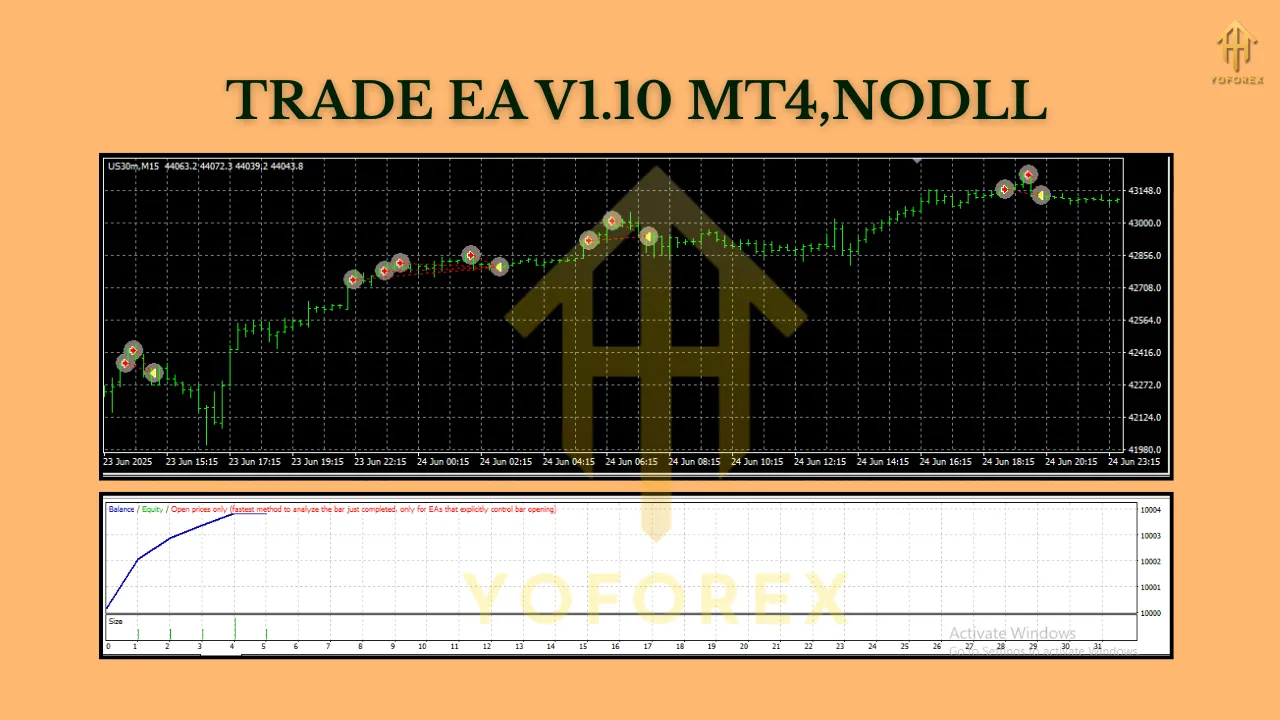
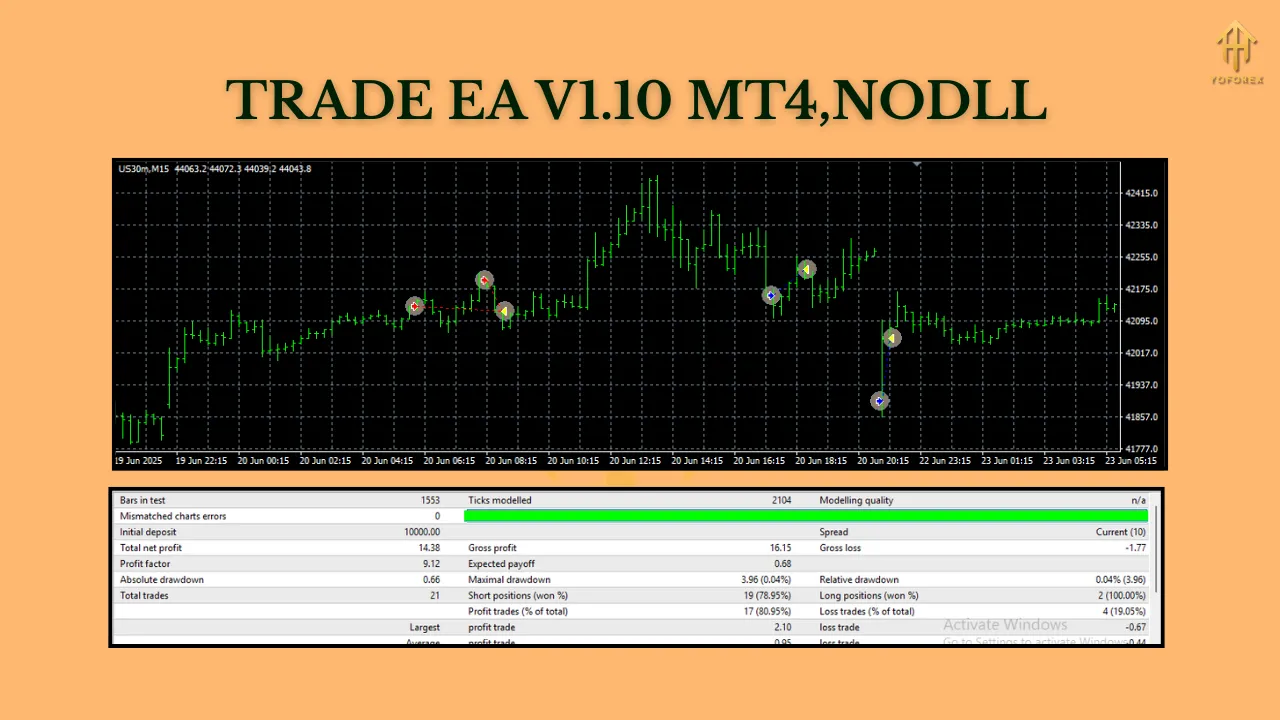
- Backtesting & Optimization: Before risking real money, you can rigorously test TRADE EA V1.10 using MT4’s powerful Strategy Tester. Run it against historical data for your preferred currency pair and timeframe to see how it would have performed. This allows you to optimize input parameters (like risk percentage, indicator settings) for current market conditions, building confidence in the strategy.
Flexibility: Adapting to Your Style (Within Reason)
While the core strategy is built-in, TRADE EA V1.10 offers a degree of flexibility:
- Currency Pair: The EA is designed to be versatile. It performs best on major currency pairs known for good liquidity and relatively lower spreads, such as EUR/USD, GBP/USD, USD/JPY, and AUD/USD. These pairs offer ample trading opportunities and are generally less prone to erratic volatility than exotic pairs. While it might work on others, focusing on majors is recommended, especially with a $200 account.
- Timeframe: TRADE EA V1.10 is typically optimized for shorter timeframes, particularly the M15 (15-minute) and M30 (30-minute) charts. These timeframes offer a good balance between capturing meaningful market moves and providing a sufficient number of trading signals without excessive noise. It can potentially be adapted for H1 (1-hour), but shorter timeframes often align better with the EA’s likely scalping or intraday swing strategy. Avoid very short timeframes (M1-M5) due to high noise and spread costs, and very long timeframes (D1+) which might not generate enough signals for a small account.
Why the $200 Minimum Deposit Makes Sense
A $200 starting deposit is a realistic and responsible entry point for several reasons:
- Focus on Risk Management: With only $200 at stake, the EA’s built-in risk controls (e.g., risking 1-2% per trade = $2-$4) become paramount. This forces a disciplined approach from the outset, teaching the importance of capital preservation. Larger accounts can absorb bigger losses; a $200 account cannot.
- Realistic Expectations: Starting small aligns expectations. The goal isn’t to double your account in a week but to achieve consistent, modest growth while learning how the EA operates. Profits will be small initially, but so will potential losses.
- Affordability & Accessibility: $200 is a manageable sum for many aspiring traders. It lowers the barrier to experiencing automated trading without risking life savings. It allows traders to “test the waters” with real money under controlled conditions.
- Micro Lot Trading: Brokers offering micro lots (0.01 lots = $0.10 per pip for EUR/USD) are essential. With a $200 account and risking 1% ($2), the EA can place trades where a 20-pip stop-loss equates to a $2 risk (0.01 lots x 20 pips x $0.10/pip = $2). This precise sizing is impossible with standard lots on a small account.
- Learning Curve: Using the EA with $200 allows you to understand its behavior, monitor its performance, and get comfortable with automation without significant financial pressure. Any mistakes in setup or unexpected market behavior will have minimal financial impact.
Key Features of TRADE EA V1.10 at a Glance
- Fully Automated: Hands-free trading once configured.
- Built for MT4: Seamless integration with the world’s most popular trading platform.
- Strict Risk Management: Fixed fractional sizing, hard SL/TP, drawdown controls.
- Optimized for Majors & M15/M30: Best performance on liquid pairs and intraday timeframes.
- User-Friendly Interface: Relatively simple input parameters for customization (risk %, SL/TP distances, indicator settings if applicable).
- Backtestable: Thoroughly test and optimize before going live.
- Low Minimum Deposit: Accessible entry point at $200 (requires micro lot broker).
- Strategy Focus: Likely employs a combination of technical indicators (e.g., Moving Averages, RSI, MACD, Bollinger Bands) for trend identification, momentum, and potential reversal points, executing trades when specific criteria align.
Getting Started with TRADE EA V1.10: A Quick Guide
- Choose a Reliable MT4 Broker: Select a broker offering MT4, micro lot trading, tight spreads on major pairs, and regulation for security. Fund your account with at least $200.
- Download & Install: Obtain the TRADE EA V1.10 file (.ex4 or .mq4). In MT4, go to
File->Open Data Folder->MQL4->Experts. Paste the file here. Restart MT4. - Attach to Chart: Open the chart for your chosen major pair (e.g., EUR/USD) and timeframe (e.g., M15). Drag the TRADE EA V1.10 from the
Navigatorwindow onto the chart. - Configure Inputs: The EA’s input window will open. Key settings include:
- RiskPercent: Set your risk per trade (e.g., 1.0 for 1%).
- StopLossPips / TakeProfitPips: Set your desired SL and TP distances in pips (e.g., 20 pip SL, 40 pip TP). Ensure these align with your risk percentage.
- MagicNumber: Unique identifier for the EA’s trades (prevents conflict with other EAs or manual trades).
- Indicator Parameters: If applicable, adjust settings for the underlying strategy indicators (e.g., MA periods, RSI levels). Use optimized values from backtesting.
- MaxSpread: Set a maximum spread (e.g., 3.0 pips) to prevent trading during illiquid times.
- DrawdownLimit: (If available) Set an equity percentage (e.g., 20%) to halt trading if breached.
- Enable AutoTrading: Ensure the
AutoTradingbutton on the MT4 toolbar is green (enabled). - Monitor & Learn: Let the EA run. Monitor its performance regularly, but avoid micromanaging. Focus on understanding its trade logic and how it handles different market conditions. Keep a trading journal.
Conclusion: Your Automated Trading Partner Awaits
TRADE EA V1.10 for MT4 represents a powerful tool for traders seeking consistency, discipline, and freedom from the emotional rollercoaster of manual trading. Its focus on robust risk management, compatibility with major pairs and key timeframes, and accessible $200 minimum deposit make it a particularly attractive option for those starting their automated trading journey or looking to supplement their existing strategies.
Remember, no EA is a magic bullet. Success requires understanding its strategy, diligent backtesting and optimization, choosing the right broker, and practicing sound risk management – principles TRADE EA V1.10 is explicitly designed to enforce. By leveraging its automation and built-in safeguards, you can free up your time, reduce stress, and focus on refining your overall trading approach. If you’re ready to embrace the power of algorithmic trading with a responsible starting point, TRADE EA V1.10 could be the key to unlocking a more structured and potentially rewarding trading experience. Start small, trade smart, and let the EA work for you.