THE KAMAUs FX EA V1.31 MT4 – Versatile Forex Robot for All Pairs and Timeframes
Are you looking for a flexible, reliable, and consistently profitable expert advisor (EA) for MetaTrader 4 (MT4)? Introducing THE KAMAUs FX EA V1.31, an advanced forex trading robot designed for any currency pair and any timeframe. This EA is ideal for traders who want a multi-strategy, plug-and-play solution that works across different market conditions.
In this post, we’ll explore how THE KAMAUs FX EA works, its key features, how to use it, and why it’s becoming a favorite among both beginners and professional forex traders.
🧠 What Is THE KAMAUs FX EA V1.31?
THE KAMAUs FX EA V1.31 is an automated trading system built for MetaTrader 4 (MT4). Unlike many EAs that are limited to specific pairs or timeframes, this EA is:
-
Multi-pair compatible (can trade any forex pair, indices, metals, and even crypto if supported by the broker)
-
Multi-timeframe capable (from M1 to D1 and beyond)
-
Rule-based and strategy-driven, using advanced logic to open and close trades automatically
This makes it one of the most versatile EAs available on the market today.
✅ Key Features at a Glance
| Feature | Details |
|---|---|
| Platform | MetaTrader 4 (MT4) |
| Version | V1.31 |
| Pairs Supported | Any (Forex, Indices, Metals, Crypto) |
| Timeframes | Any (M1, M5, M15, H1, H4, D1) |
| Trading Style | Adaptive (Scalping, Intraday, Swing based on settings) |
| Strategy Logic | Custom indicators, price action, volatility filters |
| Risk Management | Built-in SL, TP, and dynamic lot sizing |
| News Filter | Optional (avoid high-impact news) |
| Drawdown Control | Yes (max drawdown settings included) |
💡 What Makes This EA Unique?
Most expert advisors are built around a single strategy or trading pair. THE KAMAUs FX EA V1.31 stands out because of its flexibility and modular logic.
Whether you’re a:
-
Scalper on M1 charts
-
Day trader on M15–H1
-
Swing trader on H4 or D1
This EA can be optimized to suit your strategy and trading style. With customizable inputs and risk controls, it’s suitable for manual or fully automated trading systems.
🔍 How Does THE KAMAUs FX EA V1.31 Work?
THE KAMAUs FX EA uses a blend of price action analysis, custom indicators, and trend-following algorithms. Here’s a simplified overview:
1. Market Scanning
-
Scans for trend direction using multi-timeframe analysis
-
Applies moving averages, momentum filters, and price structure
2. Entry Conditions
-
Waits for ideal entry setups based on breakout levels, support/resistance, or reversal zones
-
Avoids entry during high volatility or news spikes (if news filter is enabled)
3. Exit Strategy
-
Uses smart trailing stops, fixed take profit, or dynamic exit based on reversal signals
-
Trades can be closed manually or left to the EA’s logic
4. Risk Management
-
Fixed or percentage-based lot sizing
-
Max drawdown limit
-
Daily loss limits (to prevent overtrading)
⚙️ Installation & Setup (Step-by-Step)
Setting up THE KAMAUs FX EA V1.31 on MT4 is easy and beginner-friendly.
✅ Step-by-Step Guide:
-
Download the EA file (.ex4 or .mq4)
-
Open MT4 → Go to File > Open Data Folder
-
Navigate to MQL4 > Experts
-
Paste the EA file into the folder
-
Restart MT4 or refresh the Navigator
-
Drag the EA onto any chart of any pair and timeframe
-
Enable AutoTrading and tick “Allow DLL imports” if required
-
Set your preferences: lot size, SL/TP, risk %, trading hours, filters
🎯 Pro Tip: Backtest the EA using MT4’s Strategy Tester on multiple pairs to find optimal settings.
🧪 Backtesting and Performance
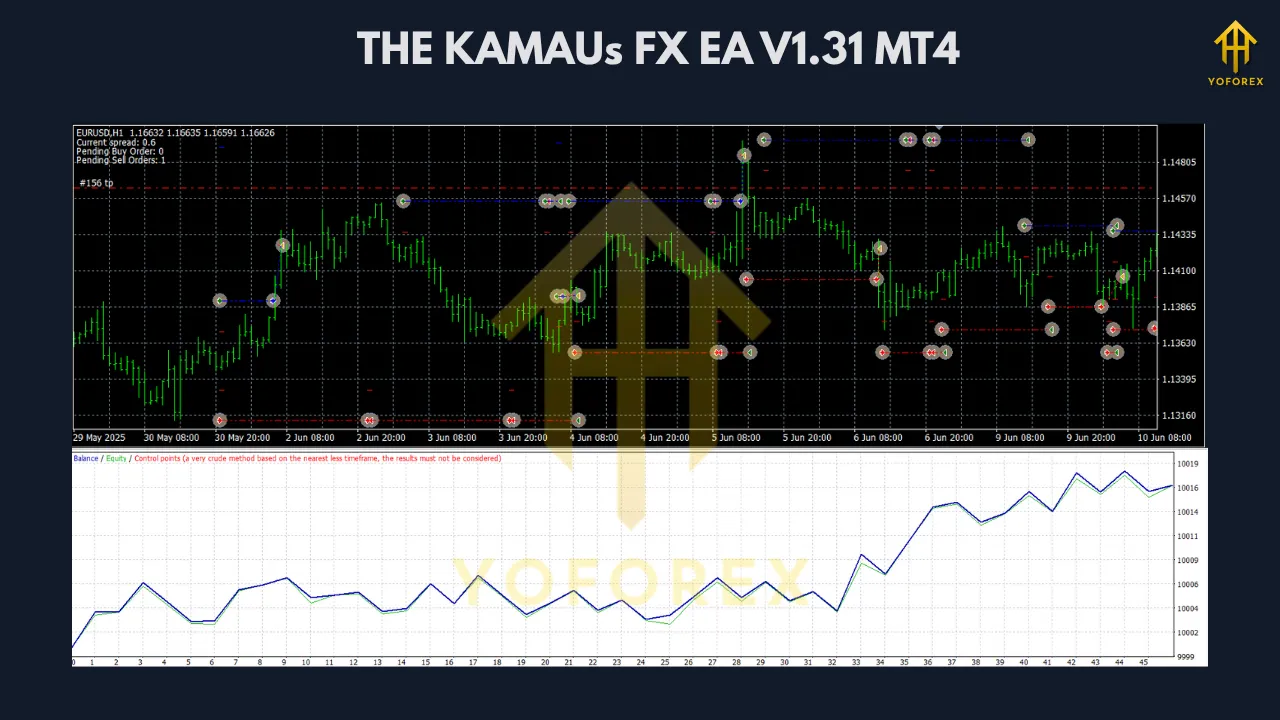
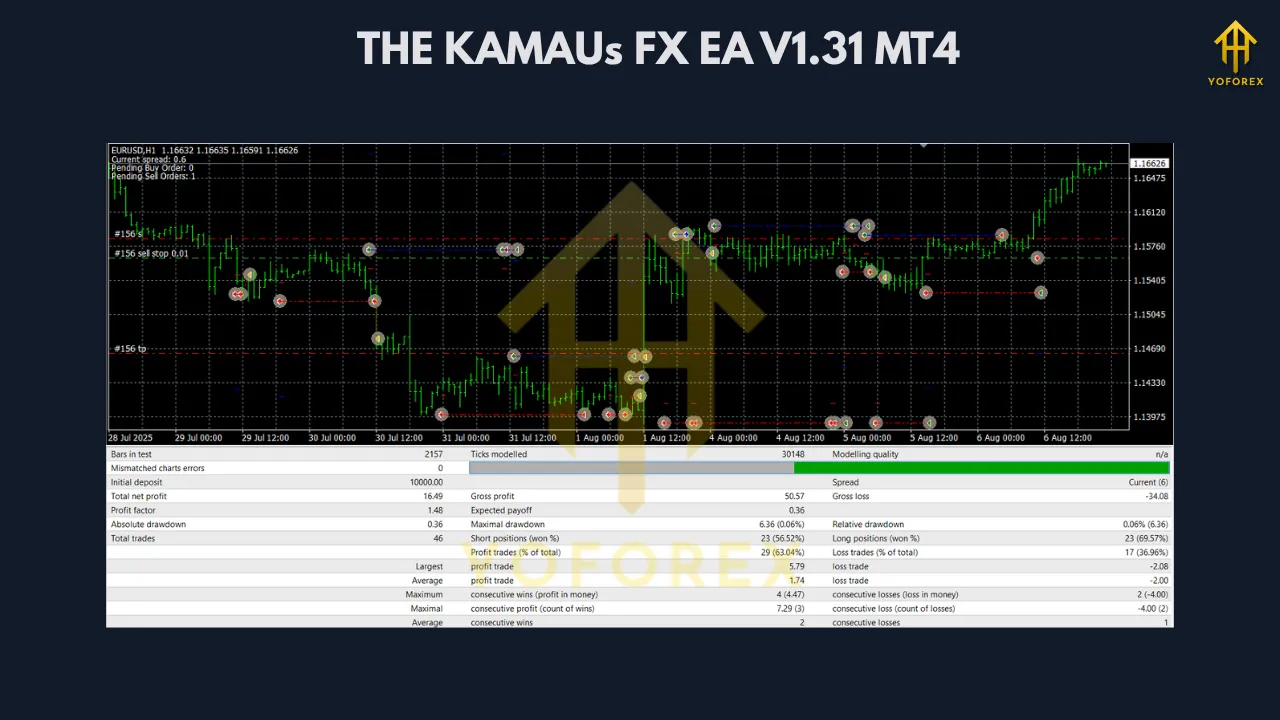
While every trader’s results will vary based on settings, here’s a general overview based on tested performance:
✅ Backtest Insights:
-
Win rate: 60–75% (depending on pair and timeframe)
-
Average trade duration: 5 minutes to several hours
-
Drawdown: Low to moderate with correct settings
-
Profit factor: 1.5 – 2.2 in optimized scenarios
🔬 Best Performing Pairs (as reported by users):
-
EURUSD (low spread, steady trends)
-
GBPJPY (high volatility, ideal for scalping)
-
XAUUSD (gold – strong intraday moves)
-
US30 (indices, swing setups)
-
BTCUSD (crypto, trend-following)
🔄 Optimization Tips
To maximize results with THE KAMAUs FX EA V1.31, consider the following tips:
-
Use a VPS: Ensures 24/5 uptime and low latency execution
-
Choose an ECN broker: Tight spreads are crucial
-
Avoid news events: Use the built-in news filter or trade outside high-impact times
-
Backtest each pair: Adjust SL, TP, and trailing settings for different assets
-
Start small: Begin with micro lots or demo trading
✅ Pros & Cons
✅ Pros:
-
Works on any pair and timeframe
-
Multiple strategies in one EA
-
Advanced risk control
-
Beginner-friendly setup
-
Regular updates (if supported by vendor)
❌ Cons:
-
Requires optimization for best results
-
Performance varies depending on broker/spread
-
Some strategies may not suit all market conditions
💬 Who Should Use This EA?
THE KAMAUs FX EA V1.31 is perfect for:
-
Beginners who want a plug-and-play robot that works out of the box
-
Intermediate traders looking to automate their strategies
-
Advanced users who want a customizable EA to suit specific styles
If you want one EA that adapts to your trading style, this is a solid choice.
📌 Conclusion: Is THE KAMAUs FX EA V1.31 Worth It?
Absolutely. The flexibility of multi-timeframe and multi-pair compatibility, combined with robust risk management, makes this EA one of the more powerful and adaptable tools on the MT4 platform.
Whether you’re scalping EURUSD on M1 or swing trading gold on H4, THE KAMAUs FX EA V1.31 has the logic and tools to handle it.
However, no EA is a magic bullet. Success depends on:
-
Choosing the right settings
-
Optimizing for your broker
-
Practicing proper money management
🔗 Where to Get THE KAMAUs FX EA V1.31?
It may be available on trading forums, EA marketplaces, or from the developer directly. Always ensure you download from a verified and secure source.
Need help setting it up? Let us know in the comments or reach out for support!
Join our Telegram for the latest updates and support