Introduction
Identifying true market direction, understanding institutional order flow, and reading smart money concepts are now essential skills for committed traders. The Market Structure and Orderblock ICT Indicator V1.2 MT4 is designed for traders who follow ICT (Inner Circle Trader) concepts, Smart Money Concepts (SMC), and liquidity-based trading. It provides a clear visual map of market structure, order blocks, BOS, CHoCH, liquidity sweeps, and trend shifts, so you can focus on executing high-probability trades instead of manually drawing every level on the chart.
In this guide, you will learn what the indicator does, how it works, and how you can use it step by step to improve your entries, exits, and overall trading performance on MetaTrader 4.
What Is the Market Structure and Orderblock ICT Indicator V1.2 MT4?
The Market Structure and Orderblock ICT Indicator V1.2 MT4 is a smart money concept indicator built specifically for MetaTrader 4. Instead of relying on lagging tools like oscillators or simple moving averages, it tracks how price reacts around:
- Major highs and lows
- Liquidity pools and stop zones
- Bullish and bearish order blocks
- Break of Structure (BOS)
- Change of Character (CHoCH)
- Premium and discount zones
The indicator automatically draws and updates these levels in real time, helping you read the underlying institutional narrative behind price movement. Version V1.2 focuses on cleaner visuals, better structure detection, and reduced chart clutter compared to earlier releases.
Key Features of the Market Structure and Orderblock ICT Indicator V1.2 MT4
1. Break of Structure (BOS) Detection
Break of Structure is one of the core elements of market structure analysis. The indicator monitors when price closes beyond key highs or lows and marks a clear bullish BOS or bearish BOS. This helps you:
- Confirm trend continuation after a pullback
- Avoid trading against strong momentum moves
- Filter out false breakouts by focusing on real structure breaks
2. Change of Character (CHoCH)
A Change of Character (CHoCH) is often the first sign that the current trend may be ending. The indicator automatically labels CHoCH when price breaks an internal structure level in the opposite direction of the prevailing trend. This can signal:
- A bearish trend switching to a potential bullish phase
- An exhausted uptrend rolling over into distribution
- The start of a new swing leg or larger reversal
Traders use CHoCH as an early warning to stop forcing trades in the old direction and start preparing for a new order flow.
3. Automatic Order Block Identification
Order blocks are institutional footprints where large buy or sell orders were placed. The Market Structure and Orderblock ICT Indicator V1.2 MT4 highlights:
- Bullish order blocks in demand zones
- Bearish order blocks in supply zones
- Fresh order blocks that have not been mitigated yet
- Tested or mitigated blocks that may still act as reaction zones
- Invalidated blocks once price cleanly breaks through them
Instead of guessing where to enter, you can plan trades around these mapped order blocks, combining them with BOS, CHoCH, and liquidity sweeps.
4. Liquidity Zones and Sweeps
Liquidity is the fuel behind every strong move. This ICT-style indicator helps visualize where liquidity is likely resting, such as:
- Equal highs and equal lows
- Previous swing highs and lows where stops accumulate
- Liquidity pools above resistance or below support
- Stop hunts and liquidity grabs before reversals
After a liquidity sweep, price often reverses aggressively in the opposite direction. Combining liquidity grabs with order block reactions gives you powerful entry locations with tight stops and strong reward potential.
5. Premium and Discount Zones
Using internal price calculations, the indicator separates price into:
- Premium zone – where selling is usually more attractive
- Discount zone – where buying is usually more attractive
This helps you avoid buying at the top of the range or selling at the bottom. For example, in a bullish trend you ideally want to buy from the discount area near a bullish order block, not chase price in premium areas after it has already moved far away from structure.
6. Trend Mapping and Higher Timeframe Structure
The indicator does more than just mark local swings. It also gives you a broader picture of where price is in the overall structure by highlighting:
- Current trend bias: bullish, bearish, or ranging
- Internal vs external structure points
- Key swing highs and swing lows
- Zones where price has reacted multiple times
Having this mapping on your MT4 chart keeps you aligned with the general order flow instead of getting trapped in small countertrend moves.
How to Trade with the Market Structure and Orderblock ICT Indicator V1.2 MT4
Step 1: Define the Higher Timeframe Bias
Start by opening a higher timeframe such as H4 or H1. Look at the BOS and CHoCH signals the indicator marks:
- Repeated bullish BOS without major bearish CHoCH usually indicates a strong uptrend.
- Repeated bearish BOS without bullish CHoCH indicates a strong downtrend.
- Frequent flips between bullish and bearish CHoCH may signal a choppy range.
Your first goal is to decide whether you want to focus on buys, sells, or stay flat until structure becomes cleaner.
Step 2: Mark Key Order Blocks in Line with Bias
Once you know the main direction, zoom into a lower timeframe like M30, M15, or M5. Use the indicator to locate:
- Fresh bullish order blocks in discount areas if you are bullish
- Fresh bearish order blocks in premium areas if you are bearish
These are your potential entry zones. Avoid order blocks that have been tapped multiple times, because the more they are touched, the weaker they usually become.
Step 3: Wait for Liquidity Sweep Confirmation
Before entering, wait for price to sweep liquidity near your chosen area. A common pattern is:
- Price spikes above a previous high or below a previous low
- Liquidity is grabbed and stops are taken out
- Price quickly rejects and comes back into your order block
This combination of liquidity sweep plus order block tap, in the direction of your higher timeframe bias, is one of the most powerful smart money setups.
Step 4: Enter at Mitigation Points with Defined Risk
Use the order block zone marked by the indicator as your entry region. Typically, traders place their entries:
- Inside the bullish order block for long trades, with stops below the block
- Inside the bearish order block for short trades, with stops above the block
Because these zones are refined, you can often keep your stop loss relatively tight, which allows better risk-to-reward ratios even when targeting modest moves.
Step 5: Target Liquidity and Structure Levels
For take profit levels, focus on logical liquidity and structure targets rather than arbitrary points. Common targets include:
- Equal highs or equal lows
- Previous swing highs or lows
- Unfilled imbalances and price gaps
- Major order blocks in the opposite direction
This approach keeps your exits aligned with where the market naturally tends to move, instead of closing trades too early or holding them too long without reason.
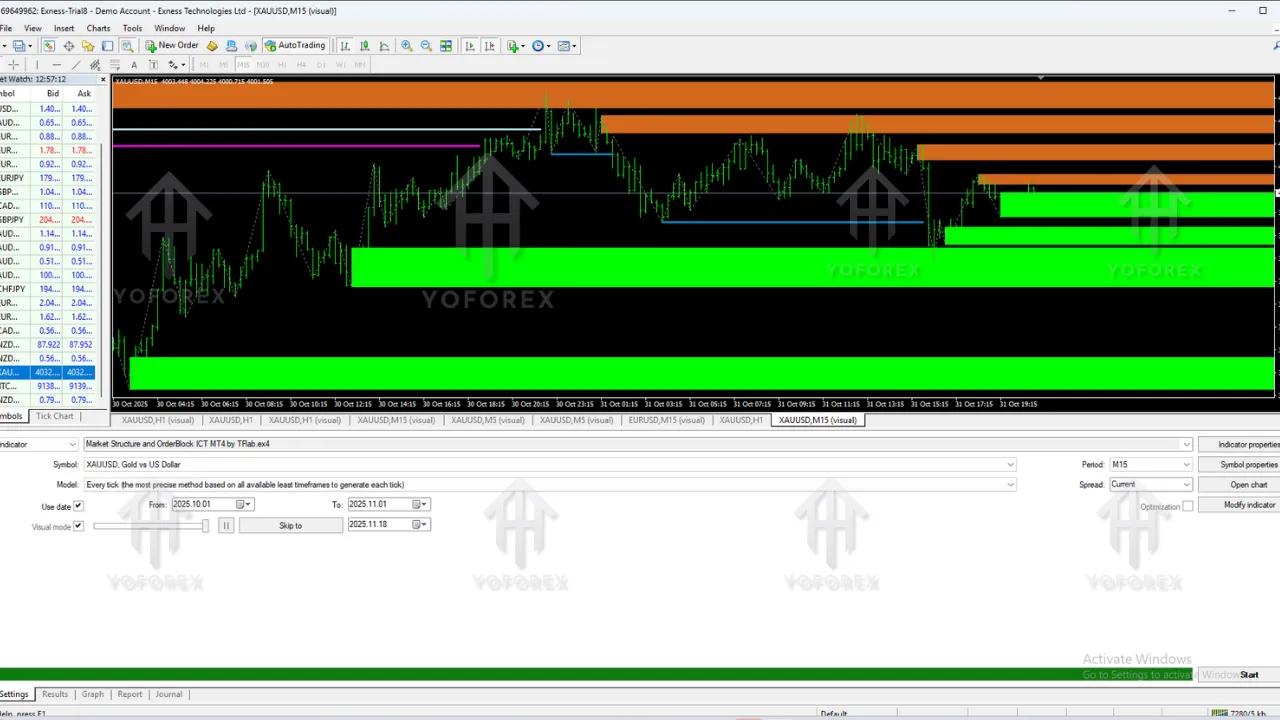
Backtesting and Performance Overview
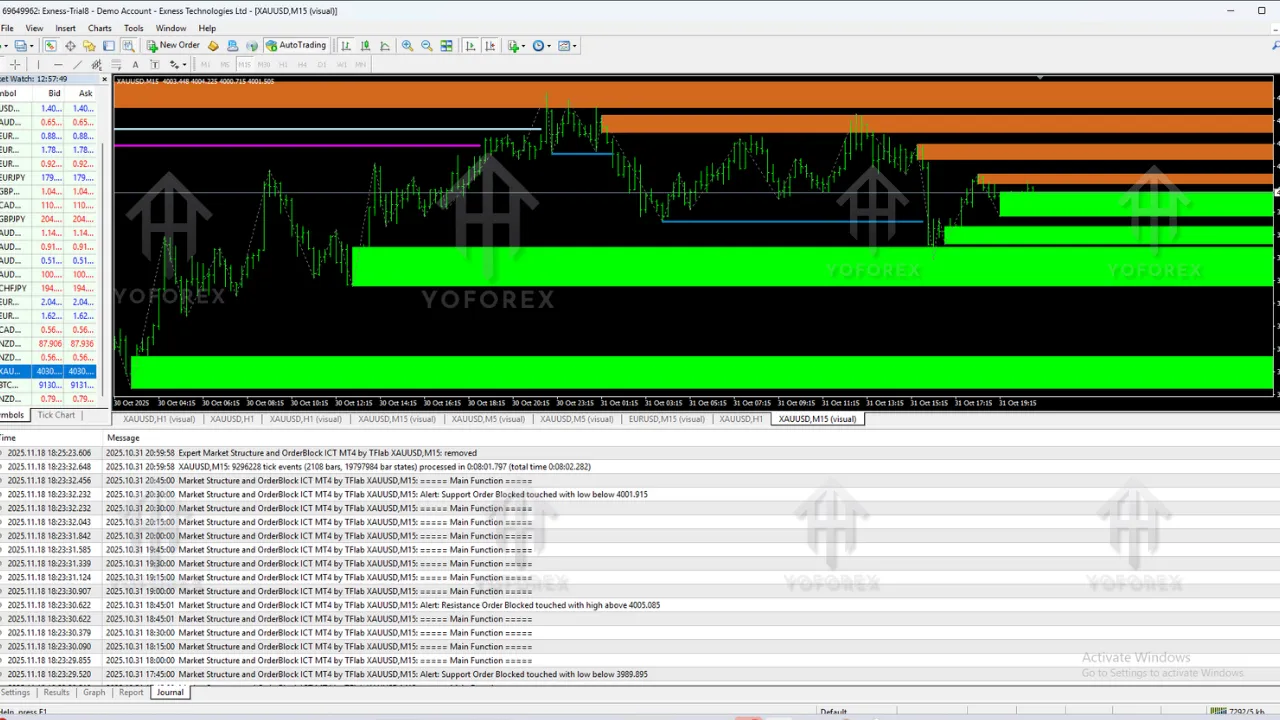
When you backtest the Market Structure and Orderblock ICT Indicator V1.2 MT4 on major instruments such as EURUSD, GBPUSD, XAUUSD, and NAS100, a few patterns consistently stand out:
- Trades taken in line with higher timeframe BOS and CHoCH have a higher probability of success.
- Entries from fresh order blocks after a clear liquidity sweep tend to produce strong moves with relatively small drawdown.
- Combining structure, liquidity, and premium/discount zones leads to better quality setups and fewer random trades.
Performance will always vary based on money management, spread, broker conditions, and trader discipline, but the structure-based framework is more robust than chasing signals from lagging indicators.
Advantages of Using the Market Structure and Orderblock ICT Indicator V1.2 MT4
- High accuracy structure mapping: BOS and CHoCH are marked clearly, reducing confusion.
- Cleaner chart layout: Version V1.2 focuses on reducing noise and overlapping drawings.
- Flexible for different trading styles: Works for scalping, intraday trades, and swing trades.
- Simplifies smart money concepts: No need to manually draw every order block or liquidity level.
- Customizable appearance: You can adjust colors, labels, and zone styles to match your chart theme.
Who Should Use
Market Structure and Orderblock ICT Indicator?
The Market Structure and Orderblock ICT Indicator V1.2 MT4 is suitable for a wide range of traders, including:
- Traders learning ICT or SMC trading methods
- Price action traders who want cleaner structure visualization
- Forex traders focusing on high-quality, fewer trades rather than overtrading
- Traders who want to move beyond basic indicators and understand how liquidity and order flow drive price
Beginners can benefit from the visual clarity, while more advanced traders can use it to refine their existing smart money strategies and develop detailed trade plans.
Frequently Asked Questions (FAQ)
Does the Market Structure and Orderblock ICT Indicator V1.2 MT4 repaint?
The indicator is designed to follow price action and confirm structure only after valid price movement is completed. As with most structure tools, minor shifts may occur while a candle is forming, but once a BOS or CHoCH is confirmed, the levels remain stable.
Which timeframes work best for this indicator?
You can use the indicator on multiple timeframes. Many traders prefer:
- H4 or H1 for higher timeframe bias
- M30, M15, or M5 for precise entries
Can this indicator be used on indices, gold, or crypto?
Yes, the concept of market structure, order blocks, and liquidity applies to most liquid markets. You can use the indicator on forex, indices, metals like XAUUSD, and selected crypto pairs, as long as your broker supports them on MT4.
Final Thoughts
The Market Structure and Orderblock ICT Indicator V1.2 MT4 is a powerful smart money concept tool for traders who want to see the market the way institutions do. By combining BOS, CHoCH, order blocks, liquidity pools, and premium/discount zones, it delivers a complete structure-based framework for planning trades more logically and confidently.
If you are ready to move away from lagging indicators and start working with a deeper understanding of market structure, liquidity, and institutional order flow, this indicator can be a strong addition to your MetaTrader 4 trading toolbox.