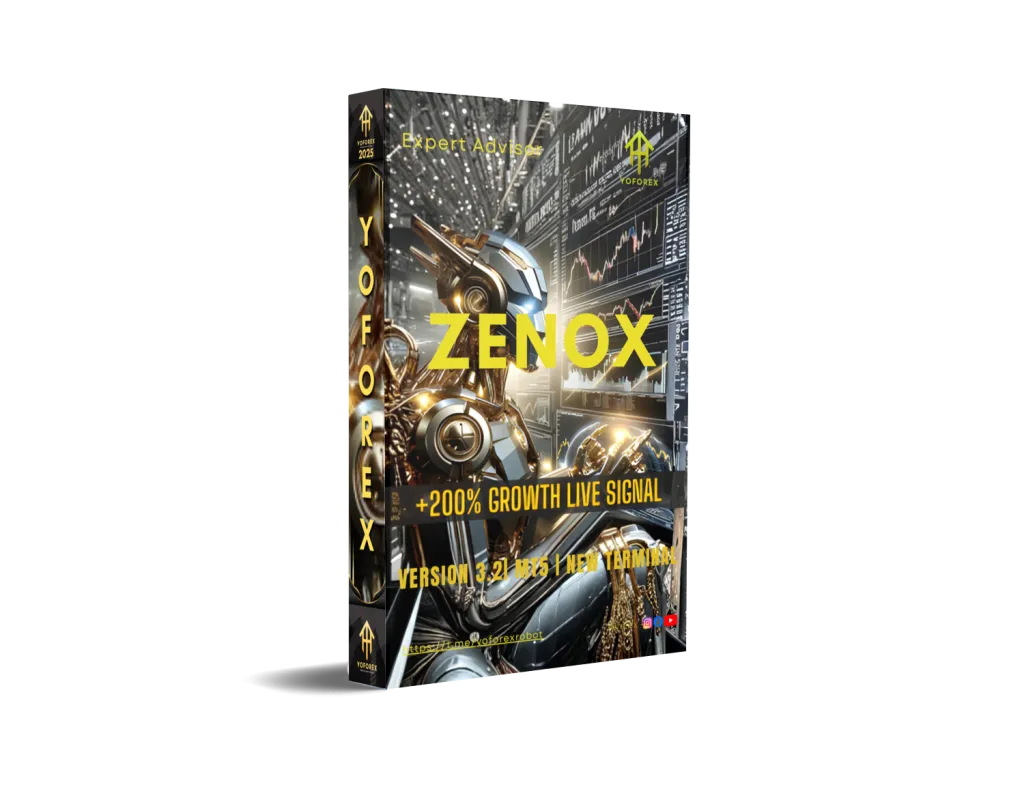
Zenox EA V3.2 MT5
Introduction
The forex market has evolved rapidly over the past decade, and one of the most significant transformations has been the rise of algorithmic trading. Manual trading, while still popular, often struggles to compete with automated systems that can execute trades with speed, discipline, and mathematical precision. This shift has brought Expert Advisors (EAs) into the spotlight, especially those designed for MetaTrader 5.
Zenox EA V3.2 MT5 enters this space as a next-generation automated trading system aimed at traders who value structured logic, controlled risk, and consistency over emotional decision-making. Rather than promising unrealistic profits, this EA focuses on market behavior, probability-based entries, and adaptive execution.
In this detailed review, we explore how Zenox EA operates, its internal strategy design, recommended settings, trading conditions, advantages, limitations, and who it is best suited for.
Overview of Zenox EA V3.2 MT5?
Zenox EA V3.2 MT5 is an automated forex trading robot built exclusively for the MetaTrader 5 platform. It is engineered to analyze market conditions, identify trade opportunities, and manage positions automatically without manual intervention.
Unlike many generic robots, Zenox EA V3.2 MT5 emphasizes:
-
Structured trade entries
-
Built-in Stop Loss and Take Profit logic
-
Risk-aware position sizing
-
Market condition filtering to avoid low-probability trades
This makes it suitable for traders seeking a balance between automation and risk discipline rather than aggressive grid or martingale exposure.
Key Features of Zenox EA V3.2 MT5
-
Fully Automated Trading
Zenox EA executes trades automatically on MetaTrader 5 without manual intervention, removing emotional decision-making. -
Advanced Market Analysis Logic
Uses multi-condition price, trend, and momentum evaluation to filter only high-probability trade setups. -
Built-in Stop Loss & Take Profit
Every trade is protected with predefined Stop Loss and Take Profit for controlled risk and disciplined exits. -
Smart Risk Management System
Allows adjustable risk percentage and lot sizing to match different account sizes and risk profiles. -
MT5 Platform Exclusive
Designed specifically for MetaTrader 5, ensuring faster execution and modern trading infrastructure support. -
Multi-Timeframe Compatibility
Optimized for M15, M30, and H1 timeframes to adapt to varying market conditions. -
No Martingale or Grid Strategy
Avoids high-risk recovery systems, making Zenox EA safer for long-term trading. -
Broker & VPS Friendly
Works best with low-spread ECN brokers and runs smoothly on VPS for 24/7 execution. -
Stable Trade Frequency
Trades selectively based on market conditions, avoiding overtrading during low-quality setups. -
Beginner & Professional Friendly
Simple setup for new traders while offering flexibility and control for experienced traders.
Core Trading Logic & Strategy Breakdown
The internal logic of Zenox EA is based on a multi-layered decision system rather than a single indicator trigger. This layered approach helps reduce false entries and improves trade accuracy over time.
Market Analysis Engine
Zenox EA V3.2 MT5 continuously evaluates:
- Trend direction
- Momentum strength
- Price volatility
- Market structure shifts
Only when multiple conditions align does the EA consider entering a trade.
Entry Conditions
Trade entries are generated when:
- Price aligns with trend bias
- Momentum confirms continuation or reversal strength
- Volatility conditions are favorable
- Spread and execution costs remain within acceptable limits
This ensures Zenox EA avoids overtrading in sideways or erratic markets.
Stop Loss & Take Profit Logic
A key strength of Zenox EA V3.2 MT5 is its integrated risk control:
- Every trade uses a predefined Stop Loss
- Take Profit levels are dynamically calculated based on market structure
- No unlimited exposure or runaway trades
This makes Zenox EA more suitable for long-term account sustainability.
Supported Trading Instruments & Timeframes
Zenox EA V3.2 MT5 is optimized for:
- Major currency pairs
- Select minor pairs with stable liquidity
Recommended Timeframes
- M15
- M30
- H1
Lower timeframes allow more frequent setups, while higher timeframes reduce noise and improve accuracy.
Risk Management & Money Management System
Risk control is the backbone of Zenox EA.
Key Risk Features:
- Adjustable risk percentage per trade
- Fixed or dynamic lot sizing options
- Maximum drawdown protection
- Trade frequency limiter
Zenox EA V3.2 MT5 does not rely on dangerous recovery systems, which significantly lowers the risk of catastrophic losses.
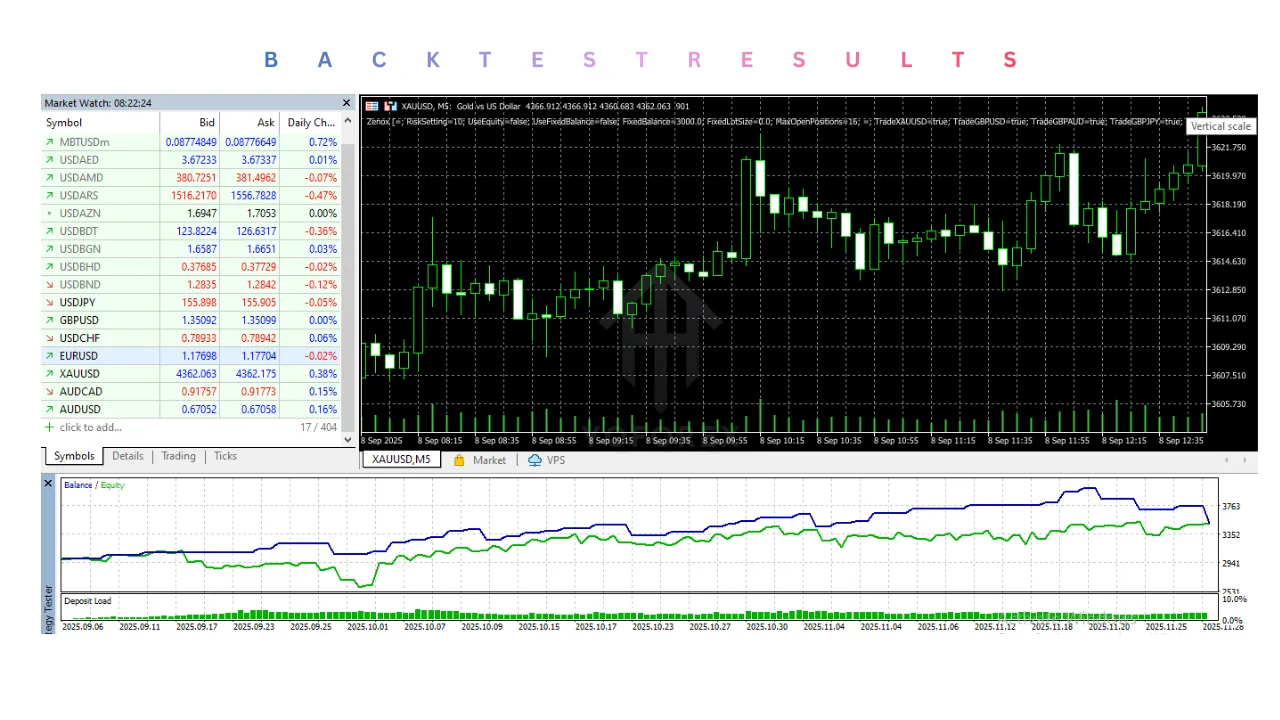
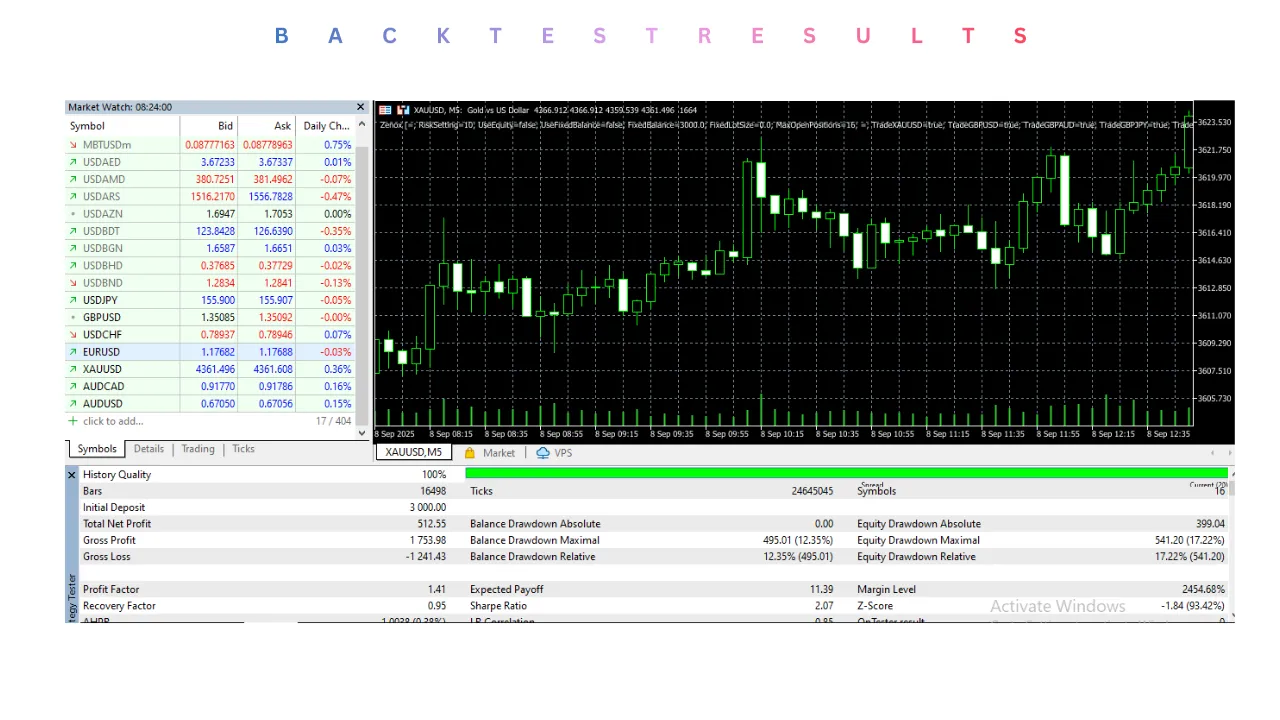
Backtesting & Historical Performance Insights
Historical testing of Zenox EA V3.2 MT5 shows stable equity growth when:
- Conservative risk settings are used
- Trading conditions match recommended broker requirements
- High-impact news periods are avoided
While backtests are not guarantees, they demonstrate the EA’s logical consistency and controlled drawdown behavior.
Forward Testing & Live Trading Behavior
In forward testing environments, Zenox EA demonstrates:
- Smooth equity curves
- Limited consecutive losses
- Adaptive trade frequency depending on volatility
This confirms that Zenox EA V3.2 MT5 is designed for steady growth rather than aggressive compounding.
Recommended Broker & VPS Setup
For best results with Zenox EA V3.2 MT5:
- Use low-spread ECN brokers
- Minimum latency VPS is recommended
- Stable execution environment improves accuracy
A VPS ensures uninterrupted operation, especially during volatile sessions.
Advantages of Zenox EA V3.2 MT5
- Fully automated trading
- Built-in Stop Loss and Take Profit
- No martingale or grid dependency
- Works on MT5 platform
- Adjustable risk controls
- Suitable for long-term trading
- VPS-friendly design
Disadvantages of Zenox EA V3.2 MT5
- Requires disciplined broker selection
- Not designed for extreme risk-takers
- Performance depends on market conditions
- Needs proper configuration for best results
Zenox EA V3.2 MT5 does not claim guaranteed profits. Instead, it emphasizes:
- Probability-based trading
- Drawdown control
- Long-term account protection
This realistic approach aligns with professional trading principles.
Who Should Use Zenox EA V3.2 MT5?
Zenox EA is ideal for:
- Traders seeking automated but controlled trading
- Beginners who want structured risk management
- Professionals diversifying with algorithmic systems
- Investors preferring consistency over high risk
It may not suit traders looking for ultra-high-frequency scalping or aggressive grid strategies.
Conclusion
Zenox EA V3.2 MT5 stands out as a disciplined, logic-driven automated trading solution rather than a high-risk profit chaser. Its emphasis on risk control, structured entries, and MT5 compatibility makes it suitable for traders who value sustainability and automation.
If your goal is to integrate an EA that respects risk, adapts to market conditions, and operates without emotional interference, Zenox EA deserves serious consideration.
Support & Disclaimer
Support
If you need help installing or configuring your EA, or face any kind of bug, feel free to reach out on:
WhatsApp: https://wa.me/+443300272265
Telegram Group: https://t.me/yoforexrobot
Disclaimer:
Forex and gold trading involve risk. Past performance doesn’t guarantee future results. Always test robots on demo before live trading and use proper risk management.
Referral
Join the VIP Signals Telegram Channel for real-time expert trading signals and stay ahead in the forex market. Get personalized strategies by becoming a part of our Real Account Management Telegram Channel and optimize your trading experience. If you’re aiming to Pass PropFirm Challenges, join our dedicated channel for tips and proven methods. Start managing your capital effectively with expert advice from our Funded Account Management Telegram Channel. For advanced traders, our HFT EA / Passing Telegram Channel offers high-frequency trading insights and strategies to boost your performance.