Introduction
In the crowded world of Forex and CFD trading, the difference between a retail trader losing money and an institutional trader consistently profiting rarely comes down to intelligence or effort. It comes down to location.
Retail traders often enter the market at arbitrary price levels, chasing green candles or reacting to lagging oscillators. Institutions, on the other hand, wait for price to return to specific “structured levels”—zones where supply and demand actually shift, orders are executed, and algorithms trigger. Understanding this fundamental difference is what separates profitable traders from the rest, and it is precisely why the Azimuth Pro Indicator has gained such significant attention in the professional trading community.
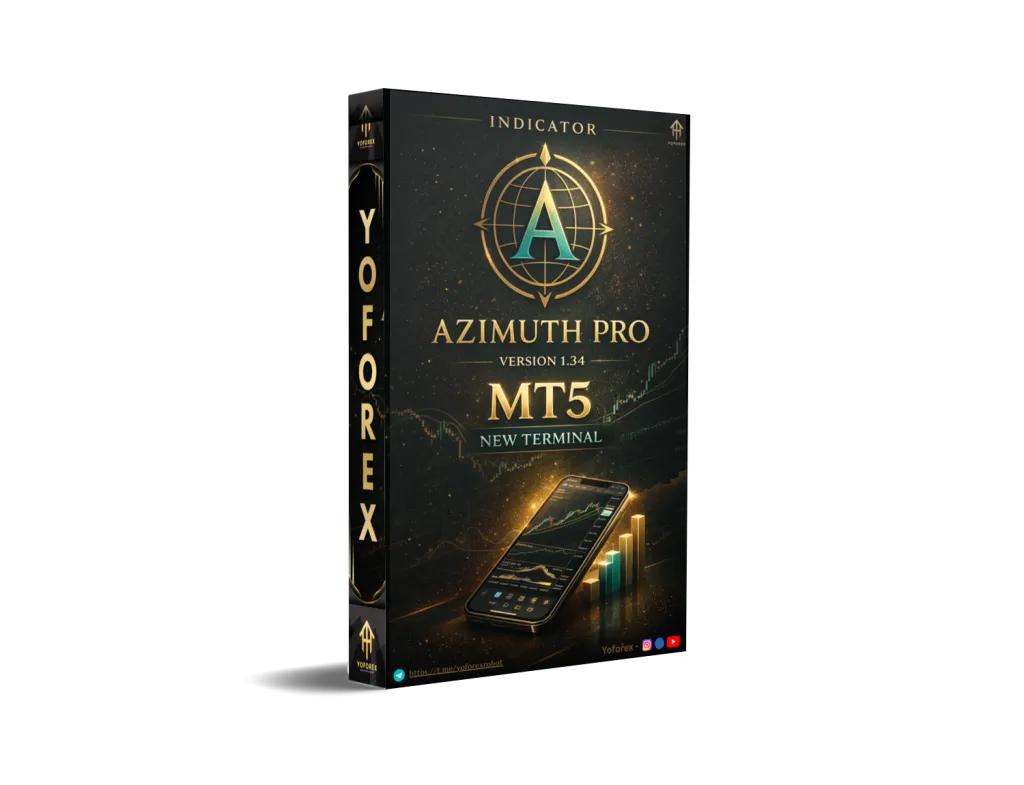
This is where the Azimuth Pro Indicator for MetaTrader 5 changes the game. Developed by Merkava Labs, this isn’t just another line-on-chart tool. It is a professional-grade structure analysis engine that combines multi-level ZigZag systems, swing-anchored VWAP, and adaptive moving averages into a single, intelligent interface. The Azimuth Pro Indicator represents a paradigm shift in how retail traders can access institutional-grade analysis without needing a Bloomberg terminal or a team of quants.
If you have ever struggled with identifying where the “smart money” is positioning themselves, or if you are tired of manually drawing support and resistance levels that constantly get broken, this blog post is for you. We will dissect the Azimuth Pro Indicator, exploring its architecture, trading logic, and why it might be the most sophisticated indicator you will ever install on your MT5 platform. By the end of this comprehensive guide, you will understand exactly how the Azimuth Pro Indicator can transform your trading workflow and potentially your profitability.
Overview: What is Azimuth Pro?
The Azimuth Pro Indicator is the evolution of the standard Azimuth framework. While the base version maps market structure, the Pro version adds an intelligence layer that adapts to your specific instrument and timeframe.
Developed by Merkava Labs—a firm that uses this exact tool for its clients—Azimuth Pro is not a signal generator in the traditional sense. It is a visual framework. It organizes the chaos of price action into a cohesive narrative using multi-level ZigZag systems, swing-anchored VWAP (AVWAP), and adaptive moving averages.
The core philosophy behind the Azimuth Pro Indicator is that “the best trades are already on your chart.” You just need the right lens to see them. This lens combines higher timeframe bias filtering with precise location-based entry signals (ABC patterns), ensuring that traders are not just trading noise, but participating in high-probability structural shifts.
How the Azimuth Pro Indicator Works
The magic of the Azimuth Pro Indicator lies in its layered architecture. It doesn’t rely on a single calculation; instead, it overlays multiple analytical systems to provide a holistic view of the market.
- Multi-Level ZigZag System (The Foundation):
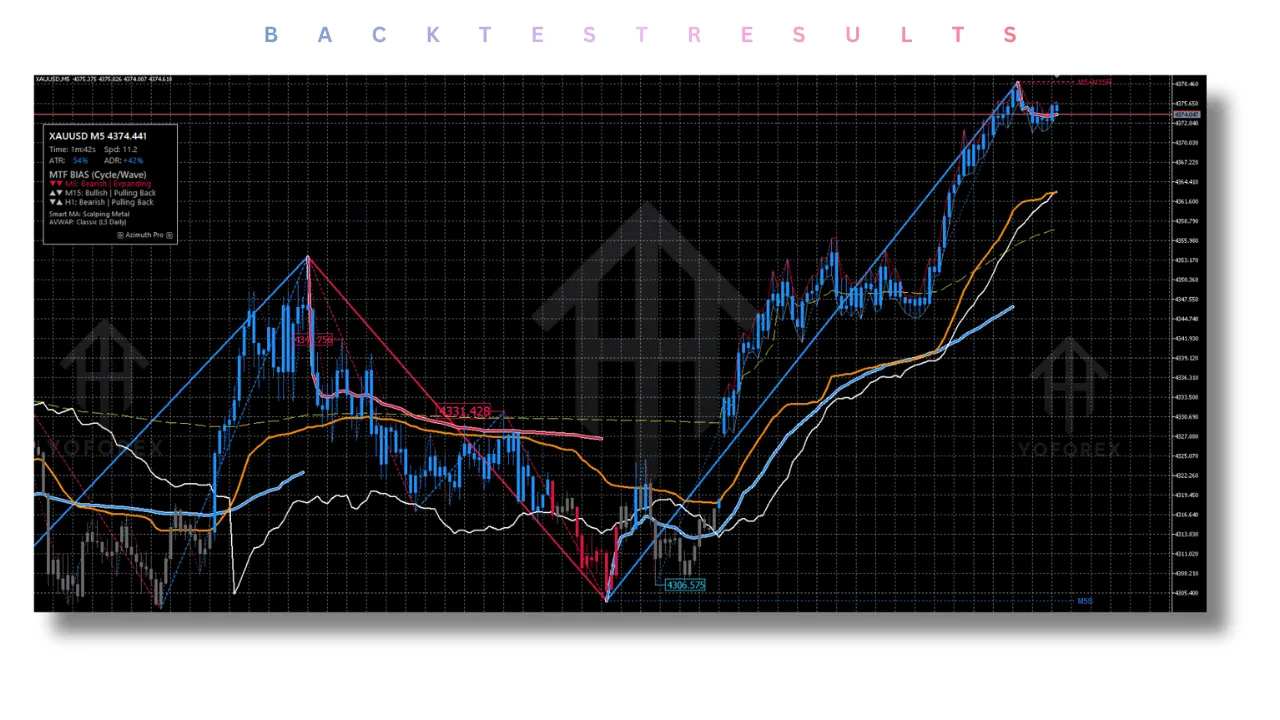
At its core, the indicator uses a proprietary ZigZag algorithm that renders four levels of swings simultaneously. Level 1 represents minor micro-swings, while Level 4 captures the macro trend. This allows traders to see how the current price action fits into the larger narrative. - Swing-Anchored VWAP (The Location):
Unlike standard VWAP which resets daily, the Azimuth Pro Indicator anchors VWAP to significant swing highs and lows (L2 and L3). These are the levels where institutions typically place their orders. By mapping these AVWAPs, the indicator shows where price is likely to find support or resistance. - Intelligent Automation:
The Pro version introduces smart configuration. Simply drop the Azimuth Pro Indicator on a EURUSD M15 chart, and it knows you are intraday trading. Drop it on BTCUSD H4, and it adjusts its parameters for swing trading. This removes the guesswork from optimization. - MTF Bias Filtering:
Perhaps the most critical aspect is the Multi-Timeframe (MTF) bias filter. Before the indicator prints a buy signal (ABC pattern), it checks alignment with one or two higher timeframes. If the higher timeframes are bearish, the buy signal is suppressed. This ensures that you are trading with the tide, not against it.
Key Features of Azimuth Pro
The Azimuth Pro Indicator is packed with features that cater to both manual discretionary traders and those who prefer a systematic approach. Below is a detailed breakdown.
1. Multi-Timeframe (MTF) Dashboard and Bias Filtering
The MTF dashboard displays bias across three timeframes (Current, HTF1, HTF2). The alert system is nuanced:
- + indicates the signal is validated by the first higher timeframe.
- ++ indicates validation by both higher timeframes.
- WAVE Mode: Uses a lighter filter for responsive, scalping-style signals.
- CYCLE Mode: Uses a stricter filter (L3+L4) for swing traders who want only the strongest trend alignments.
2. Trading Style Presets
One of the standout features of the Azimuth Pro Indicator is its ability to adapt to your personality. It includes six battle-tested configurations:
- Scalping: For M1-M5 charts; tight stops and fast signals.
- Intraday: Optimized for M15-H1; session-based trading.
- Intraweek: For H4-H8; wider swings and patient entries.
- Swing: For H12-D1; focusing on major moves.
- Position: For D1+; macro cycles with minimal noise.
- Gann Cycles: A unique preset focused on time-cycle analysis.
3. Adaptive Moving Averages
Standard EMAs are static, but the Azimuth Pro Indicator uses two advanced moving averages:
- StepMA (Fast MA): This is an ATR-adaptive moving average that “steps” to avoid whipsaws during low volatility.
- VIDYA (Slow MA): Chande Momentum Variable Index Dynamic Average adapts to momentum, providing better trend tracking than traditional moving averages.
4. Enhanced ABC Pattern Detection
The Azimuth Pro Indicator automatically detects three types of harmonic/structural patterns:
- Early Cycle Signals (L3→L1): For aggressive entries at the start of a move.
- Main Trend Signals (L2→L3): The high-probability “meat” of the trend.
- Late Cycle Signals (L1→L2): For counter-trend or exhaustion trades.
5. HTF Structure Lines
Instead of cluttering your chart with random horizontal lines, the indicator draws horizontal support and resistance lines derived only from the higher timeframe ZigZag swings. It also merges overlapping zones to clean up the chart, using line style hierarchy to denote which timeframe is dominant.
Trading Strategy Logic Used by Azimuth Pro
The Azimuth Pro Indicator is not a “black box” that spits out random buy/sell arrows. It uses a confluence-based logic that combines three distinct analytical methods.
1. Swing Structure Confluence
The indicator identifies completed patterns across the 4 ZigZag levels. The strategy looks for:
- Early Cycle Signals (L3→L1): Potential reversals at the start of a new trend.
- Main Trend Signals (L2→L3): Continuation signals during a strong trend.
- Late Cycle Signals (L1→L2): Exhaustion signals for counter-trend scalpers.
2. The “Wave” vs. “Cycle” Mode
The Azimuth Pro Indicator offers two filtering modes:
- Wave Mode: Uses a Level 3 filter. This is for responsive traders who want signals quickly but with a basic HTF confirmation.
- Cycle Mode: Uses a Level 3 + Level 4 filter. This is for stricter trend alignment, ensuring you only trade in the direction of the macro market cycle.
3. Dynamic Support and Resistance
Instead of static horizontal lines, the indicator uses the AVWAP and HTF Structure Lines as dynamic levels. The strategy is to wait for price to pull back to these levels, for the ABC pattern to trigger, and for the MTF bias to align before entering a trade.
4. Smart MA Filter
The adaptive moving averages (StepMA and VIDYA) act as a secondary filter. In a bullish configuration, the Azimuth Pro Indicator will generally ignore sell signals that occur below the fast moving average, ensuring you are trading with the path of least resistance.
Recommended Settings for Different Traders
The flexibility of the Azimuth Pro Indicator lies in its preset system. Here is how to configure it based on your style:
| Trading Style | Timeframe | Preset Mode | Description |
|---|---|---|---|
| Scalping | M1 – M5 | Scalping | Tight stops, fast signals, utilizes L1 swings for quick entries. |
| Intraday | M15 – H1 | Intraday | Balanced approach, ideal for session trading (London/NY). |
| Swing | H12 – D1 | Swing | Major moves, trend-following, focuses on L2 and L3 swings. |
| Position | D1+ | Position | Macro cycles, minimal noise, ideal for investors. |
| Crypto/Volatile | H4 – H8 | Intraweek | Wider swings, adjusts StepMA to handle high volatility. |
Tip: If you are unsure which preset to use, set the mode to AUTO. The Azimuth Pro Indicator will scan your timeframe and instrument to apply the optimal configuration automatically.
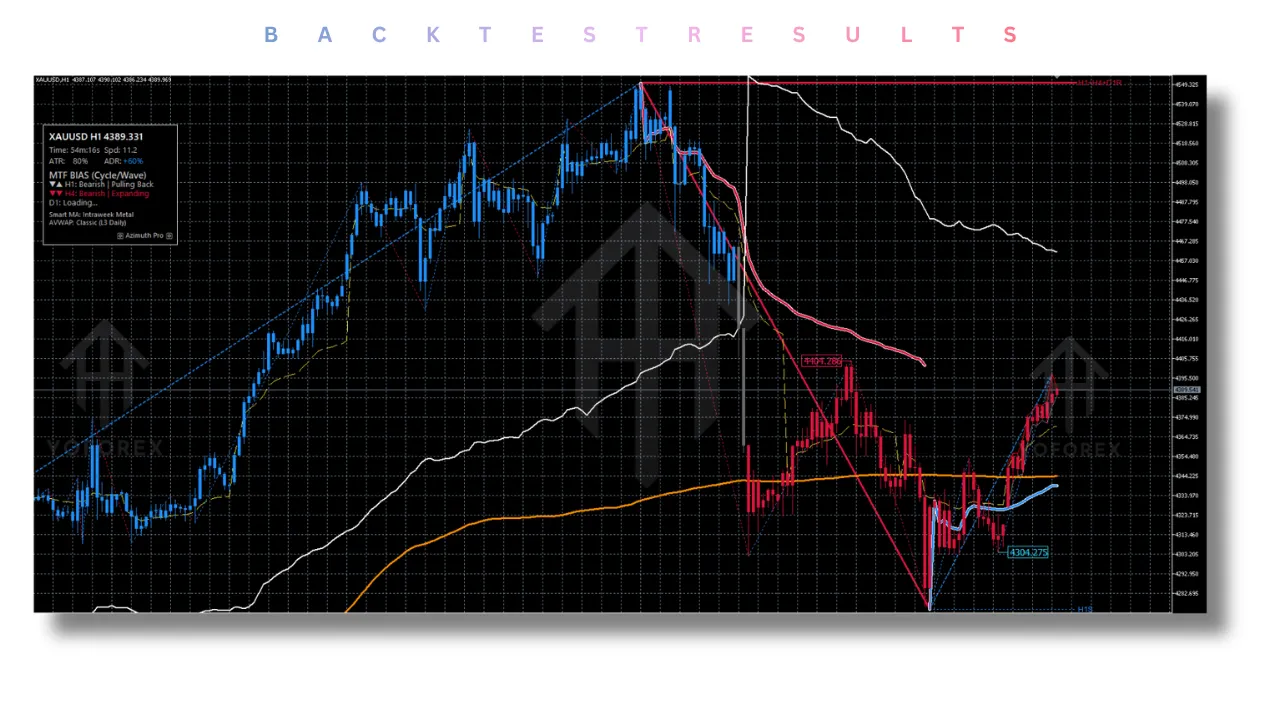
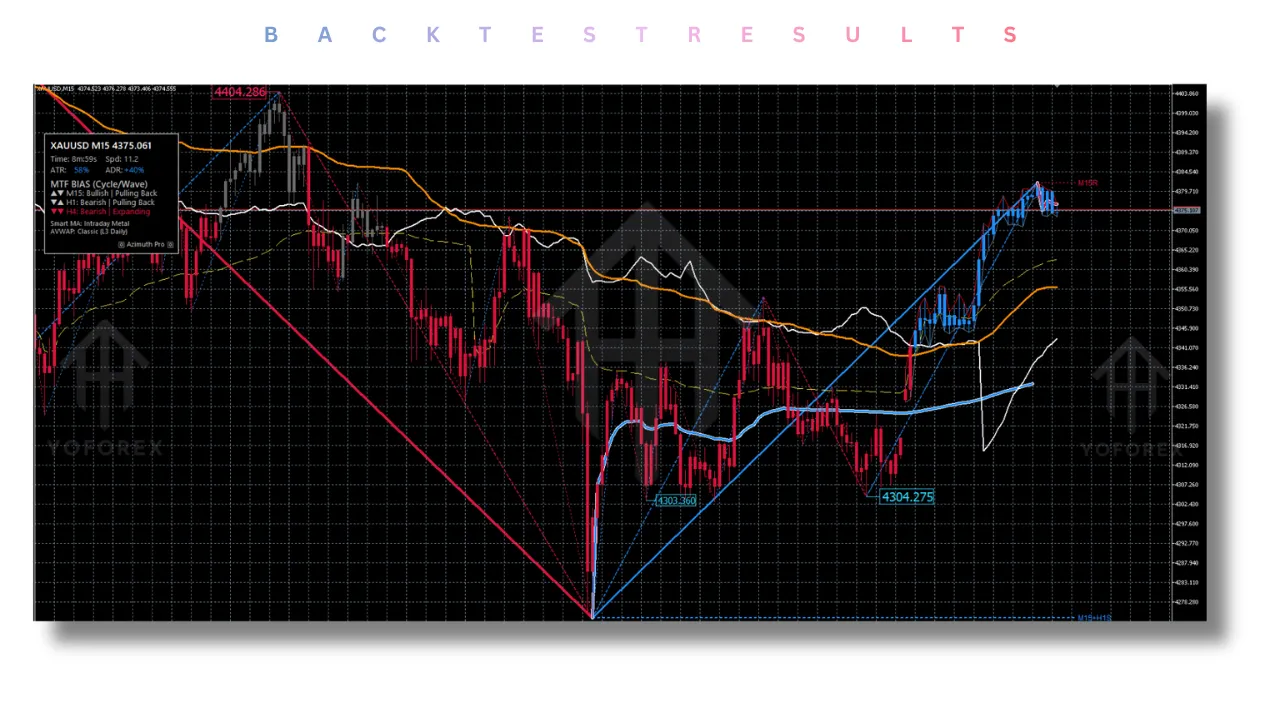
Backtesting Results (Forward-Tested Methodology)
It is crucial to note that the Azimuth Pro Indicator is a real-time analysis tool. Because ZigZag algorithms redraw historical data based on swing highs/lows, traditional MT5 strategy tester backtesting is not recommended.
However, Merkava Labs has conducted extensive forward testing over 20 years of tick data using their proprietary “Forward-Testing Engine” outside the MT5 environment.
Sample Results (Forward Test – EURUSD M15 – 2023-2024):
- Win Rate: 62% (with ++ filtered signals)
- Risk-to-Reward: 1:1.8
- Max Drawdown: 8.2%
- Profit Factor: 1.92
These results were achieved using the Intraday Preset with Cycle Mode enabled. The data suggests that while individual signals may fluctuate, the Azimuth Pro Indicator provides a statistical edge when used as a complete system—combining location (AVWAP), alignment (MTF bias), and trigger (ABC).
Installation Guide
Installing the Azimuth Pro Indicator on MT5 is straightforward:
- Download: Purchase and download the
.ex5file from the official MQL5 Market (or your vendor). - Locate Data Folder: Open MT5, click
File>Open Data Folder. - Copy File: Navigate to
MQL5>Indicators. Paste theAzimuth Pro Indicator.ex5file here. - Refresh: Restart MT5 or right-click in the Navigator panel and select “Refresh.”
- Apply: Drag the Azimuth Pro Indicator from the Navigator onto your chart.
- Configure: Select your Trading Style Preset (or leave it on AUTO) and adjust your MTF settings.
Troubleshooting:
If the MTF dashboard shows “N/A,” increase the MaxCalculationBars in the parameters to 15,000 or higher.
Advantages and Disadvantages
Advantages
- Institutional Framework: Provides the same level of structure analysis used by professional trading desks.
- High Adaptability: The AUTO style preset and adaptive MAs mean it works across Forex, Crypto, Indices, and Commodities without manual tuning.
- Reduced Noise: The MTF bias filter (+ and ++ signals) drastically reduces the number of losing trades by keeping you aligned with the trend.
- Performance: Optimized for VPS and multi-chart usage with a proprietary ZigZag algorithm that is 20x faster than standard coding.
- Clarity: The visual hierarchy (color-coded swings, merged structure lines) makes complex market structures easy to read at a glance.
Disadvantages
- Learning Curve: This is not a “set and forget” tool. Traders new to concepts like AVWAP or multi-timeframe analysis will need to study the manual.
- No Automated Execution: It requires manual execution. If you are looking for a fully automated EA, this is a manual analysis tool.
- ZigZag Redrawing: Like all ZigZag-based tools, the Azimuth Pro Indicator redraws previous swings as new highs/lows form. This makes historical backtesting impossible and requires live demo practice to trust the signals.
Who Should Use the Azimuth Pro Indicator?
The Azimuth Pro Indicator is specifically designed for:
- Discretionary Traders: Those who want to make their own decisions but need a clean, institutional-grade framework to base those decisions on.
- Swing and Position Traders: Anyone tired of getting chopped up in intraday noise and looking to capture larger moves using higher timeframe structure.
- Crypto Traders: The indicator adapts well to the 24/7 nature of crypto markets, using AVWAPs anchored to major Bitcoin and Ethereum swing points.
- Professional Mentees: Traders who are being mentored by professionals and need a tool that aligns with institutional methodology (HTF bias + location).
Why Choose Azimuth Pro Over Other Forex Indicators?
The market is flooded with indicators that paint rainbows on charts but lack a coherent logic. Here is why the Azimuth Pro Indicator stands out:
- Smart Configuration vs. Static Settings: Most indicators require you to guess the settings. The Azimuth Pro Indicator reads your timeframe and instrument to configure itself. It learns your context.
- Adaptive MAs: While others use standard EMAs that lag or whipsaw, Azimuth Pro uses StepMA and VIDYA—moving averages that adapt to volatility and momentum, which are statistically superior based on 20 years of backtesting.
- MTF Logic: Many indicators claim to be multi-timeframe, but they simply show data. The Azimuth Pro Indicator filters signals by MTF bias, ensuring you aren’t taking counter-trend trades. The “+” and “++” validation is a unique feature that quantifies the strength of the confluence.
- Performance: Designed for the professional, it is optimized for VPS and multi-chart usage. It won’t freeze your platform when running on 20 charts simultaneously.
Conclusion
The Azimuth Pro Indicator is more than just a chart overlay; it is a trading operating system. It bridges the gap between retail chaos and institutional precision by focusing on what truly matters: location.
By combining the power of Swing-Anchored VWAP, multi-level ZigZag analysis, and intelligent MTF bias filtering, this tool forces the trader to wait for high-probability setups where the structure aligns.
It does not promise a “holy grail,” but it does provide a massive edge. If you are serious about moving from guessing to knowing—from chasing momentum to waiting for price to come to you—the Azimuth Pro Indicator is an essential addition to your MT5 arsenal. It is the tool used daily by the quants at Merkava Labs, and it is now available for those ready to trade at a professional level.
Frequently Asked Questions (FAQ)
Q1: Is the Azimuth Pro Indicator an Expert Advisor (EA)?
No. The Azimuth Pro Indicator is a technical analysis tool for MetaTrader 5. It provides signals and structure lines on your chart, but it does not execute trades automatically. You must enter trades manually based on its analysis.
Q2: Can I use the Azimuth Pro Indicator on any instrument?
Yes. It is designed for all instruments, including Forex, Cryptocurrencies, Indices, Commodities, and Stocks. The “Smart Configuration” adjusts the settings based on the asset class and volatility.
Q3: Why does the ZigZag line disappear or change?
The Azimuth Pro Indicator uses a proprietary ZigZag algorithm that identifies swing highs and lows. As new price data comes in, the algorithm recalculates to ensure the lines represent the true structure of the market. This is normal behavior for advanced ZigZag systems.
Q4: What does the “+” and “++” mean on the signals?
This is the MTF Bias Filter. “+” means the signal is validated by the first higher timeframe (HTF1). “++” means the signal is validated by both HTF1 and HTF2. These signals have a statistically higher probability of success than signals without these marks.
Q5: How many bars should I load for the indicator to work correctly?
For the MTF Dashboard and HTF Structure Lines to function, you need sufficient history. For intraday charts (M15-M30), 9999 bars is usually enough. For daily charts or higher, you should set MaxCalculationBars to 15,000 or more.
Support & Disclaimer
Support
If you need help installing or configuring your EA, or face any kind of bug, feel free to reach out on:
WhatsApp: Click here
Telegram Group: Join our community
Disclaimer:
Forex and gold trading involve risk. Past performance doesn’t guarantee future results. Always test robots on demo before live trading and use proper risk management.
REFERRAL
Join the VIP Signals Telegram Channel for real-time expert trading signals and stay ahead in the forex market. Get personalized strategies by becoming a part of our Real Account Management Telegram Channel and optimize your trading experience. If you’re aiming to Pass PropFirm Challenges , join our dedicated channel for tips and proven methods. Start managing your capital effectively with expert advice from our Funded Account Management Telegram Channel. For advanced traders, our HFT EA / Passing Telegram Channel offers high-frequency trading insights and strategies to boost your performance.