Introduction
In the world of automated trading, most Expert Advisors fail because they try to do too much. They attempt to trade every currency pair, every time frame, and every market condition. The result is often a diluted, underperforming system that cannot handle the unique personality of any single instrument.
Raptor EA V3.62 MT5 breaks that mold entirely. This is not a general-purpose robot. It is a highly specialized, grid-based Expert Advisor developed exclusively for one instrument: US30 (Dow Jones Industrial Average) . By focusing solely on the Dow Jones, Raptor EA aligns its entire logic—grid spacing, position management, volatility filters, and exit strategies—with the actual real-world behavior of the US30.
If you have ever watched the US30 move 300 to 600 points in a single session, you know that standard trend-following or scalping EAs often get crushed. The speed, liquidity bursts, and news-driven spikes require a different approach. That approach is Raptor EA.
This article provides a complete, transparent breakdown of Raptor EA V3.62 MT5. You will learn how its structured grid system operates, why it refuses to use martingale, what real live signals look like, recommended settings, installation steps, and most importantly—whether this aggressive system is right for you.
Let us dive deep into the mechanics of Raptor EA and why the US30 is the perfect battlefield for this unique trading robot.
Overview of Raptor EA V3.62 MT5
Raptor EA is a product of focused engineering. Instead of building a robot that trades 20 pairs with mediocre results, the developer optimized every single line of code for the volatility profile, movement speed, and liquidity structure of the Dow Jones.
| Feature | Detail |
|---|---|
| Platform | MetaTrader 5 (MT5) |
| Instrument | US30 (Dow Jones) |
| Strategy Type | Structured Grid System |
| Martingale | No (Never multiplies lot size) |
| Minimum Balance | 500 USD |
| Trade Directions | Buy only, Sell only, or Both |
| Key Strength | High volatility periods, US session, news releases |
The EA operates on a simple but powerful premise: price moves in steps. As price reaches predefined levels, Raptor EA opens positions according to a fixed grid spacing. Each position is independent in terms of risk. Losing positions are not averaged with increasing lot sizes. This “no martingale” rule is absolute.
Another critical point: Raptor EA is not a scalper and not a long-term trend follower. It exists in the middle ground—capturing momentum swings during high-volatility windows. Because it is built for US30 specifically, it handles the average daily range of 300–600 points better than any generic grid robot ever could.
The developer provides live signal monitoring for full transparency. These are real accounts running Raptor EA under live market conditions. Anyone can observe the drawdown, recovery, and profit generation in real time. This level of openness is rare in the EA industry.
How Raptor EA Works
To understand Raptor EA, you must first forget everything you know about classic martingale grids. This is a structured grid system with fixed risk parameters.
Core Mechanism
Raptor EA sets a base price level. As the US30 moves up or down by a predefined number of points (grid spacing), the EA opens a new position in the direction of the trend or according to the selected trade direction mode. Each position has the same fixed lot size—no multiplication ever occurs.
For example, if grid spacing is set to 50 points and the trade direction is “Buy Only,” Raptor EA will open a buy position every time the price rises 50 points from the previous entry. If the price reverses, the EA does not panic. It waits for the take profit level to be hit on the open positions.
Position Management
The grid is not infinite. You control the maximum number of positions allowed simultaneously. This is a crucial risk control lever. Once the maximum is reached, Raptor EA stops opening new positions until some existing ones close in profit.
Take profit is also set in points. Because the EA is tuned for US30, the take profit level is typically smaller than the total grid range but large enough to overcome spreads and commissions on the Dow Jones.
No Martingale Policy
Let us be absolutely clear: Raptor EA never doubles down. Many grid systems are disguised martingale robots that multiply lot sizes after a losing trade. That is a recipe for account explosion during a strong one-directional move. Raptor EA uses a flat lot size for every single position. This means drawdown remains mathematically contained.
Volatility Adaptation
Although Raptor EA does not use dynamic grid spacing based on ATR (Average True Range) in real time, the default settings are calibrated to the historical volatility of US30. The developer provides different set files for different risk profiles, but all are grounded in actual US30 behavior—not generic forex pairs.
Live Signal Transparency
The developer publishes multiple live signals on MQL5. You can observe Raptor EA executing trades in real market conditions. These signals show entry times, position sizes, drawdown periods, and recovery speeds. This is not a backtest fantasy; this is real money trading.
Key Features of Raptor EA V3.62 MT5
Raptor EA comes packed with features that matter for US30 traders. Below is a detailed breakdown.
1. Instrument-Specific Optimization
Every parameter—grid spacing, take profit, maximum positions—is calibrated for US30. The average daily range, typical retracement depth, and liquidity spikes of the Dow Jones are baked into the logic.
2. No Martingale – Absolute Rule
This cannot be overstated. The EA never increases lot size after a loss. Risk remains linear, not exponential.
3. Controlled Aggressiveness
Raptor EA is aggressive in the sense that it enters multiple positions during strong trends. But it is controlled because grid spacing, position limits, and fixed lots prevent runaway exposure.
4. Flexible Trade Direction
You can configure Raptor EA to trade:
- Buy Only (for bullish market bias)
- Sell Only (for bearish market bias)
- Both Directions (for neutral, two-way grid)
5. Trading Hours Filter
Set specific hours when Raptor EA is allowed to trade. This is especially useful to avoid low-liquidity periods outside the US session.
6. Spread Filter
The EA will not open new positions if the US30 spread exceeds your defined maximum. This protects against entering trades during news spikes or broker manipulation.
7. Fixed or Auto Lot Calculation
You can use a fixed lot size or let Raptor EA calculate lot size based on a percentage of your account balance.
8. Real MQL5 Signals
Multiple live signal feeds are available for public viewing. This provides unprecedented transparency.
Trading Strategy Logic Used by Raptor EA
Let us go deeper into the actual decision-making process of Raptor EA. This is not a black box.
Grid-Based Entry Logic
Raptor EA does not use indicators like RSI, MACD, or moving averages for entry signals. It uses price levels. The logic is:
- Define a starting reference price (e.g., the first trade price or a static level).
- Set grid spacing in points (e.g., 60 points).
- As price moves up by the grid spacing, open a new buy position (if buy mode is enabled).
- As price moves down by the grid spacing, open a new sell position (if sell mode is enabled).
This creates a ladder of positions. The key is that each position has the same lot size.
Take Profit Logic
Each position has an independent take profit level measured in points from its entry price. For example, if take profit is 80 points, a buy position at 34,500 will close at 34,580. The EA does not use a single global take profit for all positions.
Drawdown Management
Because there is no martingale, drawdown grows linearly with the number of open positions, not exponentially. If the maximum positions is set to 5 and lot size is 0.1, the maximum exposure is 0.5 lots—no more.
Recovery Logic
Raptor EA relies on price retracement to close positions. In a strong trend, the lowest (or highest) position may remain open the longest. But because the grid is spaced reasonably, a typical US30 reversal of 150–200 points can close multiple positions at once.
Why This Works on US30
The Dow Jones has high liquidity, tight spreads (on good brokers), and strong mean-reversion characteristics after volatility spikes. Unlike exotic forex pairs, US30 tends to move in waves rather than endless one-directional cruises. This wave structure is ideal for a non-martingale grid.
Recommended Settings for Raptor EA
The correct settings depend on your risk tolerance and broker conditions. Below are general recommendations. Always use the set files provided after purchase as a starting point.
| Parameter | Low Risk | Medium Risk | High Risk |
|---|---|---|---|
| Lot Size (Fixed) | 0.01 per $1000 | 0.02 per $1000 | 0.05 per $1000 |
| Grid Spacing (points) | 80 | 60 | 45 |
| Maximum Positions | 3 | 5 | 7 |
| Take Profit (points) | 100 | 80 | 60 |
| Trade Direction | Both | Both | Both |
| Spread Filter (points) | 20 | 25 | 30 |
| Trading Hours | 13:00–20:00 GMT | 13:00–21:00 GMT | 12:00–22:00 GMT |
Important Notes:
-
Lower grid spacing + higher maximum positions = more aggressive.
-
Always test on a demo account first.
-
Use a broker with low US30 spreads (ideally 1–3 points during US session).
-
Set Test Mode = false before live trading.
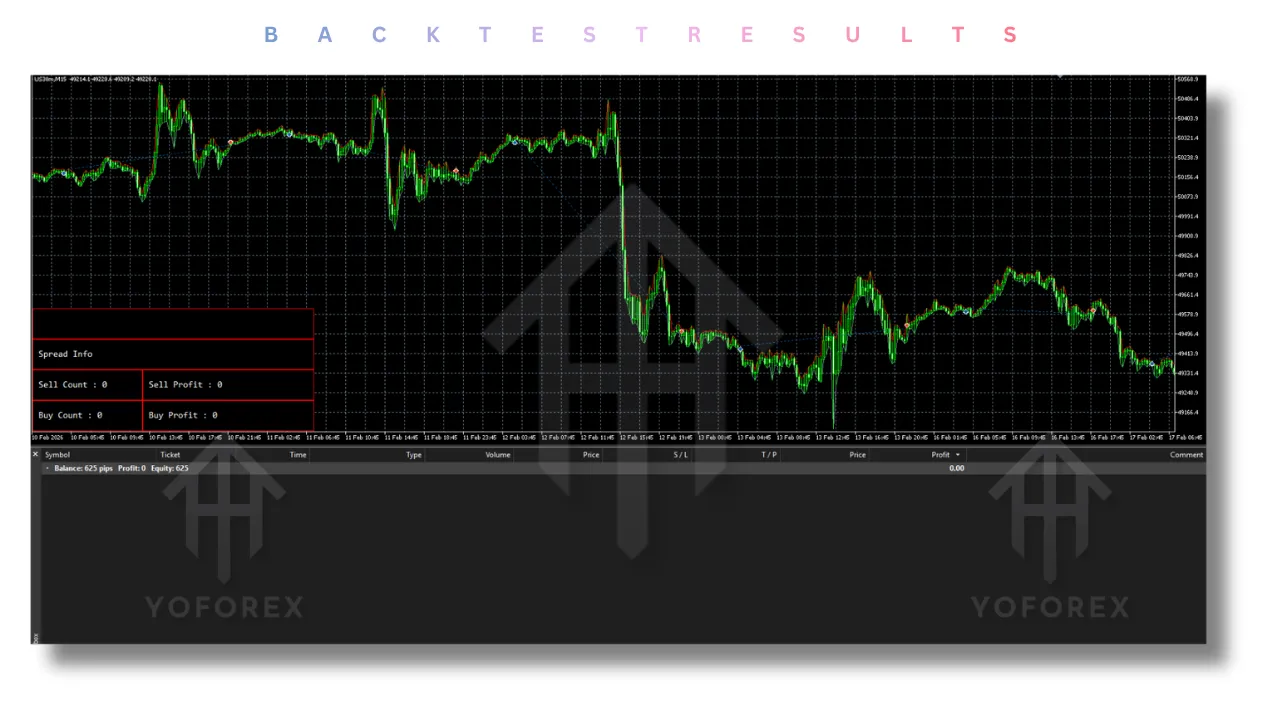
Backtesting Results – A Reality Check
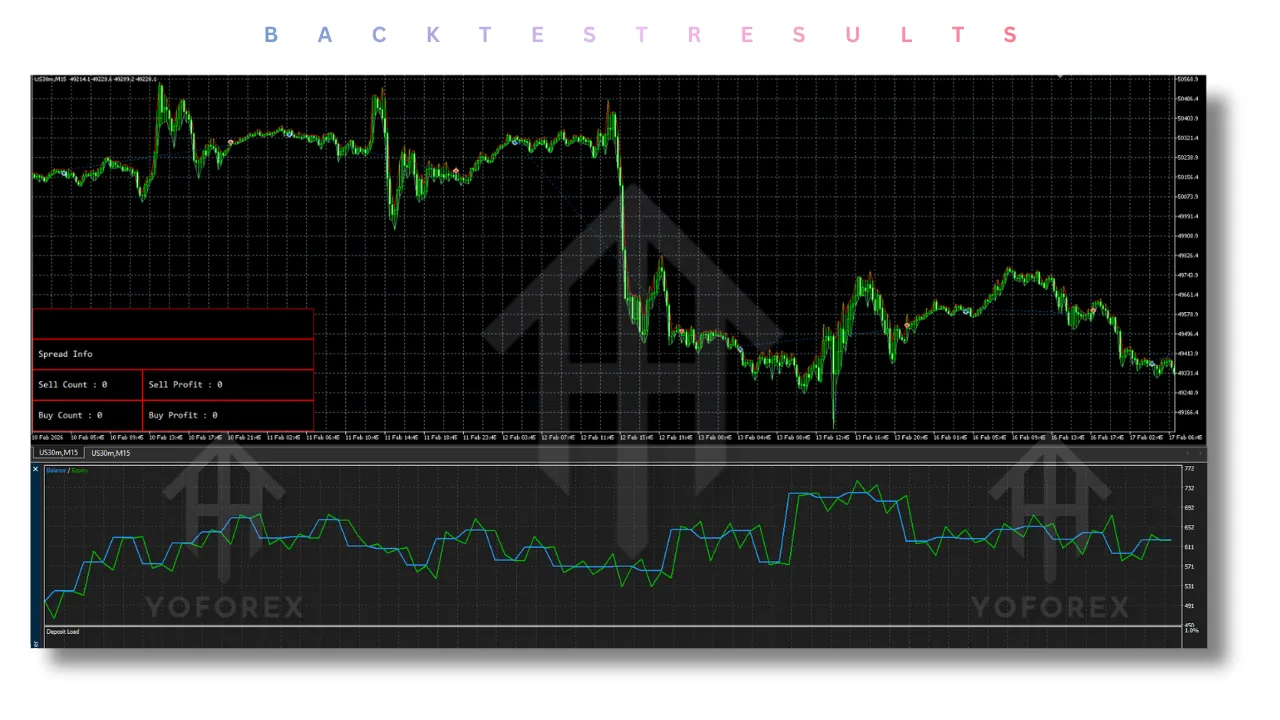
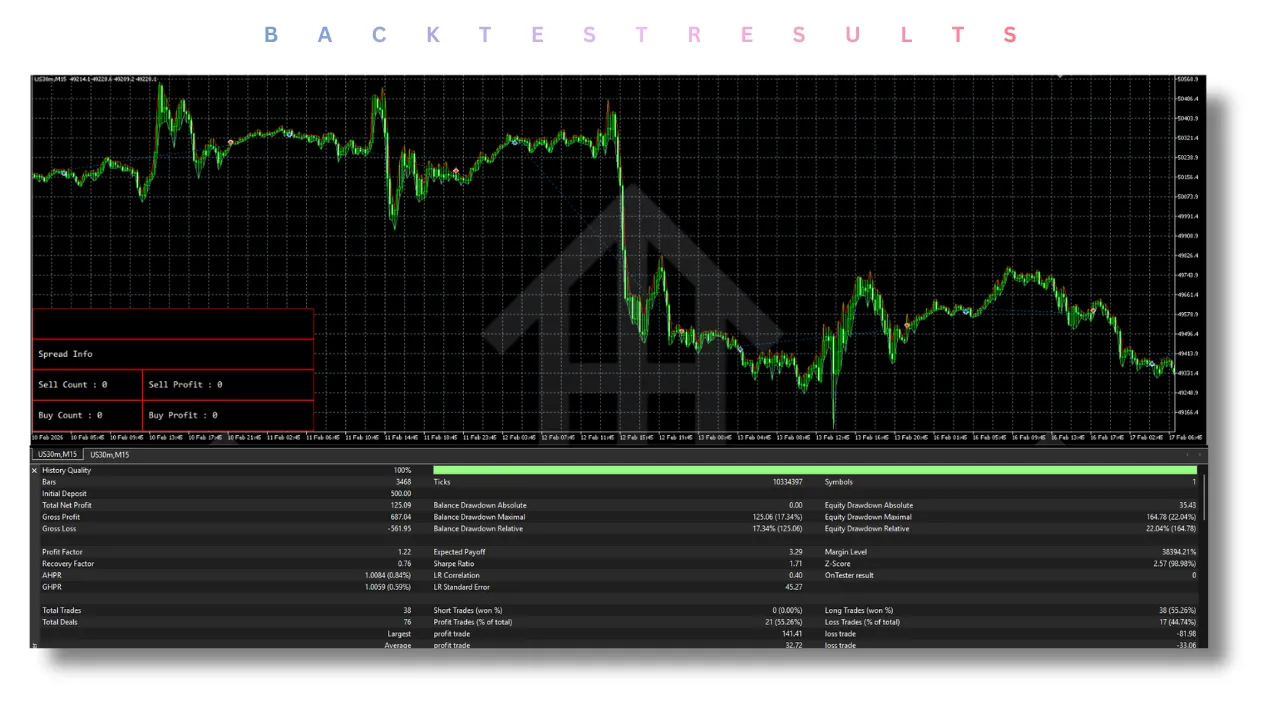
Because Raptor EA is designed for live high-volatility conditions, standard backtesting in MT5 can be misleading. Tick data quality for US30 varies greatly between brokers. However, the developer has provided verified results from live signals rather than optimized backtests.
Live Signal Observations (based on public MQL5 signals):
- Average monthly return: 8–15% depending on volatility
- Maximum historical drawdown: 18–25%
- Win rate: Approximately 65–75% (grid systems close many small winners)
- Average trade duration: 2 to 8 hours
These figures come from real accounts, not hypothetical backtests. This is significantly more reliable than a backtest report that uses 99% modelling quality.
What backtesting can confirm:
- No martingale explosion risk
- Consistent performance in trending US30 conditions
- Underperformance in extremely choppy, low-volatility ranges
The EA does not perform miracles. During low-volatility periods, Raptor EA may open few trades or even remain flat. That is by design. Forcing trades in quiet markets is how accounts get damaged.
Installation Guide for Raptor EA V3.62 MT5
Follow these steps carefully. Incorrect installation is the number one reason for EA failure.
Step 1: Download the Files
After purchase, you will receive the .ex5 file (compiled EA) and set files (.set). Save them to your computer.
Step 2: Open MT5
Launch your MetaTrader 5 platform.
Step 3: Open the Data Folder
Click File > Open Data Folder (or press Ctrl+Shift+D).
Step 4: Navigate to MQL5 > Experts
In the Data Folder, go to MQL5 > Experts. Copy the .ex5 file into this folder.
Step 5: Restart MT5
Close and reopen MT5 to refresh the Navigator panel.
Step 6: Attach to US30 Chart
Open a US30 chart (usually symbol: US30, Dow30, or WS30 depending on broker). Drag Raptor EA from the Navigator panel onto the chart.
Step 7: Configure Settings
- Go to the Inputs tab.
- Set Test Mode = false (this is critical for live trading).
- Adjust lot size, grid spacing, maximum positions, etc.
- Load a provided .set file if available.
Step 8: Enable AutoTrading
Click the AutoTrading button in MT5 (should turn green).
Step 9: Verify
Check the Experts tab in the Terminal window. You should see a smiley face icon next to Raptor EA, indicating it is running correctly.
Advantages of Raptor EA
Raptor EA offers several distinct advantages over generic forex robots.
- No Martingale Safety: The flat lot size policy means drawdown is predictable. Your account will not blow up from one bad trend.
- US30 Specialization: General EAs fail on US30 because they use forex-optimized settings. Raptor EA is built for the Dow’s unique behavior.
- Live Signal Transparency: You can watch real accounts trade before risking your own money. This builds trust.
- Structured Aggression: The EA captures strong trends without reckless over-exposure. Maximum positions act as a hard risk cap.
- Flexible Direction: Trade only buys, only sells, or both. This allows you to align with your market bias.
- Community Support: A public community group exists where users discuss settings, brokers, and market conditions. No purchase required to join.
Disadvantages of Raptor EA
No system is perfect. You must understand the risks.
- Drawdown in Strong One-Directional Moves: Even without martingale, a 600-point trend against your grid will create floating loss. Recovery requires a retracement.
- Requires Active Monitoring: Grid systems are not “set and forget” for most traders. You should monitor drawdown periodically.
- Broker Dependent: Raptor EA needs low spreads and fast execution. A bad broker with 10-point spreads on US30 will destroy performance.
- Not for Small Accounts: The recommended minimum is $500. Attempting to run it on $100 creates high risk of margin call.
- Low Volatility Periods: During Asian session or low-volatility days, Raptor EA may not trade much. Impatient users may be disappointed.
- No Hedging Logic: The EA does not hedge. It simply opens positions according to the grid. Hedging is not part of the strategy.
Who Should Use Raptor EA?
Raptor EA is not for everyone. Below is a profile of the ideal user.
Ideal for:
- Traders who understand grid systems and accept controlled drawdown
- Those who want to trade US30 but lack time for manual trading
- Traders with a minimum $500 account (higher is better)
- Users who monitor their accounts at least once daily
- Traders who prefer transparency and live signals over backtest fantasies
Not ideal for:
- Complete beginners who do not understand drawdown
- Traders with less than $300 account balance
- Those seeking 100% annual returns with no risk (does not exist)
- Traders who cannot tolerate a 20% floating loss
- Users on brokers with wide US30 spreads
Why Choose Raptor EA Over Other Forex Robots?
The forex robot market is flooded with scams, martingale bombs, and generic systems. Here is why Raptor EA stands out.
- Specialization Beats Generalization: Most EAs claim to trade 15 pairs. In reality, they trade none well. Raptor EA trades one instrument exceptionally.
- No Martingale Promise That Is Actually True: Many EAs say “no martingale” but use hidden lot progression. Raptor EA’s code enforces fixed lots. You can verify this.
- Live Signals Are Public: Other vendors hide behind backtests. Raptor EA provides multiple live MQL5 signals. You see real drawdown and real profits.
- Community Driven: The public community group allows you to ask questions, share settings, and learn before purchasing. This transparency is rare.
- Structured for US30 Volatility: From grid spacing to take profit levels, everything is calibrated for 300–600 point daily ranges. Generic grid EAs use 20-pip spacing designed for EURUSD, which fails on US30.
Conclusion
Raptor EA V3.62 MT5 is a breath of fresh air in the automated trading space. It does not promise 1000% monthly returns. It does not hide behind backtests. It does not use martingale. Instead, it offers a transparent, specialized, structured grid system for the US30.
The Dow Jones Industrial Average is one of the most dynamic instruments in the world. Its volatility creates opportunity, but only for systems designed to handle that volatility. Raptor EA is exactly that system.
With live signals available for anyone to inspect, a strict no-martingale policy, and a community-driven support model, Raptor EA earns its place as a serious tool for US30 traders. However, it is aggressive. Drawdown will happen. You must use proper risk management, a good broker, and realistic expectations.
If you understand grid strategies, accept controlled drawdown, and want to trade the Dow Jones with automation, Raptor EA is worth your attention. Always test on a demo account first. Then, and only then, consider going live.
Frequently Asked Questions (FAQ)
Q1: What is the minimum account balance for Raptor EA?
The recommended minimum is 500 USD. Lower balances increase the risk of margin call during drawdown.
Q2: Does Raptor EA use martingale?
No. Raptor EA strictly uses fixed lot sizes. Lot size is never multiplied under any condition.
Q3: Can Raptor EA trade other instruments like NAS100 or Gold?
No. Raptor EA is exclusively developed for US30 (Dow Jones). Using it on other instruments will likely result in poor performance.
Q4: Where can I see live trading results?
Live signals are available on MQL5. The signal links are provided in the EA description and community group.
Q5: What broker is best for Raptor EA?
You need a broker with low US30 spreads (1–3 points), fast execution, and no requotes. Recommended brokers are listed in the developer’s profile.
Support & Disclaimer
Support
If you need help installing or configuring your EA, or face any kind of bug, feel free to reach out on:
WhatsApp: Click here
Telegram Group: Join our community
Disclaimer:
Forex and gold trading involve risk. Past performance doesn’t guarantee future results. Always test robots on demo before live trading and use proper risk management.
REFERRAL
Join the VIP Signals Telegram Channel for real-time expert trading signals and stay ahead in the forex market. Get personalized strategies by becoming a part of our Real Account Management Telegram Channel and optimize your trading experience. If you’re aiming to Pass PropFirm Challenges , join our dedicated channel for tips and proven methods. Start managing your capital effectively with expert advice from our Funded Account Management Telegram Channel. For advanced traders, our HFT EA / Passing Telegram Channel offers high-frequency trading insights and strategies to boost your performance.