Introduction
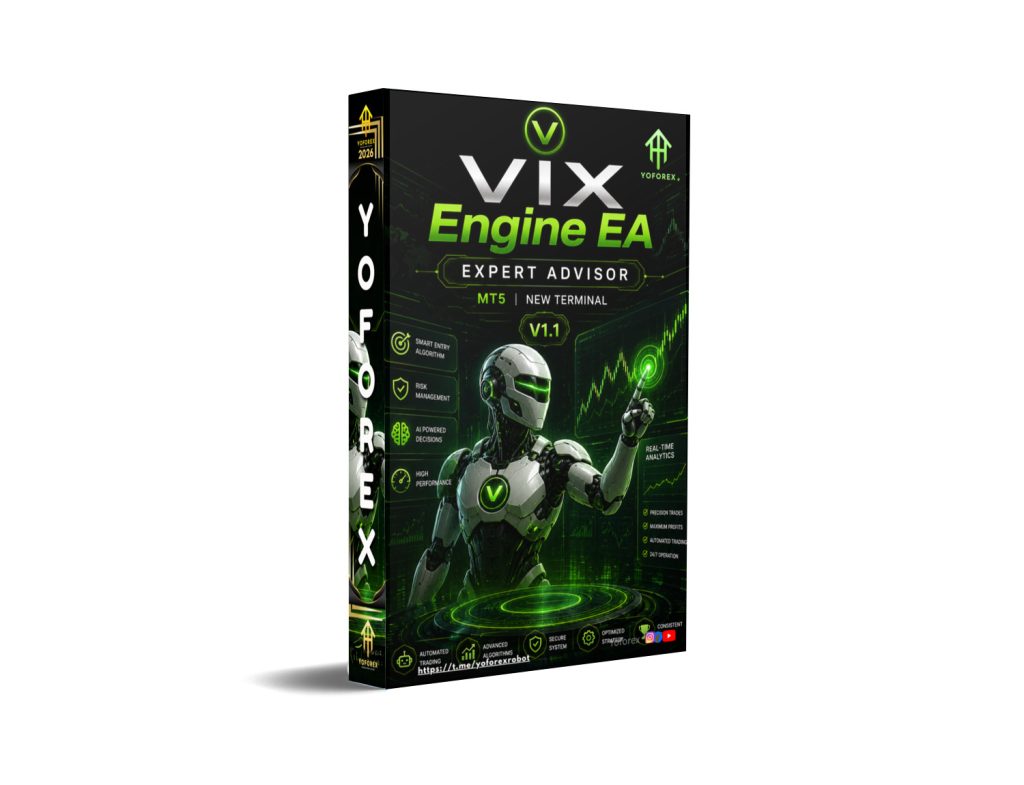
Automated trading has transformed the forex industry by allowing traders to execute strategies systematically without relying entirely on manual market analysis and emotional decision-making. Expert Advisors (EAs) developed for platforms such as MetaTrader 5 help traders automate trade execution, monitor markets continuously, and manage positions according to predefined algorithms. These systems are especially valuable in fast-moving markets where rapid execution and disciplined trade management are essential.Volatility-based trading systems have become increasingly popular because financial markets frequently experience sharp price fluctuations caused by economic news, institutional activity, liquidity changes, and market sentiment shifts. Volatility creates both opportunities and risks, and many automated trading systems attempt to capitalize on these rapid price movements using advanced analytical models and dynamic risk management.VIX Engine EA V1.1 MT5 is an automated trading solution designed for the MetaTrader 5 platform that focuses on volatility-driven market opportunities, automated execution, and dynamic trade management. VIX Engine EA V1.1 MT5 continuously analyzes market conditions, identifies high-probability setups, and executes trades automatically according to predefined strategy rules.The software combines volatility analysis, trend detection, momentum evaluation, and automated risk management to help traders participate in changing market conditions with reduced manual effort. This guide provides a complete overview of the EA, including its features, trading workflow, installation process, advantages, disadvantages, and important considerations before deploying it in live trading environments.
Overview
VIX Engine EA V1.1 MT5 is a fully automated Expert Advisor developed specifically for MetaTrader 5 traders seeking systematic volatility-based market participation. The EA continuously scans live market conditions, evaluates volatility behavior, identifies potential trade opportunities, and manages positions automatically.
The software is designed to:
- Analyze market volatility
- Detect short-term and medium-term trends
- Monitor momentum conditions
- Execute buy and sell trades automatically
- Manage risk dynamically
- Monitor open positions continuously
VIX Engine EA V1.1 MT5 attempts to capitalize on changing volatility conditions while maintaining structured trade management and automated exposure control.
The system may combine several trading concepts including:
- Volatility-based trading
- Trend-following logic
- Momentum analysis
- Intraday market evaluation
- Automated execution
- Dynamic risk management
The software continuously operates while MetaTrader 5 remains active, helping traders participate in market opportunities even when they are away from their trading screens.
VIX Engine EA V1.1 MT5 benefits from MetaTrader 5 infrastructure, including:
- Fast execution speed
- Advanced backtesting tools
- Multi-thread optimization
- Improved order management
- VPS compatibility
- Advanced charting functionality
The system is designed to reduce emotional trading mistakes while improving execution consistency during volatile market conditions.
How VIX Engine EA V1.1 MT5 Works?
1. Continuous Market Monitoring
VIX Engine EA V1.1 MT5 continuously scans live market conditions while MetaTrader 5 remains active.
It monitors:
- Real-time price movement
- Volatility levels
- Market momentum
- Trend direction
- Candle behavior
- Spread conditions
- Liquidity fluctuations
This process operates continuously throughout active market sessions.
2. Volatility Detection System
The core feature of VIX Engine EA V1.1 MT5 is its volatility-based trading logic.
The software continuously evaluates:
- Market speed
- Price expansion
- Sudden movement increases
- Volatility spikes
- Breakout conditions
VIX Engine EA V1.1 MT5 attempts to identify situations where volatility creates potential trading opportunities.
3. Trend Detection Logic
The EA continuously analyzes overall market direction.
It determines whether the market is:
- Bullish (uptrend)
- Bearish (downtrend)
- Sideways (range market)
- Highly volatile
Trend filtering helps improve trade quality by avoiding weak or uncertain setups.
4. Momentum Analysis
Momentum evaluation is used to measure the strength of market movement.
VIX Engine EA V1.1 MT5 continuously checks:
- Buying pressure
- Selling pressure
- Price acceleration
- Trend continuation strength
Strong momentum conditions may trigger trade entries.
5. Market Condition Filtering
VIX Engine EA V1.1 MT5 may avoid trading during unstable conditions.
It evaluates:
- Abnormal volatility
- Excessive spread
- Low liquidity
- Market instability
This helps reduce unnecessary risk exposure.
6. Trade Signal Generation
After analyzing volatility, trend, and momentum conditions, the EA generates trade signals when predefined conditions align.
Trade entries may depend on:
- Volatility confirmation
- Trend direction
- Momentum strength
- Indicator alignment
- Spread conditions
- Price action confirmation
Only when all required conditions match does VIX Engine EA V1.1 MT5 prepare to open trades.
7. Automatic Trade Execution
Once a valid setup appears, VIX Engine EA V1.1 MT5 automatically places trades through MetaTrader 5.
The software can:
- Open buy trades
- Open sell trades
- Apply stop loss
- Set take profit
- Adjust lot size automatically
Execution occurs instantly without manual intervention.
8. Fast Execution Infrastructure
Execution speed is extremely important during volatile market conditions.
VIX Engine EA V1.1 MT5 benefits from:
- Fast MT5 order processing
- Automated execution
- Reduced reaction delay
- Rapid market response
This helps improve:
- Entry timing
- Trade precision
- Volatility trade handling
9. Volatility-Based Trade Management
VIX Engine EA V1.1 MT5 continuously manages trades according to changing market conditions.
It may:
- Hold trades during strong momentum
- Exit trades during reversals
- Reduce exposure during instability
- Adjust trade management dynamically
This allows the system to adapt to changing volatility.
10. Multi-Timeframe Analysis
VIX Engine EA V1.1 MT5 may analyze multiple chart timeframes simultaneously.
For example:
- Higher timeframe for overall trend confirmation
- Lower timeframe for precise trade entries
This helps:
- Improve signal quality
- Reduce false signals
- Improve timing accuracy
11. Spread Monitoring
VIX Engine EA V1.1 MT5 continuously checks broker spread conditions before opening trades.
High spreads can negatively affect:
- Entry quality
- Profitability
- Volatility trading efficiency
The software may avoid trading during:
- Spread spikes
- Low liquidity periods
- Market rollover hours
12. Volatility Filtering
VIX Engine EA V1.1 MT5 may include filters to avoid dangerous market conditions.
It may reduce trading during:
- High-impact economic news
- Interest rate announcements
- Sudden volatility spikes
- Abnormal market conditions
This helps improve risk control.
13. Automated Risk Management
Risk management is integrated directly into VIX Engine EA V1.1 MT5.
Several built-in safety systems may be included.
Adjustable Lot Size
The EA may support:
- Fixed lot sizing
- Dynamic lot sizing
- Risk percentage management
This helps control account exposure.
Stop Loss Protection
VIX Engine EA V1.1 MT5 automatically places stop loss levels.
Purpose:
- Limit losses
- Protect account balance
- Reduce drawdown risk
Take Profit Management
The software automatically sets take profit targets.
Trades close automatically once profit goals are reached.
Drawdown Protection
The EA may include systems to:
- Reduce excessive losses
- Limit account exposure
- Pause trading during instability
Trade Limitation Controls
The EA may limit:
- Number of open trades
- Maximum exposure
- Total lot size
This improves overall safety.
14. Real-Time Position Monitoring
Once trades become active, VIX Engine EA V1.1 MT5 continuously monitors them.
The software tracks:
- Floating profit/loss
- Volatility changes
- Trend continuation
- Market reversals
- Spread conditions
This allows automatic trade adjustments when necessary.
15. Dynamic Trade Management
VIX Engine EA V1.1 MT5 may dynamically modify trades according to changing market conditions.
It can:
- Adjust stop loss
- Modify take profit
- Close trades early
- Protect profits
- Reduce exposure during instability
This improves flexibility during volatile movement.
16. VPS-Based Continuous Operation
VIX Engine EA V1.1 MT5 is commonly installed on a VPS (Virtual Private Server).
A VPS helps ensure:
- Continuous operation
- Stable internet connection
- Reduced downtime
- Faster broker communication
This is especially important for automated systems operating continuously.
17. MT5 Infrastructure Benefits
Since the EA operates on MetaTrader 5, it benefits from:
- Faster execution
- Advanced optimization
- Better strategy testing
- Improved order handling
- Enhanced charting tools
MT5 improves overall system performance and stability.
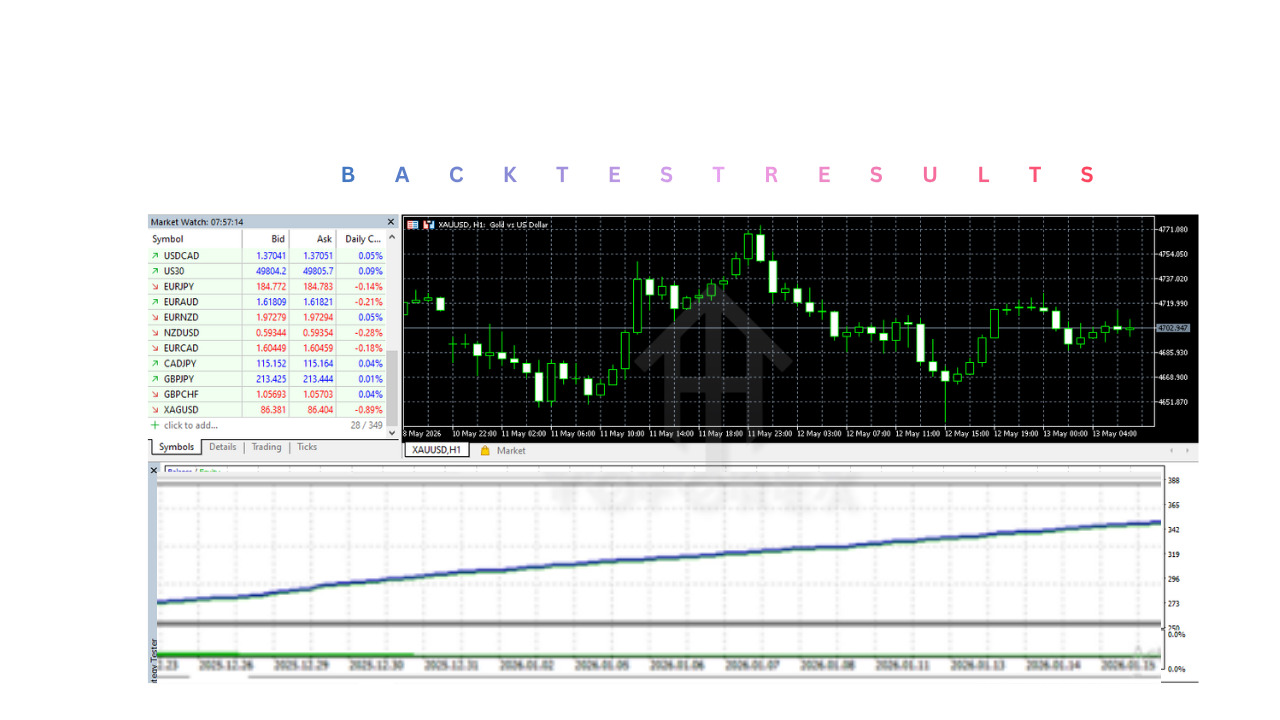
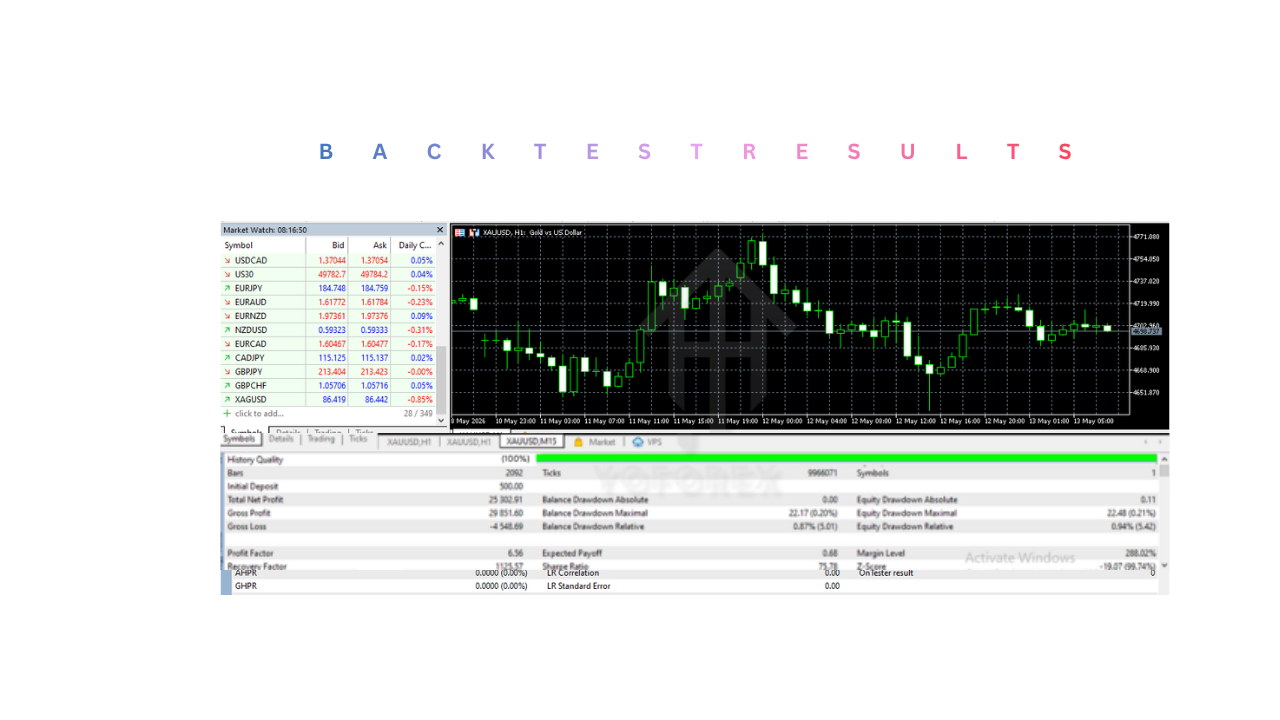
18. Backtesting Capability
VIX Engine EA V1.1 MT5 supports historical testing inside MetaTrader 5.
Backtesting helps traders evaluate:
- Historical profitability
- Volatility strategy performance
- Drawdown levels
- Win rate stability
- Trade consistency
Optimization tools help refine settings before live trading.
19. Trade Exit Logic
VIX Engine EA V1.1 MT5 automatically manages trade exits.
Trades may close because of:
- Take profit reached
- Stop loss triggered
- Trend reversal detected
- Momentum weakening
- Volatility conditions changing
This maintains disciplined trade management.
20. Emotion-Free Trading
One of the biggest advantages of VIX Engine EA V1.1 MT5 is reducing emotional trading mistakes.
The software avoids:
- Panic trading
- Fear-based exits
- Revenge trading
- Emotional hesitation
- Overtrading
The EA follows predefined algorithms consistently.
Key Features
Fully Automated Trading
VIX Engine EA V1.1 MT5 automates the complete trading process.
It can automatically:
- Analyze market conditions
- Detect trade opportunities
- Execute buy and sell trades
- Manage positions
- Apply stop loss and take profit
- Monitor market volatility
This reduces manual trading effort significantly.
Volatility-Based Trading Logic
One of the primary features of VIX Engine EA V1.1 MT5 is its volatility analysis system.
The software continuously evaluates:
- Market speed
- Price expansion
- Volatility spikes
- Market activity changes
Volatility-based trading attempts to capture opportunities during active market movement.
Trend Detection System
VIX Engine EA V1.1 MT5 continuously analyzes overall market direction.
It determines whether the market is:
- Bullish
- Bearish
- Sideways
- Highly volatile
Trend filtering helps improve signal quality and reduce low-probability entries.
Momentum Analysis
The software evaluates market momentum to identify:
- Strong buying pressure
- Strong selling pressure
- Trend acceleration
- Momentum continuation
Momentum analysis may improve entry timing and trade quality.
Fast Automated Execution
Execution speed is extremely important during volatile conditions.
The EA benefits from:
- Rapid order placement
- Reduced execution delay
- Faster reaction to market changes
This helps improve trade precision.
Dynamic Risk Management
VIX Engine EA V1.1 MT5 includes built-in risk management systems.
Features may include:
- Adjustable lot sizing
- Stop loss management
- Take profit control
- Drawdown protection
- Trade limitation settings
- Exposure management
These tools help improve account protection.
Volatility Filtering
VIX Engine EA V1.1 MT5 may avoid trading during:
- Unstable market spikes
- Abnormal spread conditions
- High-risk market environments
This helps reduce exposure during unpredictable conditions.
Multi-Timeframe Market Analysis
The EA may analyze several chart timeframes simultaneously.
Benefits include:
- Better trend confirmation
- Improved trade filtering
- Reduced false signals
- Improved trade timing
VPS Compatibility
The EA supports VPS hosting for uninterrupted operation.
Benefits include:
- Continuous trading
- Stable internet connection
- Faster broker communication
- Reduced downtime
VPS hosting is strongly recommended.
MT5 Backtesting & Optimization
VIX Engine EA V1.1 MT5 supports historical testing and optimization inside MetaTrader 5.
Backtesting helps evaluate:
- Historical profitability
- Volatility strategy performance
- Drawdown levels
- Trade consistency
- Strategy stability
Optimization tools help refine settings before live deployment.
Customizable Trading Parameters
The EA allows traders to customize:
- Lot size
- Risk level
- Stop loss
- Take profit
- Trade filters
- Maximum open trades
- Volatility sensitivity
This flexibility allows adaptation to different trading styles and account sizes.
Installation & Setup Guide
Step 1: Install MetaTrader 5
Download and install MetaTrader 5 from your broker or the official MetaTrader website.
After installation:
- Open MT5
- Log into your trading account
- Verify broker connection
Step 2: Download VIX Engine EA V1.1 MT5 File
The EA file usually comes in:
.ex5.mq5
Save the file to your computer.
Step 3: Open MT5 Data Folder
Inside MetaTrader 5:
- Click File
- Select Open Data Folder
- Open:
- MQL5
- Experts
Step 4: Copy VIX Engine EA V1.1 MT5 File
Paste VIX Engine EA V1.1 MT5 file into the Experts folder.
After copying:
- Restart MT5
- Refresh the Navigator panel
The EA should appear under Expert Advisors.
Step 5: Open Trading Chart
Open your preferred trading chart and select the recommended timeframe.
Attach the EA to the chart.
Step 6: Configure Settings
Adjust settings according to your trading preferences.
Common settings include:
- Lot size
- Risk percentage
- Stop loss
- Take profit
- Volatility sensitivity
- Maximum open trades
Conservative settings are recommended initially.
Step 7: Enable AutoTrading
Turn on the AutoTrading button inside MT5.
Once enabled:
- The EA starts monitoring markets
- Automated execution becomes active
- Volatility analysis begins automatically
Step 8: Monitor Performance
Although automated, VIX Engine EA V1.1 MT5 still requires supervision.
Traders should monitor:
- Drawdown levels
- VPS stability
- Broker execution quality
- Open trades
- Margin usage.
Advantages
Fully Automated Trading
VIX Engine EA V1.1 MT5 handles:
- Market analysis
- Trade execution
- Risk management
- Position monitoring
This reduces manual workload.
Volatility-Based Opportunity Detection
The system focuses on:
- Active market movement
- Momentum shifts
- Volatility spikes
This may increase trading opportunities.
Fast Execution Speed
Automated execution improves:
- Entry timing
- Market responsiveness
- Trade precision
Continuous Market Monitoring
The EA scans markets continuously without interruption.
This improves:
- Opportunity detection
- Trading responsiveness
- Market coverage
Reduced Emotional Trading
VIX Engine EA V1.1 MT5 follows predefined strategy rules instead of emotional reactions.
This helps avoid:
- Panic trading
- Fear-based exits
- Overtrading
- Revenge trading
Flexible Risk Management
The software allows:
- Adjustable lot sizing
- Exposure control
- Drawdown management
- Risk customization
VPS Compatibility
Continuous VPS operation improves:
- Reliability
- Stability
- Trading continuity
MT5 Infrastructure Benefits
VIX Engine EA V1.1 MT5 benefits from:
- Advanced optimization
- Faster testing
- Improved execution
- Better charting tools
Disadvantages
No Guaranteed Profits
Like all trading systems, profitability is never guaranteed.
Sensitive to Market Volatility
Extreme volatility can:
- Increase slippage
- Affect execution quality
- Increase drawdowns
Broker Conditions Affect Performance
Results may vary depending on:
- Spread size
- Execution quality
- Slippage
- Liquidity conditions
Requires Stable VPS or Internet
Continuous connectivity is important for automated operation.
Aggressive Settings Increase Risk
Large lot sizes may increase:
- Account volatility
- Drawdown exposure
- Margin pressure
Requires Monitoring
Even automated systems require supervision.
Traders should monitor:
- VPS stability
- Open positions
- Margin levels
- Drawdown exposure
Backtesting Limitations
Historical performance does not guarantee future profitability.
Who Should Use VIX Engine EA V1.1 MT5?
1. Volatility Traders
Why Volatility Traders Should Use It
VIX Engine EA V1.1 MT5 is primarily designed around volatility-based trading logic.
Volatility traders look for:
- Strong price movement
- Rapid market expansion
- Momentum shifts
- Breakout opportunities
- Active market conditions
The EA continuously scans for these conditions automatically.
Benefits for Volatility Traders
Faster Market Reaction
The software can:
- Detect volatility spikes quickly
- Execute trades automatically
- Respond faster than manual traders
This helps improve trade timing.
Continuous Opportunity Detection
The EA monitors the market continuously without interruption.
This improves:
- Trade opportunity coverage
- Market responsiveness
- Trading consistency
2. Automated Trading Enthusiasts
Why Automation Users Benefit
Manual trading often requires:
- Constant chart monitoring
- Fast decision-making
- Emotional discipline
- Continuous market analysis
The EA automates:
- Market evaluation
- Signal generation
- Trade execution
- Position management
- Risk management
This significantly reduces manual trading workload.
Benefits for Automated Traders
Reduced Screen Time
VIX Engine EA V1.1 MT5 continuously scans the market automatically.
Traders do not need to monitor charts all day.
Rule-Based Trading Discipline
The software follows predefined trading algorithms consistently.
This avoids emotional decision-making.
3. MetaTrader 5 Users
Why MT5 Traders Should Use It
VIX Engine EA V1.1 MT5 is built specifically for MetaTrader 5.
MT5 offers several advantages including:
- Faster execution infrastructure
- Advanced strategy optimization
- Improved order handling
- Multi-thread processing
- Better backtesting tools
The EA fully utilizes these MT5 capabilities.
Benefits for MT5 Users
Advanced Strategy Testing
MT5 allows traders to:
- Backtest strategies
- Optimize settings
- Analyze historical performance
before using live accounts.
Faster Execution Speed
MT5 infrastructure helps improve:
- Order processing
- Trade responsiveness
- Volatility trade management
4. Traders Seeking Volatility Opportunities
Why Opportunity-Focused Traders Benefit
Financial markets frequently experience strong price movement caused by:
- Economic news
- Institutional trading
- Market sentiment changes
- Liquidity fluctuations
VIX Engine EA V1.1 MT5 attempts to capitalize on these active market conditions.
Benefits for Opportunity Traders
Dynamic Market Participation
The software continuously adapts to:
- Volatility changes
- Momentum shifts
- Trend conditions
This may improve trade flexibility.
Active Market Trading
VIX Engine EA V1.1 MT5 focuses on periods where:
- Market activity increases
- Price movement accelerates
- Trading opportunities expand
5. Busy Professionals
Why Busy Individuals Benefit
Many traders cannot monitor the market continuously because of:
- Full-time jobs
- Business responsibilities
- Family commitments
- Limited trading availability
The EA helps automate trading activity.
Benefits for Busy Traders
Semi-Passive Trading
The software can continue operating while traders focus on daily responsibilities.
Reduced Manual Involvement
VIX Engine EA V1.1 MT5 automates:
- Analysis
- Execution
- Monitoring
- Trade management
This reduces trading workload significantly.
6. Traders Seeking Faster Execution
Why Speed-Focused Traders Benefit
Volatility trading often requires rapid execution because markets can move very quickly.
The EA reacts faster than manual traders.
Benefits of Fast Execution
Improved Entry Timing
VIX Engine EA V1.1 MT5 can:
- Detect volatility quickly
- Execute trades instantly
- Reduce reaction delays
Better Market Responsiveness
Automation helps avoid:
- Missed opportunities
- Human hesitation
- Delayed entries
7. VPS Users
Why VPS Traders Benefit
Automated systems perform best with continuous connectivity.
A VPS improves:
- Stability
- Reliability
- Execution consistency
- Continuous operation
Benefits for VPS Users
24/7 Trading Operation
The EA can continue operating even if:
- Your computer shuts down
- Internet disconnects
- Power interruptions occur
Faster Broker Communication
VPS hosting may improve:
- Trade execution
- Market response time
- System reliability
8. Traders Seeking Emotion-Free Trading
Why Emotional Traders Benefit
Emotional mistakes are common during volatile market conditions.
Common problems include:
- Panic trading
- Fear-based exits
- Revenge trading
- Emotional hesitation
- Overtrading
The EA follows predefined trading rules consistently.
Emotional Trading Benefits
Disciplined Trade Execution
Trades occur only when strategy conditions align.
Reduced Human Error
The software avoids:
- Emotional decisions
- Random entries
- Impulsive trading
9. Intraday Traders
Why Intraday Traders Benefit
VIX Engine EA V1.1 MT5 focuses heavily on active market movement and short-term trading opportunities.
This makes it attractive for:
- Intraday traders
- Momentum traders
- Active market participants
Benefits for Intraday Users
Continuous Market Scanning
VIX Engine EA V1.1 MT5 constantly searches for:
- Momentum shifts
- Trend opportunities
- Volatility expansion
Structured Trade Management
The system automatically:
- Manages positions
- Applies stop loss
- Controls exposure
- Monitors trades
10. Traders Seeking Structured Risk Management
Why Risk-Focused Traders Benefit
VIX Engine EA V1.1 MT5 includes integrated risk management systems.
These tools may help control:
- Account exposure
- Drawdowns
- Position sizing
- Open trade risk
Risk Management Benefits
Automatic Stop Loss
VIX Engine EA V1.1 MT5 automatically applies stop loss levels to help limit losses.
Exposure Monitoring
The software monitors:
- Margin levels
- Open positions
- Lot exposure
- Drawdown conditions
Why Use VIX Engine EA V1.1 MT5?
1. Fully Automated Trading
VIX Engine EA V1.1 MT5 automates:
- Market analysis
- Trade execution
- Position monitoring
- Risk management
This reduces manual effort significantly.
2. Volatility-Based Trading Logic
The software focuses on:
- Active market conditions
- Momentum shifts
- Volatility expansion
- Trend acceleration
This may improve trading opportunities.
3. Fast Automated Execution
Execution speed improves:
- Trade timing
- Market responsiveness
- Entry precision
especially during volatile conditions.
4. Continuous Market Monitoring
VIX Engine EA V1.1 MT5 scans markets continuously without fatigue.
This improves:
- Opportunity detection
- Trade responsiveness
- Market coverage
5. Reduced Emotional Trading
The software follows predefined strategy rules instead of emotional reactions.
This helps avoid:
- Panic trading
- Revenge trading
- Fear-based decisions
- Overtrading
6. Flexible Risk Management
Users can customize:
- Lot size
- Risk percentage
- Stop loss
- Take profit
- Trade limitations
according to account preferences.
7. VPS Compatibility
VIX Engine EA V1.1 MT5 supports VPS hosting for:
- Continuous operation
- Stable connectivity
- Improved execution reliability
8. MT5 Infrastructure Benefits
VIX Engine EA V1.1 MT5 benefits from:
- Faster optimization
- Better backtesting
- Advanced execution
- Improved order handling
9. Semi-Passive Trading Environment
VIX Engine EA V1.1 MT5 allows traders to participate in markets without constant chart monitoring.
10. Dynamic Market Adaptation
The EA continuously adjusts to:
- Changing volatility
- Momentum shifts
- Trend movement
- Market activity
This may improve strategy flexibility.
Conclusion
VIX Engine EA V1.1 MT5 is designed for traders seeking an automated volatility-focused trading solution capable of identifying active market opportunities through systematic analysis, momentum evaluation, and rapid execution. The EA is particularly suitable for volatility traders, automated trading enthusiasts, MetaTrader 5 users, VPS users, intraday traders, and traders seeking reduced emotional involvement while maintaining structured market participation.By combining volatility detection, trend analysis, momentum evaluation, automated execution, continuous market monitoring, and built-in risk management, VIX Engine EA V1.1 MT5 aims to simplify trading operations while improving execution consistency and reducing manual trading workload. Features such as fast execution, VPS compatibility, MT5 optimization support, dynamic market analysis, customizable settings, and continuous operation make VIX Engine EA V1.1 MT5 attractive for traders seeking semi-passive market participation during active trading conditions.However, traders should clearly understand that volatility-based systems remain highly sensitive to broker quality, spread conditions, slippage, execution speed, and unstable market conditions. Aggressive settings, excessive leverage, unstable brokers, and weak risk management can significantly increase drawdown exposure and trading risk. Responsible money management, conservative settings, VPS stability, demo testing, and regular supervision remain essential for safer long-term trading performance and account protection.
Support & Disclaimer
Support
If you need help installing or configuring your EA, or face any kind of bug, feel free to reach out on:
WhatsApp: Click here
Telegram Group: Join our community
Disclaimer:
Forex and gold trading involve risk. Past performance doesn’t guarantee future results. Always test robots on demo before live trading and use proper risk management.
REFERRAL
Join the VIP Signals Telegram Channel for real-time expert trading signals and stay ahead in the forex market. Get personalized strategies by becoming a part of our Real Account Management Telegram Channel and optimize your trading experience. If you’re aiming to Pass PropFirm Challenges , join our dedicated channel for tips and proven methods. Start managing your capital effectively with expert advice from our Funded Account Management Telegram Channel. For advanced traders, our HFT EA / Passing Telegram Channel offers high-frequency trading insights and strategies to boost your performance.