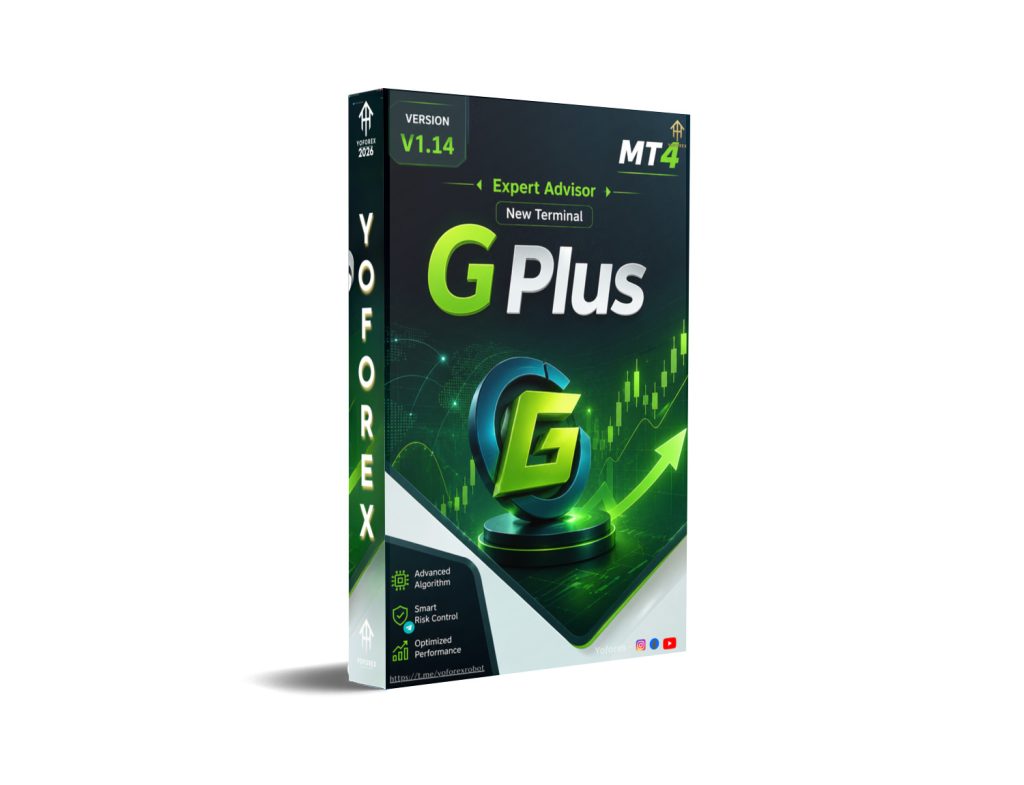
GPlus EA V1.14 MT4: A Practical Look at Automating XAUUSD on the M15 Chart
Many traders who watch gold (XAUUSD) know the frustration. Price moves fast, spreads can widen, and emotional decisions—entering late, exiting early, or overtrading after a loss—quickly erode an account. Sitting in front of the charts for hours is not realistic for most people with jobs or other commitments.
GPlus EA V1.14 MT4 was built to address exactly that problem: consistent, rule-based execution on gold without constant manual monitoring.
What Is GPlus EA V1.14 MT4?
GPlus EA V1.14 is an Expert Advisor designed for the MetaTrader 4 platform. It scans the market according to its coded logic, opens trades when conditions are met, manages stop-loss and take-profit levels, and can adjust trailing stops or move to break-even.
Its primary focus, as confirmed for this version, is XAUUSD on the M15 timeframe. It can also be applied to major pairs, but the gold setup on M15 is the one most frequently referenced for practical use.
The goal is straightforward: remove emotional interference and enforce a disciplined plan around entries, exits, and position sizing.
How Does GPlus EA V1.14 Work?
The EA follows three clear pillars:
- Trend Bias Detection It first assesses whether the market is bullish, bearish, or ranging using technical factors such as moving averages, momentum filters, and volatility levels. It prefers to trade in the direction of the dominant bias rather than fight it.
- Filtered Entry Zones Instead of taking every signal, it looks for higher-probability “sweet spots”—pullbacks into key zones, breakouts after consolidation, or momentum triggers. This filtering aims to reduce noise trades common on lower timeframes like M15.
- Rule-Based Exits Once in a trade, the EA applies fixed stop-loss, dynamic or partial take-profit, break-even shifts after a defined profit level, and optional trailing stops. Position size can be calculated from a risk percentage of the account balance.
In practice, you attach the EA to an XAUUSD M15 chart, set your preferred risk parameters, enable automated trading, and let it run. It operates during market hours without needing you to click buy or sell.
Key Features
- Fully automated trading on MT4
- Risk-percent money management (lot size calculated from account balance and chosen risk %)
- Configurable filters for high-impact news, low-volatility periods, or specific sessions
- User-friendly inputs: max spread, risk per trade, trading sessions, SL/TP distances, maximum open trades
- Compatible with multiple charts if you want to run it on additional pairs
Quick Features Table
| Feature | Details |
|---|---|
| Platform | MT4 |
| Strategy | Trend bias + filtered entries + structured exits |
| Trading Style | Automated / rule-based |
| Pairs | XAUUSD (primary), majors |
| Timeframe | M15 (recommended) |
| Risk Management | Risk % per trade, max daily loss, trade limits |
| Automation | Full 24/5 once attached |
| Best For | Traders seeking disciplined gold automation |
Main Benefits
The practical advantages are time and discipline. You no longer need to watch every 15-minute candle on gold. The EA applies the same rules on every trade, which helps prevent FOMO entries and premature exits.
Risk-percent sizing keeps position sizes proportional to your account. Configurable filters let you avoid the most chaotic periods. For busy traders or those who struggle with emotional consistency, this structure can make the difference between a plan that exists on paper and one that is actually followed.
Results still depend on market conditions, broker spreads, execution quality, and the settings you choose. No EA eliminates risk.
Who Is GPlus EA V1.14 For?
- Busy traders who cannot monitor charts full-time
- Beginners who understand basic risk concepts but struggle with emotional execution
- Intermediate traders who want consistent implementation of trend-and-filter logic on gold
- Algorithmic traders looking for a ready-made MT4 solution focused on XAUUSD M15
- Anyone testing automation before committing larger capital
Who Should Avoid It?
- Traders seeking guaranteed profits or “set and forget forever” systems
- Those unwilling to backtest, forward-test on demo, and monitor performance
- Traders who prefer pure discretionary price-action decisions
- Accounts that cannot tolerate normal drawdowns inherent in any trading strategy
- Users without a stable connection or VPS if they need continuous operation
GPlus EA V1.14 vs Manual Trading
| Aspect | Manual Trading | GPlus EA V1.14 MT4 |
|---|---|---|
| Execution | Depends on trader’s presence and emotion | Rule-based, automatic |
| Time Commitment | High (constant monitoring) | Low after setup |
| Consistency | Variable | High (same rules every trade) |
| Risk Control | Manual | Configurable % risk + filters |
| Emotional Impact | Significant | Minimal once running |
| Flexibility | Full discretionary control | Limited to coded logic + inputs |
What to Check Before Buying
Before purchasing or downloading GPlus EA V1.14 MT4, review these points:
- Strategy fit: Confirm the trend-bias + filtered-entry approach matches your preferred style on gold.
- Risk settings: Understand how risk % and max daily loss work; start conservatively.
- Drawdown tolerance: Every strategy has losing periods—know your personal limit.
- MT4 compatibility: Ensure your terminal is a recent build and allows Expert Advisors.
- Broker compatibility: Low spreads and reliable execution on XAUUSD matter; ECN/raw accounts are generally preferable.
- VPS: Recommended for 24/5 uptime and lower latency.
- Settings: Test different risk levels and filters on demo first.
- Support: Check available documentation and update policy from the provider.
- Testing: Always run thorough backtests and at least several weeks of forward demo testing on your specific broker.
You can find GPlus EA V1.14 and related resources on sites such as yoforex.org and the YoForexEA catalog.
How to Get Started
- Download the EA file from a trusted source linked to the YoForex ecosystem.
- Open MT4 → File → Open Data Folder → MQL4 → Experts and paste the .ex4 file.
- Restart MT4.
- Open an XAUUSD M15 chart.
- Drag the EA from the Navigator onto the chart.
- Configure risk %, filters, and other inputs. Enable “Allow live trading.”
- Start on a demo account. Monitor for several weeks before considering a small live allocation.
- Use a VPS if you need continuous operation.
FAQs
Does GPlus EA V1.14 work only on XAUUSD?
It is primarily designed and commonly used on XAUUSD M15, though it can be attached to major pairs.
What is the recommended timeframe?
M15 is the key timeframe highlighted for this version on gold.
Is it suitable for beginners?
Yes, provided the user understands basic risk management and is willing to test thoroughly on demo first.
Does it use martingale or grid?
The core description focuses on trend bias, filtered entries, and structured single-trade risk management rather than high-risk recovery methods.
Do I need a VPS?
Strongly recommended for uninterrupted 24/5 operation and better execution.
Can I change the risk settings?
Yes. Risk percentage per trade and various filters are adjustable via the inputs.
Will it make profits every month?
No trading system can guarantee profits. Performance varies with market conditions and settings.
Where can I get support or updates?
Check the official download page and associated Telegram or support channels provided by the distributor.
Conclusion
GPlus EA V1.14 MT4 offers a structured way to automate XAUUSD trading on the M15 chart. It handles trend assessment, entry filtering, and risk-controlled exits so you do not have to stare at the screen all day.
It is a tool, not a shortcut. Realistic expectations, proper testing, and conservative risk settings remain essential.
If the combination of automated gold trading on MT4, clear risk controls, and M15 focus matches what you need, review the full details and download options at yoforex.org or the YoForexEA catalog. Start with demo testing, refine your settings, and decide from real experience whether it belongs in your trading setup.
Support & Disclaimer
Support
If you need help installing or configuring your EA, or face any kind of bug, feel free to reach out on:
WhatsApp: Click here
Telegram Group: Join our community
Disclaimer:
Forex and gold trading involve risk. Past performance doesn’t guarantee future results. Always test robots on demo before live trading and use proper risk management.
REFERRAL
Join the VIP Signals Telegram Channel for real-time expert trading signals and stay ahead in the forex market. Get personalized strategies by becoming a part of our Real Account Management Telegram Channel and optimize your trading experience. If you’re aiming to Pass PropFirm Challenges , join our dedicated channel for tips and proven methods. Start managing your capital effectively with expert advice from our Funded Account Management Telegram Channel. For advanced traders, our HFT EA / Passing Telegram Channel offers high-frequency trading insights and strategies to boost your performance.