Intoduction
Automated trading is designed to reduce the need for constant chart monitoring, but not every Expert Advisor works in the same way. Some EAs focus on a single technical strategy, while others combine automated trading with additional analysis, configuration and account-management functions.
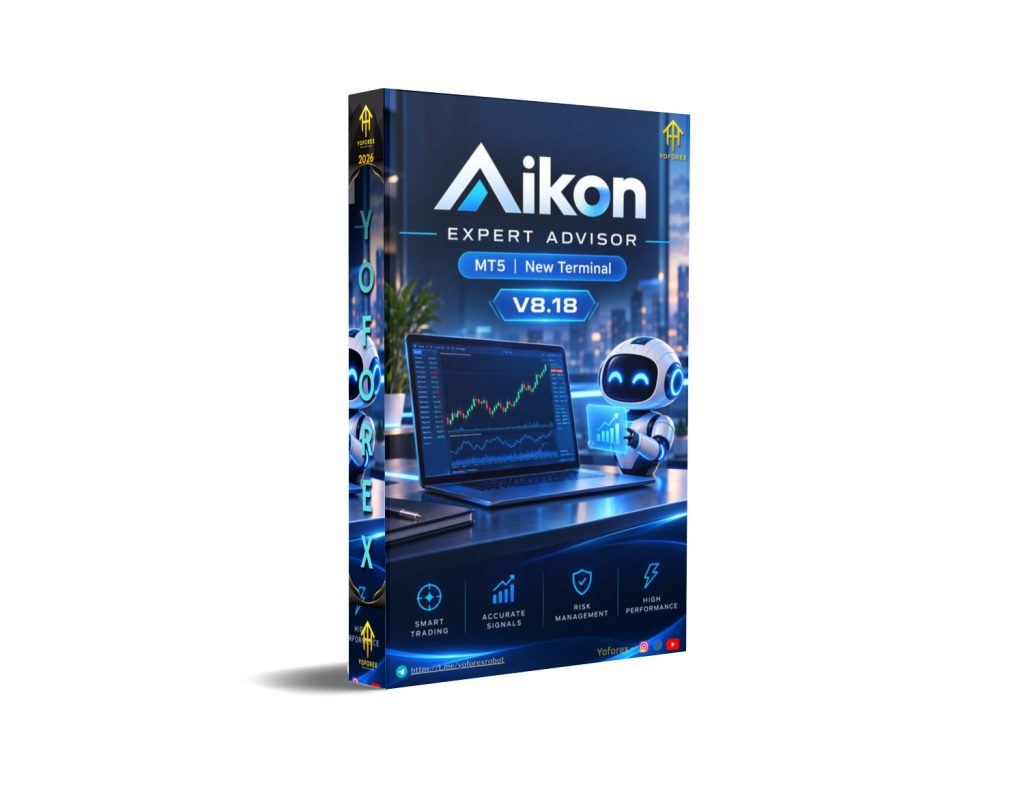
Aicon EA V8.18 MT5 takes the broader approach. It is designed as an AI-assisted trading system for MetaTrader 5, combining automated trading functionality with AI interaction, trading configuration, research, position management, capital controls, alerts and remote operation.
For traders researching an Aicon EA V8.18 MT5 review, the important question is not simply whether the system can place trades. The more useful question is whether its features, operating model, supported trading approaches and risk controls fit your trading requirements.
What Is Aicon EA V8.18 MT5?
Aicon EA V8.18 MT5 is an AI-assisted Expert Advisor designed for the MetaTrader 5 platform.
Rather than operating only as a conventional signal-based Forex robot, Aicon provides a wider collection of trading and management functions. According to its product information, the system can assist with market research, trading configuration, automation, alerts, position management, capital controls and remote interaction.
The system also supports different trading approaches. Documented starting configurations include Forex Single Entry with Stop Loss, Gold/XAUUSD Single Entry with Stop Loss and Forex Recovery.
This makes Aicon different from an EA built around one fixed entry strategy.
The system is intended for traders who want automated trading combined with AI-assisted interaction and broader account-management capabilities.
How Does Aicon EA V8.18 MT5 Work?
Aicon’s overall operation can be viewed through several stages:
Analysis → Trading Decision → Entry → Position Management → Exit → Risk and Capital Management
The exact behavior depends on the selected configuration and trading approach.
Market Analysis and Research
Aicon provides AI-assisted functions that can be used for market research, recommendations and trading configuration.
The system also includes an Ask Aikon conversational interface, allowing users to interact with the system using natural-language requests for supported tasks.
Trade Entry
Aicon supports multiple trading configurations rather than relying on one universal entry method.
The Single Entry with Stop Loss approach is designed around an initial trade with defined protection. A Recovery configuration is also available for users who specifically choose that approach.
Because configurations can differ, traders should understand the selected trading contract before deploying the EA on a live account.
Position Management
Aicon includes functions for monitoring and managing supported open positions.
Its automation capabilities can also be used for actions such as trade management, alerts and scheduled operations.
Risk and Capital Management
One of Aikon’s distinctive areas is capital management.
The system describes concepts such as Operating Capital, Protected Reserve and Harvestable Profit. These mechanisms are intended to establish boundaries around how much capital is available for trading activity.
This is different from relying only on the Stop Loss attached to an individual trade.
Aicon EA V8.18 MT5 Strategy Explained
Aicon EA V8.18 MT5 should not be treated as a traditional single-strategy Expert Advisor.
The system supports different trading approaches and configurations. These include Single Entry with Stop Loss and an optional Recovery approach.
The AI component is also used for functions beyond simply generating buy or sell signals. It can assist with research, recommendations, configuration and supported trading-management tasks.
This distinction is important when comparing Aicon with conventional Forex EAs.
A trader should not automatically assume that every decision is generated by an AI prediction model. The system combines AI-assisted functionality with defined configurations, deterministic controls and trading-management rules.
Key Features
Important documented features of Aicon EA V8.18 MT5 include:
- MetaTrader 5 compatibility
- AI-assisted trading functionality
- Ask Aikon conversational interface
- AI-assisted market research
- Trading configuration assistance
- Single Entry with Stop Loss configuration
- Optional Recovery trading
- Capital-management controls
- Operating Capital concept
- Protected Reserve concept
- Position-management functionality
- Alerts and automations
- Scheduled trading-management actions
- Portfolio-related functionality
- Fleet coordination capabilities
- Prop-firm protection functionality
- Telegram-based remote interaction
- Web research capabilities
- Supported file analysis
- AI/API usage tracking
- Live position management
- Aikon Link functionality for supported networks
Quick Specifications
| Feature | Details |
|---|---|
| Platform | MetaTrader 5 |
| Product | Aicon EA V8.18 MT5 |
| Version | V8.18 |
| Strategy | Configurable AI-assisted trading framework |
| Trading Style | Single Entry and optional Recovery configurations |
| Instruments/Pairs | Forex and Gold/XAUUSD configurations are documented |
| Timeframe | No single fixed timeframe is specified |
| Risk Management | Stop Loss, capital controls and trading protection features |
| Automation | Alerts, automations and scheduled actions |
| Remote Control | Telegram |
| AI Connectivity | Requires appropriate AI/provider connectivity for AI functionality |
| VPS | Suitable for continuous MT5 operation |
| Best For | Traders looking for AI-assisted MT5 trading and broader automation |
Main Benefits
AI-Assisted Trading Workflow
One of the main differences between Aicon and a conventional EA is its use of AI for more than basic signal generation.
The AI functionality can assist with research, recommendations and configuration, giving traders a more interactive way to work with their automated trading environment.
Reduced Manual Monitoring
Once properly configured, automated functions can reduce the amount of routine manual work required from the trader.
This can be useful for traders who do not want to remain in front of charts throughout the trading session.
Systematic Execution
Automation can help apply configured rules consistently instead of relying on a trader’s emotions or changing decisions during market volatility.
This does not eliminate trading risk, but it can reduce some forms of discretionary interference.
Remote Management
Telegram integration provides a way to interact with supported Aicon functions remotely.
This can be useful for traders operating MT5 through a VPS or another continuously connected environment.
Capital-Level Controls
The system’s capital-management framework provides additional controls beyond conventional trade-level Stop Loss settings.
For traders concerned about how much account capital is exposed to automated activity, this can be an important consideration.
Limitations & Risks
Aicon EA V8.18 MT5 has a broad feature set, but buyers should understand its limitations before using it with real money.
Strategy Tester Limitations
One of the most important considerations is backtesting.
The complete Aicon operating environment cannot be reproduced through a conventional MetaTrader Strategy Tester run because some of its AI, web, Telegram and external API functionality depends on live connectivity.
Therefore, a standard MT5 backtest should not be interpreted as a complete representation of everything the Aicon system can do.
A backtest can provide useful information about supported mechanical trading behavior, but it cannot reproduce every live AI-assisted function.
Market Risk
Aicon does not eliminate market risk.
Losses can occur because of volatility, unexpected market events, poor configurations, spread expansion, slippage or unfavorable execution conditions.
Broker Execution
Actual live performance can differ between brokers because of differences in spreads, execution speed, liquidity, symbol specifications and trading conditions.
Testing the EA on the intended broker is therefore important.
Incorrect Settings
A sophisticated EA can also introduce configuration complexity.
Selecting an inappropriate trading approach, capital allocation or risk configuration can create risks that have nothing to do with the underlying software itself.
Recovery Risk
Recovery trading deserves particular attention.
Recovery systems can increase exposure after losing trades, depending on how the configuration operates. Traders should understand the potential account-level consequences before enabling this mode.
Connectivity
Some Aicon functionality depends on internet connectivity and external services.
A stable VPS and reliable connection can therefore be important when using features that require continuous communication.
Who Is Aicon EA V8.18 MT5 For?
Aicon may be suitable for traders who want a broader automated trading environment rather than a simple set-and-forget Expert Advisor.
It may particularly appeal to:
- Experienced MT5 traders
- Traders interested in AI-assisted automation
- Users who want conversational trading configuration
- Traders managing multiple automated operations
- Users interested in remote account interaction
- Traders who want additional capital controls
- Users comfortable working with AI/API connectivity
- Traders interested in combining automation with research and management functions
The system may be especially interesting to technically minded traders who want more control over the trading environment than a conventional EA provides.
Who Should Avoid It?
Aicon may not be ideal for traders who want a very simple Expert Advisor with minimal configuration.
It may also be unsuitable for users who:
- Want only one fixed trading strategy
- Prefer a basic set-file workflow
- Do not want AI/API configuration
- Expect the complete system to be fully testable in Strategy Tester
- Are unfamiliar with automated trading risks
- Do not understand Recovery-style trading
- Are unwilling to monitor an automated system
Beginners should take particular care to understand the EA’s configuration and risk controls before using real funds.
Aicon EA V8.18 MT5 vs Manual Trading
| Factor | Aicon EA V8.18 MT5 | Manual Trading |
|---|---|---|
| Execution | Automated according to configuration | Manually executed |
| Screen Time | Can reduce routine monitoring | Generally requires more attention |
| Consistency | Rules can be applied systematically | Depends on trader discipline |
| Emotional Interference | Can reduce discretionary decisions | Emotions may influence decisions |
| Speed | Automated execution can react quickly | Depends on manual reaction |
| Flexibility | Configurable automated framework | High discretionary flexibility |
| Monitoring | Automated monitoring and alerts available | Trader handles monitoring |
| Risk Management | Automated controls can be configured | Depends heavily on trader |
Neither approach is automatically superior.
Manual trading gives the trader direct discretion, while automated trading can provide consistency and reduce repetitive decision-making. At the same time, automated systems introduce their own risks involving configuration, execution, connectivity and software behavior.
What To Check Before Buying
Before buying or deploying Aicon EA V8.18 MT5, traders should review the following:
Strategy
Understand the specific trading configuration you intend to use.
Risk
Review Stop Loss behavior, capital controls and the risks associated with the selected trading approach.
Account Type
Confirm that your MT5 account type supports the functionality you plan to use, particularly if Recovery is important.
Broker Compatibility
Test the EA with your intended broker because spreads, execution and symbol specifications can vary.
AI Requirements
Check the requirements for the AI functionality you intend to use, including the necessary connectivity and provider configuration.
VPS
If you want continuous automated operation or remote management, a reliable VPS can help keep MT5 running consistently.
Testing
Use demo or controlled forward testing before committing substantial live capital.
Support
Review the available documentation and support resources before deployment.
License
Check the current licensing terms and activation requirements on the official product listing before purchasing.
Aicon EA V8.18 MT5 Settings
Aicon does not simply rely on a conventional collection of fixed EA inputs.
Its system provides configuration through its interface and the Ask Aikon functionality. Users can use supported conversational instructions to help configure trading behavior.
Starting configurations include options such as:
- Forex Single Entry with Stop Loss
- Gold/XAUUSD Single Entry with Stop Loss
- Forex Recovery
The appropriate settings depend on the trader’s chosen strategy, instrument, risk tolerance and account structure.
There is therefore no single Aicon EA V8.18 MT5 settings configuration that should automatically be considered suitable for every trader.
Aicon EA V8.18 MT5 Backtesting & Performance
Backtesting requires special attention with Aicon.
The complete functionality of the system cannot be reproduced through a standard MetaTrader Strategy Tester environment because several important functions depend on live external connectivity.
This means a Strategy Tester result should be viewed as a partial technical test, rather than a complete simulation of the live Aicon environment.
Traders should distinguish between three different forms of evidence:
Backtest: Historical simulation using available market data.
Forward Test: Testing the EA under current or future market conditions, normally on a demo or controlled account.
Live Results: Actual trading results produced under real broker conditions.
These should never be treated as interchangeable.
Historical backtesting cannot guarantee future results, and a backtest that looks attractive does not eliminate the possibility of live drawdown or losses.
How To Get Started
Step 1: Check Compatibility
Confirm that you have MetaTrader 5 and that your account and broker support the required functionality.
Step 2: Understand the Trading Configuration
Review the available approaches and determine whether Single Entry, Recovery or another configuration fits your objectives.
Step 3: Review Risk Controls
Understand Stop Loss settings, capital limits and the implications of the selected trading approach.
Step 4: Install the EA
Install Aicon EA V8.18 MT5 through the appropriate MetaTrader/MQL5 process.
Step 5: Configure Required Services
If you intend to use AI, Telegram or other connected features, configure the required services and permissions.
Step 6: Demo Test
Run the system in a controlled environment before considering live deployment.
Step 7: Monitor
Review trades, account exposure, connectivity, settings and system behavior regularly.
Step 8: Consider Live Trading Carefully
Only move toward live use after you understand how your selected configuration behaves under real-market conditions.
Is Aicon EA V8.18 MT5 Worth Buying?
Aicon EA V8.18 MT5 is worth considering for traders looking for something broader than a traditional automated trading robot.
Its main differentiator is the combination of AI-assisted functionality with automated trading, configuration, research, position management, capital controls, alerts and remote interaction.
However, those additional capabilities also make the product more complex than a basic EA.
The inability to reproduce the complete Aicon environment in a conventional Strategy Tester is particularly important for buyers who normally depend heavily on historical backtesting when evaluating Expert Advisors.
A trader looking for a simple strategy-specific EA may prefer a more straightforward product.
A trader looking for an AI-assisted MT5 trading environment with broader automation and management capabilities may find Aicon considerably more relevant.
The decision should ultimately depend on strategy suitability, account compatibility, risk management, testing and the trader’s understanding of the system.
FAQs
What is Aicon EA V8.18 MT5?
Aicon EA V8.18 MT5 is an AI-assisted Expert Advisor and trading-management system designed for MetaTrader 5.
Is Aicon EA V8.18 available for MT4?
The product covered here is the MT5 version. Traders should check the current product listing if they specifically require an MT4 version.
Does Aicon EA V8.18 use AI?
Yes. AI is an important part of the system and can assist with research, recommendations, configuration and supported trading-management functions.
What strategy does Aicon EA V8.18 use?
Aicon is not limited to one conventional trading strategy. Documented configurations include Single Entry with Stop Loss and optional Recovery trading.
Does Aicon support Gold?
Gold/XAUUSD is specifically included among the documented starting configurations.
Can Aicon EA V8.18 be backtested?
A partial Strategy Tester test is possible, but the complete Aicon environment cannot be reproduced because several functions depend on live external connectivity.
Does Aicon support remote control?
Yes. Telegram-based remote interaction is one of the system’s documented features.
Is Aicon EA V8.18 suitable for beginners?
It can provide guided configuration features, but its broader functionality means beginners should understand automated trading, account risk, Recovery behavior and the system’s connectivity requirements before using real funds.
Conclusion
Aicon EA V8.18 MT5 is a broader AI-assisted trading system rather than a simple single-strategy Forex robot.
Its key strengths are its combination of automated trading, AI-assisted configuration, research, position management, capital controls, automation and remote interaction.
The most important consideration is understanding exactly which parts of the system can be evaluated through conventional backtesting and which require live connectivity.
For traders who want a straightforward EA with one clearly defined strategy and simple backtesting, a conventional Expert Advisor may be easier to evaluate.
For traders looking for a more comprehensive AI-assisted MT5 trading environment, Aicon EA V8.18 is a product worth investigating.
As with any automated trading system, the safest approach is to understand the strategy, test the configuration, verify broker compatibility and assess the risks before using significant live capital.
Support & Disclaimer
Support:
If you need help installing or configuring your EA, or face any kind of bug, feel free to reach out on:
Telegram Group: Join our community
Disclaimer:
Forex and gold trading involve risk. Past performance doesn’t guarantee future results. Always test robots on demo before live trading and use proper risk management.
REFERRAL
Join the VIP Signals Telegram Channel for real-time expert trading signals and stay ahead in the forex market. Get personalized strategies by becoming a part of our Real Account Management Telegram Channel and optimize your trading experience. If you’re aiming to Pass PropFirm Challenges , join our dedicated channel for tips and proven methods. Start managing your capital effectively with expert advice from our Funded Account Management Telegram Channel. For advanced traders, our HFT EA / Passing Telegram Channel offers high-frequency trading insights and strategies to boost your performance.